Minecraft version
Back to mods 
Modrinth · Minecraft mod
Don's Building Stuff
A collection of tools that makes building insanely enjoyable
Choose a version Pick your version below, then grab the matching file.
Quick answer
Which Don's Building Stuff release should I use?
Latest stable file 4.1.0
Game version 1.21.1
Loader NeoForge
Don's Building Stuff 4.1.0 targets 1.21.1 with NeoForge. Installation on the client is optional. Installation on the dedicated server is optional. No extra mods listed for this file.
Where it goes
Is Don's Building Stuff required on the client, server, or both?
Installation on the client is optional. Installation on the dedicated server is optional.
Client Optional
Dedicated server Optional
Loader for this release NeoForge
Required install it here Optional supported, not mandatory Not supported do not install here Source doesn’t say do not assume
The source marks this as usable on both the client and server.
What else does Don's Building Stuff 4.1.0 need?
4.1.0. Change the file and its required mods may change too.
This file does not list any required mods. Do not add a library just because a different file uses it.
This file does not list any required or optional mods.
Before you install it
Add Don's Building Stuff without breaking your instance.
Built for Don's Building Stuff 4.1.0. Pick another file and the loader, install side or required mods may change.
- 01
Stick to this file
Use 4.1.0. It targets 1.21.1 with NeoForge; another release may have different loader, side or dependency requirements.
- 02
Bring the mods it needs
This file does not list any required mods. Do not add a library just because a different file uses it.
- 03
Put it on the correct side
Installation on the client is optional. Installation on the dedicated server is optional.
- 04
Pick the file you checked
Use the “Get this file” button beside 4.1.0. It opens that exact file at the source.
About this project
What does Don's Building Stuff add?
GUI UPDATE!
Hey! I'm Donnie, an enthusiast developer.
I love building machines, making weird contraptions, automating random stuff, you name it.
There's just one problem:
I can't build.
Like, at all.
So I made myself a tool to help even the most hopeless builders out there.
Turns out the thing is actually pretty damn useful.
So yeah. I'm publishing it.
🔨 The Trowels
The main point of this mod is the tools it adds.
Specifically:
4 types of Trowels and 1 Roller.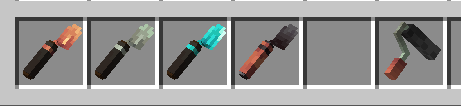
🟠 Copper Trowel
Randomizes blocks from your hotbar, starting from the slot to the right of the trowel's selected slot.
Basically:
"I don't know what I'm doing, just make the wall look good."
⚙️ Iron Trowel
Gives you more control.
You can select which blocks you want to use and pull them directly from your inventory.
No more filling your hotbar with 17 different blocks just to make one wall.
💎 Diamond Trowel
Now we're cooking.
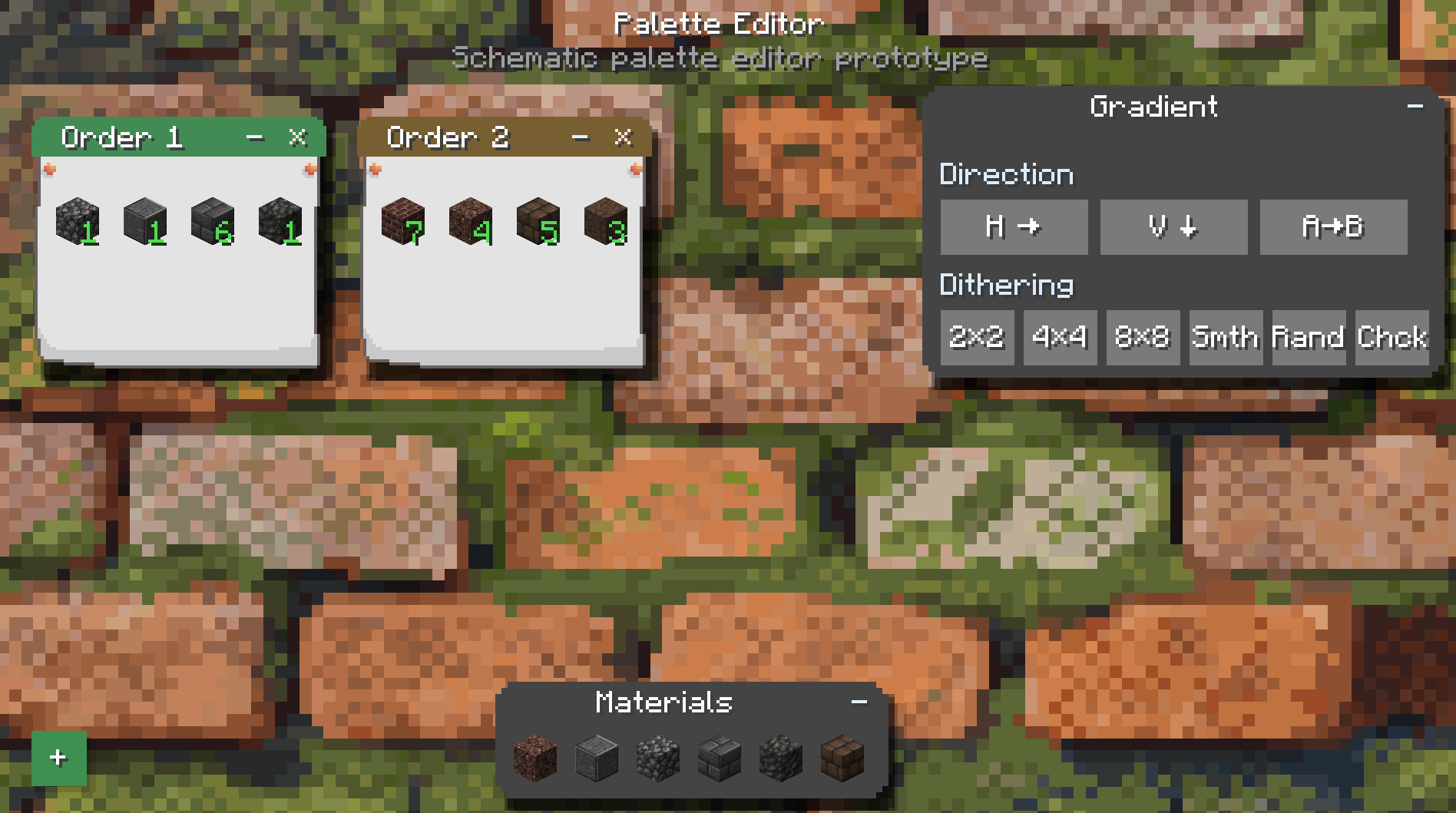
You can choose the ratio of different blocks and control the order in which they're placed.
It also unlocks Quick Place.
This is where you can start making actual patterns instead of just praying to RNGesus.
🔥 Netherite Trowel
The big boy.
The Netherite Trowel saves blocks during replacement and puts the recovered blocks straight into your inventory.
Because wasting half your building materials while remodeling your own house is kinda cringe.
🎨 Gradient Roller
The Roller uses dyes to recolor blocks that can actually be dyed.
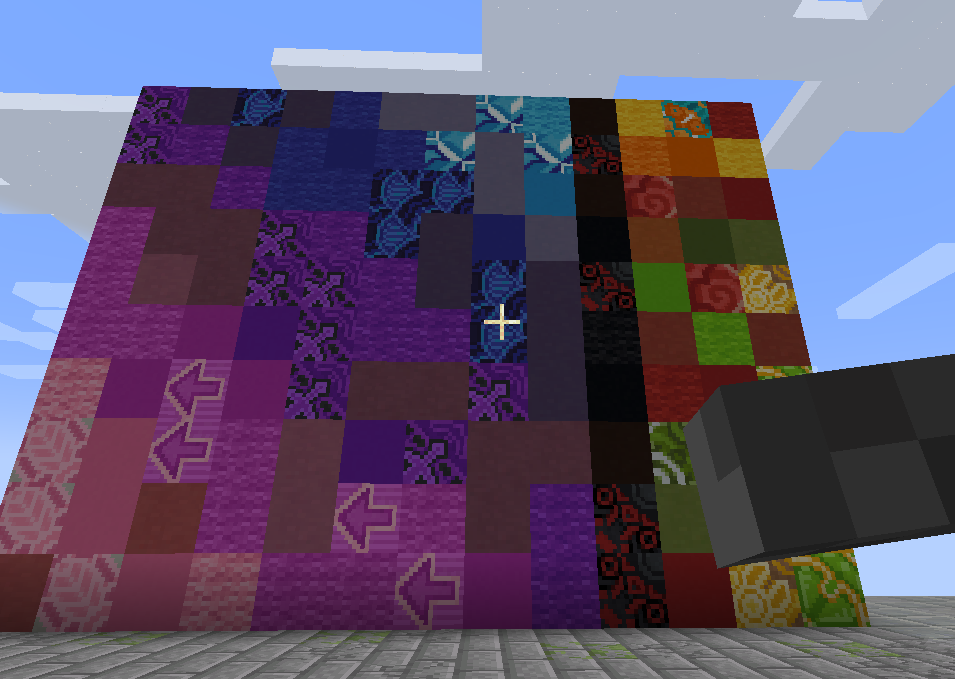
Wool, glass, concrete, and other dyeable blocks.
Basically, if Minecraft lets you change the color of it, there's a good chance the Roller can help you do it without manually replacing every single block.
🔁 Replacement Mode
Starting with the Iron Trowel, you can put a pickaxe in your offhand to enable Replacement Mode.
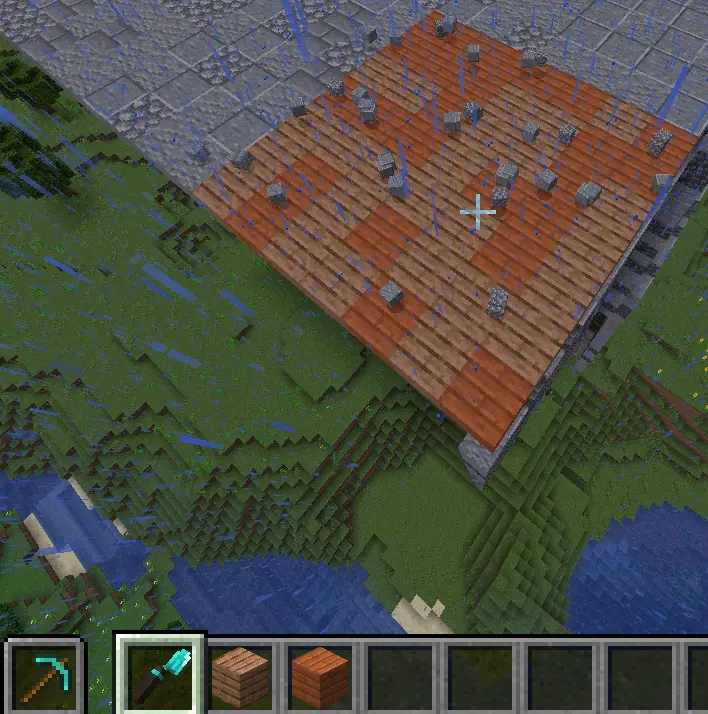
You can replace existing blocks directly instead of breaking them first.
It's basically like Terraria.
Yes, I know that's an amazing explanation.
Especially for people who have never played Terraria.
HAHAHAHAHAHA
🚀 Quick Place
Starting with the Diamond Trowel, you also get Quick Place.
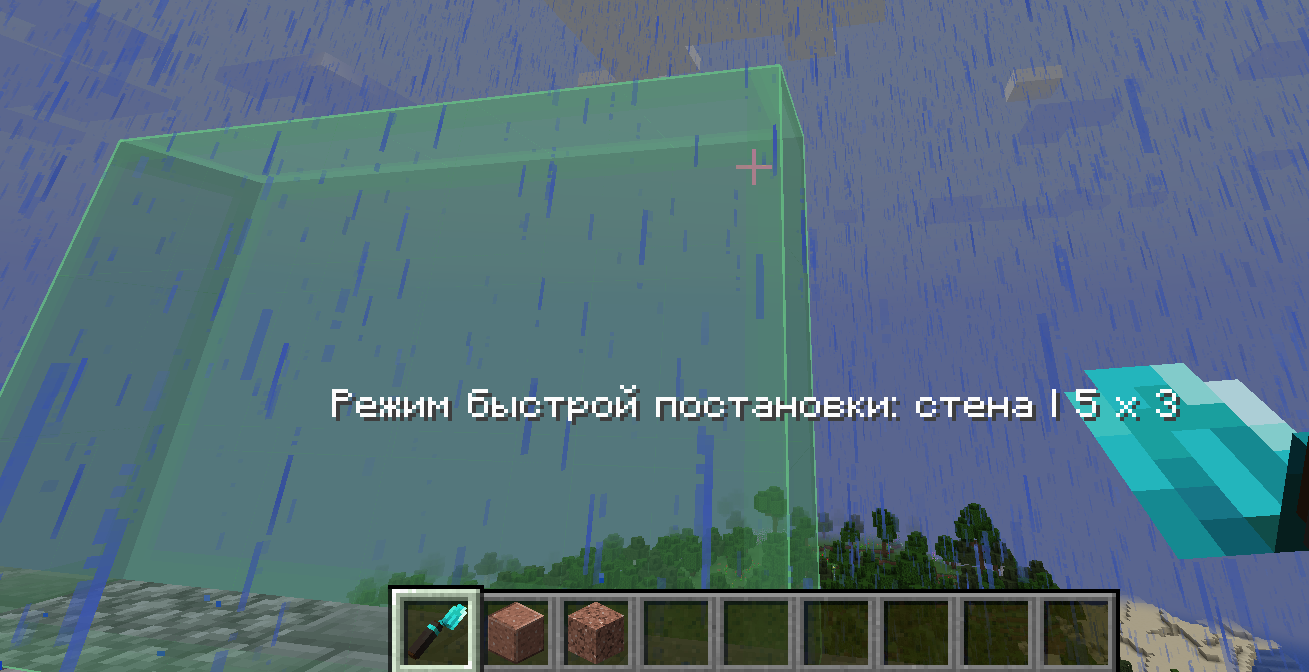
Hold Alt, select an area, and quickly build a wall out of your chosen materials.
It also supports smart replacement and ordered patterns, including things like checkerboards.
So you can go from:
"I need to replace this wall."
to:
"Actually, let's redesign the entire thing."
in approximately three seconds.
📖 The Items Actually Explain Themselves
If you want more detailed information about how everything works, just hover over an item and hold Left Shift.
The tooltip will tell you pretty much everything you need to know.
Because apparently making a 40-page wiki for my silly little trowel was too much work.
🏗️ Sable Compatibility
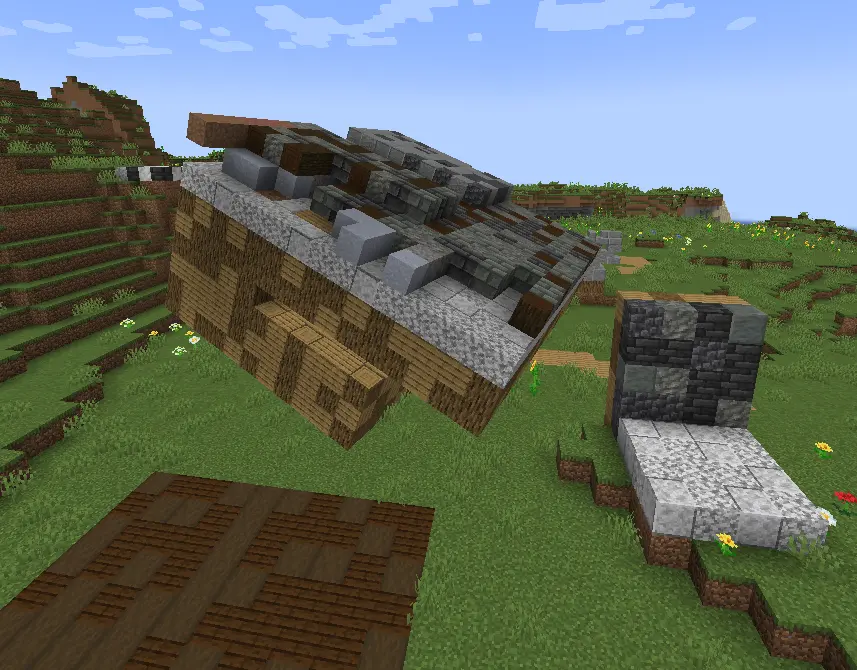
And YES.
We're compatible with Sable.
No crashes.
No broken rendering.
And yes, everything should actually look right.
And yes, I spent 9 hours of my life making this work.
Just so I could write these three lines.
Worth it.
Project description from Modrinth.
Pick your setup
Don's Building Stuff by Minecraft version and loader
Choose the version and loader you play, then open the matching release.
Check the dependencies, then try the file in a copied instance before changing a world you care about.
Recent files
Don's Building Stuff versions and loaders
4.1.0
donsbuildingstuff-4.1.0.jar
11 Aug 2026
Client Optional Server Optional Dependencies No extras listed Listed on Release listing
Check the 1.21.1 · NeoForge setup 1.21.1NeoForge release
4.0
donsbuildingstuff-4.0.jar
11 Aug 2026
Client Optional Server Optional Dependencies No extras listed Listed on Release listing
Check the 1.21.1 · NeoForge setup 1.21.1NeoForge release
3.0
donsbuildingstuff-3.0.jar
9 Aug 2026
Client Optional Server Optional Dependencies No extras listed Listed on Release listing
Check the 1.21.1 · NeoForge setup 1.21.1NeoForge release
2.2.2
donsbuildingstuff-2.2.2.jar
18 May 2026
Client Optional Server Optional Dependencies No extras listed Listed on Release listing
Check the 1.21.1 · NeoForge setup 1.21.1NeoForge release
2.2.1
donsbuildingstuff-2.2.1.jar
17 May 2026
Client Optional Server Optional Dependencies No extras listed Listed on Release listing
Check the 1.21.1 · NeoForge setup 1.21.1NeoForge release
2.1.0
donsbuildingstuff-2.1.0.jar
14 May 2026
Client Optional Server Optional Dependencies No extras listed Listed on Release listing
Check the 1.21.1 · NeoForge setup 1.21.1NeoForge release
1.0.0
donsbuildingstuff-1.0.0.jar
5 May 2026
Client Optional Server Optional Dependencies No extras listed Listed on Release listing
Check the 1.21.1 · NeoForge setup 1.21.1NeoForge release
Looking for an older file? The official Modrinth project page is in Resources.
 mod
mod CurseForge + Modrinth · Minecraft
No Chat Restrictions
Restores access to game chat for all accounts
 mod
mod CurseForge + Modrinth · Minecraft
Text Styles
An advanced, modular, and highly personalizable text effect system for Minecraft.
 mod
mod Modrinth · Minecraft
Matcha Flavoured Fabric
A Fabric mod port of Klei Wright's Matcha Flavoured data and resource pack.