Fabric API Needed by Cobblemon Ball Satchel 1.11.1
requiredMatching file found Matched file: 0.116.18+1.21.1
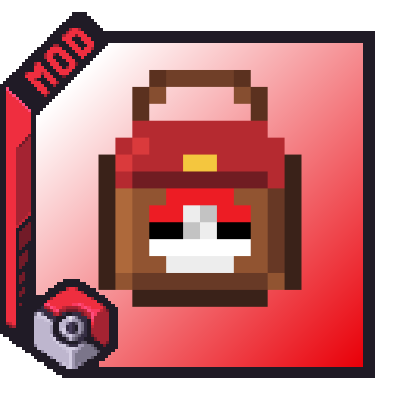
Modrinth · Minecraft mod
Cobblemon Ball Satchel is a quality-of-life addon for Cobblemon on Fabric 1.21.1. It adds a dedicated satchel that stores your Poké Balls, keeps your inventory organized and lets you switch Ball types without filling your hotbar.
Quick answer
Cobblemon Ball Satchel 1.11.1 targets 1.21.1 with Fabric. Installation on the client is optional. Installation on the dedicated server is optional. All 3 required mods have matching files.
Where it goes
Installation on the client is optional. Installation on the dedicated server is optional.
The source marks this as usable on both the client and server.
1.11.1. Change the file and its required mods may change too.
Install Fabric API, Fabric Language Kotlin, Cobblemon first. We found matching files for this game-version and loader setup.
We only count dependency files that match this setup. A file for another loader does not fill the gap.
Before you install it
Built for Cobblemon Ball Satchel 1.11.1. Pick another file and the loader, install side or required mods may change.
Use 1.11.1. It targets 1.21.1 with Fabric; another release may have different loader, side or dependency requirements.
Install Fabric API, Fabric Language Kotlin, Cobblemon first. We found matching files for this game-version and loader setup.
Installation on the client is optional. Installation on the dedicated server is optional.
Use the “Get this file” button beside 1.11.1. It opens that exact file at the source.
About this project

A practical Poké Ball storage, selection, and throwing addon for Cobblemon.
Minecraft 1.21.1 • Fabric • Client and server
Cobblemon Ball Satchel is a quality-of-life addon for Cobblemon on Minecraft 1.21.1 Fabric.
It adds a dedicated satchel that can store, organize, select, and throw Poké Balls without filling your hotbar or cluttering your inventory.
Each Ball Satchel contains 27 internal slots reserved for Poké Balls.
Every satchel keeps its own:
Cobblemon Ball Satchel now includes a dedicated Apricorn storage category with its own 27-slot inventory. You can switch between Poké Ball storage and Apricorn storage using the small Poké Ball and Apricorn icons at the bottom-left of the satchel interface.
The Automatic Storage Upgrade works with Apricorns as well, automatically moving incoming Apricorns into the satchel, while the Stack Upgrade also increases the maximum Apricorn stack capacity inside the satchel.
The contents remain attached to the item when the satchel is moved, dropped, stored in another inventory, or carried between game sessions.
Open the satchel to access a Minecraft-style inventory containing:
The satchel currently being viewed is locked in its inventory slot while the screen is open. This prevents accidental movement, hotbar swaps, offhand swaps, duplication issues, and inventory desynchronization.
Poké Balls can be inserted directly from the player inventory without opening the satchel.
Only valid Cobblemon Poké Balls are accepted.
Hold the satchel and use Alt + Mouse Wheel to cycle through the Poké Ball types stored inside it.
A compact HUD appears to the right of the hotbar:
While holding the satchel, right-click to throw the currently selected Poké Ball.
The addon uses Cobblemon's own Poké Ball and projectile systems, preserving the selected Ball type and its normal capture behavior.
The satchel includes three removable upgrade slots. Upgrades can be installed, moved between slots, and removed whenever you want.
The Automatic Storage Upgrade automatically transfers Poké Balls that enter the player's inventory into the satchel.
Poké Balls now have a 10% chance to not be consumed when thrown with the upgrade installed.
The Stack Upgrade doubles Poké Ball stack capacity inside the satchel.
Poké Balls thrown from an upgraded satchel can deal 1 heart of damage to non-Pokémon living entities.
With the Return Upgrade installed, missed Poké Balls automatically return to the satchel after 1.5 seconds.
Cobblemon Ball Satchel recognizes Poké Balls through Cobblemon's standard
Poké Ball implementation and the official cobblemon:poke_balls item tag.
Compatible Poké Balls added by other Cobblemon addons can therefore be stored, selected, and thrown when they use Cobblemon's standard systems.
All of the following are required:
For multiplayer, install Cobblemon Ball Satchel and every required dependency on both the server and every connecting client.
This addon is made for Fabric. It is not compatible with Forge or NeoForge.
Cobblemon Ball Satchel supports both singleplayer and multiplayer.
Feel free to use Cobblemon Ball Satchel in modpacks.
Creating mods takes a lot of time. If you enjoy my work and would like to support me, you can join my Patreon. Members can also get early access to test versions of my mods.








Project description from Modrinth.
Pick your setup
Choose the version and loader you play, then open the matching release.
Check the dependencies, then try the file in a copied instance before changing a world you care about.
Recent files
cobblemon-ball-satchel-fabric-1.21.1-v1.11.1.jar
6 Nov 2026
cobblemon-ball-satchel-fabric-1.21.1-v1.10.3.jar
25 Oct 2026
cobblemon-ball-satchel-fabric-1.21.1-v1.10.2.jar
12 Oct 2026
cobblemon-ball-satchel-fabric-1.21.1-v1.9.3.jar
22 Sept 2026
cobblemon-ball-satchel-fabric-1.21.1-v1.8.2.jar
14 Sept 2026
cobblemon-ball-satchel-fabric-1.21.1-v1.7.1.jar
10 Sept 2026
cobblemon-ball-satchel-fabric-1.21.1-v1.6.3.jar
7 Sept 2026
cobblemon-ball-satchel-fabric-1.21.1-v1.6.2.jar
6 Sept 2026
cobblemon-ball-satchel-fabric-1.21.1-v1.4.0.jar
31 Jul 2026
Looking for an older file? The official Modrinth project page is in Resources.
 mod
Define in-world crafting & interactions using JSON recipes. item interaction, burning, touching fluid, anvil, crushing, lightning, exploding...
 mod
Adds Pokémon-related items.
 mod
⛏️ Transform your resources with the power of Create!