Minecraft version
Back to mods 
Modrinth · Minecraft mod
Keep Some Inventory
Don't lose equipment but drop resources when dying
Choose a version Pick your version below, then grab the matching file.
Quick answer
Which Keep Some Inventory release matches 1.21?
Best match for your filters v2.0.1+mod+neoforge
Game version 1.21, 1.21.1
Loader NeoForge
Keep Some Inventory v2.0.1+mod+neoforge targets 1.21, 1.21.1 with NeoForge. Installation on the client is optional. Installation on the dedicated server is optional. No extra mods listed for this file.
Where it goes
Is Keep Some Inventory required on the client, server, or both?
Installation on the client is optional. Installation on the dedicated server is optional.
Client Optional
Dedicated server Optional
Loader for this release NeoForge
Required install it here Optional supported, not mandatory Not supported do not install here Source doesn’t say do not assume
The source marks this as usable on both the client and server.
What else does Keep Some Inventory v2.0.1+mod+neoforge need?
v2.0.1+mod+neoforge on 1.21. Every mod below is checked against that same setup.
This file does not list any required mods. Do not add a library just because a different file uses it.
This file does not list any required or optional mods.
Before you install it
Add Keep Some Inventory without breaking your instance.
Built for Keep Some Inventory v2.0.1+mod+neoforge on 1.21. Pick another file and the loader, install side or required mods may change.
- 01
Stick to this file
Use v2.0.1+mod+neoforge. It targets 1.21, 1.21.1 with NeoForge; another release may have different loader, side or dependency requirements.
- 02
Bring the mods it needs
This file does not list any required mods. Do not add a library just because a different file uses it.
- 03
Put it on the correct side
Installation on the client is optional. Installation on the dedicated server is optional.
- 04
Pick the file you checked
Use the “Get this file” button beside v2.0.1+mod+neoforge. It opens that exact file at the source.
About this project
What does Keep Some Inventory add?
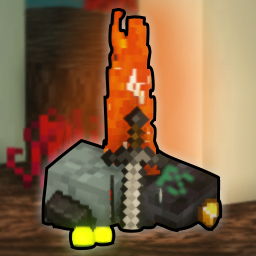 Keep Some Inventory
Isn't it annoying when you die and your items are far away and surrounded by danger?
With this data pack no longer, since you keep your fighting equipment like weapons, tools and armor on you when dying!
Overview
Personally I don't like playing with the keepInventory gamerule set to true because it feels cheap to go somewhere dangerous without the risk of losing anything.
This data pack aims to give dangerous areas their risk back while still allowing you to use your best equipment that you spent hours on farming, crafting and enchanting.
Features
- When dying, you keep all your equipment on you while still dropping your resources.
- Your items will not splatter, they all stay at the exact location you died at, no items flying into lava or off of cliffs.
- At the location of your death you can collect all your experience and it is not limited to about 7 levels, like in vanilla minecraft.
- After dying, your items and experience will despawn after 10 minutes instead of despawning after the normal 5 minutes.
Compatability
- This pack will most likely not work together with grave packs or packs doing anything to items on death.
- This pack makes use of vanilla item tags and the convention of common
ctags used by mod loaders, and may therefore be compatible with mods - no guarantee. - You can modify the items that should be dropped on death by opening the zip/jar and modifying the tag located at
data/pskeep2/tags/item/drop.json.
CraftBukkit Servers (Spigot, Paper, Purpur, etc.)
This datapack works with CraftBukkit, provided you set /gamerule keepInventory true in each world, because CraftBukkit has separate gamerules for each world (the Nether and the End are considered separate worlds).
Not setting the keepInventory rule to true for a world or dimension will cause the default Minecraft death and drop item behaviour.




Project description from Modrinth.
Pick your setup
Keep Some Inventory by Minecraft version and loader
Choose the version and loader you play, then open the matching release.
Minecraft version
1.21
5 loader buildsMinecraft version
1.20.6
3 loader buildsMinecraft version
1.20.5
3 loader buildsMinecraft version
1.20.4
5 loader buildsMinecraft version
1.20.3
5 loader buildsMinecraft version
1.20.2
5 loader buildsMinecraft version
1.20.1
5 loader buildsMinecraft version
1.20
5 loader buildsMinecraft version
1.19.4
5 loader buildsMinecraft version
1.19.3
5 loader buildsMinecraft version
1.19.2
5 loader buildsShowing the newest 12 of 28 game versions. Older files are in the list below.
Check the dependencies, then try the file in a copied instance before changing a world you care about.
Recent files
Keep Some Inventory versions and loaders
v2.0.1+mod+neoforge
keep-some-inventory-v2.0.1.jar
10 Nov 2024
Client Optional Server Optional Dependencies No extras listed Listed on Release listing
Check the 1.21 · NeoForge setup 1.211.21.1NeoForge release
v2.0.1+mod
keep-some-inventory-v2.0.1.jar
5 Aug 2024
Client Optional Server Optional Dependencies No extras listed Listed on Release listing
Check the 1.21 · Fabric setup 1.211.21.1FabricForge release
v2.0.1
KeepSomeInventory-v2.0.1.zip
5 Aug 2024
Client Optional Server Optional Dependencies No extras listed Listed on Release listing
Check the 1.21 · datapack setup 1.211.21.1datapack release
v2.0.0+mod
keep-some-inventory-v2.0.0.jar
28 Jul 2024
Client Optional Server Optional Dependencies No extras listed Listed on Release listing
Check the 1.21 · Fabric setup 1.21FabricForgeQuilt release
v2.0.0
KeepSomeInventory-v2.0.0.zip
28 Jul 2024
Client Optional Server Optional Dependencies No extras listed Listed on Release listing
Check the 1.21 · datapack setup 1.21datapack release
Looking for an older file? The official Modrinth project page is in Resources.
 mod
CurseForge + Modrinth · Minecraft
Crate Delight: Croptopia
Useful crates and bags for Croptopia that will save you storage and look great.
 mod
CurseForge + Modrinth · Minecraft
Safra
Don’t mess with the server Play Minecraft with your friends in 2 clicks via P2P
 mod
CurseForge + Modrinth · Minecraft
No Item Bounce
This mod disables item drop scatter by centering items on the block grid.