SocketSVC
Proximity voice chat for Minecraft, carried over WebSockets instead of UDP. Players hear each other based on how close they are in-game, and there is no second port to punch through your firewall — voice rides the same kind of connection your browser already uses for HTTPS.
What to install
Every player needs the client mod. The server needs one of the server-side pieces.
|
Install |
Guide |
| Client |
mods/ — Fabric, Quilt, NeoForge or Forge |
Installation |
| Server (plugin) |
plugins/ — Paper, Purpur or Folia |
Server setup |
| Server (mod) |
mods/ — Fabric, Quilt, NeoForge or Forge |
Server setup |
| Proxy (optional) |
plugins/ — Velocity, BungeeCord or Waterfall |
Proxy relay |
Fabric and Quilt need Fabric API. Mod Menu is optional.
You can also use voice in singleplayer — open a world to LAN and the client hosts the voice server itself. See LAN and singleplayer.
Why WebSocket instead of UDP
- Nothing extra to forward. The voice connection starts as an ordinary HTTP upgrade, so a reverse proxy, Cloudflare Tunnel, ngrok, or a Docker/Pterodactyl panel carries it with no extra configuration.
- Real
wss:// encryption from the TLS termination you already run.
- One socket. Audio, the player roster, speaker snapshots and status updates all share a single connection.
- One public port for a whole network. The proxy relay fronts every backend, so per-backend voice ports stay internal.
Features
Voice
- Proximity audio with distance falloff and left/right panning
- Push-to-talk or voice activation, mute and deafen
- Per-player volume, so you can turn one person down without turning everyone down
- Opus audio with a jitter buffer and packet-loss concealment, plus automatic reconnect
Audio quality
- Noise suppression (RNNoise, with optional DeepFilterNet downloaded on demand)
- Echo cancellation, automatic gain and limiting
- Headphone spatial audio
More than talking
- Voice groups — named channels you join from the in-game menu
- Soundboard — play local clips to nearby players
- Instruments — MIDI keyboard, line-in, drum machine and loop station
- Head animation that follows the speaker's voice
- Custom icon packs, including animated ones
Quality of life
- A voice-chat badge next to servers in the multiplayer list, so you know before you join
- Works alongside Simple Voice Chat and Plasmo Voice — keep either installed, and each server gets the right one
- In-game updater that installs a new build on your next restart
- Available in 10 languages, following your Minecraft language setting
Supported versions
| Minecraft |
Fabric / Quilt |
NeoForge |
Forge |
| 1.21.11 |
✅ |
✅ |
✅ |
| 26.1 |
✅ |
🧪 beta |
✅ |
| 26.1.1 |
✅ |
🧪 beta |
✅ |
| 26.1.2 |
✅ |
✅ |
✅ |
| 26.2 |
✅ |
✅ |
✅ |
| 26.3 |
✅ |
✅ |
✅ |
The Paper plugin and the proxy plugin are one jar each and work across all of the above.
Builds marked beta are built against a beta loader release, not a beta of SocketSVC.
Getting started
- Put the client jar in
mods/, and the server jar in plugins/ or mods/.
- Start the server once — it writes
config.yml (Paper) or socketsvc-server.yml (server mod).
- Set
public-url to an address your players can reach, then /ssvc-server reload.
Everything else has a default that works on LAN. For a public server behind TLS, see Server configuration; for a network, see Proxy configuration.
Press V in game to open settings, B to talk, G for voice groups. Full list under Controls.
For developers
SocketSVC exposes a spatial speaker API so your own plugin or mod can place audio in the world — music, PA announcements, named in-world speakers.
Something not working?
Start with Troubleshooting and Compatibility — they cover the usual causes, including other voice mods. Then ask on Discord
Metrics
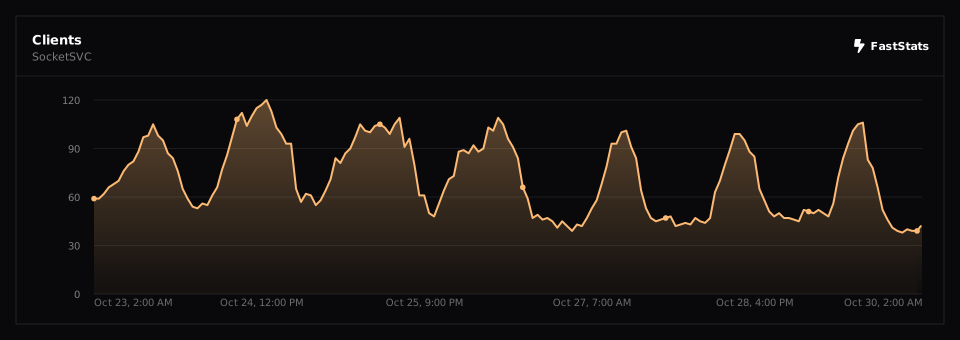
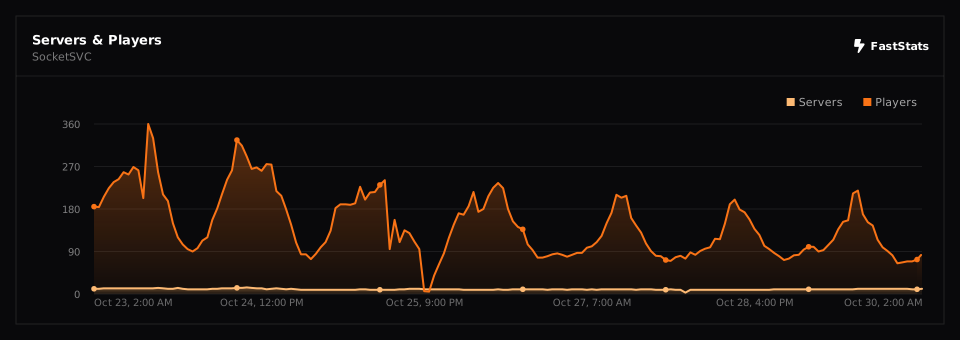
Project description from Modrinth.
