Fabric API Needed by Image On Frame Fabric Port imageframe-fabric-2.1.4.jar
requiredMatching file found Matched file: [26.3] Fabric API 0.166.2+26.3
CurseForge · Minecraft mod
High-performance, server-side Fabric port of ImageFrame. Place HD images & animated GIFs on maps and walls with zero client-side mods required!
Quick answer
Image On Frame Fabric Port imageframe-fabric-2.1.4.jar targets 26.1.2, 26.2, 26.3 with Fabric. The project page does not say whether this file belongs on the client, dedicated server, or both. All 1 required mods have matching files.
Where it goes
The project page does not say whether this file belongs on the client, dedicated server, or both.
The source does not explicitly classify this release as client-only or server-only.
imageframe-fabric-2.1.4.jar. Change the file and its required mods may change too.
Install Fabric API first. We found matching files for this game-version and loader setup.
We only count dependency files that match this setup. A file for another loader does not fill the gap.
Before you install it
Built for Image On Frame Fabric Port imageframe-fabric-2.1.4.jar. Pick another file and the loader, install side or required mods may change.
Use imageframe-fabric-2.1.4.jar. It targets 26.1.2, 26.2, 26.3 with Fabric; another release may have different loader, side or dependency requirements.
Install Fabric API first. We found matching files for this game-version and loader setup.
The project page does not say whether this file belongs on the client, dedicated server, or both.
Use the “Get this file” button beside imageframe-fabric-2.1.4.jar. It opens that exact file at the source.
About this project
A high-performance, universal Fabric port of the popular Spigot plugin ImageFrame by LoohpJames. Put images and animated GIFs on maps and walls with native high-definition (HD) support!
This project is a hybrid (Universal) mod: it functions completely server-side for vanilla clients, while offering native HD map rendering, instant HD GIF animation synchronization, and inventory item preview tooltips when installed on the client.
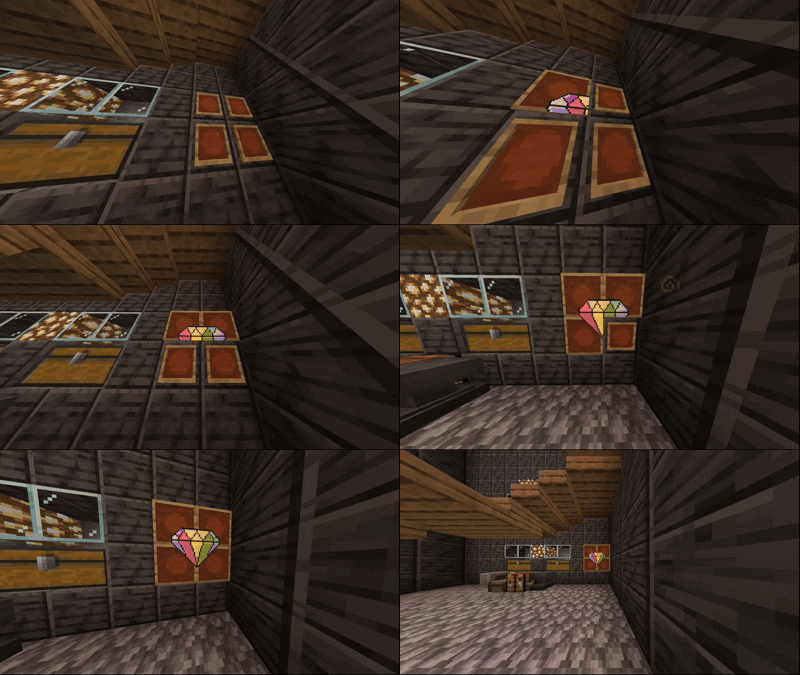
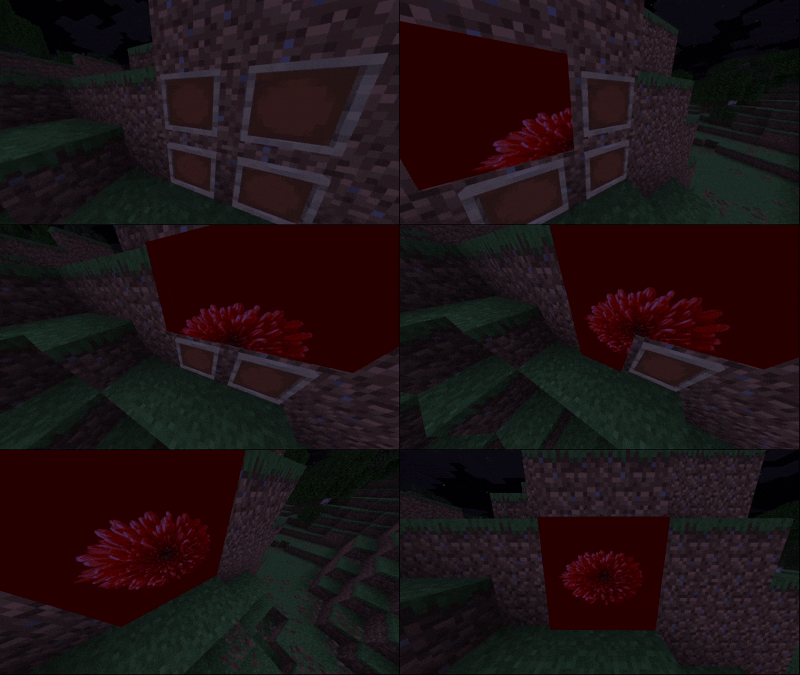
Use this exact same mod JAR on both the server and client. Do not use the original client mod, as this port relies on an updated, GIF-compatible networking architecture.
If you use ImmediatelyFast, you must disable its map atlas optimization feature:
"map_atlas_generation": false inside your config/immediatelyfast.json file.map_atlas_generation forces all map textures into a low-resolution 128x128 atlas, which overrides and crops HD textures. Disabling map_atlas_generation allows ImageFrame to render in full HD while ImmediatelyFast continues optimizing 99% of your other graphics performance (fonts, HUD, signs, GUI, buffers).ImageFrame on Fabric features a streamlined, fully functional config/ImageFrame/config.yml and 1:1 permission parity with the original Spigot plugin.
RequireEmptyMaps: Require survival players to hold empty maps (width * height) to create or retrieve image maps.MaxSize: Limit map dimensions (in blocks) to prevent server lag.PlayerCreationLimit: Limit the maximum number of maps each player or group can create.RestrictImageUrl: Domain whitelist (e.g. Imgur, Discord CDN) to restrict where players can download images from.CombinedByDefault: Automatically give combined map items instead of separate map tiles when running /imageframe get <name>.InvisibleFrame: Configure survival potion splash conversions for invisible item frames.Compatible with LuckPerms via fabric-permissions-api-v1 and native Minecraft OP levels (user commands default to Level 0 / all players):
| Command / Feature | Permission Node | Default Access |
|---|---|---|
/imageframe create |
imageframe.create |
All players |
/imageframe get |
imageframe.get |
All players (own maps) |
| Manage others' maps | imageframe.get.others, imageframe.delete.others |
OP Level 2 |
/imageframe delete |
imageframe.delete |
All players (own maps) |
/imageframe rename |
imageframe.rename |
All players (own maps) |
/imageframe refresh |
imageframe.refresh |
All players (own maps) |
/imageframe playback |
imageframe.playback |
All players |
/imageframe select |
imageframe.select |
All players |
/imageframe list |
imageframe.list |
All players (shows own maps) |
| View all server maps | imageframe.list.others |
OP Level 2 |
| Map creation limit tier | imageframe.createlimit.<group> |
Custom tiers in config |
| Unlimited map creation | imageframe.createlimit.unlimited |
OP Level 2 |
| Full admin bypass | imageframe.admin |
OP Level 2 |
/imageframe reload |
imageframe.reload |
OP Level 2 |
/imageframe language |
imageframe.admin |
OP Level 2 |
Project description from CurseForge.
Pick your setup
Choose the version and loader you play, then open the matching release.
Check the dependencies, then try the file in a copied instance before changing a world you care about.
Recent files
15 Nov 2026
22 Sept 2026
10 Sept 2026
26 Aug 2026
26 Aug 2026
11 Aug 2026
11 Aug 2026
12 Jul 2026
12 Jul 2026
22 Jun 2026
imageframe-fabric-2026.1.2.1-fabric.jar
15 Jun 2026
Looking for an older file? The official CurseForge project page is in Resources.
 mod
200+ Pressure Plates based on Vanilla Blocks.
 mod
This simple mod just adds dyeable crafting tables that keeps its grid content, shows the items on top, and lets you craft from connected inventories. You can search, store, & repeat craft and JEI/EMI transfer from storage.
 mod
Create your own villager trades