Minecraft version
Back to mods 
Modrinth · Minecraft mod
Organizer
Inventory sorting in 2 seconds
Choose a version Pick your version below, then grab the matching file.
Quick answer
Which Organizer release matches 1.20.6?
Best match for your filters 2.0.0
Game version 1.20, 1.20.1, 1.20.2
Loader Fabric
Organizer 2.0.0 targets 1.20, 1.20.1, 1.20.2 with Fabric. It must be installed on the client. Do not install it on the dedicated server. No extra mods listed for this file.
Where it goes
Is Organizer required on the client, server, or both?
It must be installed on the client. Do not install it on the dedicated server.
Client Required
Dedicated server Not supported
Loader for this release Fabric
Required install it here Optional supported, not mandatory Not supported do not install here Source doesn’t say do not assume
This file is marked client-only.
What else does Organizer 2.0.0 need?
2.0.0 on 1.20.6. Every mod below is checked against that same setup.
This file does not list any required mods. Do not add a library just because a different file uses it.
This file does not list any required or optional mods.
Before you install it
Add Organizer without breaking your instance.
Built for Organizer 2.0.0 on 1.20.6. Pick another file and the loader, install side or required mods may change.
- 01
Stick to this file
Use 2.0.0. It targets 1.20, 1.20.1, 1.20.2 with Fabric; another release may have different loader, side or dependency requirements.
- 02
Bring the mods it needs
This file does not list any required mods. Do not add a library just because a different file uses it.
- 03
Put it on the correct side
It must be installed on the client. Do not install it on the dedicated server.
- 04
Pick the file you checked
Use the “Get this file” button beside 2.0.0. It opens that exact file at the source.
About this project
What does Organizer add?
The mod adds inventory sorting based on your template.
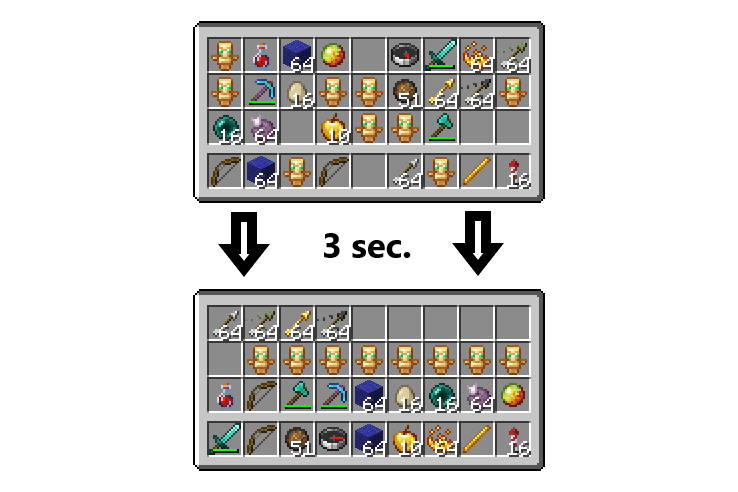
One button saves the template for how you want to sort.
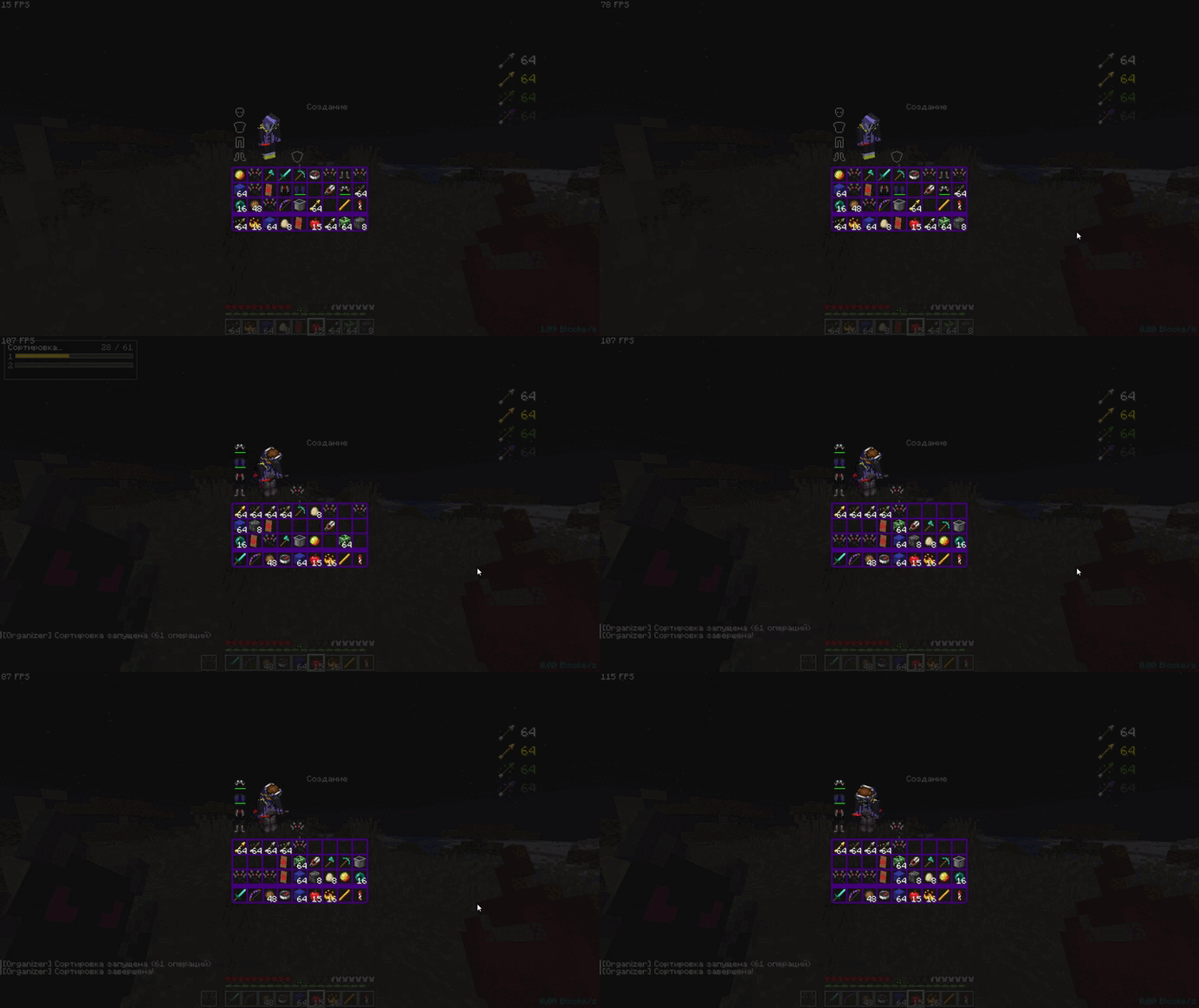
The second button sorts the inventory, moving items to the appropriate slots.
There's a setting for the tick interval between moves.
The 15-second cooldown is built into the mod itself to prevent it from being used as an auto-totem or other cheating features (but even this doesn't guarantee that the mod will be legal on certain servers, so it's best to check with the admins).
By pressing the J button (default), you can customize the mod to suit your preferences.
You also need Fabric API and Mod Menu.
Project description from Modrinth.
Pick your setup
Organizer by Minecraft version and loader
Choose the version and loader you play, then open the matching release.
Minecraft version
26.4-snapshot-4
1 loader buildMinecraft version
26.3
4 loader buildsMinecraft version
26.2
4 loader buildsMinecraft version
26.1.2
4 loader buildsMinecraft version
26.1.1
4 loader buildsMinecraft version
26.1
4 loader buildsMinecraft version
1.21.11
3 loader buildsMinecraft version
1.21.10
3 loader buildsMinecraft version
1.21.9
3 loader buildsMinecraft version
1.21.8
3 loader buildsMinecraft version
1.21.7
3 loader buildsShowing the newest 12 of 74 game versions. Older files are in the list below.
Check the dependencies, then try the file in a copied instance before changing a world you care about.
Recent files
Organizer versions and loaders
2.0.0
organizer-2.0.0+1.20-1.20.6.jar
24 Oct 2026
Client Required Server Not supported Dependencies No extras listed Listed on Release listing
Check the 1.20.6 · Fabric setup 1.201.20.11.20.21.20.3 release
2.0.0
organizer-2.0.0+nf1.20.5-1.20.6.jar
20 Oct 2026
Client Required Server Not supported Dependencies No extras listed Listed on Release listing
Check the 1.20.6 · NeoForge setup 1.20.51.20.6NeoForge release
2.0.0
organizer-2.0.0+mc1.20.2-1.21.5.jar
20 Oct 2026
Client Required Server Not supported Dependencies No extras listed Listed on Release listing
Check the 1.20.6 · Forge setup 1.20.21.20.31.20.41.20.5 release
Looking for an older file? The official Modrinth project page is in Resources.
 mod
mod CurseForge + Modrinth · Minecraft
GugleCarpetAddition
Gugle's Carpet Addition
 mod
mod CurseForge + Modrinth · Minecraft
Reflex AntiLag
Eliminates render queue latency using NVIDIA Reflex architecture. Works on ANY GPU!
 mod
mod CurseForge · Minecraft
Scavenger Mobs
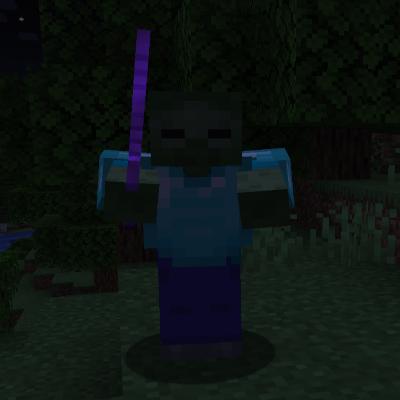
Scavenger Mobs makes hostile mobs smarter by having them seek out, compare, and equip nearby gear - zombies grab swords and armor, skeletons upgrade their bows, illagers snatch shields, and piglins become temporarily friendly when they find gold equipment.