Litematica Needed by Syncmatica Revolution v0.5.0-mc1.21.10
requiredMatching file found Matched file: 0.24.9

Modrinth · Minecraft mod
Better Server-wide shared litematics.
Quick answer
Syncmatica Revolution v0.5.0-mc1.21.10 targets 1.21.10 with Fabric. Installation on the client is optional. Installation on the dedicated server is optional. All 2 required mods have matching files.
Where it goes
Installation on the client is optional. Installation on the dedicated server is optional.
The source marks this as usable on both the client and server.
v0.5.0-mc1.21.10. Change the file and its required mods may change too.
Install Litematica, MaLiLib first. We found matching files for this game-version and loader setup. 1 comes through another mod in the chain.
1 extra mod was pulled in by another dependency. Indented rows show who needs each one. We only count dependency files that match this setup. A file for another loader does not fill the gap.
Before you install it
Built for Syncmatica Revolution v0.5.0-mc1.21.10. Pick another file and the loader, install side or required mods may change.
Use v0.5.0-mc1.21.10. It targets 1.21.10 with Fabric; another release may have different loader, side or dependency requirements.
Install Litematica, MaLiLib first. We found matching files for this game-version and loader setup. 1 comes through another mod in the chain.
Installation on the client is optional. Installation on the dedicated server is optional.
Use the “Get this file” button beside v0.5.0-mc1.21.10. It opens that exact file at the source.
About this project
[English] | 中文
Project Origin: This is a modified fork of Syncmatica, with enhanced collaboration features including shared material progress tracking.
Material Progress Tracking provides a real-time material coordination system for collaborative building:
Access the material tracker via the MaterialGatherings button to coordinate team resource collection.
Syncmatica_r is a mod which aims to mod into litematica so that schematics and their placements can be easily shared.
[!CAUTION]
Syncmatica_r is a mod that gives its users a lot of power and can have consequences for the server. Only use this mod if
you feel confident that your users won't abuse it too heavily.
You first need to install fabric and add the litematica and malilib mods to your client. The next step is to move the
Syncmatica_r mod file to the mod folder. Now you are ready to go.
For the server you only need to install fabric and put Syncmatic in the mods folder, and you are good to go.
After running the mod once it will create a configuration file that you can use to configure the mod as you please.
See Config Doku for more information.
Once installed on your client, you can join every server normally. For servers which have Syncmatica_r installed you will
get access to a few extra buttons. 2 of them are in the main menu and allow you to see the placements that are shared on
the server and download them. Another is in your schematic placement overview and allows you to share your own
litematics with the server.
You need to be in the same dimension as a syncmatic to load it.
To modify a placement just unlock a placement on your client. Lock it again after making changes to share the changes
with everyone.
Project description from Modrinth.
Pick your setup
Choose the version and loader you play, then open the matching release.
Check the dependencies, then try the file in a copied instance before changing a world you care about.
Recent files
syncmatica_r-1.21.10-0.5.1-pre-2.jar
1 Sept 2026
syncmatica_r-1.20.1-0.5.1-pre-2.jar
1 Sept 2026
syncmatica_r-1.17.1-0.5.1-pre-2.jar
1 Sept 2026
syncmatica_r-1.21.8-0.5.1-pre-2.jar
1 Sept 2026
syncmatica_r-1.21.1-0.5.1-pre-2.jar
1 Sept 2026
syncmatica_r-26.2-0.5.1-pre-2.jar
1 Sept 2026
syncmatica_r-1.21.4-0.5.1-pre-2.jar
1 Sept 2026
syncmatica_r-1.21.6-0.5.1-pre-2.jar
1 Sept 2026
syncmatica_r-1.21.11-0.5.1-pre-2.jar
1 Sept 2026
syncmatica_r-26.1-0.5.1-pre-2.jar
1 Sept 2026
syncmatica_r-1.21.10-0.5.1-pre-1.jar
25 Aug 2026
syncmatica_r-1.21.11-0.5.1-pre-1.jar
25 Aug 2026
Looking for an older file? The official Modrinth project page is in Resources.
 mod
modThe 64-stack limit is gone. Hold up to 99 million per slot with clean, readable count labels.
 mod
modA modern port of Industrial Reborn, IndustrialCraft 2, BuildCraft and Logistics Pipes, brought together into a single mod: electrical machines, power grids, item and fluid pipes, and logistics.
 mod
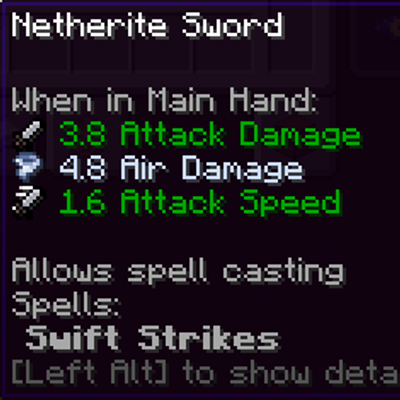
modMakes weapons found & crafted to have a chance to get an elemental damage instance!