Minecraft version
Back to mods 
Modrinth · Minecraft mod
Shulker Box Labels
Give your shulker boxes an item label!
Choose a version Pick your version below, then grab the matching file.
Quick answer
Which Shulker Box Labels release should I use?
Latest stable file 3.4.4+26.2-neoforge
Game version 26.2
Loader NeoForge
Shulker Box Labels 3.4.4+26.2-neoforge targets 26.2 with NeoForge. Installation on the client is optional. Installation on the dedicated server is optional. No extra mods listed for this file.
Where it goes
Is Shulker Box Labels required on the client, server, or both?
Installation on the client is optional. Installation on the dedicated server is optional.
Client Optional
Dedicated server Optional
Loader for this release NeoForge
Required install it here Optional supported, not mandatory Not supported do not install here Source doesn’t say do not assume
The source marks this as usable on both the client and server.
What else does Shulker Box Labels 3.4.4+26.2-neoforge need?
3.4.4+26.2-neoforge. Change the file and its required mods may change too.
This file does not list any required mods. Do not add a library just because a different file uses it.
This file does not list any required or optional mods.
Before you install it
Add Shulker Box Labels without breaking your instance.
Built for Shulker Box Labels 3.4.4+26.2-neoforge. Pick another file and the loader, install side or required mods may change.
- 01
Stick to this file
Use 3.4.4+26.2-neoforge. It targets 26.2 with NeoForge; another release may have different loader, side or dependency requirements.
- 02
Bring the mods it needs
This file does not list any required mods. Do not add a library just because a different file uses it.
- 03
Put it on the correct side
Installation on the client is optional. Installation on the dedicated server is optional.
- 04
Pick the file you checked
Use the “Get this file” button beside 3.4.4+26.2-neoforge. It opens that exact file at the source.
About this project
What does Shulker Box Labels add?


Description
This mod allows you to add item labels to your shulker boxes, making your storage more organized and inventory management much easier.
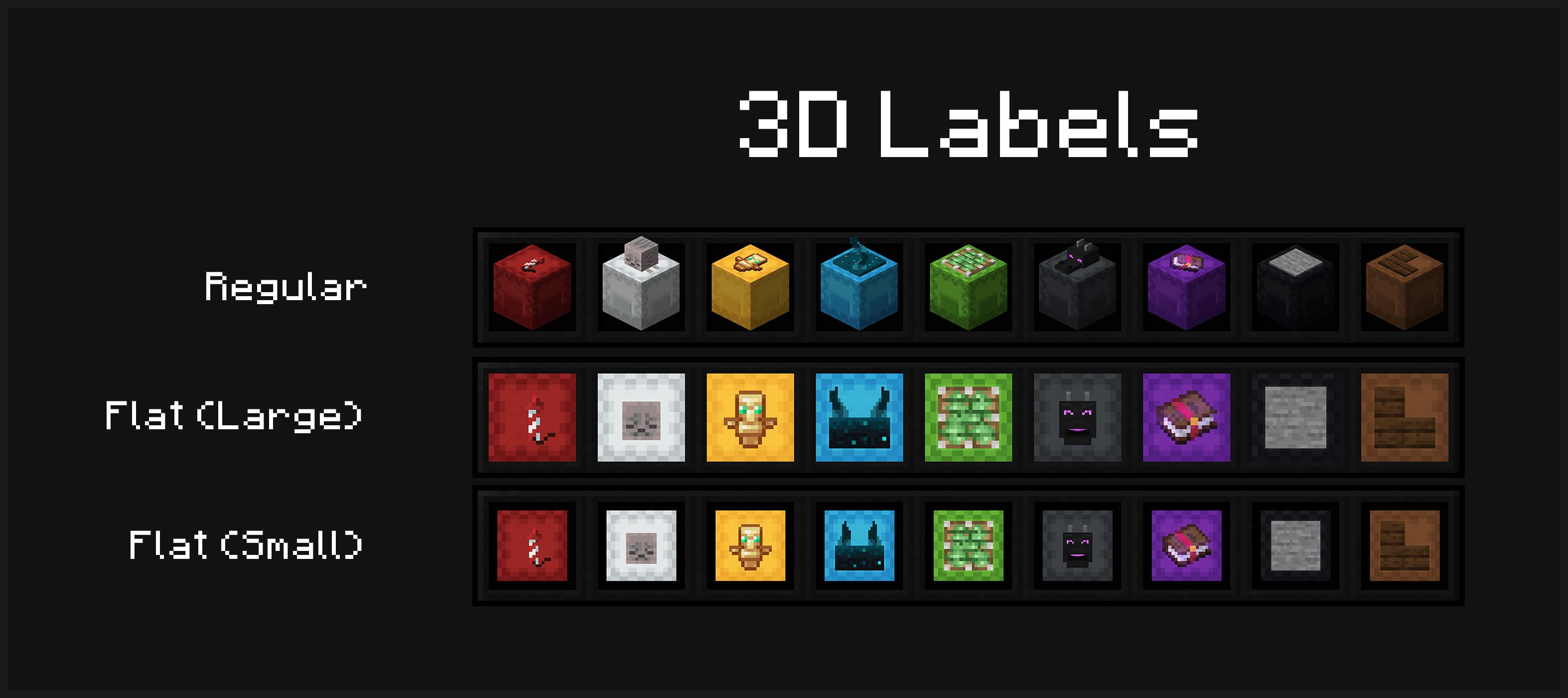
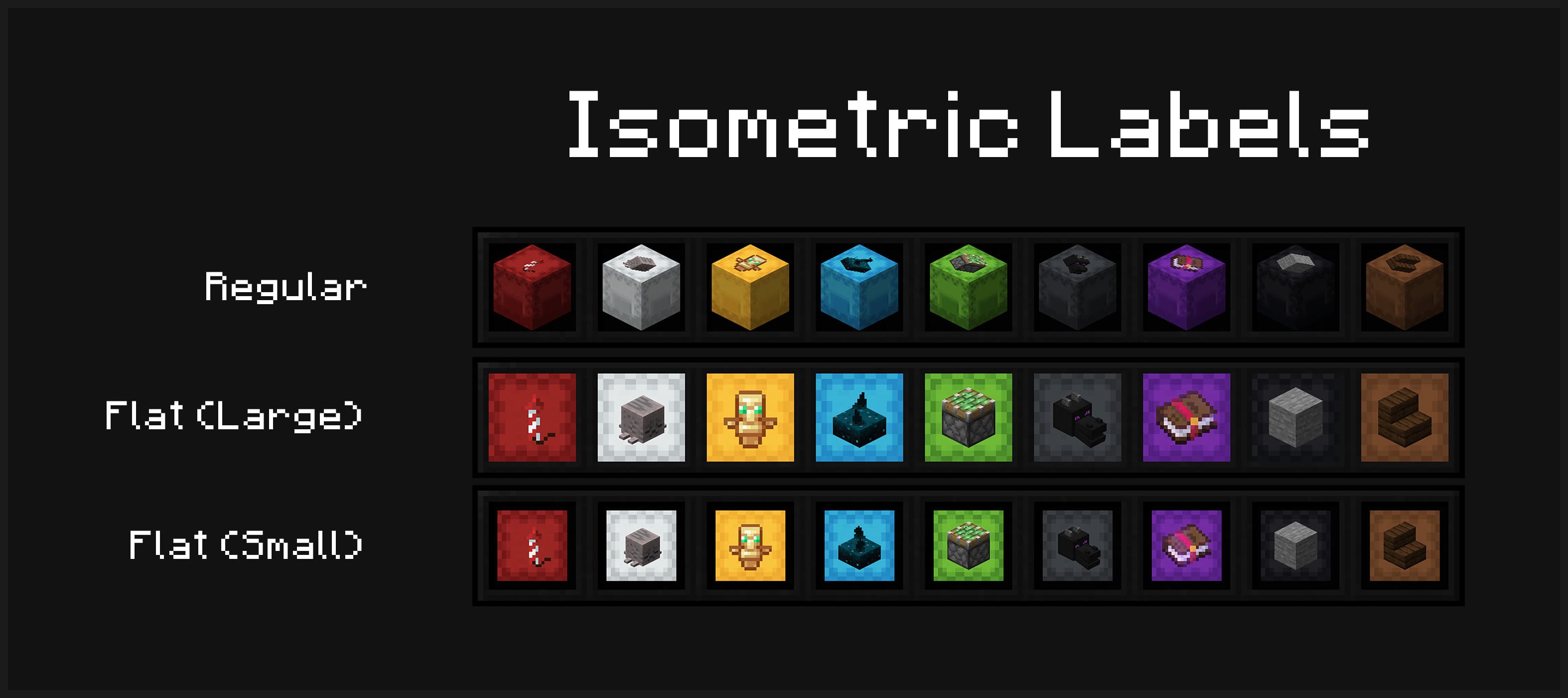
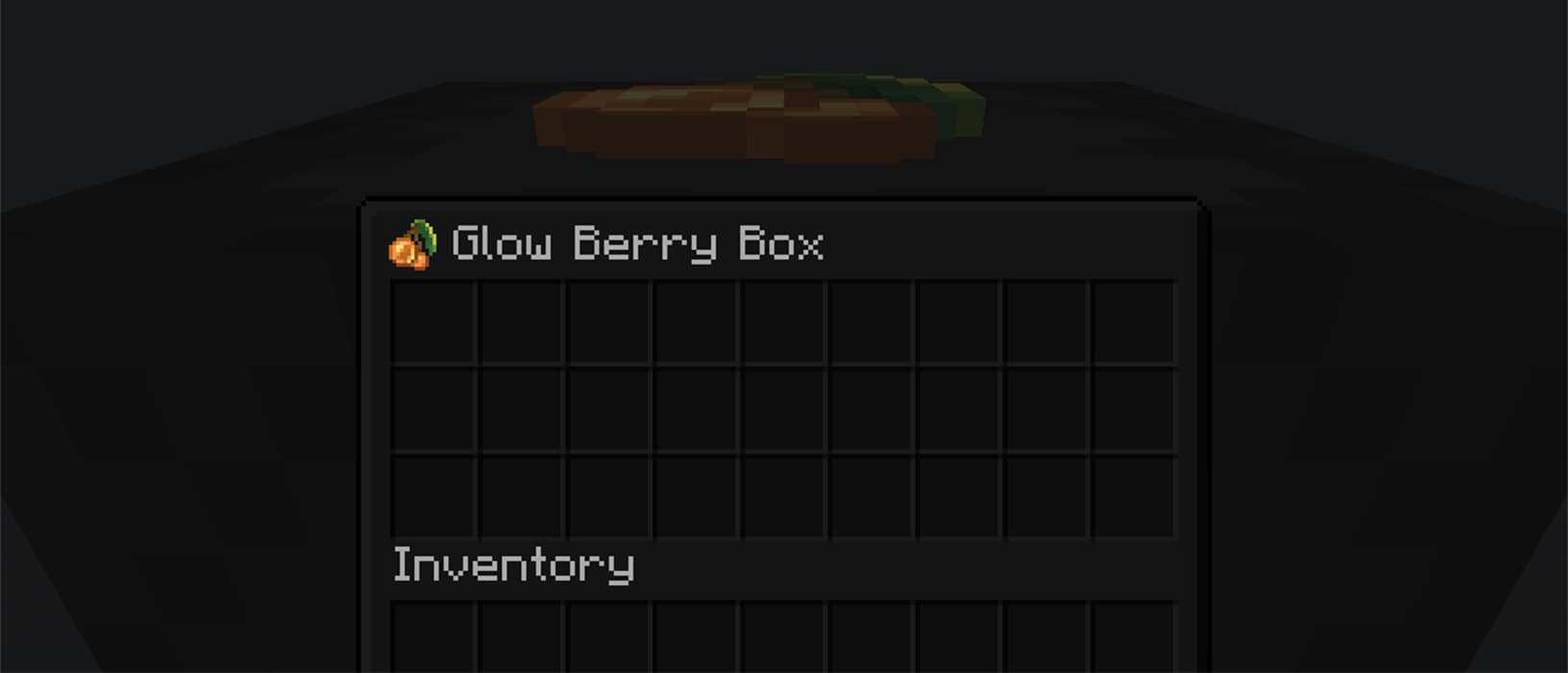
Multiple display modes are supported - you can have your shulker boxes displayed in flat mode, and choose to display labels in either 3D or isometric mode.
Display your labeled shulker boxes in the GUI in any mode. Labels can be shown in 3D or isometric mode, and shulker boxes can appear in regular or flat (large/small) mode
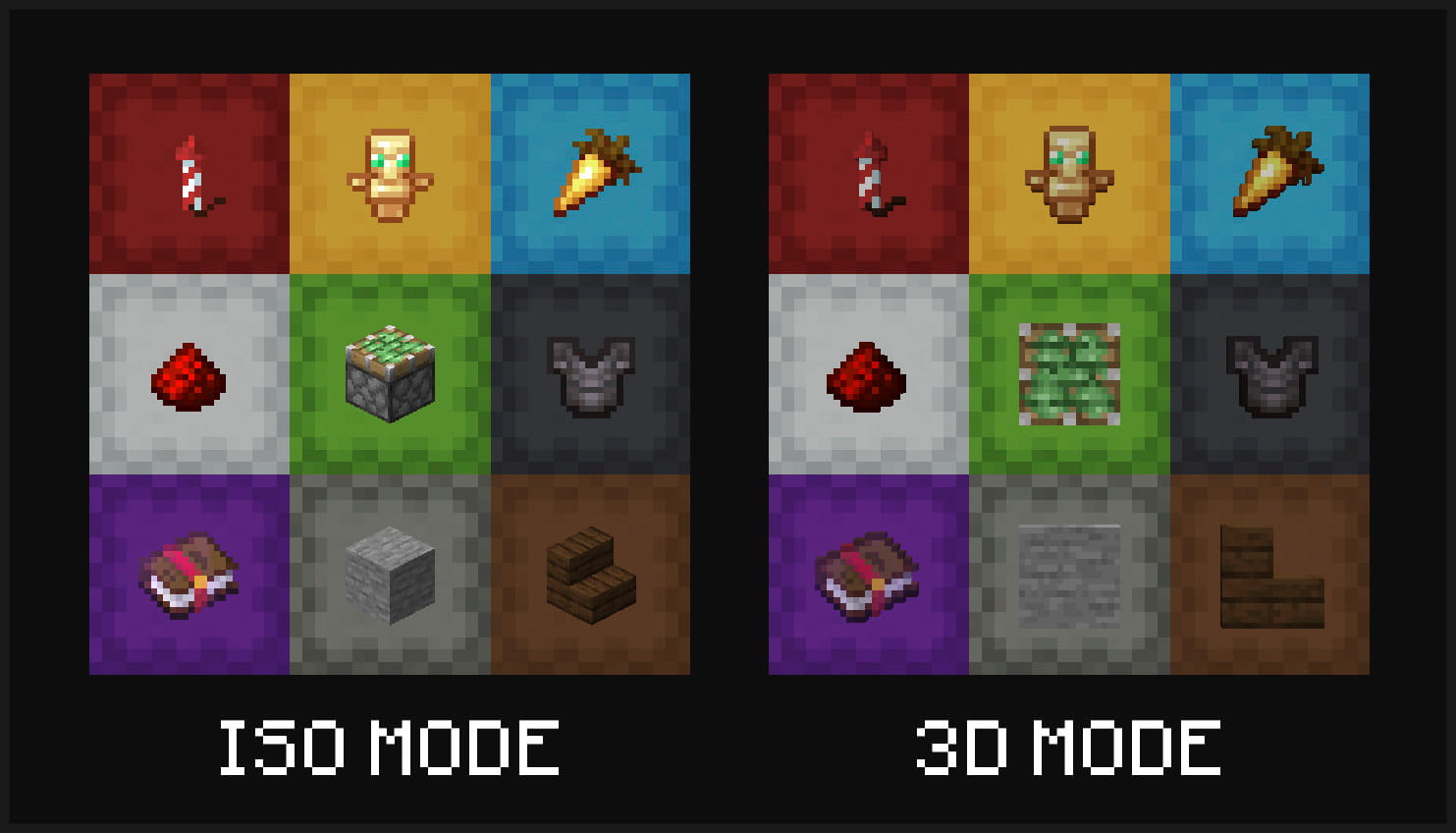
Item labels on placed shulker boxes can also either display in isometric or 3D mode
Optionally view your label from inside your shulker box
Installation & Configuration
- Download the mod for your Minecraft version and place it into your .minecraft's
modsfolder - In order to use this mod in multiplayer, it must also be installed server-side
- To configure the mod to your liking, you can use the command
/shulker-box-labels configto open the config screen in-game- If you are playing on Fabric, you can alternatively install Mod Menu and open it from there
- NeoForge users can also open it from the integrated mod menu
Usage
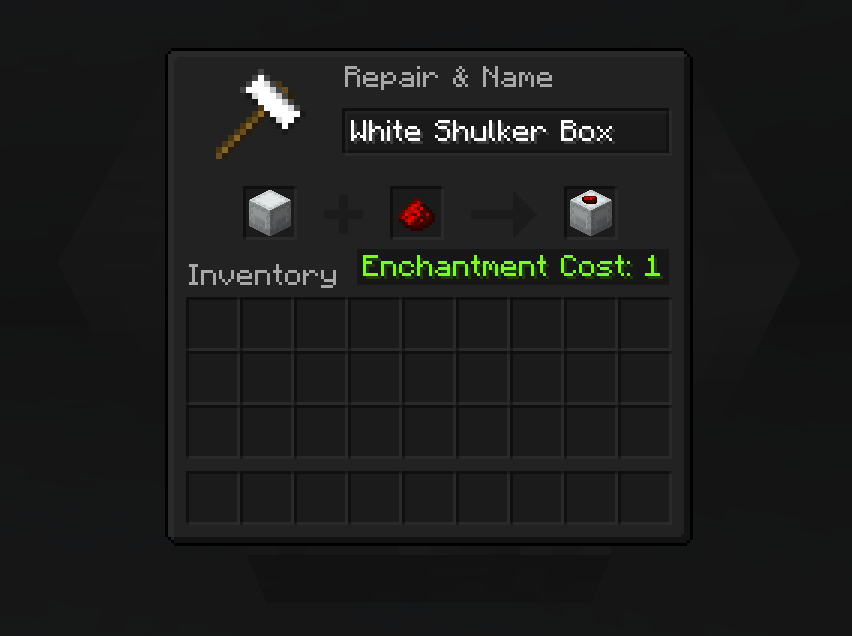
To apply a label, simply place your shulker box in the first anvil slot and the label item in the second slot. This costs one experience level. You can also modify the name of your shulker box at the same time.
Anvil Preview
Incompatible Mods
-
Better Block Entities
- You need to disable the optimization of shulker boxes in your config
-
Peek
- This mods add similar label functionality, so it is recommended to fully remove this mod
Project description from Modrinth.
Pick your setup
Shulker Box Labels by Minecraft version and loader
Choose the version and loader you play, then open the matching release.
Minecraft version
26.1.2
2 loader buildsMinecraft version
26.1.1
2 loader buildsMinecraft version
26.1
2 loader buildsMinecraft version
1.21.11
2 loader buildsMinecraft version
1.21.10
2 loader buildsMinecraft version
1.21.9
2 loader buildsMinecraft version
1.21.8
2 loader buildsMinecraft version
1.21.7
2 loader buildsMinecraft version
1.21.6
2 loader buildsMinecraft version
1.21.5
1 loader buildCheck the dependencies, then try the file in a copied instance before changing a world you care about.
Recent files
Shulker Box Labels versions and loaders
3.4.4+26.2-neoforge
shulker-box-labels-3.4.4+26.2-neoforge.jar
16 Jun 2026
Client Optional Server Optional Dependencies No extras listed Listed on Release listing
Check the 26.2 · NeoForge setup 26.2NeoForge release
3.4.4+26.2-fabric
shulker-box-labels-3.4.4+26.2-fabric.jar
16 Jun 2026
Client Optional Server Optional Dependencies No extras listed Listed on Release listing
Check the 26.2 · Fabric setup 26.2Fabric release
3.4.3+26.1-neoforge
shulker-box-labels-3.4.3+26.1-neoforge.jar
24 Mar 2026
Client Optional Server Optional Dependencies No extras listed Listed on Release listing
Check the 26.1.2 · NeoForge setup 26.126.1.126.1.2NeoForge release
3.4.3+26.1-fabric
shulker-box-labels-3.4.3+26.1-fabric.jar
24 Mar 2026
Client Optional Server Optional Dependencies No extras listed Listed on Release listing
Check the 26.1.2 · Fabric setup 26.126.1.126.1.2Fabric release
3.4.2+1.21.11-neoforge
shulker-box-labels-3.4.2+1.21.11-neoforge.jar
9 Dec 2025
Client Optional Server Optional Dependencies No extras listed Listed on Release listing
Check the 1.21.11 · NeoForge setup 1.21.11NeoForge release
3.4.2+1.21.11-fabric
shulker-box-labels-3.4.2+1.21.11-fabric.jar
9 Dec 2025
Client Optional Server Optional Dependencies No extras listed Listed on Release listing
Check the 1.21.11 · Fabric setup 1.21.11Fabric release
3.4.1+1.21.10-fabric
shulker-box-labels-3.4.1+1.21.10-fabric.jar
1 Nov 2025
Client Optional Server Optional Dependencies No extras listed Listed on Release listing
Check the 1.21.10 · Fabric setup 1.21.91.21.10Fabric release
3.4.1+1.21.10-neoforge
shulker-box-labels-3.4.1+1.21.10-neoforge.jar
1 Nov 2025
Client Optional Server Optional Dependencies No extras listed Listed on Release listing
Check the 1.21.10 · NeoForge setup 1.21.91.21.10NeoForge release
3.4.1+1.21.8-fabric
shulker-box-labels-3.4.1+1.21.8-fabric.jar
1 Nov 2025
Client Optional Server Optional Dependencies No extras listed Listed on Release listing
Check the 1.21.8 · Fabric setup 1.21.71.21.8Fabric release
3.4.1+1.21.8-neoforge
shulker-box-labels-3.4.1+1.21.8-neoforge.jar
1 Nov 2025
Client Optional Server Optional Dependencies No extras listed Listed on Release listing
Check the 1.21.8 · NeoForge setup 1.21.71.21.8NeoForge release
3.4.1+1.21.6-fabric
shulker-box-labels-3.4.1+1.21.6-fabric.jar
1 Nov 2025
Client Optional Server Optional Dependencies No extras listed Listed on Release listing
Check the 1.21.6 · Fabric setup 1.21.6Fabric release
3.4.1+1.21.6-neoforge
shulker-box-labels-3.4.1+1.21.6-neoforge.jar
1 Nov 2025
Client Optional Server Optional Dependencies No extras listed Listed on Release listing
Check the 1.21.6 · NeoForge setup 1.21.6NeoForge release
Looking for an older file? The official Modrinth project page is in Resources.
 mod
mod CurseForge + Modrinth · Minecraft
NovoAtlas
A data-driven image based world generator for Minecraft.
 mod
mod CurseForge + Modrinth · Minecraft
Field Guide
Discover Plants, Animals and Monsters with a Spyglass. Collect them all and take notes in your personal Field Guide!
 mod
mod CurseForge · Minecraft
DayZ Inventory
Mod that replaces automatic item pickup with a DayZ-style Vicinity UI and unified container looting. Now fully working with Forge.