Sable Needed by Create Aeronautics: Compatibility 1.1.3
requiredMatching file found Matched file: 2.0.6+mc1.21.1

Modrinth · Minecraft mod
Adds compatibility for mods that don't work with Aeronautics
Quick answer
Create Aeronautics: Compatibility 1.1.3 targets 1.21.1 with NeoForge. Installation on the client is optional. Installation on the dedicated server is optional. All 1 required mods have matching files.
Where it goes
Installation on the client is optional. Installation on the dedicated server is optional.
The source marks this as usable on both the client and server.
1.1.3. Change the file and its required mods may change too.
Install Sable first. We found matching files for this game-version and loader setup. 2 come through another mod in the chain.
2 extra mods were pulled in by other dependencies. Indented rows show who needs each one. We only count dependency files that match this setup. A file for another loader does not fill the gap.
Before you install it
Built for Create Aeronautics: Compatibility 1.1.3. Pick another file and the loader, install side or required mods may change.
Use 1.1.3. It targets 1.21.1 with NeoForge; another release may have different loader, side or dependency requirements.
Install Sable first. We found matching files for this game-version and loader setup. 2 come through another mod in the chain.
Installation on the client is optional. Installation on the dedicated server is optional.
Use the “Get this file” button beside 1.1.3. It opens that exact file at the source.
About this project

A mod that just fixes a couple of mods that have an issue with working on physics-enabled ships, technically this mod doesn't require aeronautics as it just fixes Sable's incompatability with mods that don't use Sable Companion.

Click above to see the video of it working
You can see that Etched is functional and the audio actually comes from the right location instead of sounding glitchy, and you can remove the disc, without this mod when you try to remove the disc it just keeps on playing.

Click above to see video of it working
Without this mod, you are unable to hear the audio from the TV, only the video shows playing. But now with this mod, the audio issues are fixed!
The mods (without their mobs on the physics-enabled objects) work perfectly, but the issue is when you try to get one of the mobs from these two mods to try to pathfind, they have no clue what to do. So they end up eating RAM until a OOM exception comes on the screen
This is the error I was getting:
[20:38:13] [Render thread/WARN] [minecraft/ClientCommonPacketListenerImpl]: Client disconnected with reason: Internal Exception: java.lang.OutOfMemoryError: Java heap space
The mod fixes their pathfinding on ships, because the mobs believe they are millions of blocks away, and the mod doesn't use vanilla pathfinding.
 Fixes sitting in chairs with the mod!
 Fixes placing paints on physics ship, no need to disassemble to place, and works perfectly now!
 Thick air working on ships now, the fix has been implemented
 The sentry turret functioning on ships, it's able to shoot at mobs now (with minor visual bug)
Chains no longer duplicate when disassembling/assembling a ship
Fixes sleeping on ships, you can now sleep on hammocks/beds on ships perfectly, there is a minor visual bug when sleeping however where the world goes invisible. But when you wake up it fixes itself. Not a major bug to me
Cobblemon PC works now, for some reason you couldn't move stuff on PC on a sable ship. You are also now able to ride your Pokemon on the sable ships, just push it a little and then it starts walking perfectly, this is the best I can get it. Pasture block is unfortunately broken because that fix is WAYY out of scope for me.
Project description from Modrinth.
Pick your setup
Choose the version and loader you play, then open the matching release.
Check the dependencies, then try the file in a copied instance before changing a world you care about.
Recent files
aeronauticscompat-1.1.3.jar
10 Jul 2026
aeronauticscompat-1.1.2.jar
29 Apr 2026
aeronauticscompat-1.1.0.jar
26 Apr 2026
aeronauticscompat-1.0.9.jar
25 Apr 2026
aeronauticscompat-1.0.8.jar
25 Apr 2026
aeronauticscompat-1.0.7.jar
25 Apr 2026
aeronauticscompat-1.0.6.jar
25 Apr 2026
Looking for an older file? The official Modrinth project page is in Resources.
 mod
Well-rounded client-side optimization mod. Extremely compatible Vulkan backend for 1.21.11-26.1.2. By Polyfrost, best with OneClient.
 mod
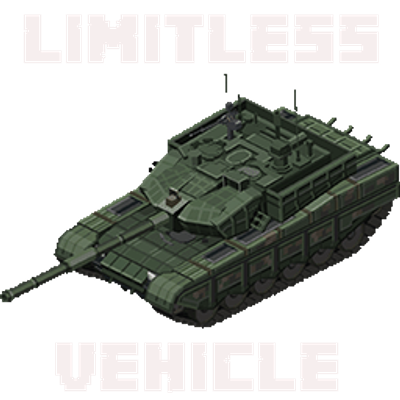
Limitless Vehicle is a universal vehicle mod that supports custom vehicle data packs
 mod
A mod that adds a variety of decorative and colorful blocks to the game