Minecraft version
Back to mods 
Modrinth · Minecraft mod
LavaCan
Destroy unwanted items by dropping them onto a Lava Bucket. Fire-resistant items and a configurable protection list keep your valuables safe.
Choose a version Pick your version below, then grab the matching file.
Quick answer
Which LavaCan release should I use?
Latest stable file 1.1.0
Game version 26.3
Loader Fabric
LavaCan 1.1.0 targets 26.3 with Fabric. Installation on the client is optional. Installation on the dedicated server is optional. No extra mods listed for this file.
Where it goes
Is LavaCan required on the client, server, or both?
Installation on the client is optional. Installation on the dedicated server is optional.
Client Optional
Dedicated server Optional
Loader for this release Fabric
Required install it here Optional supported, not mandatory Not supported do not install here Source doesn’t say do not assume
The source marks this as usable on both the client and server.
What else does LavaCan 1.1.0 need?
1.1.0. Change the file and its required mods may change too.
This file does not list any required mods. Do not add a library just because a different file uses it.
This file does not list any required or optional mods.
Before you install it
Add LavaCan without breaking your instance.
Built for LavaCan 1.1.0. Pick another file and the loader, install side or required mods may change.
- 01
Stick to this file
Use 1.1.0. It targets 26.3 with Fabric; another release may have different loader, side or dependency requirements.
- 02
Bring the mods it needs
This file does not list any required mods. Do not add a library just because a different file uses it.
- 03
Put it on the correct side
Installation on the client is optional. Installation on the dedicated server is optional.
- 04
Pick the file you checked
Use the “Get this file” button beside 1.1.0. It opens that exact file at the source.
About this project
What does LavaCan add?
LavaCan
A small inventory utility mod for Minecraft. A Lava Bucket in your hotbar or cursor acts as an instant item destructor — toss unwanted items onto it to burn them away. Fire-resistant items and anything on the configurable exclusion list are always protected from accidental deletion.
How it works
Right-click to destroy
Carry any item in your cursor, then right-click it onto a Lava Bucket in your inventory. The item is destroyed instantly in a burst of flame particles.
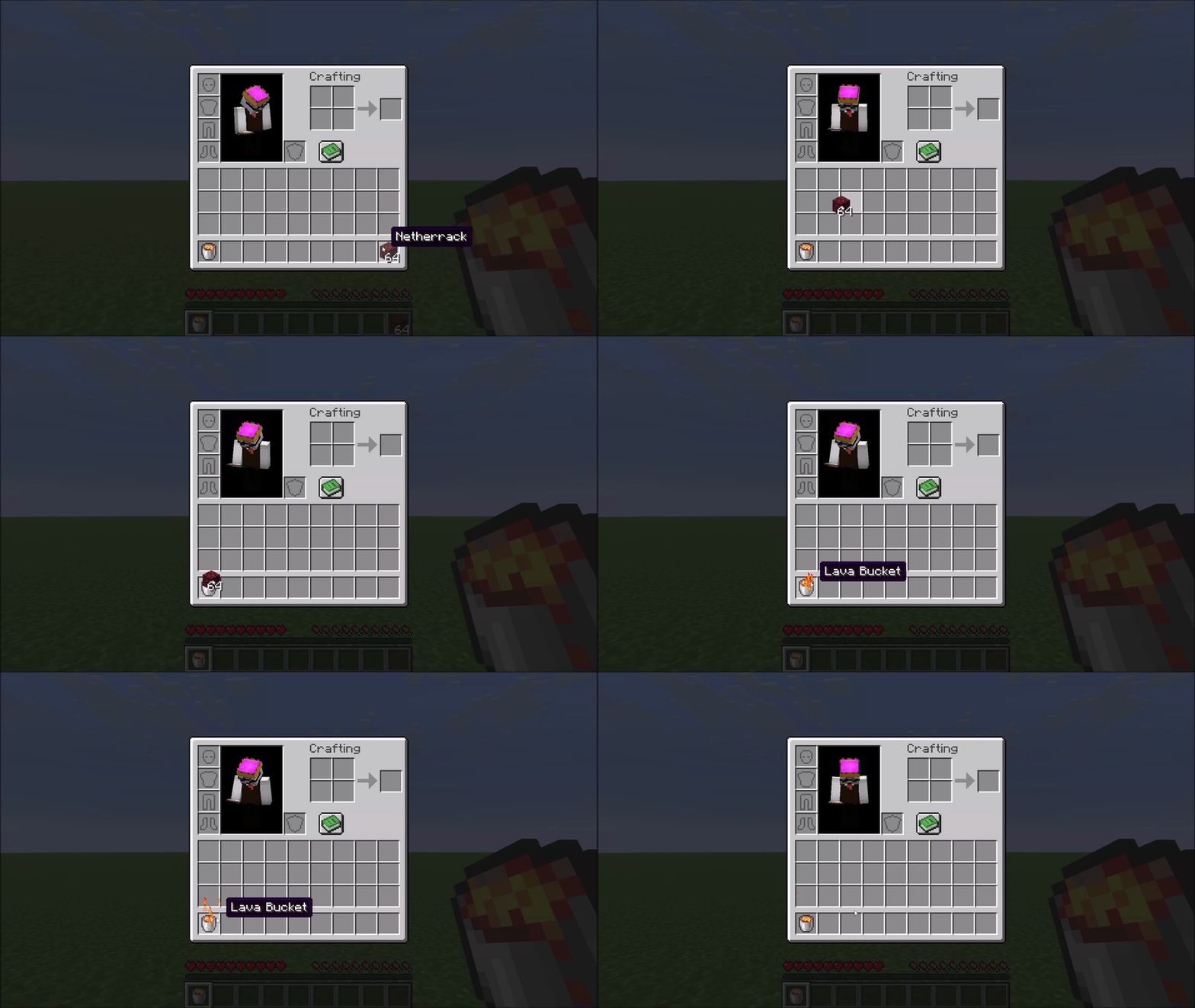
Hotbar shortcut
If your Lava Bucket sits in hotbar slot N, pressing N while hovering over an item in any inventory screen sends that item straight to the void — no picking it up first.
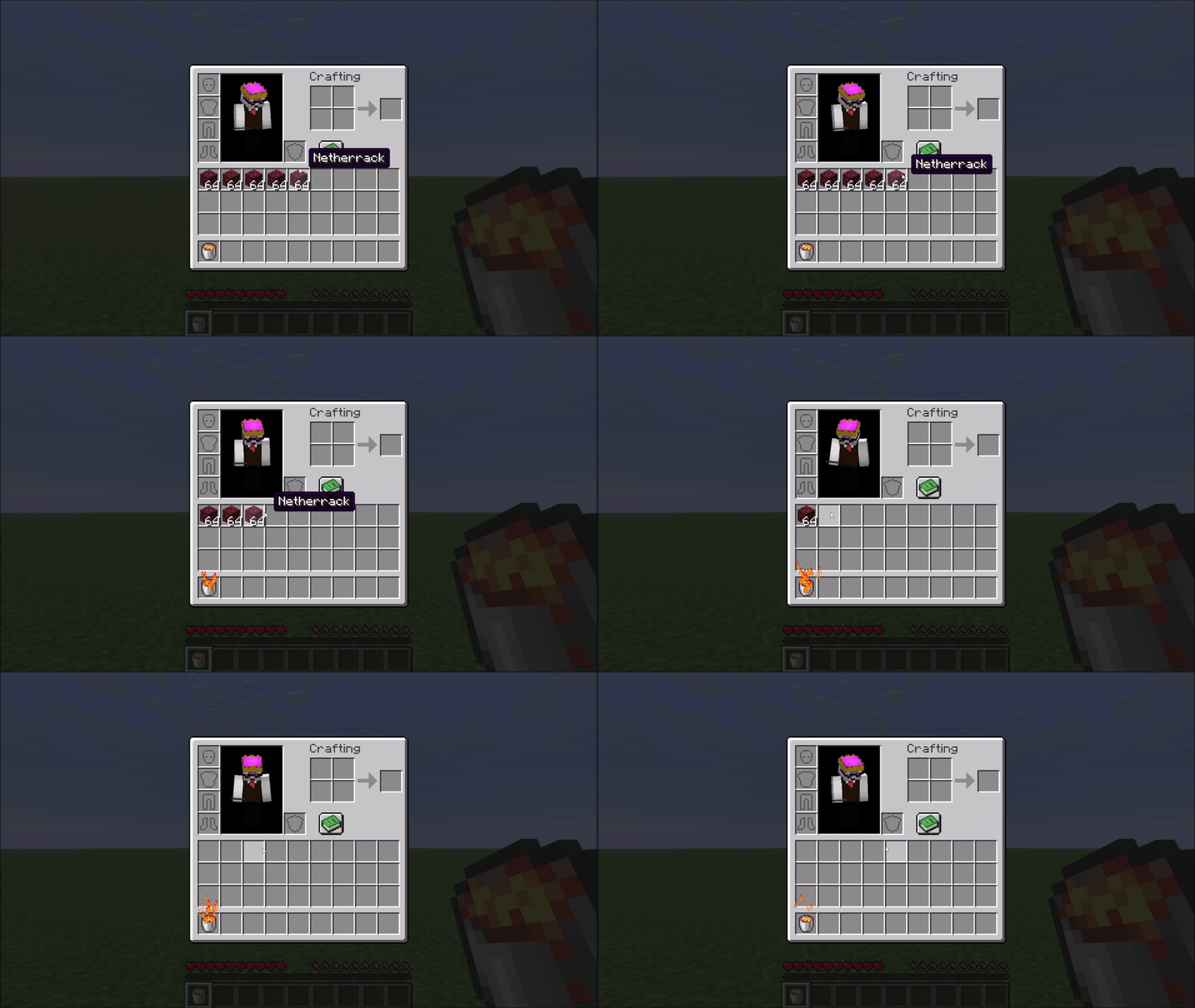
Obsidian crafting
Right-click a Water Bucket onto a Lava Bucket to combine them. Both buckets become empty buckets and you receive one Obsidian, marked by a small smoke animation.
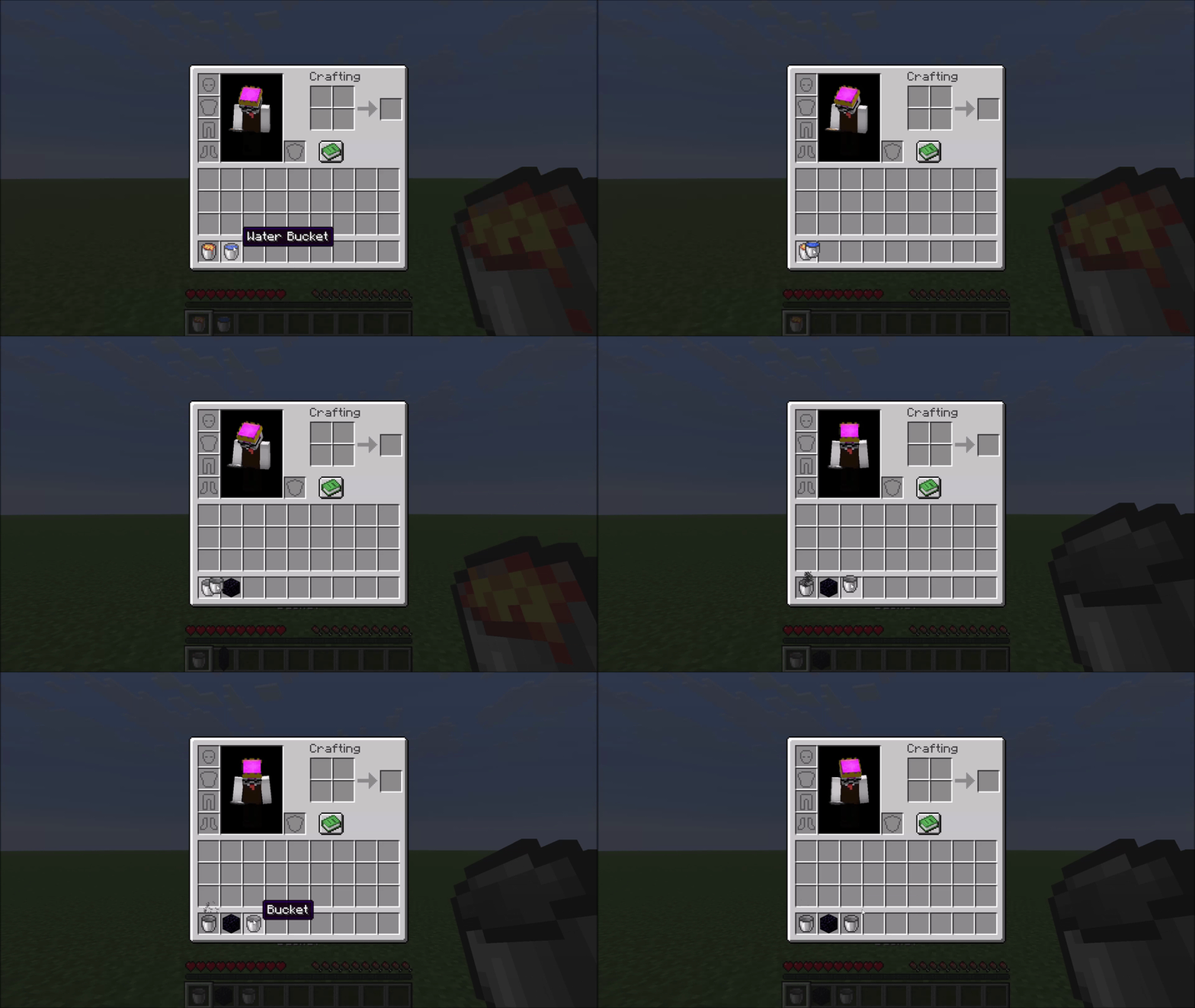
Protected items
Fire-resistant items are never deleted. The mod uses Minecraft's own damage-resistance system, so Netherite gear, Ancient Debris, and any modded item that opts into fire resistance are all automatically protected — no hardcoded lists.
A configurable exclusion list protects additional valuable items from accidental deletion. By default this covers things like Elytra, Tridents, Shulker Boxes, Diamond gear, and other items you generally don't want to lose. See the Configuration section below.
Configuration
The config file is created automatically at config/lavacan.json on first launch:
{
  "excluded": [
    "minecraft:elytra",
    "minecraft:trident",
    "minecraft:diamond_sword",
    "..."
  ]
}
- Remove an entry to allow that item to be deleted by the Lava Can.
- Add any
namespace:item_idto protect a custom or modded item.
Changes take effect after restarting the game (or the world on a dedicated server).
Mod Menu Support
With Mod Menu installed, the list can also be edited in-game from the mod list: a two-column picker (protected items / all other items) with per-column search, where clicking an item moves it between the columns. Changes apply immediately (singleplayer) on Done. Mod Menu is optional — without it the JSON file is used, and edits to the file take effect after restarting the game (or the world on a dedicated server).
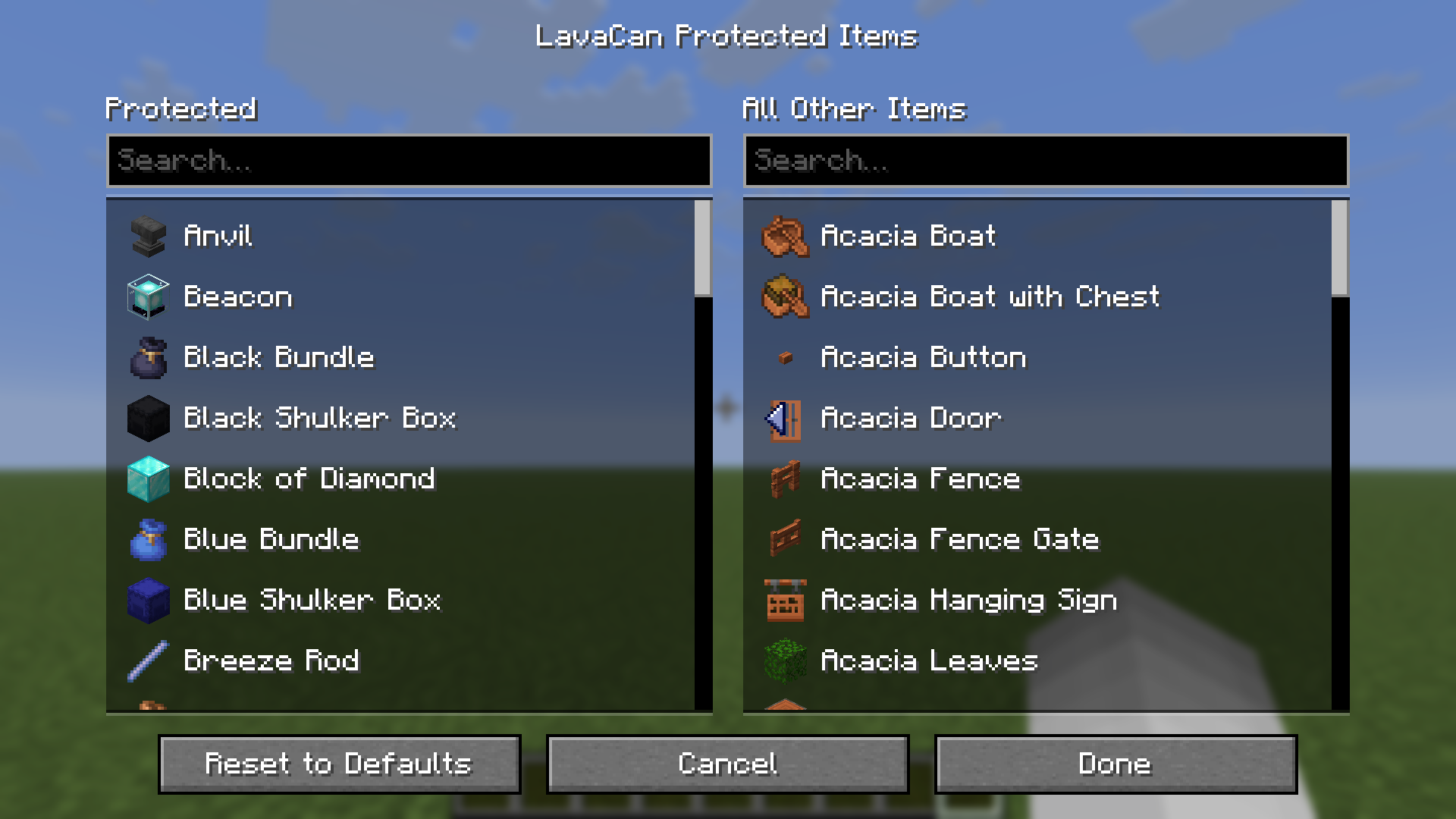
(For technical reasons, item icons only appear once a world has been loaded in the current session — before that, entries show their names only. This is noted in the screen itself, too.)
Compatibility
The mod hooks into AbstractContainerMenu.doClick via a Mixin — a common and stable injection point. Conflicts with other mods targeting the same method are possible but unlikely in practice.
Project description from Modrinth.
Pick your setup
LavaCan by Minecraft version and loader
Choose the version and loader you play, then open the matching release.
Minecraft version
26.2-snapshot-6
1 loader buildMinecraft version
26.2
1 loader buildCheck the dependencies, then try the file in a copied instance before changing a world you care about.
Recent files
LavaCan versions and loaders
1.1.0
lavacan-1.1.0+mc26.3.jar
15 Sept 2026
Client Optional Server Optional Dependencies No extras listed Listed on Release listing
Check the 26.3 · Fabric setup 26.3Fabric release
1.1.0
lavacan-1.1.0+mc26.2.jar
18 Jun 2026
Client Optional Server Optional Dependencies No extras listed Listed on Release listing
Check the 26.2 · Fabric setup 26.2Fabric release
1.0.0
lavacan-v1.0.0+mc26.2-snapshot-6.jar
6 May 2026
Client Optional Server Optional Dependencies No extras listed Listed on Release listing
Check the 26.2-snapshot-6 · Fabric setup 26.2-snapshot-6Fabric release
Looking for an older file? The official Modrinth project page is in Resources.
 mod
mod CurseForge + Modrinth · Minecraft
Cobblemon Raid Dens
Introduces raid dens to Cobblemon!
 mod
mod CurseForge + Modrinth · Minecraft
Sprint Indicator
Simple UI element showing whether you're currently sprinting.
 mod
mod Modrinth · Minecraft
Hangul 한글
Native Korean (한국어) IME for smooth 한글 채팅 (Hangul/Hangeul chat), commands, books, signs, items, and recipes. 26.1+