Geckolib Needed by Error 404 Not Found (Horror Entity) 1.3.8
requiredMatching file found Matched file: 4.8.4

Modrinth · Minecraft mod
Adds a mysterious entity into your world.
Quick answer
Error 404 Not Found (Horror Entity) 1.3.8 targets 1.20.1 with Forge. Installation on the client is optional. Installation on the dedicated server is optional. All 1 required mods have matching files.
Where it goes
Installation on the client is optional. Installation on the dedicated server is optional.
The source marks this as usable on both the client and server.
1.3.8. Change the file and its required mods may change too.
Install Geckolib first. We found matching files for this game-version and loader setup.
We only count dependency files that match this setup. A file for another loader does not fill the gap.
Before you install it
Built for Error 404 Not Found (Horror Entity) 1.3.8. Pick another file and the loader, install side or required mods may change.
Use 1.3.8. It targets 1.20.1 with Forge; another release may have different loader, side or dependency requirements.
Install Geckolib first. We found matching files for this game-version and loader setup.
Installation on the client is optional. Installation on the dedicated server is optional.
Use the “Get this file” button beside 1.3.8. It opens that exact file at the source.
About this project
RECQUIRES GECKOLIB!!11!!1
Your world started to act strange lately. Textures have been going missing, strange mobs have started spawning that look...weird. You've started to notice strange things in the sky, kind of like a portal.
Do you have what it takes to investigate these strange phenomenons?
The mod adds an entity that stalks, attacks and even crashes the player. (Can be toggled on and off using commands) It corrupts your world, removing textures from nearby blocks and extinguishing your torches. Explore the sky and find the computer which awakens the mastermind behind all of this...
No, the mod does NOT corrupt your world/damage your device
If you find any bugs, join my discord server and report them! This way I can fix the mod and make it better for you guys!
https://discord.gg/Sv9bxe9v
Models/Animations/Coding - RoLuky (Me!!)
Do not port to bedrock! I will strike you down and let the council decide your fate.
Commands:
/RestrictCrashing
/AllowCrash
/resetentitylimit
/ChangeCodeManSpawn
Can be used to enable Og/New spawning mechanic for codeman:
Og spawning mechanic - Only spawns if a CD is inserted into the Computer
New spawning mechanic - When inserting a CD into the Computer, it will enable his spawning mechanic. He spawn like ErrorMan, but is way more rare and he spawns without any sounds, effects, etc. (You only need to insert the CD once for him to start spawning)_
Project description from Modrinth.
Pick your setup
Choose the version and loader you play, then open the matching release.
Check the dependencies, then try the file in a copied instance before changing a world you care about.
Recent files
Error404-1.3.8-forge-1.20.1.jar
5 May 2025
Error404-1.3.5-forge-1.20.1.jar
19 Apr 2025
Error404-1.3.4-forge-1.20.1.jar
1 Apr 2025
Error404-1.3.3-forge-1.20.1.jar
1 Apr 2025
Error404-1.3.2.2-forge-1.20.1.jar
29 Mar 2025
Error404-1.3.1-forge-1.20.1.jar
15 Mar 2025
Error404-1.3.0-forge-1.20.1.jar
2 Mar 2025
error-1.2.2-forge-1.20.1.jar
1 Dec 2024
Error404-1.2.0-forge-1.20.1.jar
1 Dec 2024
Error404-1.1.0-forge-1.20.1.jar
1 Dec 2024
Error404-1.0.3-forge-1.20.1.jar
1 Dec 2024
Error404-1.0.2.2-forge-1.20.1.jar
1 Dec 2024
Looking for an older file? The official Modrinth project page is in Resources.
 mod
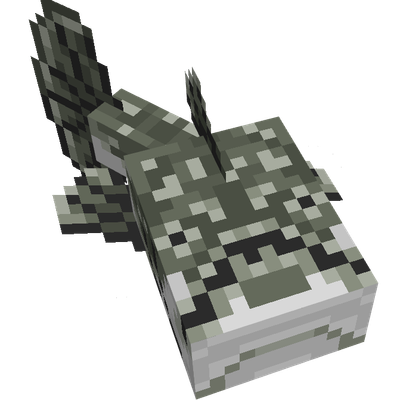
modThe mod aims to make minecraft environments feel more alive, adding various weird animals, plants and others.
 mod
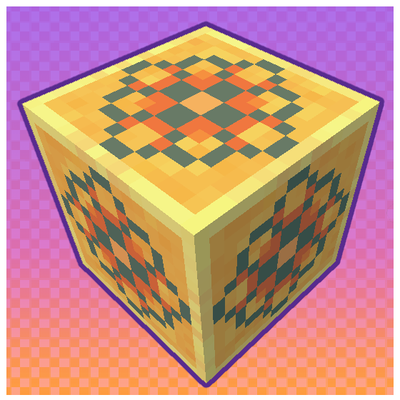
modTasty Tiles adds a yummy variety of building blocks focused around, well, tiles! Give your home some cozy ceramic flavor!
 mod
modTame every regular Minecraft mob, control their behavior, store them in Mob Pockets, and upgrade them with custom equipment.