UltraLib Needed by SkillZ 3.1.0
requiredMatching file found Matched file: 1.0.7+1.20.1

Modrinth · Minecraft mod
Backport of (modern) LevelZ
Quick answer
SkillZ 3.1.0 targets 1.20.1 with Fabric. Installation on the client is optional. Installation on the dedicated server is optional. All 6 required mods have matching files.
Where it goes
Installation on the client is optional. Installation on the dedicated server is optional.
The source marks this as usable on both the client and server.
3.1.0. Change the file and its required mods may change too.
Install UltraLib, Attribute Backport, TabAPI, Fzzy Config and 2 more first. We found matching files for this game-version and loader setup. 2 come through another mod in the chain.
2 extra mods were pulled in by other dependencies. Indented rows show who needs each one. We only count dependency files that match this setup. A file for another loader does not fill the gap.
Before you install it
Built for SkillZ 3.1.0. Pick another file and the loader, install side or required mods may change.
Use 3.1.0. It targets 1.20.1 with Fabric; another release may have different loader, side or dependency requirements.
Install UltraLib, Attribute Backport, TabAPI, Fzzy Config and 2 more first. We found matching files for this game-version and loader setup. 2 come through another mod in the chain.
Installation on the client is optional. Installation on the dedicated server is optional.
Use the “Get this file” button beside 3.1.0. It opens that exact file at the source.
About this project


This project is a backport of Globox_Z's LevelZ mod to 1.20.1 as he has stopped maintaining the older mod version and I really needed the customizable skill features.
It is almost identical to the 1.21.1 version but has had its features expanded and dependencies replaced.
Its new features include:
Populators

Project description from Modrinth.
Pick your setup
Choose the version and loader you play, then open the matching release.
Check the dependencies, then try the file in a copied instance before changing a world you care about.
Recent files
skillz-3.1.0.jar
19 Nov 2025
skillz-3.0.9.jar
8 Nov 2025
skillz-3.0.8.jar
8 Nov 2025
skillz-3.0.7.jar
4 Nov 2025
skillz-3.0.6.jar
4 Oct 2025
skillz-3.0.5.jar
2 Oct 2025
skillz-3.0.4.jar
1 Oct 2025
skillz-3.0.3.jar
29 Sept 2025
skillz-3.0.2.jar
28 Sept 2025
skillz-3.0.0.jar
26 Sept 2025
skillz-2.5.5.jar
18 Sept 2025
skillz-2.5.4.jar
16 Sept 2025
Looking for an older file? The official Modrinth project page is in Resources.
 mod
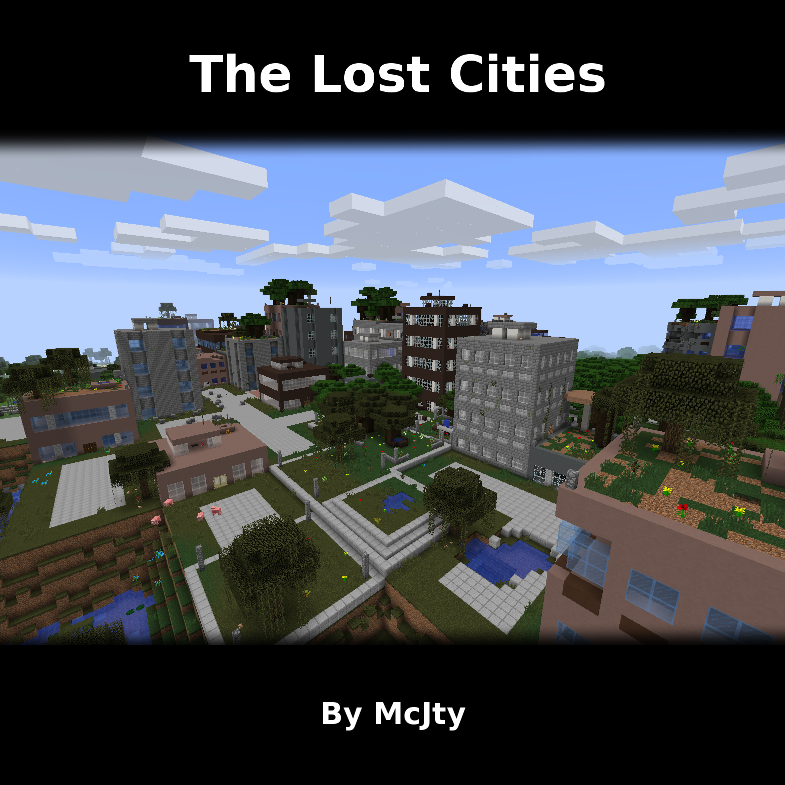
Allows the player to play in an old abandoned city instead of the normal overworld
 mod
A simple mod that adds tools for Tinkers' Construct
 mod
Adds tamable units to the game. Note this mod relies on team systems to work properly, you get automatically assigned to one random one when you first spawn in.