Minecraft version
Back to mods 
Modrinth · Minecraft mod
Glore
Glowing ores & armor trims.
Choose a version Pick your version below, then grab the matching file.
Quick answer
Which Glore release should I use?
Latest stable file 1.4.2
Game version 26.1, 26.1.1, 26.1.2
Loader Fabric
Glore 1.4.2 targets 26.1, 26.1.1, 26.1.2 with Fabric. Installation on the client is optional. Installation on the dedicated server is optional. No extra mods listed for this file.
Where it goes
Is Glore required on the client, server, or both?
Installation on the client is optional. Installation on the dedicated server is optional.
Client Optional
Dedicated server Optional
Loader for this release Fabric
Required install it here Optional supported, not mandatory Not supported do not install here Source doesn’t say do not assume
The source marks this as usable on both the client and server.
What else does Glore 1.4.2 need?
1.4.2. Change the file and its required mods may change too.
This file does not list any required mods. Do not add a library just because a different file uses it.
This file does not list any required or optional mods.
Before you install it
Add Glore without breaking your instance.
Built for Glore 1.4.2. Pick another file and the loader, install side or required mods may change.
- 01
Stick to this file
Use 1.4.2. It targets 26.1, 26.1.1, 26.1.2 with Fabric; another release may have different loader, side or dependency requirements.
- 02
Bring the mods it needs
This file does not list any required mods. Do not add a library just because a different file uses it.
- 03
Put it on the correct side
Installation on the client is optional. Installation on the dedicated server is optional.
- 04
Pick the file you checked
Use the “Get this file” button beside 1.4.2. It opens that exact file at the source.
About this project
What does Glore add?
Glore is a mod that adds glowing ores and armor trims. You can adjust the configs to make any block or armor trim material emit various levels of light.
Brightness
Blocks
- Diamond Ore: 15
- Emerald Ore: 12
- Gold Ore: 10
- Lapis Ore: 7
- Copper Ore: 7
- Iron Ore: 4
- Coal Ore: 4
- Redstone Ore: Dynamic, same behavior as vanilla.
Armor Trims
- Amethyst: 4 per piece.
- Redstone: 2 per piece.
Client / Server Info
This mod can work when only on the client, when only on the server, and when on both, but there are issues with it not being on both.
Client Only: Only the armor trim glowing effect works.
Server Only: Only the block glowing effect works, and new blocks' light emissions do not take effect for clients until they rejoin the server or re-enter the chunk.
Both: All effects work without issues.
Colors
To get the light this mod adds to be colored you will need to use this mod alongside a shader that supports colored lighting. This mod was made and tested with Complementary Reimagined + Euphoria Patches' colored lighting setting enabled, but other shaders should work aswell.
Config
1.21
There is a main config json (glore.json) in the config folder, which allows you to adjust which blocks emit light, and how much light they emit. Additionally, there is a second config "glore_trims.json" allowing you to adjust which armor trims make you emit light when worn, and how much light each armor piece emits.1.20.x
There are two config jsons for this mod found in the mods folder alongside the mod jar. They are generated when you open the game with the mod installed, and you can adjust them appropriately to change which blocks glow and how brightly they glow.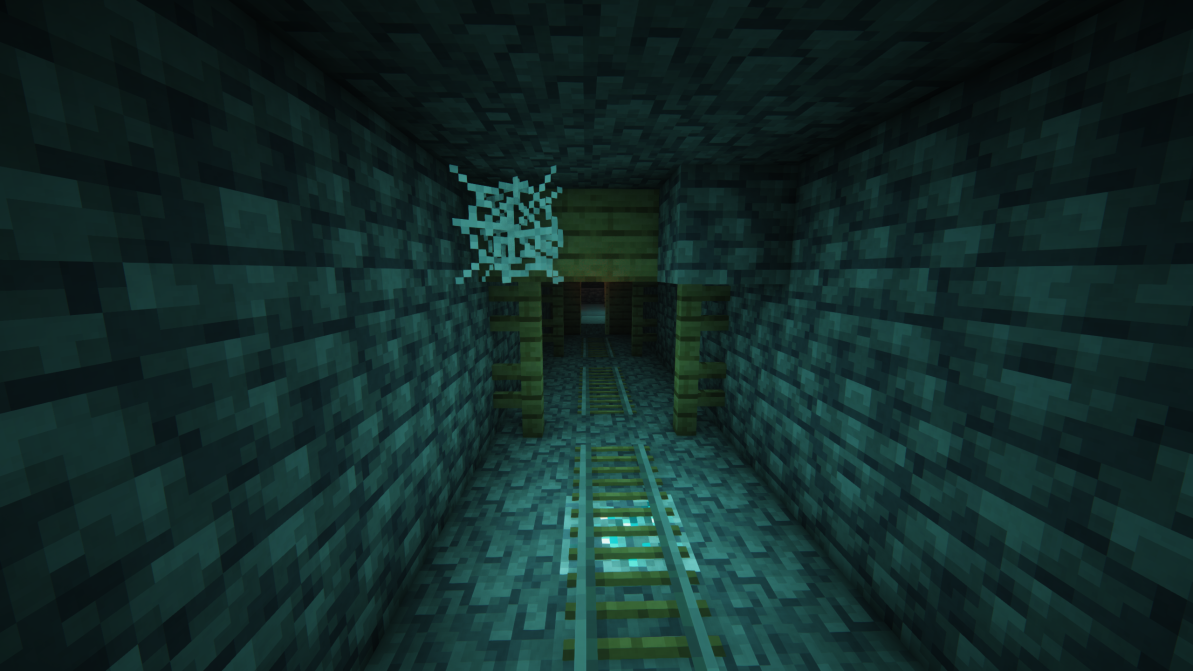
Discord: https://discord.gg/HHqKa8vTAN
This mod may be used in any modpack.
Project description from Modrinth.
Pick your setup
Glore by Minecraft version and loader
Choose the version and loader you play, then open the matching release.
Minecraft version
26.1.2
1 loader buildMinecraft version
26.1.1
1 loader buildMinecraft version
26.1
1 loader buildMinecraft version
23w51b
1 loader buildMinecraft version
23w51a
1 loader buildMinecraft version
1.21.4
1 loader buildMinecraft version
1.21.3
1 loader buildMinecraft version
1.21.1
3 loader buildsMinecraft version
1.21
3 loader buildsMinecraft version
1.20.6
2 loader buildsMinecraft version
1.20.5
2 loader buildsShowing the newest 12 of 17 game versions. Older files are in the list below.
Check the dependencies, then try the file in a copied instance before changing a world you care about.
Recent files
Glore versions and loaders
1.4.2
glore-26.1-1.4.2.jar
28 Mar 2026
Client Optional Server Optional Dependencies No extras listed Listed on Release listing
Check the 26.2 · Fabric setup 26.126.1.126.1.226.2 release
1.4.2
glore-1.20.3-1.4.2.jar
11 Nov 2024
Client Optional Server Optional Dependencies No extras listed Listed on Release listing
Check the 1.21.4 · Fabric setup 1.21.31.21.4Fabric release
1.4.1
glore-1.21.x-1.4.1.jar
22 Sept 2024
Client Optional Server Optional Dependencies No extras listed Listed on Release listing
Check the 1.21.1 · NeoForge setup 1.211.21.1NeoForge release
1.4.1
glowingores-1.21.x-1.4.1.jar
21 Sept 2024
Client Optional Server Optional Dependencies No extras listed Listed on Release listing
Check the 1.21.1 · Forge setup 1.211.21.1Forge release
1.4.1
glore-1.21.x-1.4.1.jar
21 Sept 2024
Client Optional Server Optional Dependencies No extras listed Listed on Release listing
Check the 1.21.1 · Fabric setup 1.211.21.1Fabric release
1.4.0
glore-1.21.x-1.4.0.jar
8 Jul 2024
Client Optional Server Optional Dependencies No extras listed Listed on Release listing
Check the 1.21 · Fabric setup 1.21Fabric release
1.3.0
glore-1.21.x-1.3.0.jar
2 Jul 2024
Client Optional Server Optional Dependencies No extras listed Listed on Release listing
Check the 1.21 · Fabric setup 1.21Fabric release
1.2.0
glore-1.20.x-1.2.0.jar
29 Feb 2024
Client Optional Server Optional Dependencies No extras listed Listed on Release listing
Check the 1.20.6 · Fabric setup 1.201.20.11.20.21.20.3 release
1.2.0
glowingores-1.20.x-1.2.0.jar
29 Feb 2024
Client Optional Server Optional Dependencies No extras listed Listed on Release listing
Check the 1.20.6 · Forge setup 1.201.20.11.20.21.20.3 release
1.1.0
glowingores-1.20.2-1.1.0.jar
2 Jan 2024
Client Optional Server Optional Dependencies No extras listed Listed on Release listing
Check the 1.20.4 · Forge setup 1.201.20.11.20.21.20.3 release
1.1.0
glore-1.20.2-1.1.0.jar
2 Jan 2024
Client Optional Server Optional Dependencies No extras listed Listed on Release listing
Check the 23w51a · Fabric setup 1.201.20.11.20.21.20.3 release
1.0.1
glowingores-1.20.2-1.0.1.jar
30 Nov 2023
Client Optional Server Optional Dependencies No extras listed Listed on Release listing
Check the 1.20.2 · Forge setup 1.201.20.11.20.2Forge release
Looking for an older file? The official Modrinth project page is in Resources.
 mod
CurseForge + Modrinth · Minecraft
Not Enough Recipe Book [NERB]
Completely removes recipe book from the game, optimizing player data.
 mod
CurseForge + Modrinth · Minecraft
Seamless Ores
Universal ore variants for vanilla and modded stones, filtered by geology, so every ore blends into the stone it generates in. Supports vanilla and modded ores, keeps the same veins and drops, and works with Terralith, JEI, REI, and Jade.
 mod
GitHub · Minecraft
modpacks-ch-github-test
Disposable public fixture for testing the Modpacks.ch GitHub catalogue flow