Minecraft version
Back to mods 
Modrinth · Minecraft mod
Search on MCMOD
Search for items under the cursor on mcmod.cn
Choose a version Pick your version below, then grab the matching file.
Quick answer
Which Search on MCMOD release should I use?
Latest stable file 0.1.2
Game version 1.7.10
Loader Forge
Search on MCMOD 0.1.2 targets 1.7.10 with Forge. It must be installed on the client. Do not install it on the dedicated server. No extra mods listed for this file.
Where it goes
Is Search on MCMOD required on the client, server, or both?
It must be installed on the client. Do not install it on the dedicated server.
Client Required
Dedicated server Not supported
Loader for this release Forge
Required install it here Optional supported, not mandatory Not supported do not install here Source doesn’t say do not assume
This file is marked client-only.
What else does Search on MCMOD 0.1.2 need?
0.1.2. Change the file and its required mods may change too.
This file does not list any required mods. Do not add a library just because a different file uses it.
This file does not list any required or optional mods.
Before you install it
Add Search on MCMOD without breaking your instance.
Built for Search on MCMOD 0.1.2. Pick another file and the loader, install side or required mods may change.
- 01
Stick to this file
Use 0.1.2. It targets 1.7.10 with Forge; another release may have different loader, side or dependency requirements.
- 02
Bring the mods it needs
This file does not list any required mods. Do not add a library just because a different file uses it.
- 03
Put it on the correct side
It must be installed on the client. Do not install it on the dedicated server.
- 04
Pick the file you checked
Use the “Get this file” button beside 0.1.2. It opens that exact file at the source.
About this project
What does Search on MCMOD add?
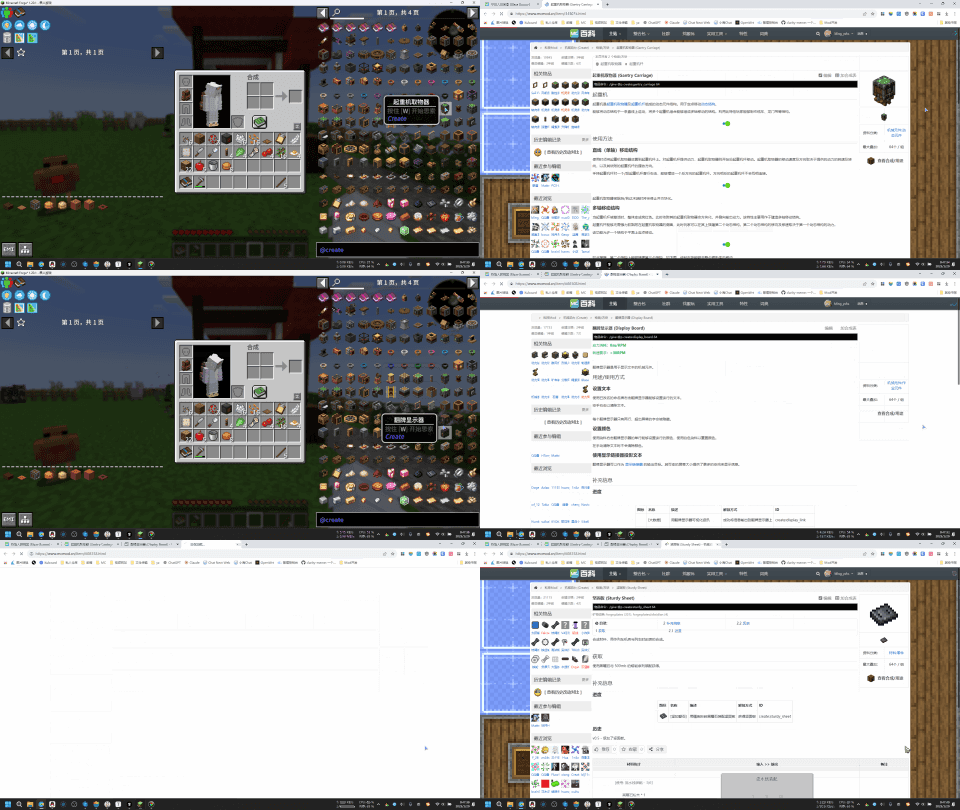
ENG
Search for items under the cursor on mcmod.cn
Usage:
- Hover your mouse over the item bar, the JEI item list, or any area that displays item information.
- Press the "B" key on your keyboard (this can be modified in the settings), which will automatically open the item information page on mcmod.cn
- If the item information page cannot be directly opened, a search will be performed on mcmod.cn instead.
中文
在 MC百科 中搜索鼠标下方的物品
使用方式:
- 将鼠标放在物品栏,或者JEI的物品列表,或者任意的地方上面,只要能显示物品信息就行
- 按键盘B键(可以在设置里修改),会自动打开MC百科的物品介绍页面
- 如果无法直接打开物品介绍界面,则会在MC百科里进行搜索
Project description from Modrinth.
Pick your setup
Search on MCMOD by Minecraft version and loader
Choose the version and loader you play, then open the matching release.
Minecraft version
26.2
2 loader buildsMinecraft version
26.1.2
2 loader buildsMinecraft version
26.1.1
2 loader buildsMinecraft version
26.1
2 loader buildsMinecraft version
1.21.11
2 loader buildsMinecraft version
1.21.10
2 loader buildsMinecraft version
1.21.9
2 loader buildsMinecraft version
1.21.8
2 loader buildsMinecraft version
1.21.7
2 loader buildsMinecraft version
1.21.6
2 loader buildsMinecraft version
1.21.5
2 loader buildsShowing the newest 12 of 34 game versions. Older files are in the list below.
Check the dependencies, then try the file in a copied instance before changing a world you care about.
Recent files
Search on MCMOD versions and loaders
0.1.2
searchonmcmod-forge-1.7.10-0.1.2.jar
10 Nov 2026
Client Required Server Not supported Dependencies No extras listed Listed on Release listing
Check the 1.7.10 · Forge setup 1.7.10Forge release
0.1.1
searchonmcmod-neoforge-26.2-0.1.1.jar
20 Oct 2026
Client Required Server Not supported Dependencies No extras listed Listed on Release listing
Check the 26.2 · NeoForge setup 26.2NeoForge release
0.1.1
searchonmcmod-fabric-26.2-0.1.1.jar
20 Oct 2026
Client Required Server Not supported Dependencies No extras listed Listed on Release listing
Check the 26.2 · Fabric setup 26.2Fabric release
0.1.1
searchonmcmod-neoforge-26.3-0.1.1.jar
20 Oct 2026
Client Required Server Not supported Dependencies No extras listed Listed on Release listing
Check the 26.3 · NeoForge setup 26.3NeoForge release
0.1.1
searchonmcmod-fabric-26.3-0.1.1.jar
20 Oct 2026
Client Required Server Not supported Dependencies No extras listed Listed on Release listing
Check the 26.3 · Fabric setup 26.3Fabric release
0.1.0
searchonmcmod-neoforge-1.21.9-1.21.10-0.1.0.jar
14 Jun 2026
Client Required Server Not supported Dependencies No extras listed Listed on Release listing
Check the 1.21.10 · NeoForge setup 1.21.101.21.9NeoForge release
0.1.0
searchonmcmod-forge-1.18.x-0.1.0.jar
14 Jun 2026
Client Required Server Not supported Dependencies No extras listed Listed on Release listing
Check the 1.18.2 · Forge setup 1.181.18.11.18.2Forge release
0.1.0
searchonmcmod-fabric-1.20.6-0.1.0.jar
14 Jun 2026
Client Required Server Not supported Dependencies No extras listed Listed on Release listing
Check the 1.20.6 · Fabric setup 1.20.6Fabric release
0.1.0
searchonmcmod-fabric-1.18.x-0.1.0.jar
14 Jun 2026
Client Required Server Not supported Dependencies No extras listed Listed on Release listing
Check the 1.18.2 · Fabric setup 1.181.18.11.18.2Fabric release
0.1.0
searchonmcmod-fabric-1.21.11-0.1.0.jar
14 Jun 2026
Client Required Server Not supported Dependencies No extras listed Listed on Release listing
Check the 1.21.11 · Fabric setup 1.21.11Fabric release
0.1.0
searchonmcmod-fabric-1.21.9-1.21.10-0.1.0.jar
14 Jun 2026
Client Required Server Not supported Dependencies No extras listed Listed on Release listing
Check the 1.21.10 · Fabric setup 1.21.101.21.9Fabric release
0.1.0
searchonmcmod-fabric-1.19.x-0.1.0.jar
14 Jun 2026
Client Required Server Not supported Dependencies No extras listed Listed on Release listing
Check the 1.19.4 · Fabric setup 1.191.19.11.19.21.19.3 release
Looking for an older file? The official Modrinth project page is in Resources.
 mod
CurseForge + Modrinth · Minecraft
Seamless Ores
Universal ore variants for vanilla and modded stones, filtered by geology, so every ore blends into the stone it generates in. Supports vanilla and modded ores, keeps the same veins and drops, and works with Terralith, JEI, REI, and Jade.
 mod
GitHub · Minecraft
modpacks-ch-github-test
Disposable public fixture for testing the Modpacks.ch GitHub catalogue flow
 mod
Modrinth · Minecraft
CardEngine
Create RPG upgrade cards that boost Minecraft attributes—or attributes from other mods—without coding.