voxy Optional for LoadShift 0.4.9+26.3
optionalMatching file found Matched file: 0.2.20-beta

Modrinth · Minecraft mod
Set an FPS target and LoadShift dynamically adjusts your settings to hit it
Quick answer
LoadShift 0.4.9+26.3 targets 26.3 with Fabric. It must be installed on the client. Do not install it on the dedicated server. All 1 required mods have matching files.
Where it goes
It must be installed on the client. Do not install it on the dedicated server.
This file is marked client-only.
0.4.9+26.3. Change the file and its required mods may change too.
Install Fabric API first. We found matching files for this game-version and loader setup. 4 come through another mod in the chain.
4 extra mods were pulled in by other dependencies. Indented rows show who needs each one. We only count dependency files that match this setup. A file for another loader does not fill the gap.
Before you install it
Built for LoadShift 0.4.9+26.3. Pick another file and the loader, install side or required mods may change.
Use 0.4.9+26.3. It targets 26.3 with Fabric; another release may have different loader, side or dependency requirements.
Install Fabric API first. We found matching files for this game-version and loader setup. 4 come through another mod in the chain.
It must be installed on the client. Do not install it on the dedicated server.
Use the “Get this file” button beside 0.4.9+26.3. It opens that exact file at the source.
About this project

Automatic FPS Target Balancing
Set an FPS target and LoadShift adjusts your graphics settings to hit it.
It detects CPU and GPU bottlenecks in real time and automatically tunes the settings that matter most.
LoadShift is active right after install with a target of 120 FPS and starts
adjusting your video settings when you join a world. Change the target with/loadshift target <fps> or turn it off with /loadshift off.
Your settings stay yours: every change is logged (/loadshift status), and/loadshift revert puts everything back and switches LoadShift off.
Render distance, entity distance, particles, clouds, cloud range, weather radius,
Improved Transparency, cutout leaves, entity shadows, ambient occlusion, biome
blend, FPS cap, shaders on/off and the shader pack's quality profile. Each one can
be disabled in config/loadshift.json.
/loadshift on | off | status | target <fps> | revert | diag
Also available as a settings screen through Mod Menu.
Project description from Modrinth.
Pick your setup
Choose the version and loader you play, then open the matching release.
Check the dependencies, then try the file in a copied instance before changing a world you care about.
Recent files
loadshift-0.4.9+26.3.jar
15 Nov 2026
loadshift-0.4.9+26.3.jar
12 Nov 2026
loadshift-0.4.6+26.3.jar
28 Oct 2026
loadshift-0.4.5+26.3.jar
25 Oct 2026
loadshift-0.2.0+26.3.jar
21 Oct 2026
loadshift-0.1.0+26.3.jar
20 Oct 2026
Looking for an older file? The official Modrinth project page is in Resources.
 mod
Adds snow under trees in snowy biomes
 mod
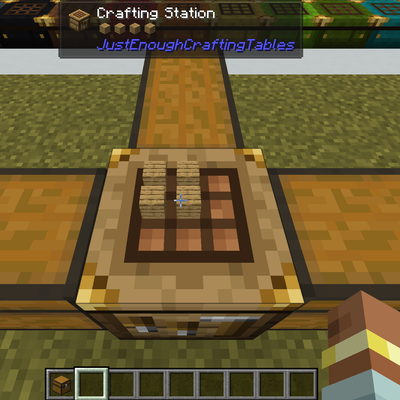
This simple mod just adds dyeable crafting tables that keeps its grid content, shows the items on top, and lets you craft from connected inventories. You can search, store, & repeat craft and JEI/EMI transfer from storage.
 mod
Heavy rain can turn into a flood! Rivers, lakes and oceans overflow their banks, then drain away when the storm passes.
