Fabric API Needed by Camerao 1.0.0
requiredMatching file found Matched file: 0.141.6+1.21.11

Modrinth · Minecraft mod
Most feature packed camera utility while still being minimal.
Quick answer
Camerao 1.0.0 targets 1.21.11 with Fabric. It must be installed on the client. Do not install it on the dedicated server. All 2 required mods have matching files.
Where it goes
It must be installed on the client. Do not install it on the dedicated server.
This file is marked client-only.
1.0.0. Change the file and its required mods may change too.
Install Fabric API, Cloth Config API first. We found matching files for this game-version and loader setup. 1 comes through another mod in the chain.
1 extra mod was pulled in by another dependency. Indented rows show who needs each one. We only count dependency files that match this setup. A file for another loader does not fill the gap.
Before you install it
Built for Camerao 1.0.0. Pick another file and the loader, install side or required mods may change.
Use 1.0.0. It targets 1.21.11 with Fabric; another release may have different loader, side or dependency requirements.
Install Fabric API, Cloth Config API first. We found matching files for this game-version and loader setup. 1 comes through another mod in the chain.
It must be installed on the client. Do not install it on the dedicated server.
Use the “Get this file” button beside 1.0.0. It opens that exact file at the source.
About this project


Camera utilities for Fabric
Left Alt
C
V
G

Shows your own nametag in third person. Vanilla hides it because the player is the
camera. Has a separate option to also show it on the player model in the inventory
screen, which stays unlabeled by default.
Changeable in Options → Controls → Key Binds → Camerao.
| Action | Key |
|---|---|
| Perspective | Left Alt |
| Zoom | C |
| Freecam | V |
| Detach camera | G |
| Open settings | unbound |
Perspective
| Option | Default |
|---|---|
| Activation mode | Hold |
| Camera view | Third person back |
| Yaw limit | 360 |
| Pitch limit | 90 |
| Invert look up/down | Off |
| Cinematic camera | Off |
| Scroll camera zoom | On |
| Camera zoom in limit | 2 |
| Camera zoom out limit | 32 |
Zoom
| Option | Default |
|---|---|
| Default zoom % | 300 |
| Zoom % | Off |
| Invert scroll | Off |
Freecam
| Option | Default |
|---|---|
| Activation mode | Toggle |
| Collision | Off |
| Keep sneak | On |
| Exit on damage | On |
WhoAmI
| Option | Default |
|---|---|
| Activate | On |
| Show in inventory | Off |


Freecam by hashalite
Freelook by Celibistrial
Whoami by Foksha
Project description from Modrinth.
Pick your setup
Choose the version and loader you play, then open the matching release.
Check the dependencies, then try the file in a copied instance before changing a world you care about.
Recent files
camerao-1.0.0+1.21.11.jar
30 Sept 2026
camerao-1.0.0+26.1.jar
30 Sept 2026
camerao-1.0.0+26.1.1.jar
30 Sept 2026
camerao-1.0.0+26.1.2.jar
30 Sept 2026
camerao-1.0.0+26.2.jar
30 Sept 2026
camerao-1.0.0+26.3.jar
30 Sept 2026
camerao-1.5.1+26.3.jar
22 Sept 2026
Looking for an older file? The official Modrinth project page is in Resources.
 mod
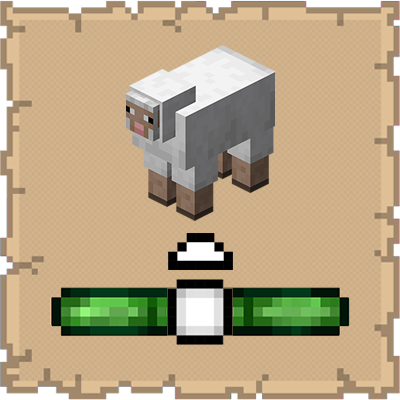
This mod ports the locator bar mechanic to the mobs.
 mod
A simple zoom mod that fixes common issues with other zoom mods. You can also scroll to zoom in and out. The sensitivity lowers the further you zoom in allowing for more accurate zooming on a subject. Allows for zooms up to 500x
 mod
An unofficial Fabric mod port based on Matcha Flavoured.