Mod Menu Needed by FPS Display+ 1.6.0
requiredMatching file found Matched file: 21.0.0

Modrinth · Minecraft mod
A easy-to-use FPS display mod with infinite customizability.
Quick answer
FPS Display+ 1.6.0 targets 26.3 with Fabric, Quilt. It must be installed on the client. Do not install it on the dedicated server. All 3 required mods have matching files.
Where it goes
It must be installed on the client. Do not install it on the dedicated server.
This file is marked client-only.
1.6.0. Change the file and its required mods may change too.
Install Mod Menu, Fabric API, Text Placeholder API first. We found matching files for this game-version and loader setup. 1 comes through another mod in the chain.
1 extra mod was pulled in by another dependency. Indented rows show who needs each one. We only count dependency files that match this setup. A file for another loader does not fill the gap.
Before you install it
Built for FPS Display+ 1.6.0. Pick another file and the loader, install side or required mods may change.
Use 1.6.0. It targets 26.3 with Fabric, Quilt; another release may have different loader, side or dependency requirements.
Install Mod Menu, Fabric API, Text Placeholder API first. We found matching files for this game-version and loader setup. 1 comes through another mod in the chain.
It must be installed on the client. Do not install it on the dedicated server.
Use the “Get this file” button beside 1.6.0. It opens that exact file at the source.
About this project
FPS Display+ is an easy-to-use mod that will display your current FPS on your screen. It is designed to be lightweight and unobtrusive, ensuring that displaying your FPS won't interfere with gameplay.
The mod has many settings such as:
This mod is supported for Fabric with Minecraft versions 1.21.11 and above.
If you have any questions or would like to chat with fellow coders, then you can join our Discord. Our community is a great place to report bugs, suggest new features, or share your custom configurations.
We really hope that you enjoy the mod. Thank you for downloading and supporting our work!
Project description from Modrinth.
Pick your setup
Choose the version and loader you play, then open the matching release.
Check the dependencies, then try the file in a copied instance before changing a world you care about.
Recent files
fpsdisplay-1.6.0.jar
6 Nov 2026
fpsdisplay-1.5.6.jar
26 Sept 2026
fpsdisplay-1.5.5.jar
1 Aug 2026
fpsdisplay-1.5.4.jar
1 Aug 2026
fpsdisplay-1.5.3.jar
30 Jun 2026
fpsdisplay-1.5.2.jar
18 Jun 2026
fpsdisplay-1.5.0.jar
22 May 2026
fpsdisplay-1.4.1.jar
7 May 2026
fpsdisplay-1.4.0.jar
5 May 2026
fpsdisplay-1.3.0.jar
5 May 2026
fpsdisplay-1.2.0.jar
18 Apr 2026
fpsdisplay-1.2.0.jar
10 Feb 2026
Looking for an older file? The official Modrinth project page is in Resources.
 mod
An add-on for Tech Reborn that adds new useful tools, mainly for mid/end game.
 mod
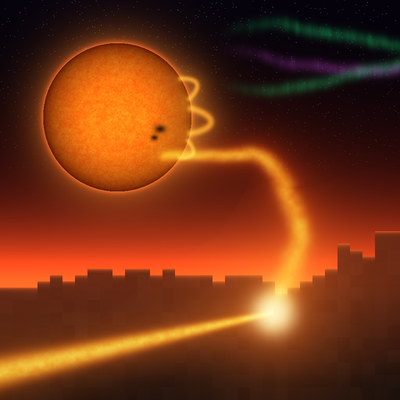
Unofficial addon for The Shooting Star [Demo]: adds SX-01 Solar Flare, a Stellar Remote skill that lashes a whip of plasma from the Sun across your land.
 mod
Early pre-alpha: generate power from steam and geothermal hot springs, move it with copper cables and transport items and fluids through pipes.