Minecraft version
Back to mods 
Modrinth · Minecraft mod
Lithosphere
Lithosphere aims to change the overworld worldgen to be more cinematic, polished and beautiful.
Choose a version Pick your version below, then grab the matching file.
Quick answer
Which Lithosphere release should I use?
Latest stable file 1.8.2+mod
Game version 1.20, 1.20.1, 1.20.2
Loader Fabric, Forge, NeoForge
Lithosphere 1.8.2+mod targets 1.20, 1.20.1, 1.20.2 with Fabric, Forge, NeoForge. Installation on the client is optional. Installation on the dedicated server is optional. No extra mods listed for this file.
Where it goes
Is Lithosphere required on the client, server, or both?
Installation on the client is optional. Installation on the dedicated server is optional.
Client Optional
Dedicated server Optional
Loader for this release Fabric, Forge, NeoForge
Required install it here Optional supported, not mandatory Not supported do not install here Source doesn’t say do not assume
The source marks this as usable on both the client and server.
What else does Lithosphere 1.8.2+mod need?
1.8.2+mod. Change the file and its required mods may change too.
This file does not list any required mods. Do not add a library just because a different file uses it.
This file does not list any required or optional mods.
Before you install it
Add Lithosphere without breaking your instance.
Built for Lithosphere 1.8.2+mod. Pick another file and the loader, install side or required mods may change.
- 01
Stick to this file
Use 1.8.2+mod. It targets 1.20, 1.20.1, 1.20.2 with Fabric, Forge, NeoForge; another release may have different loader, side or dependency requirements.
- 02
Bring the mods it needs
This file does not list any required mods. Do not add a library just because a different file uses it.
- 03
Put it on the correct side
Installation on the client is optional. Installation on the dedicated server is optional.
- 04
Pick the file you checked
Use the “Get this file” button beside 1.8.2+mod. It opens that exact file at the source.
About this project
What does Lithosphere add?
Lithosphere aims to change the overworld worldgen to be more cinematic, polished and beautiful.
Compatability
Most worldgen mods (like Biomes O' Plenty, Nature's Spirit, ...) should be compatible, but lithosphere changes the deafult noise_settings so worldgen datapacks that change the overworld will be incompatible.
Datapacks that change the noise_settings files can be made compatible by changing their noise_settings to refer to Lithosphere's final_density.
Recommendations
- I highly recommend using C2ME for improved chunkgen speeds
- Voxy/Distant Horizons/Nvidium
- Noisium
- Steep surface fix
Feedback, questions or screenshots
If you have some questions, suggestions or feedback, or just want to post some of your screenshots of Lithosphere you can ask/post these on discord!
Features
Continents and deeper oceans
The overworld consists of some gigantic and some smaller continents, these are seperated by deep oceans where occasional islands and archipelagos can be found.
Gradual coasts and steep cliffs
The coastlines are mostly covered in large beaches, that gradually transition into the ocean, but there are also steep cliffs near mountainous regions. These cliffs have a more realistic shape to them, than the vanilla stony shores.
Mountainous Regions
The "Onion Ring" mountains in vanilla are gone, and replaced with more cinematic looking mountain ranges, that are less pointy. These new mountains can be much higher than in vanilla.
Karst
You can find karst regions, that can sometimes look just like the Monument Valley in Arizona, or Ha Long Bay in Vietnam!
Rivers and river valleys
Rivers are much less common and carve valleys through mountainous regions. They also won't get cut off by some weird terrain generation like in some places in vanilla.
Lakes
Big lakes can sometimes appear anywhere in your world. It's quite common to also find some islands generating in them.
Unique swamp placement and terrain
Swamps now generate seperately from windswept biomes and are often located in lower regions..
Smoother terrain
The weird terrain layers and facture splines from vanilla are gone and replaced with overall smoother height transitions.
Overhauled cave generation
It's quite rare to find caves reaching the surface, but when they do, they'll most likely lead to a bigger cave system
Larger temperature and humidity regions
The size of the temperature and humidity noises has been increased to make biomes bigger and less condensed. But biomes in this datapack should still be more varied than they are like in the vanilla large biomes setting.
Project description from Modrinth.
Pick your setup
Lithosphere by Minecraft version and loader
Choose the version and loader you play, then open the matching release.
Minecraft version
26.1.2
5 loader buildsMinecraft version
26.1.1
5 loader buildsMinecraft version
26.1
5 loader buildsMinecraft version
1.21.11
5 loader buildsMinecraft version
1.21.10
5 loader buildsMinecraft version
1.21.9
5 loader buildsMinecraft version
1.21.8
5 loader buildsMinecraft version
1.21.7
5 loader buildsMinecraft version
1.21.6
5 loader buildsMinecraft version
1.21.5
5 loader buildsMinecraft version
1.21.4
5 loader buildsShowing the newest 12 of 28 game versions. Older files are in the list below.
Check the dependencies, then try the file in a copied instance before changing a world you care about.
Recent files
Lithosphere versions and loaders
1.8.2+mod
lithosphere-1.8.2.jar
28 Aug 2026
Client Optional Server Optional Dependencies No extras listed Listed on Release listing
Check the 26.2 · Fabric setup 1.201.20.11.20.21.20.3 release
1.8.2
lithosphere 1.8.2 28.08.2026.zip
28 Aug 2026
Client Optional Server Optional Dependencies No extras listed Listed on Release listing
Check the 26.2 · datapack setup 1.201.20.11.20.21.20.3 release
1.8.1+mod
lithosphere-1.8.1.jar
17 Jul 2026
Client Optional Server Optional Dependencies No extras listed Listed on Release listing
Check the 26.2 · Fabric setup 1.201.20.11.20.21.20.3 release
1.8.1
lithosphere 1.8.1 17.07.2026.zip
17 Jul 2026
Client Optional Server Optional Dependencies No extras listed Listed on Release listing
Check the 26.2 · datapack setup 1.201.20.11.20.21.20.3 release
1.8+mod
lithosphere-1.8.jar
16 Jul 2026
Client Optional Server Optional Dependencies No extras listed Listed on Release listing
Check the 26.2 · Fabric setup 1.201.20.11.20.21.20.3 release
1.8
lithosphere 1.8 17.07.2026.zip
16 Jul 2026
Client Optional Server Optional Dependencies No extras listed Listed on Release listing
Check the 26.2 · datapack setup 1.201.20.11.20.21.20.3 release
1.7+mod
lithosphere-1.7.jar
15 Aug 2025
Client Optional Server Optional Dependencies No extras listed Listed on Release listing
Check the 1.20.4 · Fabric setup 1.201.20.11.20.21.20.3 release
1.7
lithosphere 1.7 15.08.2025.zip
15 Aug 2025
Client Optional Server Optional Dependencies No extras listed Listed on Release listing
Check the 1.20.4 · datapack setup 1.201.20.11.20.21.20.3 release
1.7+mod
lithosphere-1.7.jar
15 Aug 2025
Client Optional Server Optional Dependencies No extras listed Listed on Release listing
Check the 1.21.5 · Fabric setup 1.20.51.20.61.211.21.1 release
1.7
lithosphere 1.7 15.08.2025.zip
15 Aug 2025
Client Optional Server Optional Dependencies No extras listed Listed on Release listing
Check the 1.21.5 · datapack setup 1.20.51.20.61.211.21.1 release
1.7+mod
lithosphere-1.7.jar
15 Aug 2025
Client Optional Server Optional Dependencies No extras listed Listed on Release listing
Check the 1.21.8 · Fabric setup 1.21.61.21.71.21.8Fabric release
1.7
lithosphere 1.7 15.08.2025.zip
15 Aug 2025
Client Optional Server Optional Dependencies No extras listed Listed on Release listing
Check the 1.21.8 · datapack setup 1.21.61.21.71.21.8datapack release
Looking for an older file? The official Modrinth project page is in Resources.
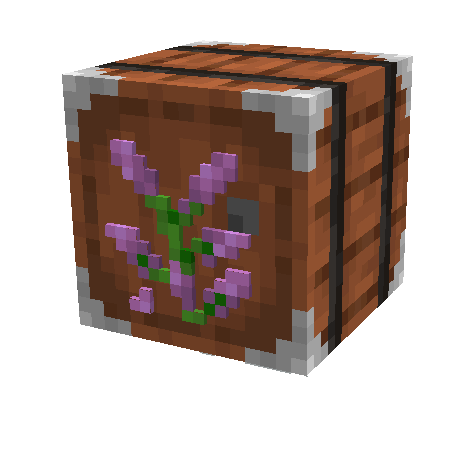 mod
mod CurseForge + Modrinth · Minecraft
Sophisticated Storage
Storage mod with multiple tiers and functional upgrades
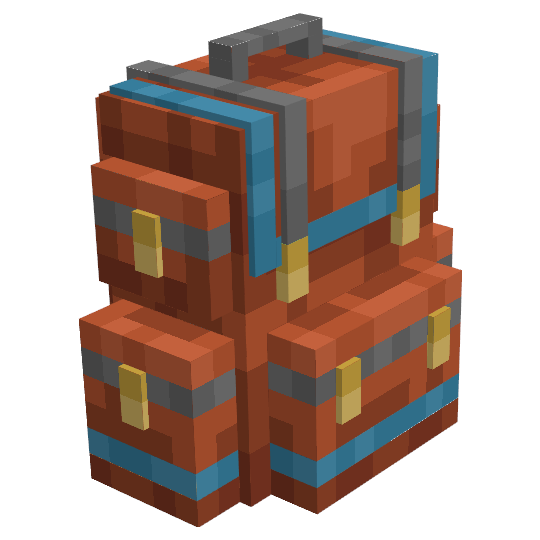 mod
mod CurseForge + Modrinth · Minecraft
Sophisticated Backpacks
Yet another backpack mod this time with backpack you can place in world, color in different color combinations, upgrade with more inventory and enhance with many functional upgrades
 mod
mod CurseForge + Modrinth · Minecraft
Collective
🎓 Collective is a shared library with common code for all of Serilum's mods.