Fabric API Needed by Better Anvil 2.0.0-aprilfooledition
requiredNo matching file

Modrinth · Minecraft mod
Quick renaming of CIT and CMD items from resource packs in anvil and chat!
Quick answer
Better Anvil 2.0.0-aprilfooledition targets 1.21 with Fabric. It must be installed on the client. Do not install it on the dedicated server. 1 required mod needs a matching file.
Where it goes
It must be installed on the client. Do not install it on the dedicated server.
This file is marked client-only.
2.0.0-aprilfooledition. Change the file and its required mods may change too.
Install Fabric API, RP Renames first, but 1 required mod has no matching file for this setup. Do not mix loader builds to force a match. 3 come through another mod in the chain.
3 extra mods were pulled in by other dependencies. Indented rows show who needs each one. We only count dependency files that match this setup. A file for another loader does not fill the gap.
Before you install it
Built for Better Anvil 2.0.0-aprilfooledition. Pick another file and the loader, install side or required mods may change.
Use 2.0.0-aprilfooledition. It targets 1.21 with Fabric; another release may have different loader, side or dependency requirements.
Install Fabric API, RP Renames first, but 1 required mod has no matching file for this setup. Do not mix loader builds to force a match. 3 come through another mod in the chain.
It must be installed on the client. Do not install it on the dedicated server.
Use the “Get this file” button beside 2.0.0-aprilfooledition. It opens that exact file at the source.
About this project
Better Renames will no longer be supported for new versions. Now this project is officially archived from 11/07/2024
Personally, I recommend you to use Better Anvil alternative - RP Renames

 [
[![Support Link-Banner [Boosty]](https://cdn.modrinth.com/data/cached_images/dce91fef079649dee277c52a998fc068e745e99e.png) ](https://boosty.to/lopymine/donate)
](https://boosty.to/lopymine/donate)


Better Renames is a Fabric mod to quickly get CIT and CMD items in the anvil and the chat from selected resource packs.
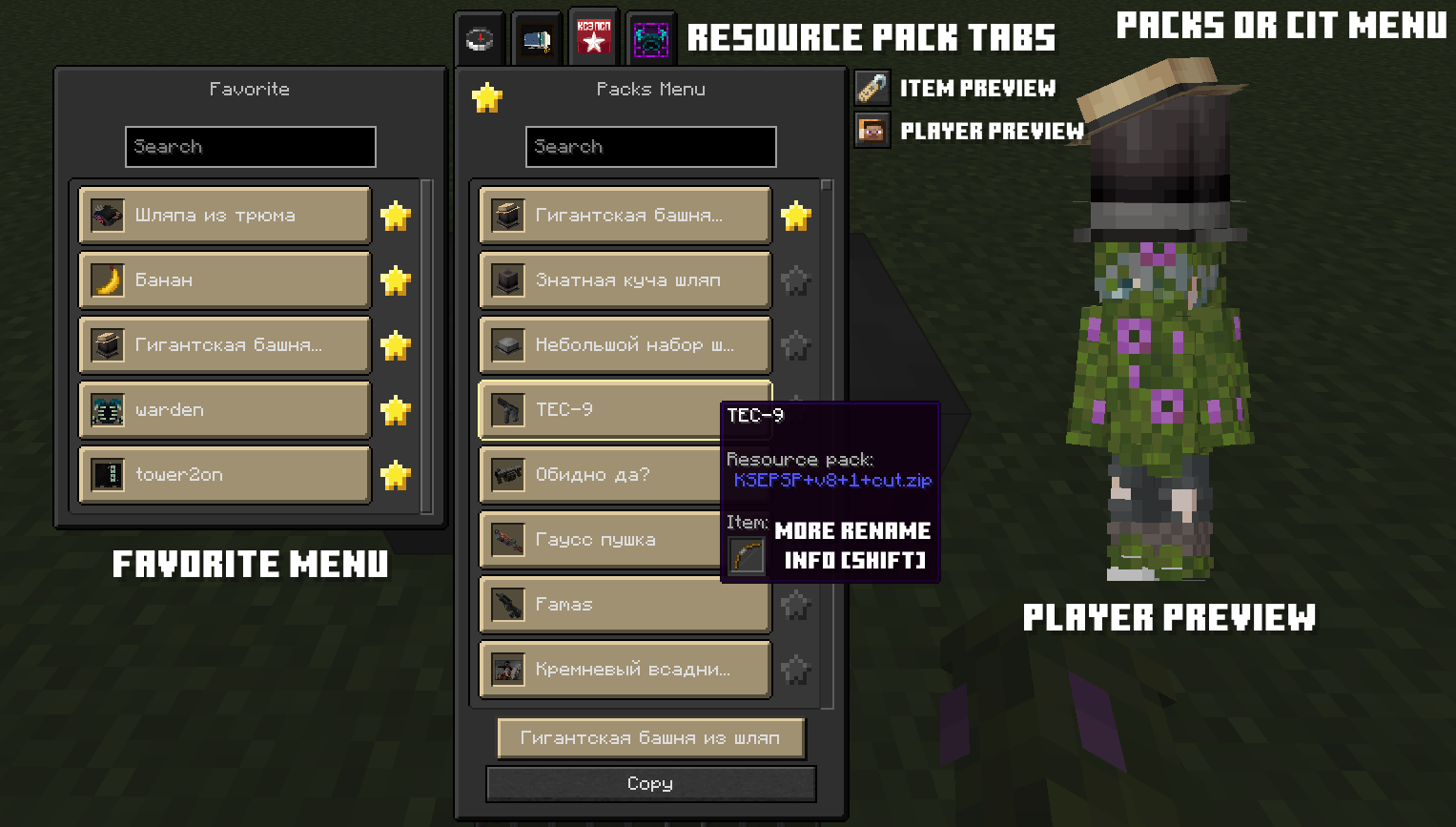
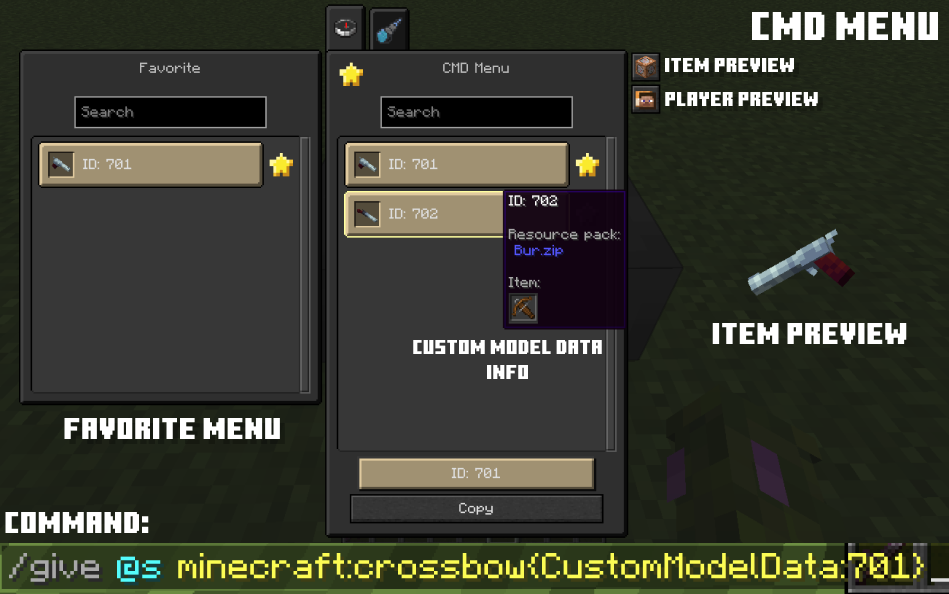
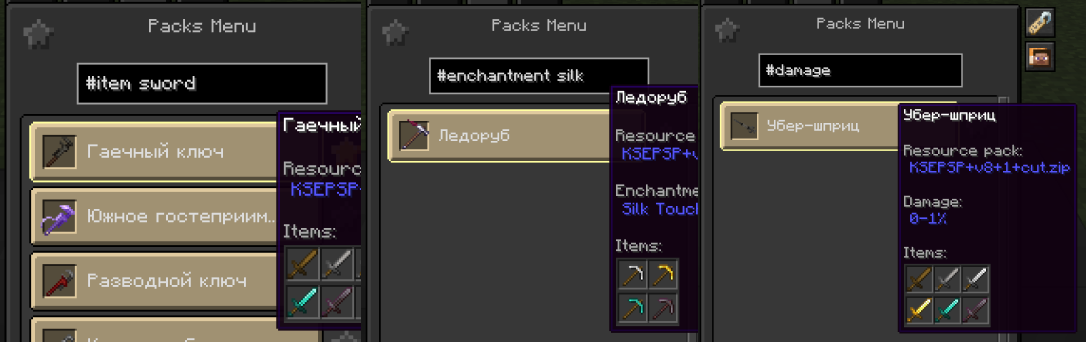
For better search you can also use tags: #item, #resourcepack, #enchantments, #damage, #count, #lore. After the tag you can write your stuff.
Also you can scroll your mouse to use autocompleter for tags like #item, #resourcepack, #enchantments.
Example: #item scroll -> #item Diamond
More showcase you can find in the gallery tab!
Project description from Modrinth.
Pick your setup
Choose the version and loader you play, then open the matching release.
Check the dependencies, then try the file in a copied instance before changing a world you care about.
Recent files
Better-Renames-2.0.0.jar
1 Apr 2025
Better-Anvil-1.2.7+1.20.2.jar
2 Dec 2023
Better-Anvil-1.2.7+1.20-1.jar
2 Dec 2023
Better Anvil-1.2.6+1.20.jar
12 Aug 2023
BetterAnvil-1.2.6+1.19.4.jar
12 Aug 2023
BetterAnvil-1.2.6+1.19.3.jar
12 Aug 2023
BetterAnvil-1.2.6+1.19-2.jar
12 Aug 2023
BetterAnvil-1.2.5+1.20.jar
27 Jul 2023
BetterAnvil-1.2.5+1.19.4.jar
27 Jul 2023
BetterAnvil-1.2.5+1.19.3.jar
27 Jul 2023
BetterAnvil-1.2.5+1.19-2.jar
27 Jul 2023
BetterAnvil-1.2.4+1.19.4.jar
14 Jun 2023
Looking for an older file? The official Modrinth project page is in Resources.
 mod
modSome texture packs glitch when used with Emotecraft. This mod fixes that.
 mod
modDisclosure: The code for this mod was 100% AI generated. A fully client-side mod that automatically scans your inventory and displays every item you are currently able to craft.
 mod
modHandheld flashlight and work lantern with real dynamic lighting: a shader-driven beam that casts true shadows from actual block shapes, zooms with the mouse wheel, and blinds anyone who looks in. Plus night vision goggles and signal flares.