Fabric API Needed by Optifine Capes Reborn 1.0.1-26.3
requiredMatching file found Matched file: 0.166.2+26.3
Modrinth · Minecraft mod
Implements Optifine Capes to non optifine clients
Quick answer
Optifine Capes Reborn 1.0.1-26.3 targets 26.3 with Fabric. It must be installed on the client. Do not install it on the dedicated server. All 1 required mods have matching files.
Where it goes
It must be installed on the client. Do not install it on the dedicated server.
This file is marked client-only.
1.0.1-26.3. Change the file and its required mods may change too.
Install Fabric API first. We found matching files for this game-version and loader setup. 1 comes through another mod in the chain.
1 extra mod was pulled in by another dependency. Indented rows show who needs each one. We only count dependency files that match this setup. A file for another loader does not fill the gap.
Before you install it
Built for Optifine Capes Reborn 1.0.1-26.3. Pick another file and the loader, install side or required mods may change.
Use 1.0.1-26.3. It targets 26.3 with Fabric; another release may have different loader, side or dependency requirements.
Install Fabric API first. We found matching files for this game-version and loader setup. 1 comes through another mod in the chain.
It must be installed on the client. Do not install it on the dedicated server.
Use the “Get this file” button beside 1.0.1-26.3. It opens that exact file at the source.
About this project
This mod used to be a fork of Capes but is now fully revamped and rewrote from scratch. All the previous builds are still licensed LGPL-2.1-only and have their source code still available in the changelog where you can find a link to the github page.
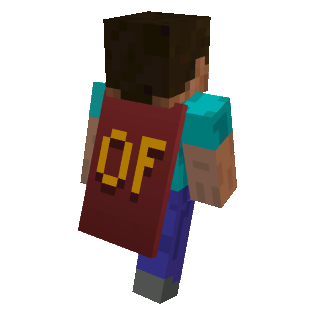
This mod makes you able to see your and other player's Optifine capes. While still being able to use the vanilla minecraft capes.
You can preview, edit and toggle your cape in the skin customization tab. You can also preview the Elytra
This mod is a fork of Capes to only show Optifine capes. The Optifine Cape is showed by default. You can also use your minecraft default cape.
You can disable the cape by turning cape off in the skin customization tab.
You can use the default minecraft cape by going into the small cape icon in the customization tab and choosing minecraft cape.
If you dont have the optifine cape, you can get it here https://optifine.net/donate
I basically made this fork because I don't care about any other capes than the Optifine one or the official ones and having to switch between minecraft and optifine in the menu of Capes mod was annoying because I was seeing these useless capes that no one uses and had to pass thru them.
Project description from Modrinth.
Pick your setup
Choose the version and loader you play, then open the matching release.
Check the dependencies, then try the file in a copied instance before changing a world you care about.
Recent files
optifine_capes_reborn-1.0.1-26.3.jar
1 Oct 2026
optifine_capes_reborn-1.0.1-26.2.jar
1 Oct 2026
optifine_capes_reborn-1.0-26.2.jar
1 Oct 2026
optifine_capes_reborn-1.0-26.3.jar
1 Oct 2026
optifine_capes_reborn-1.5.10+1.21.11-fabric.jar
16 Dec 2025
Optifine Capes Reborn 1.5.4+1.21.4-fabric.jar
27 Dec 2024
Optifine capes reborn 1.5.4+1.21.2-fabric.jar
24 Oct 2024
optifine-capes-reborn-1.0.0.jar
22 Aug 2024
Looking for an older file? The official Modrinth project page is in Resources.
 mod
Farming automation mod. Planters and raised beds grow your crops and trees for you.
 mod
Compatibility fixes for running Flashback on NeoForge 1.21.1 through Sinytra Connector.
 mod
A simple custom damage tint mod