Just Enough Items (JEI) Needed by JEI_Commands 3.0.6
requiredMatching file found Matched file: 19.70.0.469

Modrinth · Minecraft mod
Adds commands to open JEI recipe, usage, and effect views directly.这个模组为 JEI 添加命令,可直接打开配方、用途和 Jeed 药水效果界面。
Quick answer
JEI_Commands 3.0.6 targets 1.21.1 with NeoForge. Installation on the client is optional. Installation on the dedicated server is optional. All 2 required mods have matching files.
Where it goes
Installation on the client is optional. Installation on the dedicated server is optional.
The source marks this as usable on both the client and server.
3.0.6. Change the file and its required mods may change too.
Install Just Enough Items (JEI), MezzConfig first. We found matching files for this game-version and loader setup. 2 come through another mod in the chain.
2 extra mods were pulled in by other dependencies. Indented rows show who needs each one. We only count dependency files that match this setup. A file for another loader does not fill the gap.
Before you install it
Built for JEI_Commands 3.0.6. Pick another file and the loader, install side or required mods may change.
Use 3.0.6. It targets 1.21.1 with NeoForge; another release may have different loader, side or dependency requirements.
Install Just Enough Items (JEI), MezzConfig first. We found matching files for this game-version and loader setup. 2 come through another mod in the chain.
Installation on the client is optional. Installation on the dedicated server is optional.
Use the “Get this file” button beside 3.0.6. It opens that exact file at the source.
About this project
Adds convenient commands to open JEI recipe, usage, and effect views directly in-game.
| Command | Description |
|---|---|
/jeiitemr <item> |
Open recipe/source view (R key) |
/jeiitemu <item> |
Open usage/work view (U key) |
/jeiiteme <effect> |
Open JEED effect description page |
Click the /tellraw message to execute the command:
tellraw @a [{"text":"Successfully obtained rare item: Diamond","hoverEvent":{"action":"show_text","contents":"Click to view item source"}},{"text":" [Click to view]","clickEvent":{"action":"run_command","value":"/jeiitemr minecraft:diamond"}}] – Click to view sourcetellraw @a [{"text":"Successfully obtained rare item: Diamond","hoverEvent":{"action":"show_text","contents":"Click to view item usage"}},{"text":" [Click to view]","clickEvent":{"action":"run_command","value":"/jeiitemu minecraft:diamond"}}] – Click to view usage为 JEI 添加快捷命令,可直接打开配方、用途和 Jeed 药水效果界面。
| 命令 | 功能说明 |
|---|---|
/jeiitemr <物品> |
打开 配方/来源界面(R 键) |
/jeiitemu <物品> |
打开 用途/加工界面(U 键) |
/jeiiteme <效果> |
打开 JEED 效果描述页面 |
点击 /tellraw 消息即可执行命令:
tellraw @a [{"text":"触发效果:瞬移","hoverEvent":{"action":"show_text","contents":"点击查看效果描述"}},{"text":" [点击查看]","clickEvent":{"action":"run_command","value":"/jeiiteme minecraft:teleport"}}] - 点击查看 来源tellraw @a [{"text":"成功获得稀有物品:钻石","hoverEvent":{"action":"show_text","contents":"点击查看物品用途"}},{"text":" [点击查看]","clickEvent":{"action":"run_command","value":"/jeiitemu minecraft:diamond"}}] - 点击查看 用途Project description from Modrinth.
Pick your setup
Choose the version and loader you play, then open the matching release.
Check the dependencies, then try the file in a copied instance before changing a world you care about.
Recent files
jei_commands-3.0.6.jar
8 Nov 2026
jei_commands-2.9.167.jar
8 Nov 2026
jei_commands-1.0.0.jar
12 Mar 2026
Looking for an older file? The official Modrinth project page is in Resources.
 mod
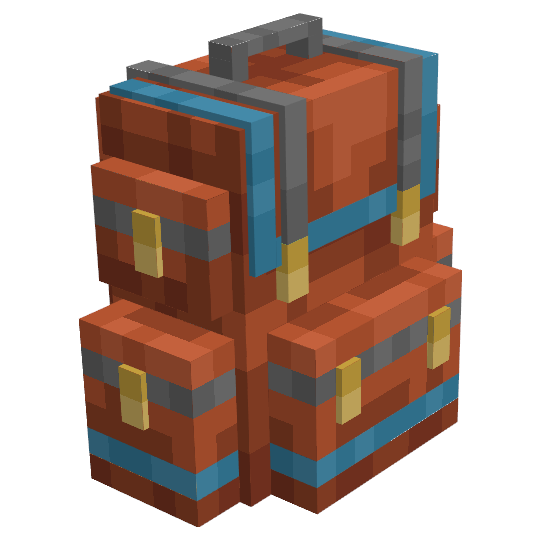
Yet another backpack mod this time with backpack you can place in world, color in different color combinations, upgrade with more inventory and enhance with many functional upgrades
 mod
Best redstone&tech datapack, Super optimized, 59+ blocks (Block breaker, block placer, filters, conveyors, item pipes, breeder, generators, gates, chunk loader, wireless redstone, multiblocks, jetpacks and so much more ! )
 mod
AMTJMTGMA - a mod that just makes the game more annoying (ragebait)