Create Needed by Create: Bionics 2.5.0
requiredMatching file found Matched file: 6.0.10+mc1.21.1

Modrinth · Minecraft mod
A mod that adds robot animals to Create
Quick answer
Create: Bionics 2.5.0 targets 1.21.1 with NeoForge. Installation on the client is optional. Installation on the dedicated server is optional. All 1 required mods have matching files.
Where it goes
Installation on the client is optional. Installation on the dedicated server is optional.
The source marks this as usable on both the client and server.
2.5.0. Change the file and its required mods may change too.
Install Create first. We found matching files for this game-version and loader setup.
We only count dependency files that match this setup. A file for another loader does not fill the gap.
Before you install it
Built for Create: Bionics 2.5.0. Pick another file and the loader, install side or required mods may change.
Use 2.5.0. It targets 1.21.1 with NeoForge; another release may have different loader, side or dependency requirements.
Install Create first. We found matching files for this game-version and loader setup.
Installation on the client is optional. Installation on the dedicated server is optional.
Use the “Get this file” button beside 2.5.0. It opens that exact file at the source.
About this project
A small Create add-on that adds five craftable robot animals. All five are meant to help with survival exploration and resource gathering, the only expense being the occasional refueling with coal, charcoal, or blaze cakes.
All five robots can be customized with andesite, brass, and copper variants accessible by simply right-clicking on the robots with the respective ingot. Note that you need to remove cosmetic skins with a wrench.
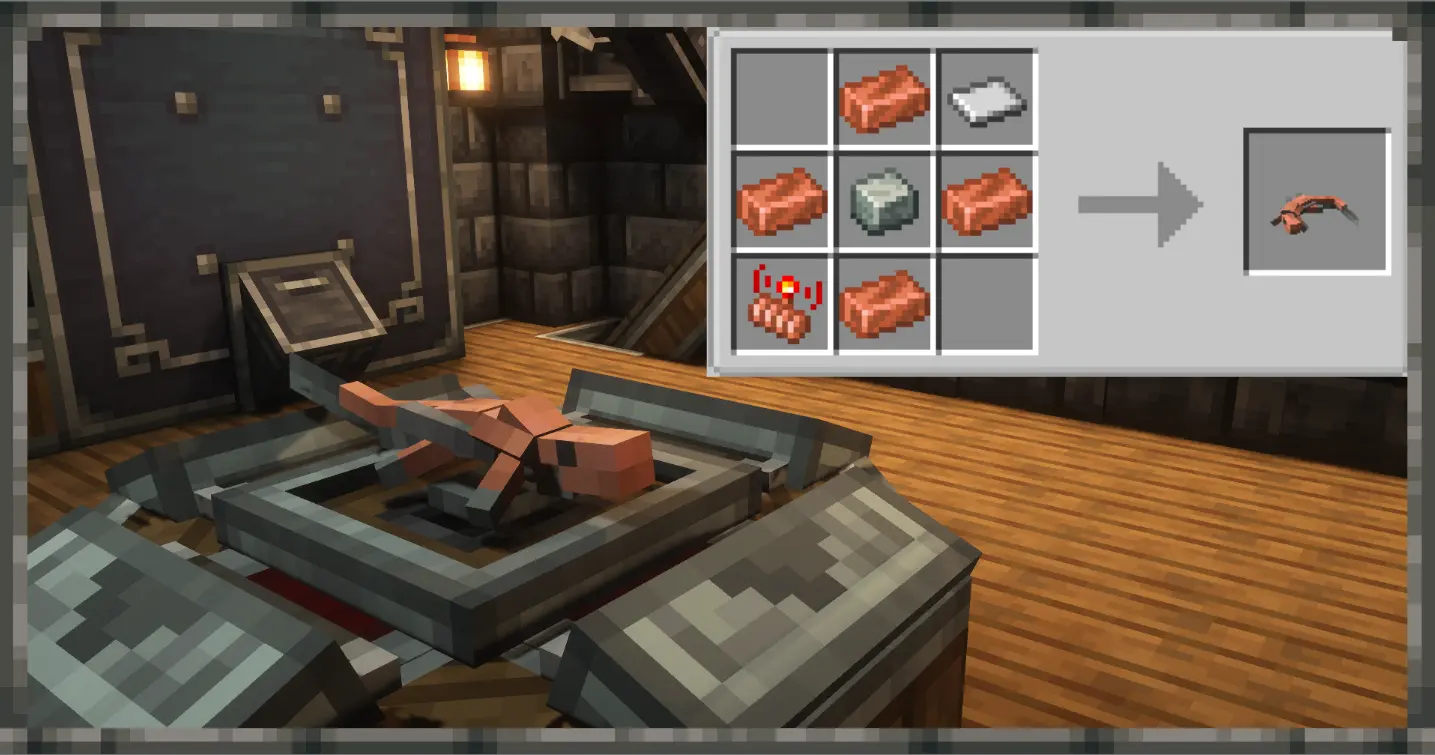
The Anole is a small lizard robot that can be crafted early in the game and accompany your adventures in mob or item form, the latter sitting on your shoulder when held in either hand. The presence of the anole, whether in your hand or walking by your side, is enough to scare away all spiders and insects. In addition to the standard andesite, brass, and copper, the Anole also has a netherite skin and oxidized variants that can be applied with a wet sponge.
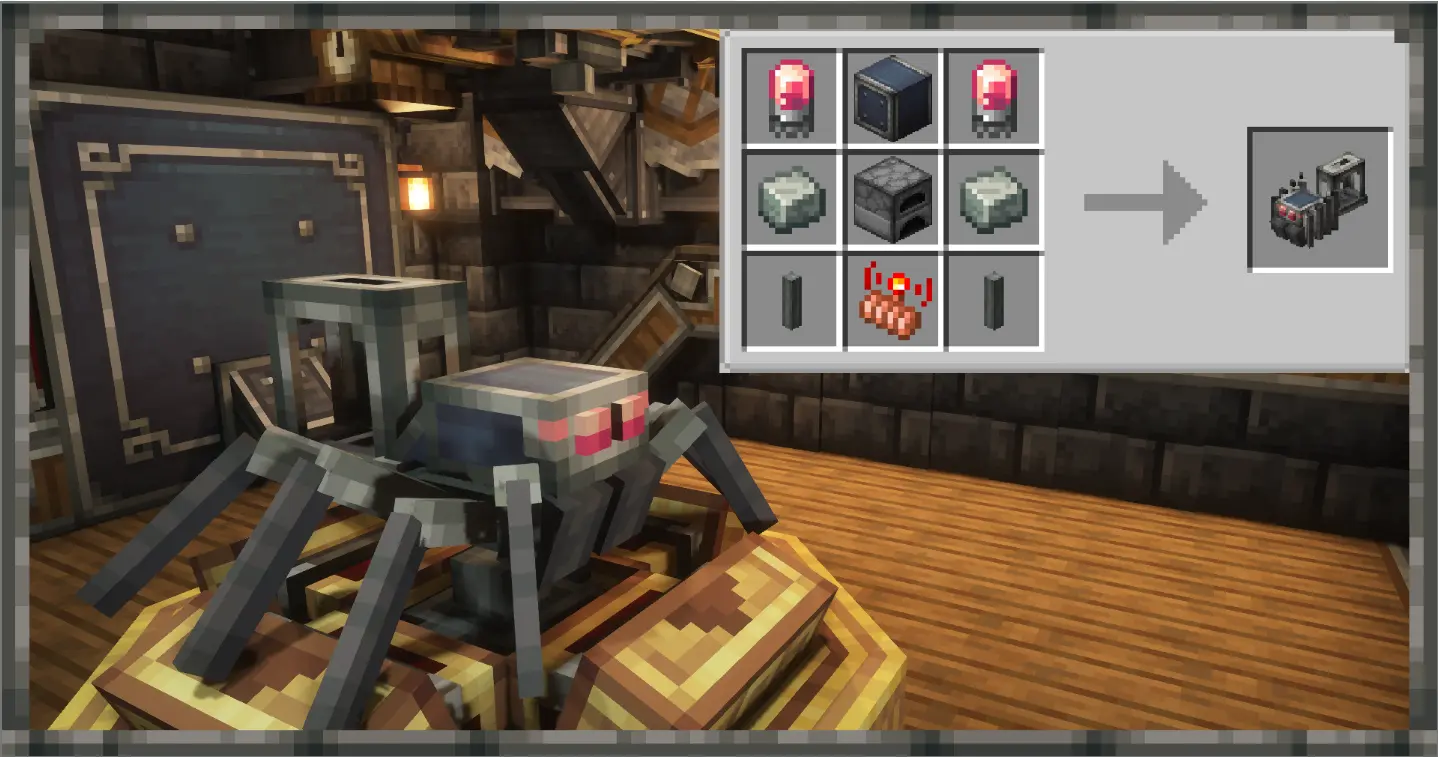
The Matchbox carries up to 4 stacks of torches and places them in dark areas around you. If left to wander, it will automatically light up any dark areas it comes across. You can switch between sunlight or cave mode for torch placing, or disable it entirely by shift-clicking.
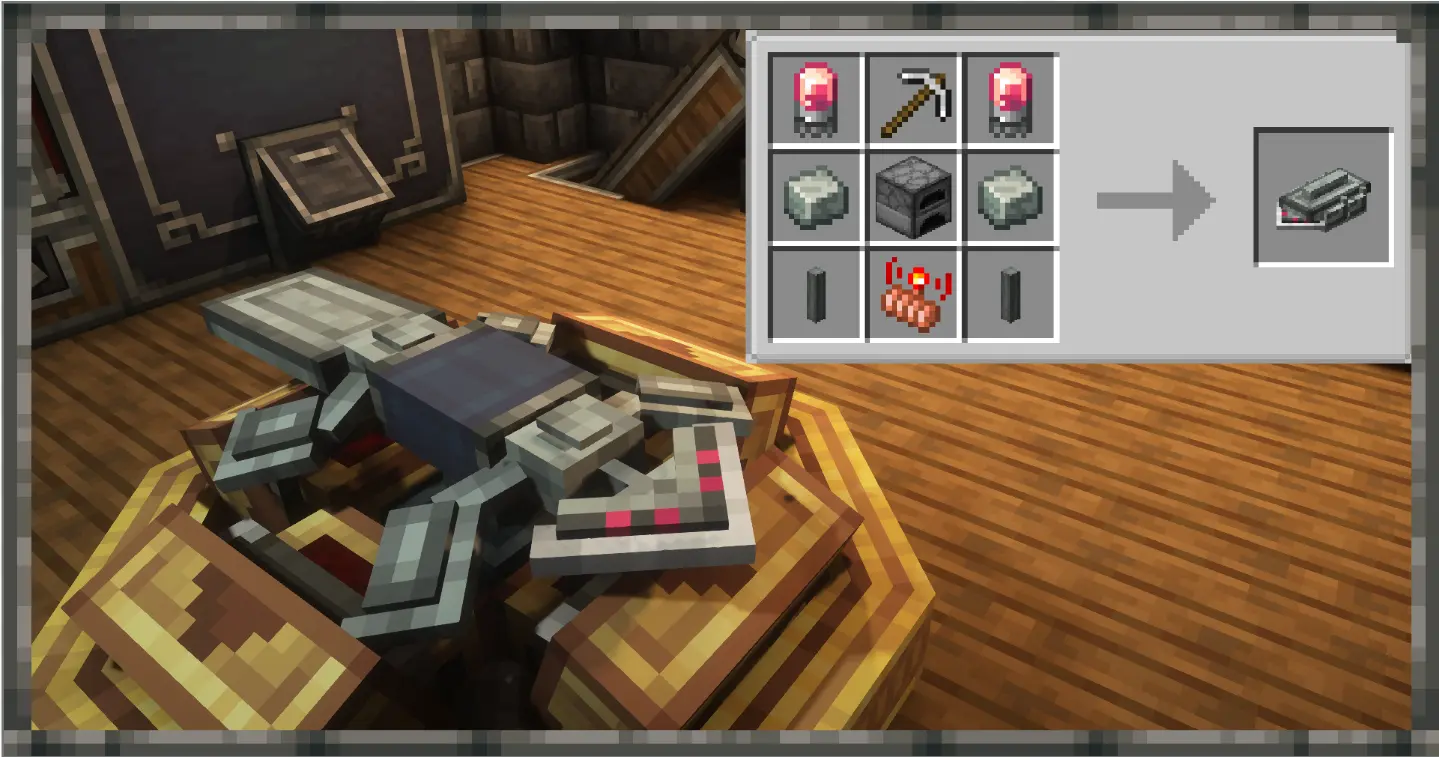
The Seeker can accompany players in caves like the Matchbox. When given any ore, metal, or mineral, it will search the surrounding area for a corresponding ore block. If one is found, the Seeker will dig underground for several seconds before returning with the ore block. If unsuccessful, the item you gave it will be consumed, so be mindful of where you use it. Giving a Seeker a diamond or netherite pickaxe will allow it to dig faster. Because of the Seeker's ore finding mechanic, you'll have to hold shift while adding some skins.
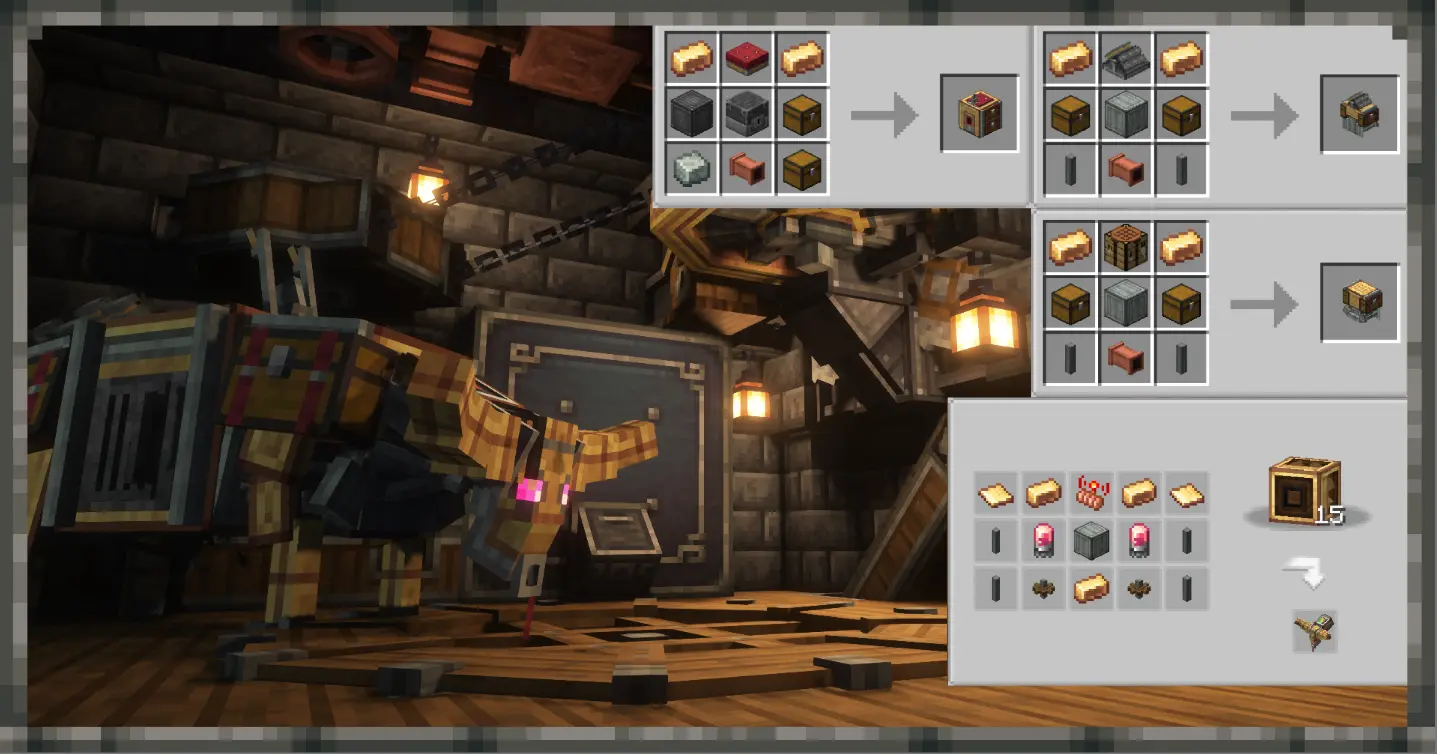
The Oxhauler is a large cow-like robot that carries 6 chests worth of storage, as well as a full 3x3 crafting grid. Additionally, it can easily plough land and harvest crops when given a mechanical plough or a mechanical harvester respectively.
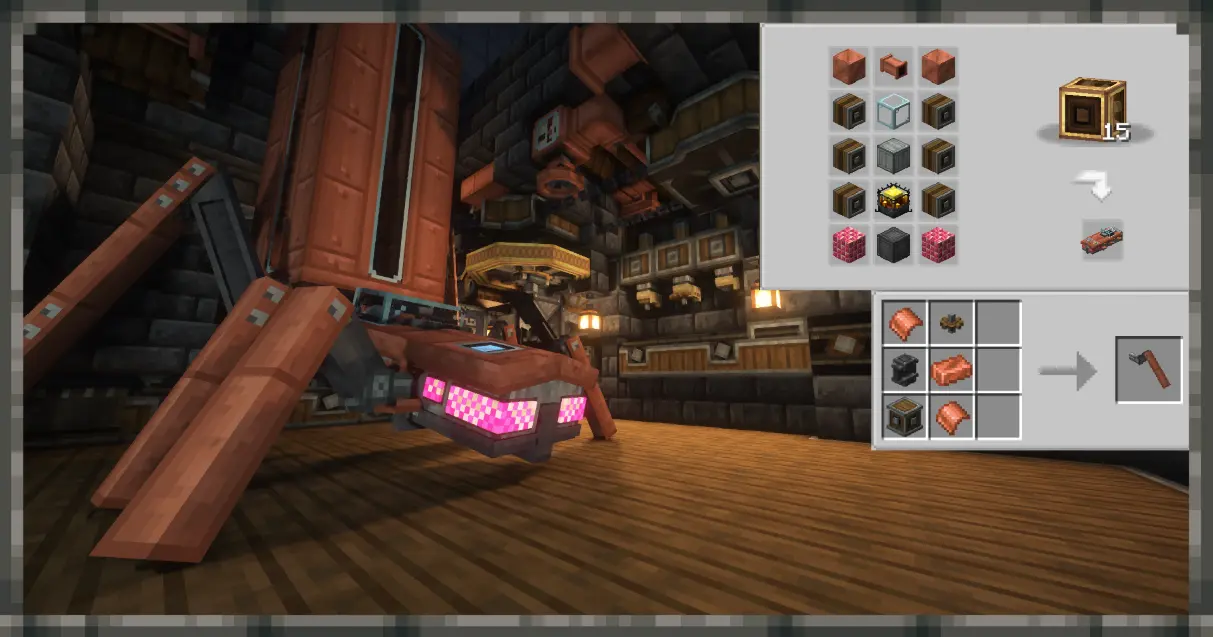
The Replete's stand-out feature is its massive fluid tank, capable of carrying 160 buckets of any fluid, including those from other mods. The Replete is an easy way to transport fluids across long distances when trains are unavailable and/or the distance is too far to warrant a pipe system. It can also gather surrounding fluids if they match the contents of its tank.
This mod will not be posted to Curseforge due to their history of bad business practices including cutting creator revenue, hosting malware, NSFW ads, and promoting knockoff mods and other scams. Feel free to put Create: Bionics in your modpacks, as long as you don't upload them to curseforge.
Project description from Modrinth.
Pick your setup
Choose the version and loader you play, then open the matching release.
Check the dependencies, then try the file in a copied instance before changing a world you care about.
Recent files
createbionics-2.5.0.jar
19 Sept 2026
createbionics-2.1.1.jar
17 Aug 2026
createbionics-2.1.0.jar
8 Aug 2026
createbionics-2.0.9.jar
5 Aug 2026
createbionics-2.0.8.jar
28 Jul 2026
createbionics-2.0.7.jar
28 Jul 2026
createbionics-2.0.6.jar
10 Jul 2026
createbionics-2.0.5.jar
5 Jul 2026
createbionics-2.0.4.jar
30 Jun 2026
createbionics-2.0.3.jar
27 Jun 2026
createbionics-2.0.2.jar
27 Jun 2026
createbionics-2.0.1.jar
26 Jun 2026
Looking for an older file? The official Modrinth project page is in Resources.
 mod
See the world before you make it. Genesis puts a live biome map, seed tools and world pre-generation on the Create New World screen, so you can compare seeds and pre-build the terrain before you ever spawn in.
 mod
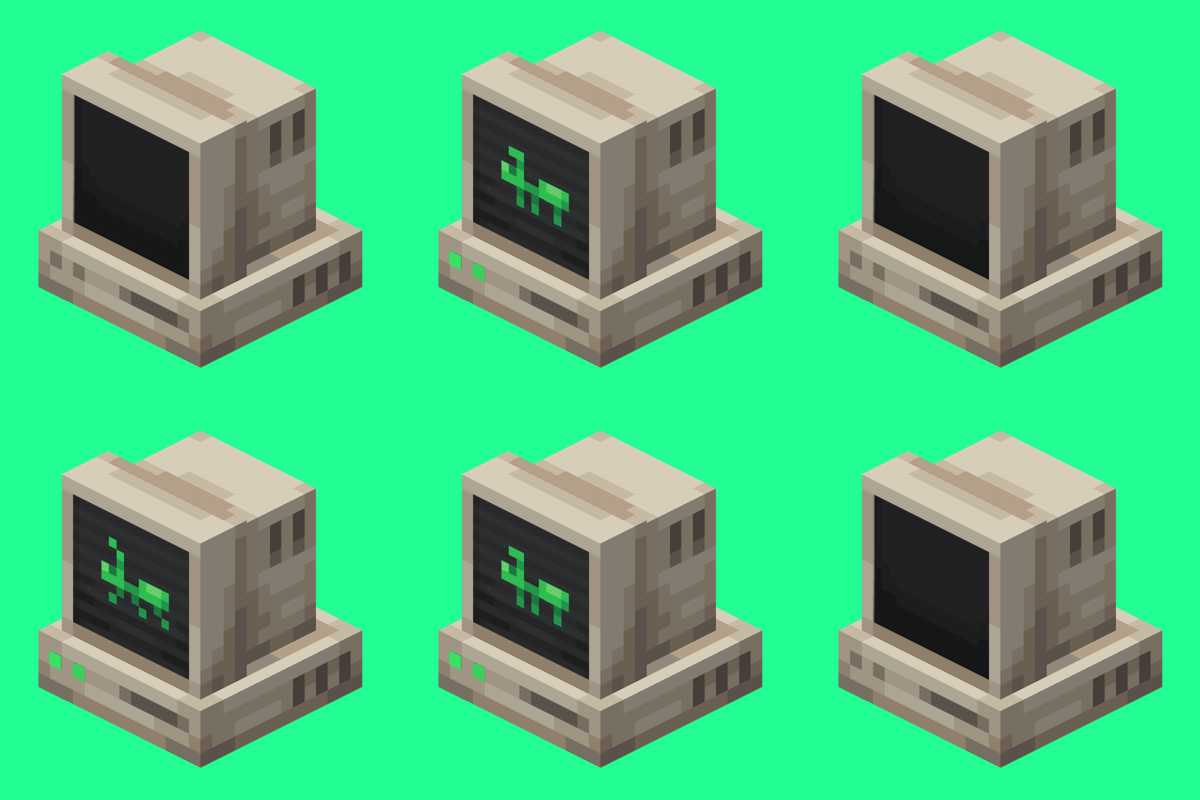
An immersive and fully functioning computer that provides an anternative to the stale and overused quest book and guide book
 mod
Adds magical content, characters, abilities, and worldbuilding features created for the Xaelion universe.