Create Needed by Create: package tooltip 1.2
requiredMatching file found Matched file: 6.0.10+mc1.21.1

Modrinth · Minecraft mod
lightweight qol addition to create mod packages
Quick answer
Create: package tooltip 1.2 targets 1.21.1, 1.21.10, 1.21.11 with NeoForge. It must be installed on the client. Do not install it on the dedicated server. All 1 required mods have matching files.
Where it goes
It must be installed on the client. Do not install it on the dedicated server.
This file is marked client-only.
1.2. Change the file and its required mods may change too.
Install Create first. We found matching files for this game-version and loader setup. 3 come through another mod in the chain.
3 extra mods were pulled in by other dependencies. Indented rows show who needs each one. We only count dependency files that match this setup. A file for another loader does not fill the gap.
Before you install it
Built for Create: package tooltip 1.2. Pick another file and the loader, install side or required mods may change.
Use 1.2. It targets 1.21.1, 1.21.10, 1.21.11 with NeoForge; another release may have different loader, side or dependency requirements.
Install Create first. We found matching files for this game-version and loader setup. 3 come through another mod in the chain.
It must be installed on the client. Do not install it on the dedicated server.
Use the “Get this file” button beside 1.2. It opens that exact file at the source.
About this project
This mod replaces standart boiring package tooltip with better, visual version
with that addition to create you will able to see the whole package content in inventory instead of only 3 first items
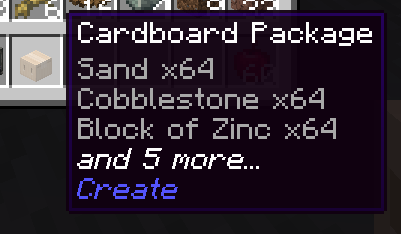
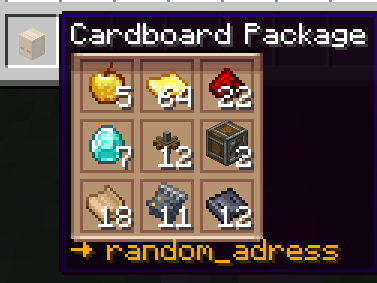
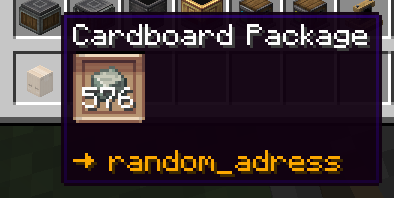
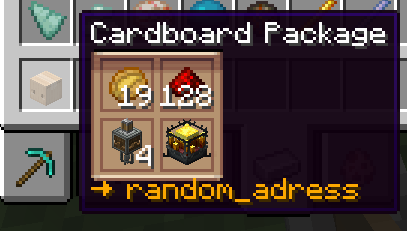
addon has jade compatibility
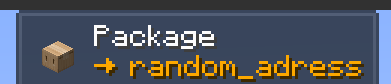
(package contents to jade tooltip can be added with Jade Addons https://modrinth.com/mod/jade-addons-forge)
that is a completely client sided create addon, don't install it on servers
Project description from Modrinth.
Pick your setup
Choose the version and loader you play, then open the matching release.
Check the dependencies, then try the file in a copied instance before changing a world you care about.
Recent files
create_package_tooltip-1.2.jar
18 May 2026
create_package_tooltip-1.0.jar
14 May 2026
Looking for an older file? The official Modrinth project page is in Resources.
 mod
Improved and rebalanced smithing, item repair and enchantment sources. Fully-featured and vanilla friendly.
 mod
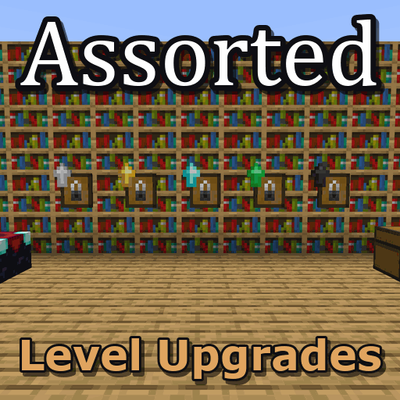
Adds level upgrades that raise a chest, barrel, hopper or shulker box to a better material in place.
 mod
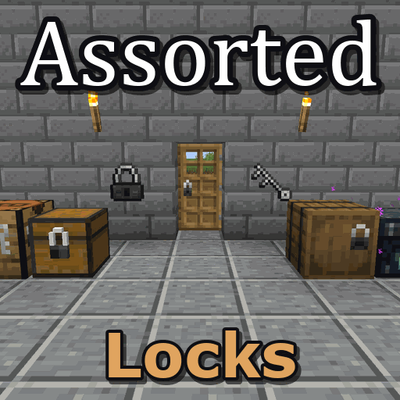
Adds padlocks, keys, key rings and the locksmith workbench to lock doors, chests, barrels, hoppers and shulker boxes, and the other Assorted Storage containers.