Minecraft version
Back to mods 
Modrinth · Minecraft mod
VanillaMaps
An easy-to-use custom map generator that keeps in the spirit of Minecraft, that isn’t just uploading an image from the internet!
Choose a version Pick your version below, then grab the matching file.
Quick answer
Which VanillaMaps release matches 1.21.4?
Best match for your filters 1.1.0
Game version 1.21, 1.21.1, 1.21.2
Loader paper
VanillaMaps 1.1.0 targets 1.21, 1.21.1, 1.21.2 with paper. The project page does not say whether this file belongs on the client, dedicated server, or both. No extra mods listed for this file.
Where it goes
Is VanillaMaps required on the client, server, or both?
The project page does not say whether this file belongs on the client, dedicated server, or both.
Client Source doesn’t say
Dedicated server Source doesn’t say
Loader for this release paper
Required install it here Optional supported, not mandatory Not supported do not install here Source doesn’t say do not assume
The source does not explicitly classify this release as client-only or server-only.
What else does VanillaMaps 1.1.0 need?
1.1.0 on 1.21.4. Every mod below is checked against that same setup.
This file does not list any required mods. Do not add a library just because a different file uses it.
This file does not list any required or optional mods.
Before you install it
Add VanillaMaps without breaking your instance.
Built for VanillaMaps 1.1.0 on 1.21.4. Pick another file and the loader, install side or required mods may change.
- 01
Stick to this file
Use 1.1.0. It targets 1.21, 1.21.1, 1.21.2 with paper; another release may have different loader, side or dependency requirements.
- 02
Bring the mods it needs
This file does not list any required mods. Do not add a library just because a different file uses it.
- 03
Put it on the correct side
The project page does not say whether this file belongs on the client, dedicated server, or both.
- 04
Pick the file you checked
Use the “Get this file” button beside 1.1.0. It opens that exact file at the source.
About this project
What does VanillaMaps add?
Overview

A "Vanilla" style way of creating custom maps without having to place 16000 blocks or just grabbing a random image off the internet! Supporting Paper & Fabric 1.21-26.1.2
This was originally created in mind for an SMP I play on to start a newspaper but a lot other players found it fun to use for making playing cards, advertisements etc.
So I thought there may be others out there interested in something like this!
Development is still in early days however the core functionality is there, and after play testing it on a server for a few days everything seems in a good place for an initial public release.
Features
Map Drawing GUI that allows the player to draw on a 128x128 pixel grid in an intuitive way
The ability to save & edit maps, as to allow you to go back and make adjustments
A way to copy and paste maps, ideal for duplicating maps without keeping the same map ID
44 colours (& ~132 shades) to pick from!
Fill, Rectangle, Line & Undo tools
Background generation (i.e noise, checkerboard etc)
Text writing tool, allowing the user to easily type text onto the map!
[BETA] Fabric GUI
This is currently only available for Minecraft 26.1 Fabric v1.2b1 or above
I plan to port to Minecraft 1.21.11 once I'm happy with the state of the GUI
This requires the server AND player have VanillaMaps installed.
PLEASE note, this feature is in early beta and may be buggy.
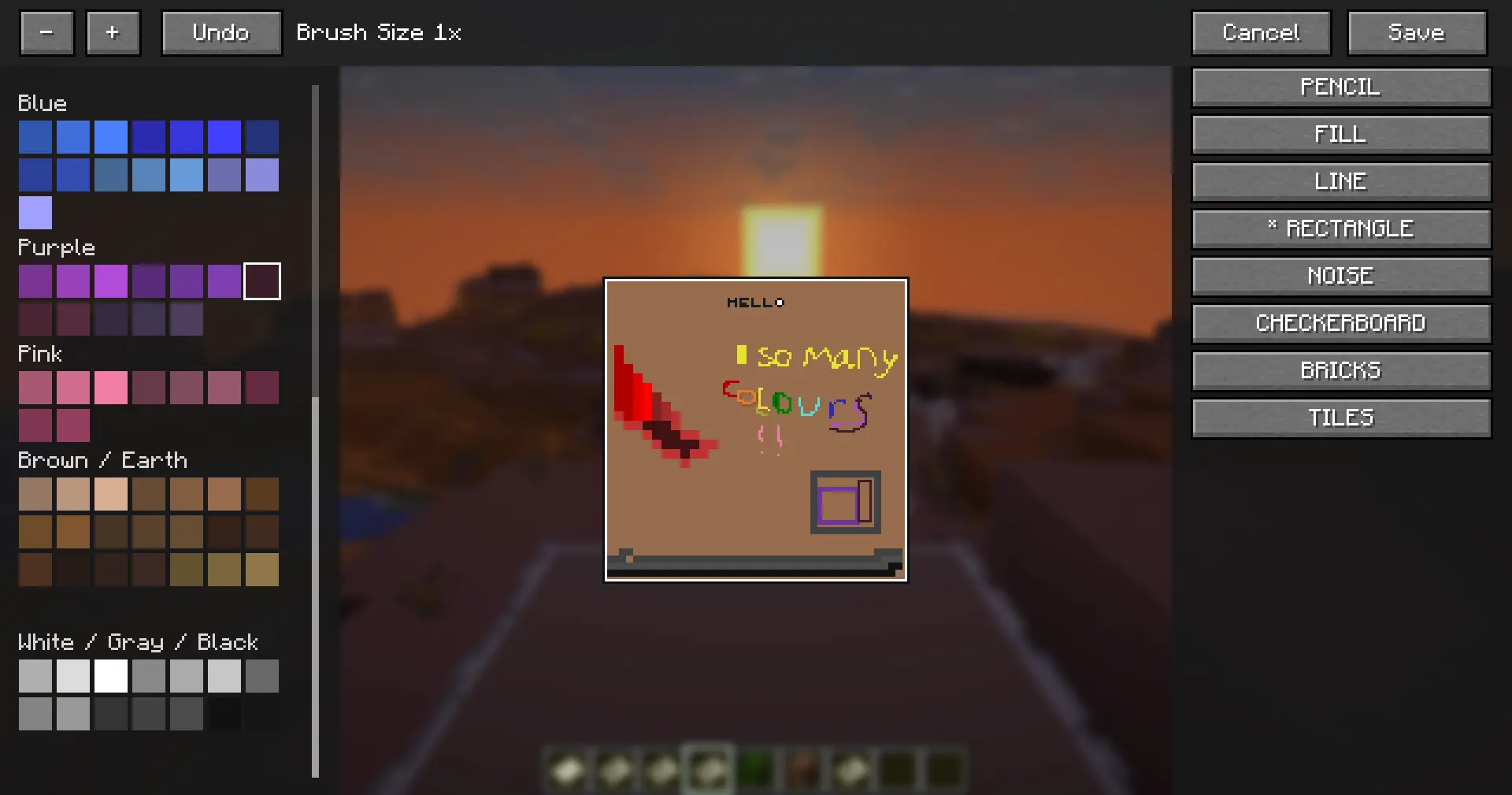
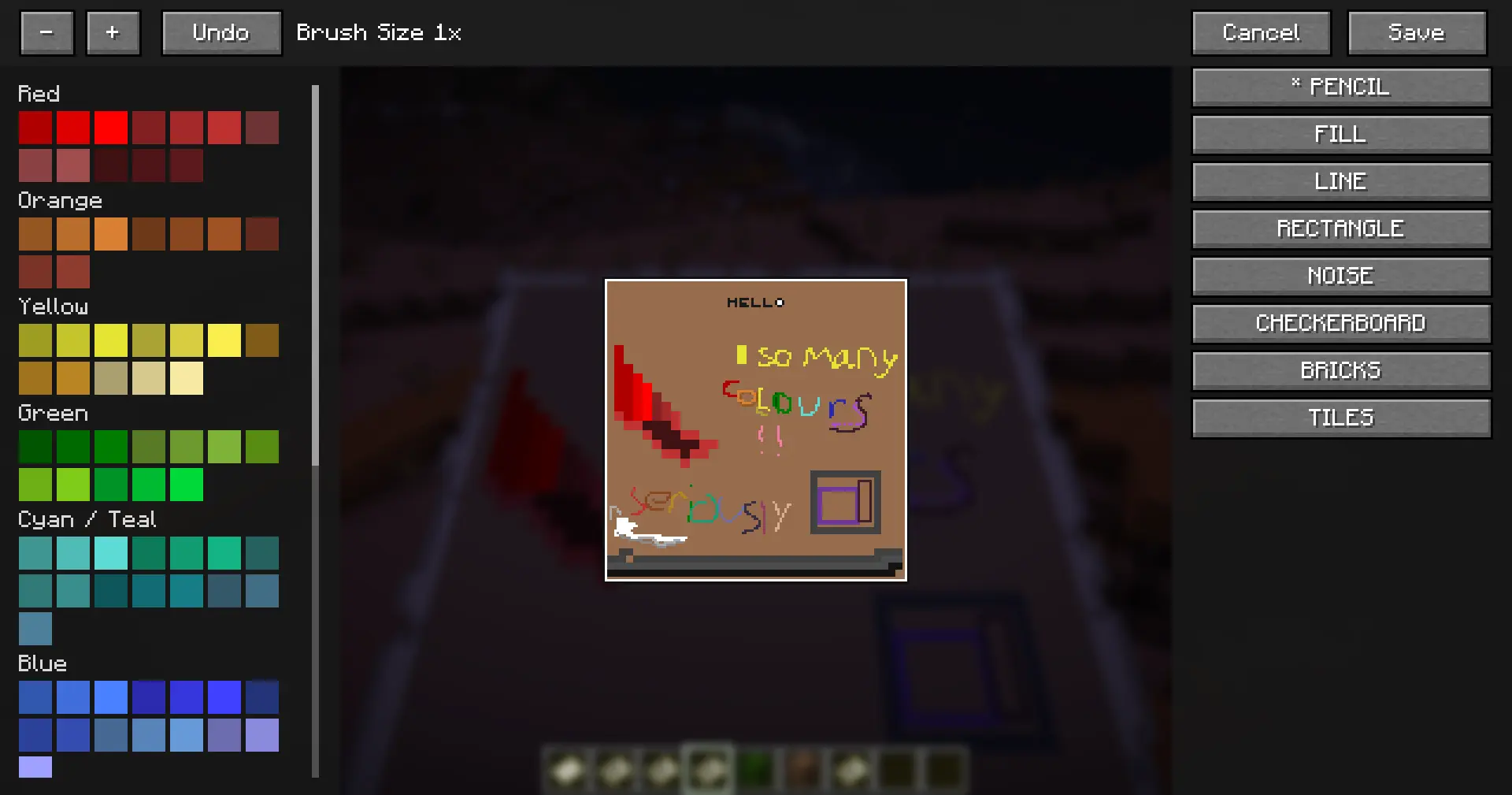
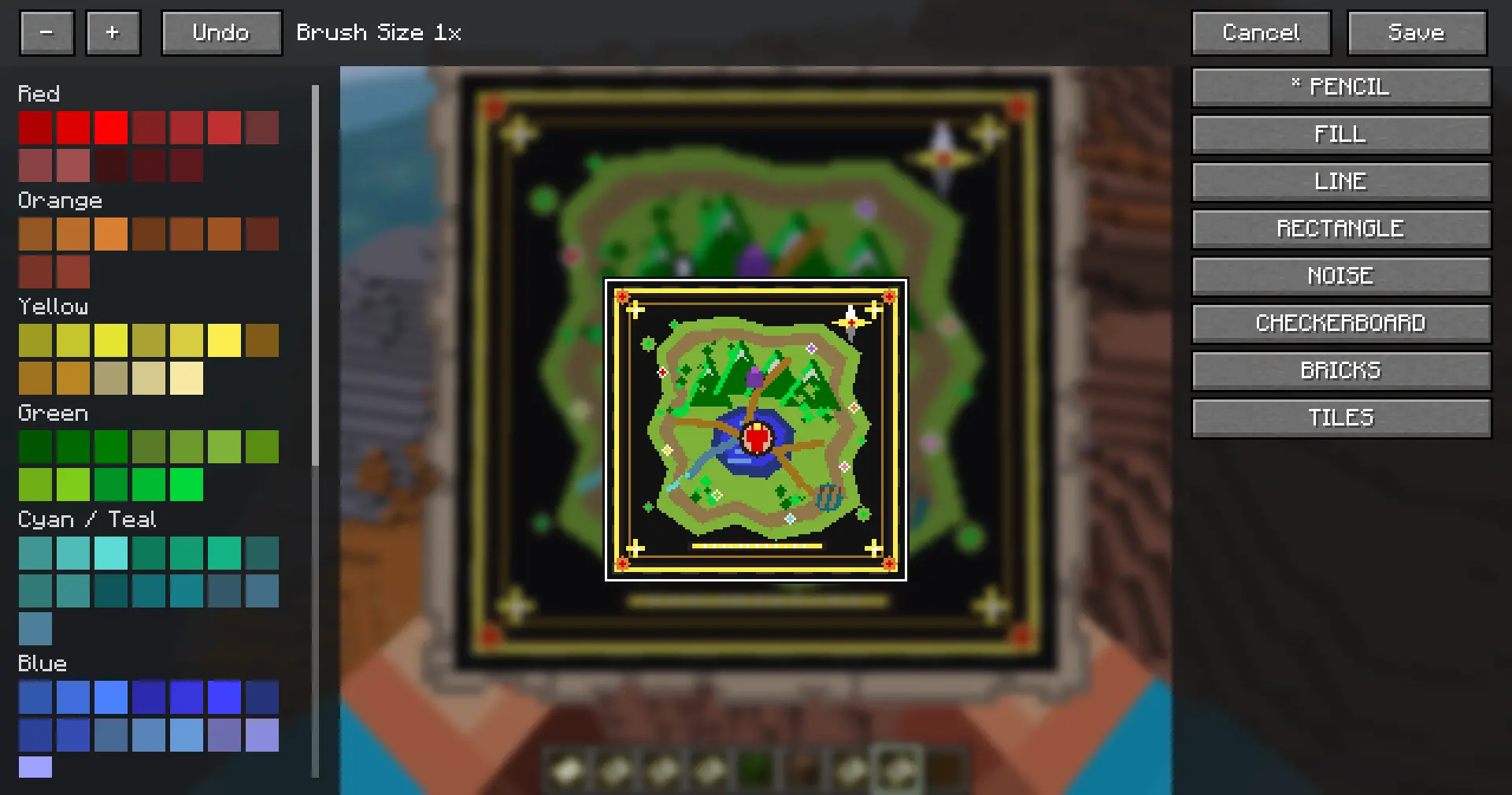
Paper // Fabric Fallback GUI


Command Usages
/map create [ratio] | Required to initalize the MapDataStore
Ratio refers to the size of a pixel
A ratio of 1 (default) gives access to the full 128x128 grid
A ratio of 16 reduces it to an 8x8 grid (essentially a larger brush)
A map is NOT locked to the ratio given during its creation
/map edit [ratio] | Loads the help map's custom data store into the Drawing GUI
Editing a map using different ratios is OK
The plugin will automatically convert the map's current pixels to the appropriate size without compromising quality
/map write <line> <colour> <alignment> <text...>| Writes <text> onto the <line> given (1-18), the player can use any of the 16 colours found in the Colour Palette GUI. Alignment is chosen by [L]eft, [R]ight, and [C]enter
Supports A-Z, 1-9, !?.-,
The font is currently 4x4 pixels, in future I may make the font editable in the plugin's config if thats something people want.
/map copy | Copies the held map's custom data to the players clipboard
Honesty I just didn't know about the cartography table but it still has use in terms of creating the same map with separate IDs
For example, you have a master copy of your map created with this command, then the other copy is used at a cartography table and placed all around wherever you want it to be
Now if a player picks up your map and edits it, you can always /map copy your master, and paste it back onto the "public" map
/map paste | Pastes the players clipboard to the held map's data store
Self explanatory + above
/map publish | Locks the map help by the player
Prevents a map from being editted, still allows for /map copy & /map paste
/map or /map help
Lists all commands available and their correct usage
Roadmap
I want to keep the plugin relatively "vanilla like" as possible, with that being said I also want to create a fun and usable player experience.
With that in mind all this is subject to change and would LOVE to hear your thoughts & ideas!
- Easier-to-use map drawing GUI for Fabric versions. BETA AVAILABLE NOW!
Conclusion
You can follow development, report bugs, and suggest ideas in the VanillaMaps discord
I hope you have as much fun with this as I have!
Known Bugs
None
Project description from Modrinth.
Pick your setup
VanillaMaps by Minecraft version and loader
Choose the version and loader you play, then open the matching release.
Minecraft version
26.1.2
2 loader buildsMinecraft version
26.1.1
2 loader buildsMinecraft version
26.1
2 loader buildsMinecraft version
1.21.11
2 loader buildsMinecraft version
1.21.10
1 loader buildMinecraft version
1.21.9
1 loader buildMinecraft version
1.21.8
1 loader buildMinecraft version
1.21.7
1 loader buildMinecraft version
1.21.6
1 loader buildMinecraft version
1.21.5
1 loader buildMinecraft version
1.21.4
1 loader buildShowing the newest 12 of 16 game versions. Older files are in the list below.
Check the dependencies, then try the file in a copied instance before changing a world you care about.
Recent files
VanillaMaps versions and loaders
1.1.0
VanillaMaps-1.1.0-all.jar
16 Apr 2026
Client Source doesn’t say Server Source doesn’t say Dependencies No extras listed Listed on Release listing
Check the 1.21.4 · paper setup 1.211.21.11.21.21.21.3 release
1.0.0
VanillaMaps-1.0.0-all.jar
15 Apr 2026
Client Source doesn’t say Server Source doesn’t say Dependencies No extras listed Listed on Release listing
Check the 1.21.4 · paper setup 1.211.21.11.21.21.21.3 release
Looking for an older file? The official Modrinth project page is in Resources.