Minecraft version
Back to mods 
Modrinth · Minecraft mod
Mob Locator
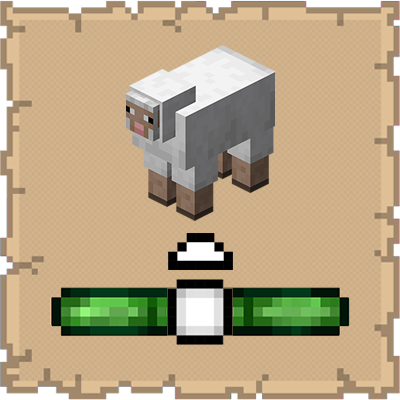
This mod ports the locator bar mechanic to the mobs.
Choose a version Pick your version below, then grab the matching file.
Quick answer
Which Mob Locator release should I use?
Latest stable file 4.3.0
Game version 26.3
Loader Fabric
Mob Locator 4.3.0 targets 26.3 with Fabric. It must be installed on the client. Do not install it on the dedicated server. No extra mods listed for this file.
Where it goes
Is Mob Locator required on the client, server, or both?
It must be installed on the client. Do not install it on the dedicated server.
Client Required
Dedicated server Not supported
Loader for this release Fabric
Required install it here Optional supported, not mandatory Not supported do not install here Source doesn’t say do not assume
This file is marked client-only.
What else does Mob Locator 4.3.0 need?
4.3.0. Change the file and its required mods may change too.
This file does not list any required mods. Do not add a library just because a different file uses it.
This file does not list any required or optional mods.
Before you install it
Add Mob Locator without breaking your instance.
Built for Mob Locator 4.3.0. Pick another file and the loader, install side or required mods may change.
- 01
Stick to this file
Use 4.3.0. It targets 26.3 with Fabric; another release may have different loader, side or dependency requirements.
- 02
Bring the mods it needs
This file does not list any required mods. Do not add a library just because a different file uses it.
- 03
Put it on the correct side
It must be installed on the client. Do not install it on the dedicated server.
- 04
Pick the file you checked
Use the “Get this file” button beside 4.3.0. It opens that exact file at the source.
About this project
What does Mob Locator add?
Now with Per-Mob Colors! (See below)


Ever felt like something was lurking just out of sight? Mob Locator gives you a tactical advantage by visualizing "heard" entities directly on your HUD. It uses a sleek, non-intrusive radar system centered on your experience bar to show you exactly where mobs are located relative to your position.
FEATURES
| Dynamic Radar | Mobs appear as icons on your XP bar. Their position shifts as you turn, providing a 180° field of view | |
| Distance Scaling | Icons change shape based on proximity. A tiny dot represents a distant sound, while a large square indicates a mob is right on top of you | |
| Elevation Indicators | Small arrows appear above or below icons if a mob is more than 3 blocks above or below your current Y-level | |
| Smart Classification | Hostile | Shows Red fill for aggressive mobs (Creepers, Zombies, Skeletons, etc.). Shows White fill for neutral mobs (Endermen, Wolves, Bees, etc.) until provoked. |
| Passive | Shows White fill (Cows, Sheep, etc.) | |
| Invisible | Shows Gray outline so you aren't surprised by invisible mobs | |
| Variable Hearing Range | Unlike simple radars, this mod uses "hearing" logic. Common mobs appear within 16 blocks, while massive entities like the Ender Dragon (192 blocks) or Wardens (48 blocks) can be detected from much further away | |
| Per-Mob Colors | Each mob can show its own unique color based on how it actually looks in-game, including different colors for variants like Wolves, Cats, Sheep, and more | |
HOW TO USE
Simply install the mod and play! The radar is automatically active and sits right above your XP bar.
| Center of the bar | The mob is directly in front of you |
| Left/Right edges | The mob is to your far left or right |
| Up/Down Arrows | The mob is in a cave below you or on a ledge above you |
CONFIGURATION
If you have Mod Menu installed, you can customize your experience:
| Show Invisible Mobs | Toggle whether the radar picks up invisible entities |
| Custom Colors | Change the Hex colors for Hostile, Passive, and Invisible indicators |
| Use Per-Mob Colors | Give every mob its own unique color based on its real appearance |
| Use Black Outlines | Choose between black outlines or colored outlines when Per-Mob Colors is enabled |
| Mob Blacklist | Exclude specific mobs from the radar by name |
REQUIREMENTS
| Minecraft Version | Fabric Loader | Configuration Library | Fabric API | Mod Menu |
| 1.21.x | 0.18.6 | Cloth Config API | Varies by Minecraft version | |
| 26.1 - 26.2 | YetAnotherConfigLib | |||
| 26.3 | 0.19.5 | |||
CLIENT-SIDE ONLY
All functionality is done client-side and is compatible with vanilla servers.
FREE & PUBLIC SOURCE
This is a completely free project. I'm not asking for donations or "buy me a coffee" contributions. If you enjoy the mod, the best way to support it is by:
- Leaving a rating/review
- Sharing it with friends
- Reporting any bugs you find
GALLERY
Per-Mob Colors

Project description from Modrinth.
Pick your setup
Mob Locator by Minecraft version and loader
Choose the version and loader you play, then open the matching release.
Minecraft version
26.2
1 loader buildMinecraft version
26.1.2
1 loader buildMinecraft version
26.1.1
1 loader buildMinecraft version
26.1
1 loader buildMinecraft version
1.21.11
1 loader buildMinecraft version
1.21.10
1 loader buildMinecraft version
1.21.9
1 loader buildMinecraft version
1.21.8
1 loader buildMinecraft version
1.21.7
1 loader buildMinecraft version
1.21.6
1 loader buildMinecraft version
1.21.5
1 loader buildShowing the newest 12 of 17 game versions. Older files are in the list below.
Check the dependencies, then try the file in a copied instance before changing a world you care about.
Recent files
Mob Locator versions and loaders
4.3.0
moblocator-26.3-4.3.0.jar
11 Nov 2026
Client Required Server Not supported Dependencies No extras listed Listed on Release listing
Check the 26.3 · Fabric setup 26.3Fabric release
4.2.0
moblocator-26.2-4.2.0.jar
19 Jul 2026
Client Required Server Not supported Dependencies No extras listed Listed on Release listing
Check the 26.2 · Fabric setup 26.2Fabric release
4.1.0
moblocator-26.1.x-4.1.0.jar
19 Jun 2026
Client Required Server Not supported Dependencies No extras listed Listed on Release listing
Check the 26.1.2 · Fabric setup 26.126.1.126.1.2Fabric release
4.0.0
moblocator-26.1.x-4.0.0.jar
17 May 2026
Client Required Server Not supported Dependencies No extras listed Listed on Release listing
Check the 26.1.2 · Fabric setup 26.126.1.126.1.2Fabric release
3.1.0
moblocator-1.21.6_1.21.11-3.1.0.jar
27 Apr 2026
Client Required Server Not supported Dependencies No extras listed Listed on Release listing
Check the 1.21.11 · Fabric setup 1.21.101.21.111.21.61.21.7 release
3.1.0
moblocator-1.21.4_1.21.5-3.1.0.jar
27 Apr 2026
Client Required Server Not supported Dependencies No extras listed Listed on Release listing
Check the 1.21.5 · Fabric setup 1.21.41.21.5Fabric release
3.1.0
moblocator-1.21_1.21.3-3.1.0.jar
27 Apr 2026
Client Required Server Not supported Dependencies No extras listed Listed on Release listing
Check the 1.21.3 · Fabric setup 1.211.21.11.21.21.21.3 release
3.0.0
moblocator-1.21.5_1.21.11-3.0.0.jar
12 Apr 2026
Client Required Server Not supported Dependencies No extras listed Listed on Release listing
Check the 1.21.11 · Fabric setup 1.21.101.21.111.21.51.21.6 release
3.0.0
moblocator-1.21.2_1.21.4-3.0.0.jar
12 Apr 2026
Client Required Server Not supported Dependencies No extras listed Listed on Release listing
Check the 1.21.4 · Fabric setup 1.21.21.21.31.21.4Fabric release
3.0.0
moblocator-1.21_1.21.1-3.0.0.jar
12 Apr 2026
Client Required Server Not supported Dependencies No extras listed Listed on Release listing
Check the 1.21.1 · Fabric setup 1.211.21.1Fabric release
2.0.0
moblocator-2.0.0.jar
24 Mar 2026
Client Required Server Not supported Dependencies No extras listed Listed on Release listing
Check the 1.21.11 · Fabric setup 1.21.11Fabric release
1.2.0
moblocator-1.2.0.jar
23 Jan 2026
Client Required Server Not supported Dependencies No extras listed Listed on Release listing
Check the 1.21.11 · Fabric setup 1.21.101.21.11Fabric release
Looking for an older file? The official Modrinth project page is in Resources.
 mod
CurseForge + Modrinth · Minecraft
Mob Locator
This mod ports the locator bar mechanic to the mobs.
 mod
CurseForge + Modrinth · Minecraft
Create: Applied Kinetics
Applied Kinetics's integration with Create
 mod
CurseForge · Minecraft
Ymondf
A narrative adventure mod for NeoForge about a dossier that records your own playthrough.