ArbiterLib Needed by Sulfur Expansion r6+mod
requiredMatching file found Matched file: r31+mod

Modrinth · Minecraft mod
🌋 ⟢ New non-world content for Chaos Cubed - Sulfur utilities and more uses for the Sulfur Cube!
Quick answer
Sulfur Expansion r6+mod targets 26.3 with Fabric, NeoForge. Installation on the client is optional. Installation on the dedicated server is optional. All 1 required mods have matching files.
Where it goes
Installation on the client is optional. Installation on the dedicated server is optional.
The source marks this as usable on both the client and server.
r6+mod. Change the file and its required mods may change too.
Install ArbiterLib first. We found matching files for this game-version and loader setup.
We only count dependency files that match this setup. A file for another loader does not fill the gap.
Before you install it
Built for Sulfur Expansion r6+mod. Pick another file and the loader, install side or required mods may change.
Use r6+mod. It targets 26.3 with Fabric, NeoForge; another release may have different loader, side or dependency requirements.
Install ArbiterLib first. We found matching files for this game-version and loader setup.
Installation on the client is optional. Installation on the dedicated server is optional.
Use the “Get this file” button beside r6+mod. It opens that exact file at the source.
About this project

This datapack is a thoughtful continuation of the Chaos Cubed 26.2 Minecraft drop! It adds some new archetypes with special abilities, a Sulfur Ball drop, and other cool things!
⚠️ Requires ArbiterLib (latest) datapack and resources. Get them on Modrinth | GitHub
Sulfur Expansion cannot be used on Realms because it uses Experimental Settings (New Sulfur Cube Archetypes).
Use ArbiterJEI to see recipes
Adult Sulfur Cubes now drop Sulfur Balls when killed. These are a crafting material but also a tool - when looking at a water block, you can use it to store water in a stackable, storable Hydrated Sulfur Ball item!
You can use the Hydrated Sulfur Ball again and it will place water where you're looking with a 50% chance. It can also place water mid-air.
Sulfur Balls can be used to feed baby Sulfur Cubes to make them grow up faster. Slimeballs can no longer be used as food.
This can't be used in Adventure Mode.
A paste of cinnabar and leaves, it can feed baby Sulfur Cubes as an alternative to Sulfur Balls. It is crafted in the Arbiter Workbench. Recipe: 3 Cinnabar top layer, 3 Leaves middle layer, 3 Cinnabar bottom layer. Makes 4x
A small adult Sulfur Cube. It is crafted in the Arbiter Workbench from Sulfur Balls. When used it spawns a small-sized Sulfur Cube that's the same size as a baby one, but can consume blocks and be punched safely. Recipe: Any swallowable block surrounded by 8 Sulfur Balls
This can't be used in Adventure Mode.
New light source, that drops when any climate frog consumes a baby/small Sulfur Cube. It it similar to the Ochre Froglight but has a more sulfuric color. In the world, it will dissolve and drop as an item when surrounded by water from two or more sides.
These Sulfur Cubes will snap to the block grid when slowing down. They will constantly play a sound and particles. They can be used for puzzles or maps where you need a simple moveable mob. Sneaking near these will make them stop snapping to allow easier movement.
Closer to regular Sulfur Cubes, very bouncy and fast. Snaps to grid when it gets slow.
Very slow and doesn't have attack knockback, can only be pushed by a player. Perfect for moving one block at a time.
Have very little horizontal travel, but very high vertical travel. Sand expresses these traits better than Gravel.
A recipe to make 2x Gunpowder out of Sulfur Balls, Charcoal, and Bone Meal.
The Hydrated Sulfur Ball can be used as regular Water in Arbiter Workbench recipes.
This datapack accepts bug reports and feature requests on GitHub and Discord!
Project description from Modrinth.
Pick your setup
Choose the version and loader you play, then open the matching release.
Check the dependencies, then try the file in a copied instance before changing a world you care about.
Recent files
sulfur_expansion_r6.jar
20 Nov 2026
sulfur_expansion_r6.zip
20 Nov 2026
sulfur_expansion_r5.jar
31 Oct 2026
sulfur_expansion_r5.zip
31 Oct 2026
sulfur_expansion_r4.jar
26 Oct 2026
sulfur_expansion_r4.zip
26 Oct 2026
sulfur_expansion_r3.jar
24 Sept 2026
sulfur_expansion_r3.zip
24 Sept 2026
sulfur_expansion_r1.jar
22 Sept 2026
sulfur_expansion_r1.zip
22 Sept 2026
Looking for an older file? The official Modrinth project page is in Resources.
 mod
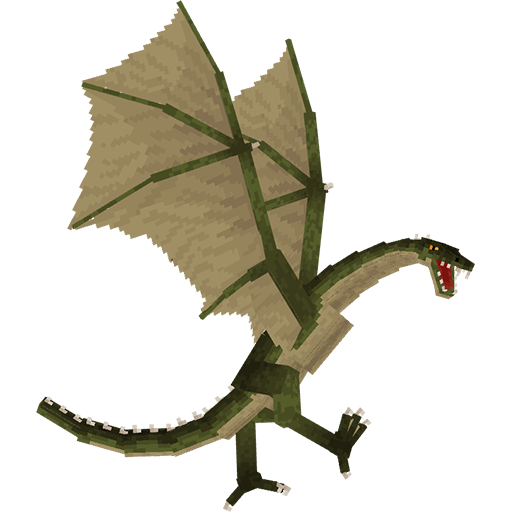
Adds a dragons that you can tame (and sometimes ride)
 mod
A data-driven enchantment component and utility library.
 mod
Survive a spreading Nether infection with five escalating phases, corrupted creatures, growing Hives, new weapons and armor, and a powerful Hive Mother to defeat.