Applied Energistics 2 Needed by AE2 Import Export Card 26.1.2-2.0.2
requiredMatching file found Matched file: 26.1.10-beta
Modrinth · Minecraft mod
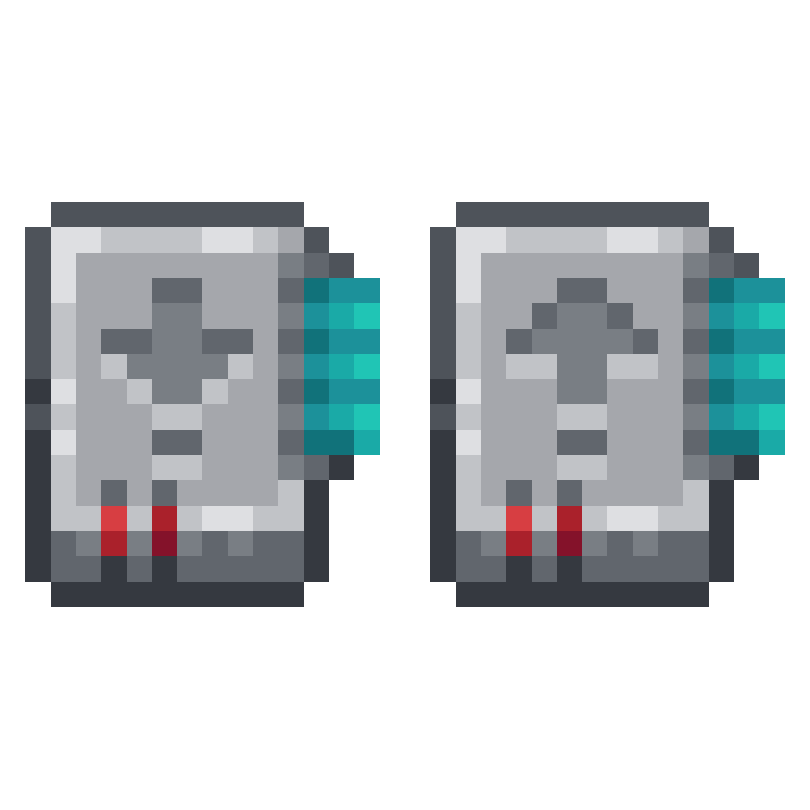
Adds an Import & Export Card for Applied Energistics 2
Quick answer
AE2 Import Export Card 26.1.2-2.0.2 targets 26.1.2 with NeoForge. Installation on the client is optional. Installation on the dedicated server is optional. All 2 required mods have matching files.
Where it goes
Installation on the client is optional. Installation on the dedicated server is optional.
The source marks this as usable on both the client and server.
26.1.2-2.0.2. Change the file and its required mods may change too.
Install Applied Energistics 2, GuideME first. We found matching files for this game-version and loader setup. 12 come through another mod in the chain.
12 extra mods were pulled in by other dependencies. Indented rows show who needs each one. We only count dependency files that match this setup. A file for another loader does not fill the gap.
Before you install it
Built for AE2 Import Export Card 26.1.2-2.0.2. Pick another file and the loader, install side or required mods may change.
Use 26.1.2-2.0.2. It targets 26.1.2 with NeoForge; another release may have different loader, side or dependency requirements.
Install Applied Energistics 2, GuideME first. We found matching files for this game-version and loader setup. 12 come through another mod in the chain.
Installation on the client is optional. Installation on the dedicated server is optional.
Use the “Get this file” button beside 26.1.2-2.0.2. It opens that exact file at the source.
About this project
This mod adds an Import & Export Card for Applied Energistics 2.
The import card takes items in specific slots of your inventory and dumps them into your ME System.
Open up your wireless terminal and add add the import or export card in the slot on the right.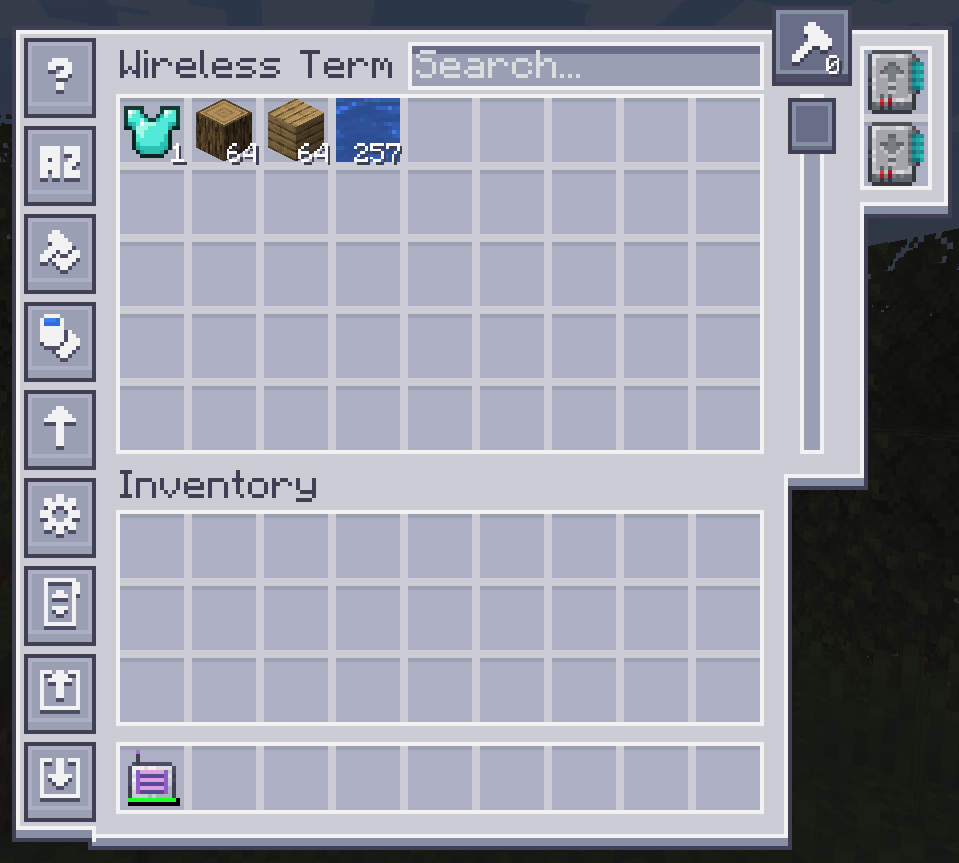
To configure it, click on one of the left side buttons.
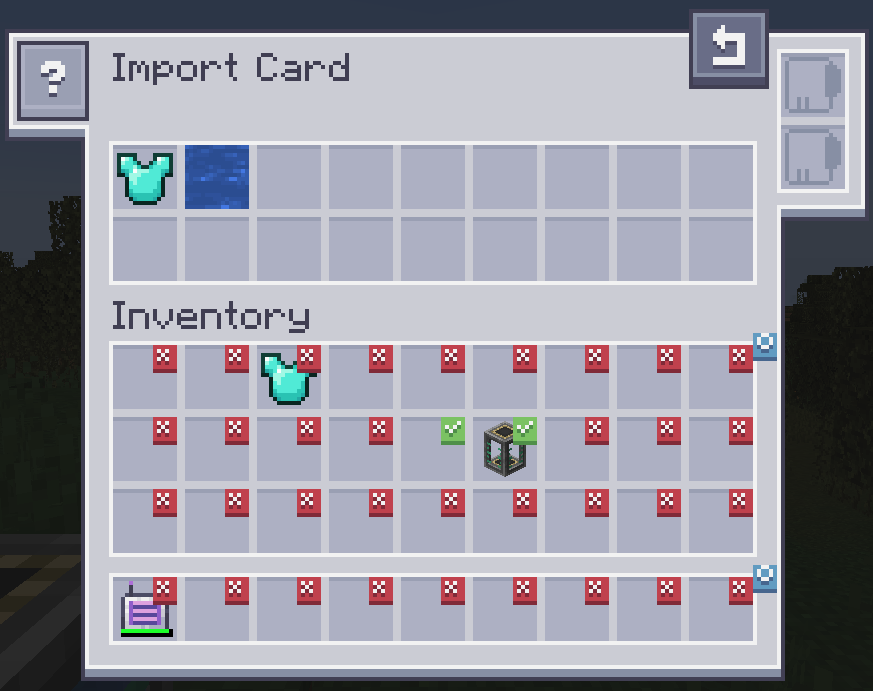
Clicking on slots makes a checkmark. Drag items from your inventory to the top to change the filter. Fuzzy card is supported. Changing the filter to blacklist requires an inverter card.
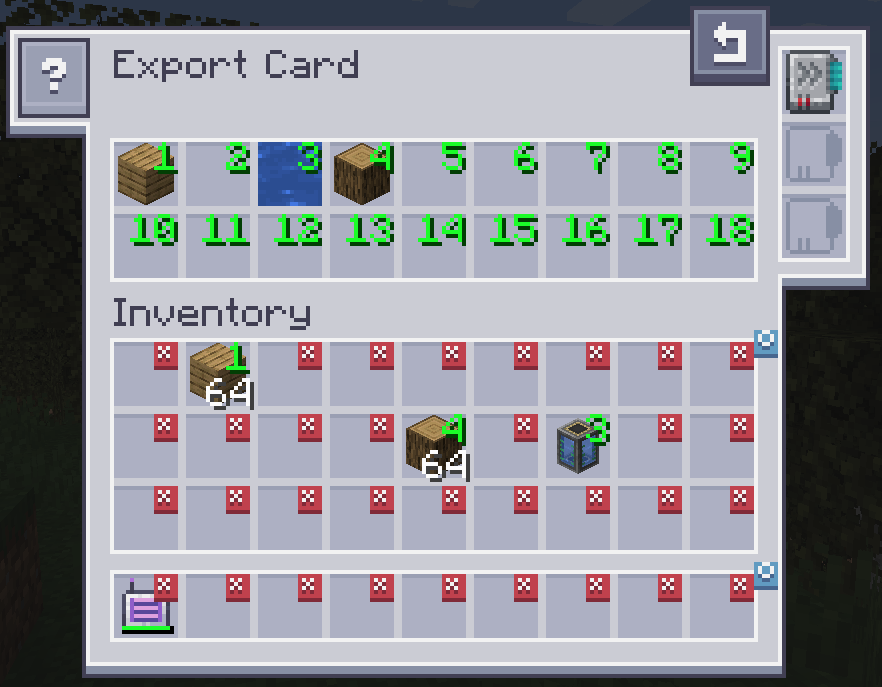
The export card works exactly the same but will pull items from your ME system into your inventory. To specify what items, drag the item from the inventory into one of the slots at the top and click on a slot in your inventory to change it to the desired number. Right clicking clears back to X. Fuzzy card is supported. Acceleration card improves the transfer speed from 1 to an entire stack of items. The crafting card is used to automatically request and craft items that are currently not available.
Import Card recipe: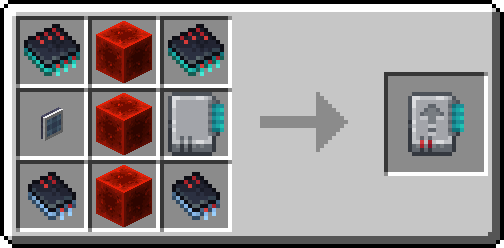
Export Card recipe: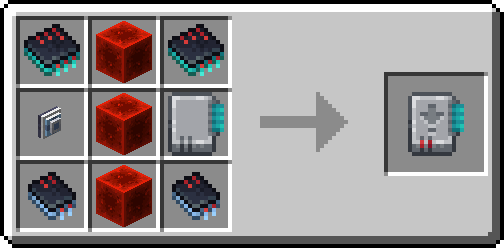
Project description from Modrinth.
Pick your setup
Choose the version and loader you play, then open the matching release.
Check the dependencies, then try the file in a copied instance before changing a world you care about.
Recent files
ae2importexportcard-26.1.2-2.0.2.jar
27 Jul 2026
ae2importexportcard-26.1.2-2.0.1.jar
20 Jun 2026
ae2importexportcard-26.1.2-2.0.0.jar
6 May 2026
ae2importexportcard-1.21.1-1.5.0.jar
3 May 2026
ae2insertexportcard-1.18.2-1.0.0.jar
5 Apr 2026
ae2importexportcard-1.21.1-1.4.3.jar
5 Feb 2026
ae2importexportcard-1.21.1-1.4.2.jar
1 Feb 2026
ae2insertexportcard-1.19.2-1.0.0.jar
25 Dec 2025
ae2importexportcard-1.21.1-1.4.1.jar
9 Nov 2025
ae2importexportcard-1.21-1.4.0.jar
29 Jul 2024
ae2insertexportcard-1.20.1-1.3.0.jar
21 Jul 2024
ae2importexportcard-1.21-1.3.1.jar
21 Jul 2024
Looking for an older file? The official Modrinth project page is in Resources.