Back to mods
PlayTimeStatistics project artwork

Modrinth · Minecraft mod

PlayTimeStatistics

"PlayTimeStatistics is a data pack that tracks players' online playtime and displays it in the Tab list and below the player’s name."

Choose a version Pick your version below, then grab the matching file.

Quick answer

Which PlayTimeStatistics release matches 26.2?

Updated 4 months ago
Best match for your filters 26.x-zh-CN-1.0.1+mod
Game version 26.1, 26.1.1, 26.1.2
Loader Fabric, Forge, NeoForge

PlayTimeStatistics 26.x-zh-CN-1.0.1+mod targets 26.1, 26.1.1, 26.1.2 with Fabric, Forge, NeoForge. Installation on the client is optional. Installation on the dedicated server is optional. No extra mods listed for this file.

Where it goes

Is PlayTimeStatistics required on the client, server, or both?

Installation on the client is optional. Installation on the dedicated server is optional.

Client Optional
Dedicated server Optional
Loader for this release Fabric, Forge, NeoForge
Required install it here Optional supported, not mandatory Not supported do not install here Source doesn’t say do not assume

The source marks this as usable on both the client and server.

What else does PlayTimeStatistics 26.x-zh-CN-1.0.1+mod need?

26.x-zh-CN-1.0.1+mod on 26.2. Every mod below is checked against that same setup.

No extra mods listed for this file

This file does not list any required mods. Do not add a library just because a different file uses it.

This file does not list any required or optional mods.

Before you install it

Add PlayTimeStatistics without breaking your instance.

Built for PlayTimeStatistics 26.x-zh-CN-1.0.1+mod on 26.2. Pick another file and the loader, install side or required mods may change.

  1. 01

    Stick to this file

    Use 26.x-zh-CN-1.0.1+mod. It targets 26.1, 26.1.1, 26.1.2 with Fabric, Forge, NeoForge; another release may have different loader, side or dependency requirements.

  2. 02

    Bring the mods it needs

    This file does not list any required mods. Do not add a library just because a different file uses it.

  3. 03

    Put it on the correct side

    Installation on the client is optional. Installation on the dedicated server is optional.

  4. 04

    Pick the file you checked

    Use the “Get this file” button beside 26.x-zh-CN-1.0.1+mod. It opens that exact file at the source.

About this project

What does PlayTimeStatistics add?

简介

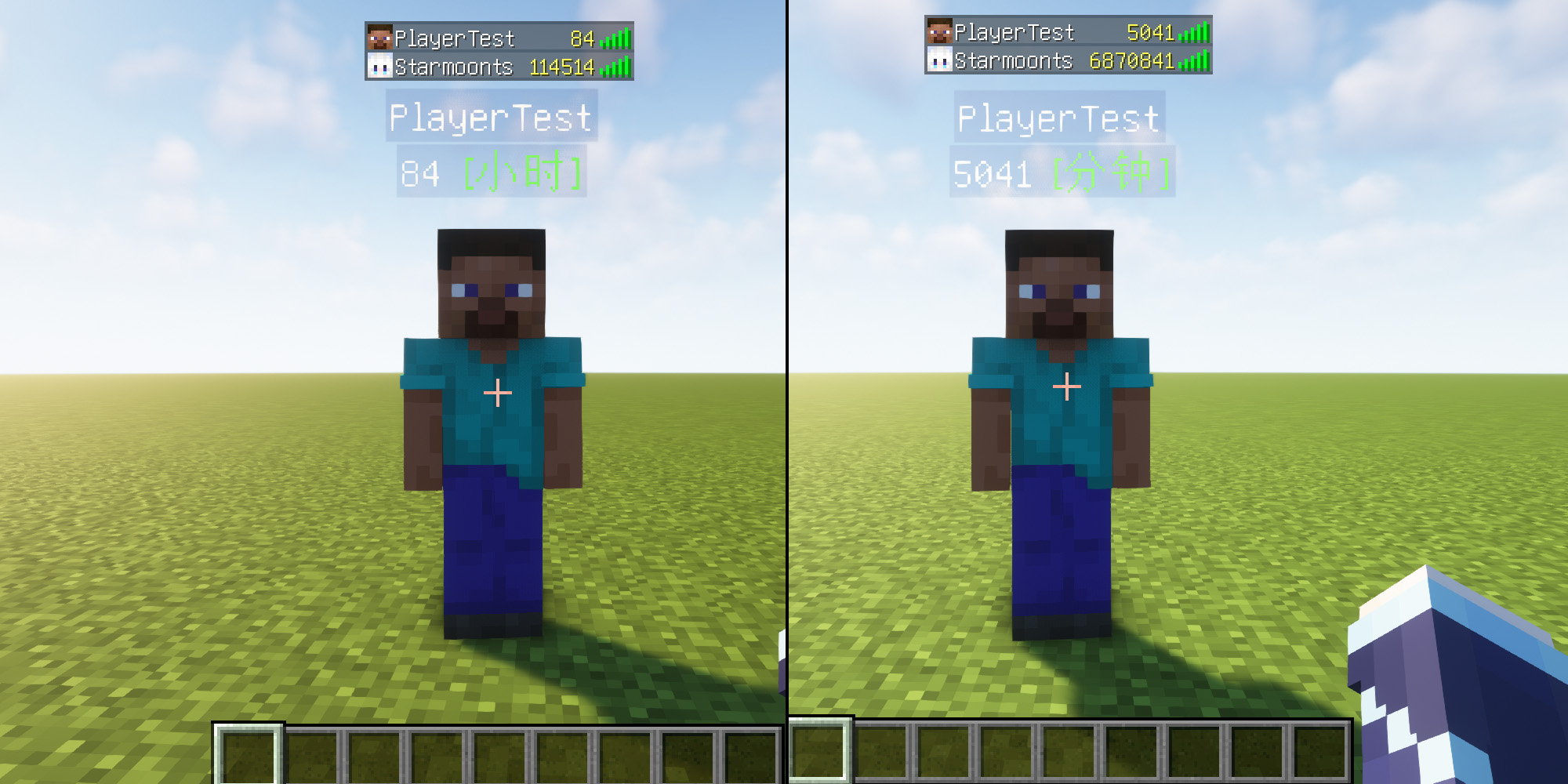
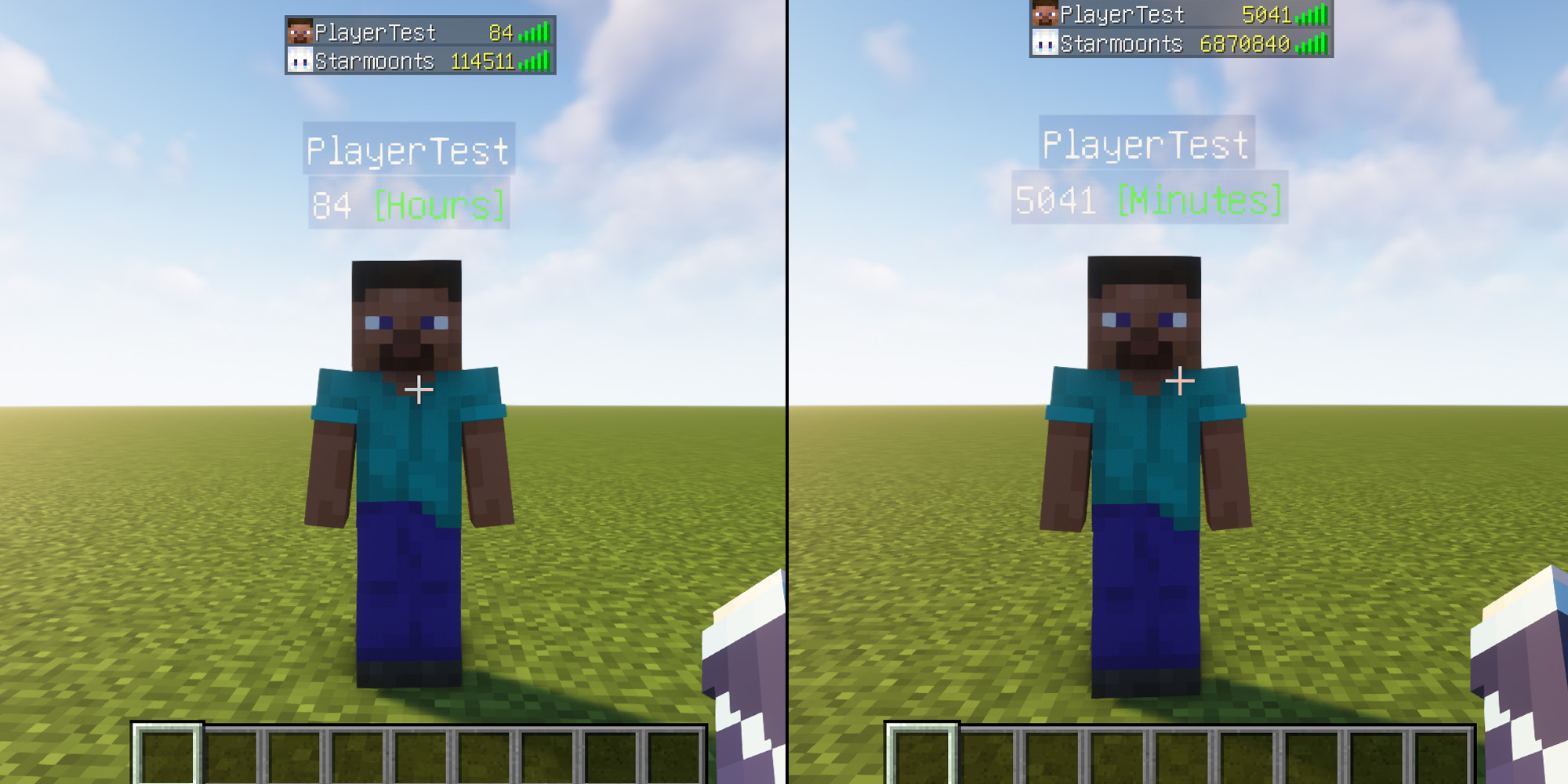
PlayTimeStatistics是一个可以统计玩家在线时长的数据包,并在Tab栏和玩家名称下方显示

"PlayTimeStatistics is a data pack that tracks players' online playtime and displays it in the Tab list and below the player’s name."

"Minecraft在26.2更新后,如果玩家没有记分项,则玩家标签叠加层上不再显示玩家的分数。"
功能依旧正常,只在玩家刚进入服务器时统计还未满 1分钟或1小时 Tab栏和玩家名称下方不显示,仅在26.2及以后的版本会发生。

"Minecraft after update 26.2: If a player does not have any scoreboard objectives, the player's score will no longer be shown on the nametag overlay."
The functionality otherwise works as normal; it only occurs when a player first joins the server and the statistics have not yet been recorded for 1 minute or 1 hour. The score does not display in the tab list or below the player's name. This only happens in version 26.2 and later.

指令


  • 玩家名称下方显示 [小时]:
  • Display [hours] below the player’s name:
  • /scoreboard objectives setdisplay below_name time_hours
  • 玩家Tab列表显示 [小时]:
  • Display [hours] in the player tab list:
  • /scoreboard objectives setdisplay list time_hours
  • 玩家名称下方显示 [分钟]:
  • Display [minutes] below the player’s name:
  • /scoreboard objectives setdisplay below_name time_minutes_persist
  • 玩家Tab列表显示 [分钟]:
  • Display [minutes] in the player tab list:
  • /scoreboard objectives setdisplay list time_minutes_persist
  • 关闭玩家名称下方显示
  • Hide the display below the player’s name:
  • /scoreboard objectives setdisplay below_name
  • 关闭玩家Tab列表显示
  • Hide the display in the player tab list:
  • /scoreboard objectives setdisplay list

1.18-1.20.1

  • 玩家名称下方显示 [小时]:
  • Display [hours] below the player’s name:
  • /scoreboard objectives setdisplay belowName time_hours
  • 玩家名称下方显示 [分钟]:
  • Display [minutes] below the player’s name:
  • /scoreboard objectives setdisplay belowName time_minutes_persist
  • 关闭玩家名称下方显示
  • Hide the display below the player’s name:
  • /scoreboard objectives setdisplay belowName

1.13-1.17.1

  • 玩家名称下方显示 [分钟]:

  • Display [minutes] below the player’s name:

  • /scoreboard objectives setdisplay belowName persist

  • 玩家Tab列表显示 [分钟]:

  • Display [minutes] in the player tab list:

  • /scoreboard objectives setdisplay list persist

  • 关闭玩家名称下方显示

  • Hide the display below the player’s name:

  • /scoreboard objectives setdisplay belowName

Preview
Preview

Project description from Modrinth.

Pick your setup

PlayTimeStatistics by Minecraft version and loader

Choose the version and loader you play, then open the matching release.

370 available setups

Showing the newest 12 of 74 game versions. Older files are in the list below.

Check the dependencies, then try the file in a copied instance before changing a world you care about.

Recent files

PlayTimeStatistics versions and loaders

4 of 73 releases match
Clear filters

Looking for an older file? The official Modrinth project page is in Resources.
