Fabric API Needed by BlueMap Banners v3.1.0
requiredMatching file found Matched file: 0.166.2+26.3

Modrinth · Minecraft mod
Adds banners to BlueMap when players place banners in game.
Quick answer
BlueMap Banners v3.1.0 targets 26.3 with Fabric. Do not install it on the client. It must be installed on the dedicated server. All 2 required mods have matching files.
Where it goes
Do not install it on the client. It must be installed on the dedicated server.
This file is marked server-only.
v3.1.0. Change the file and its required mods may change too.
Install Fabric API, BlueMap first. We found matching files for this game-version and loader setup.
We only count dependency files that match this setup. A file for another loader does not fill the gap.
Before you install it
Built for BlueMap Banners v3.1.0. Pick another file and the loader, install side or required mods may change.
Use v3.1.0. It targets 26.3 with Fabric; another release may have different loader, side or dependency requirements.
Install Fabric API, BlueMap first. We found matching files for this game-version and loader setup.
Do not install it on the client. It must be installed on the dedicated server.
Use the “Get this file” button beside v3.1.0. It opens that exact file at the source.
About this project

A Minecraft Fabric mod that supports displaying Minecraft banners as markers on BlueMap.
This is a continuation of Banners4BM originally by Nincodedo.
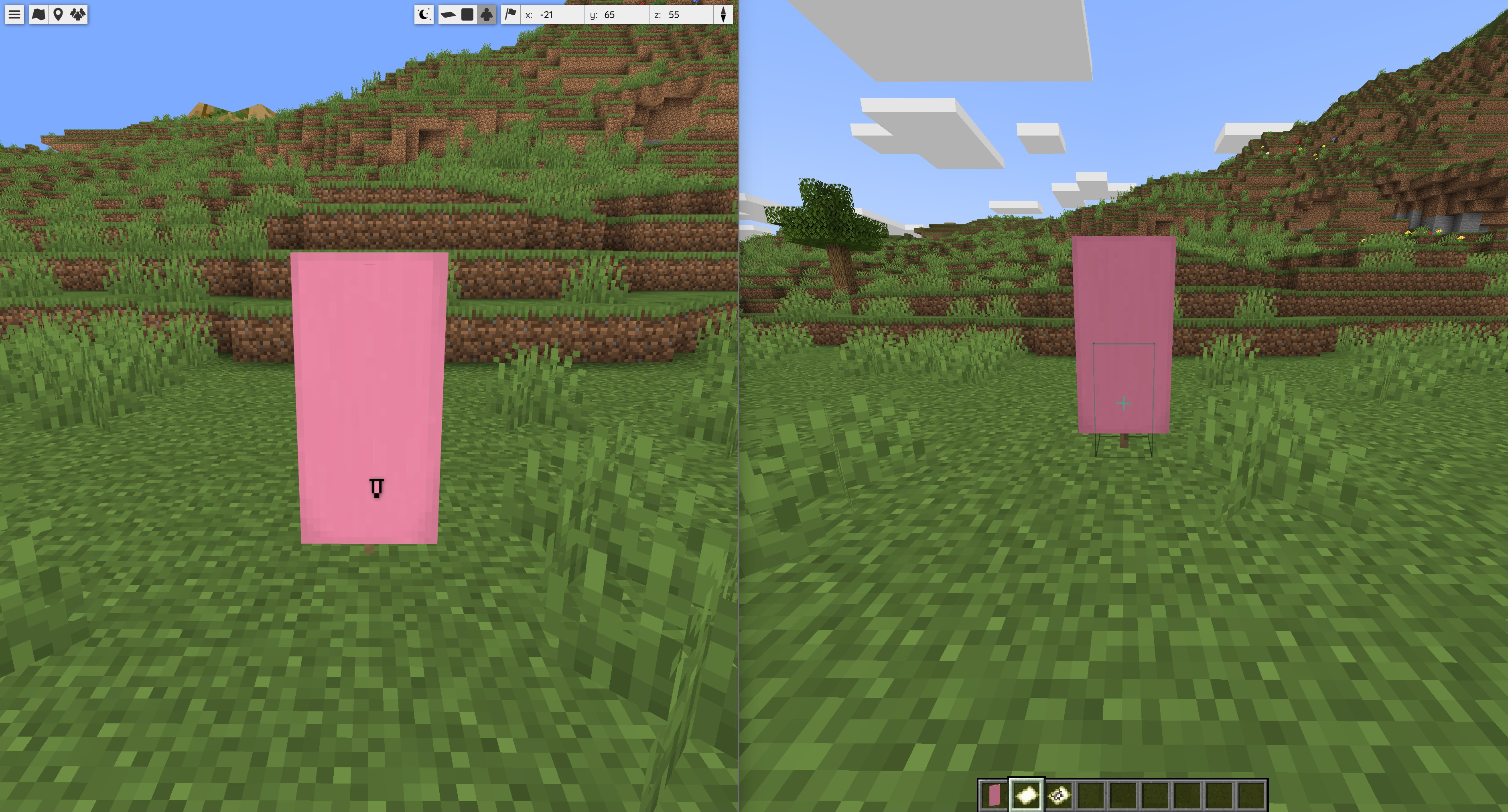
This mod supports custom-named banners. (Just like the vanilla feature of banners on map items.)
Renamed banners are shown with the customized name on BlueMap as a POI marker.
The main command is /bluemapbanners, but there is also the alias /bb you can use.
/bluemapbanners
/bluemapbanners notifyPlayerOnBannerPlace [true|false]
/bluemapbanners notifyPlayerOnMarkerAdd [true|false]
/bluemapbanners notifyPlayerOnMarkerRemove [true|false]
/bluemapbanners notifyGlobalOnMarkerRemove [true|false]
/bluemapbanners markerAddInstantOnBannerPlace [true|false]
/bluemapbanners markerAddWithOriginalName [true|false]
/bluemapbanners markerMaxViewDistance [<number>]
/bluemapbanners markerSetHideByDefault [true|false]
/bluemapbanners markerSetName [<name>]
/bluemapbanners bluemapUrl [<url>]
# Wheter players should be notified and introduced how to add markers to BlueMap
notifyPlayerOnBannerPlace=true

# Wheter players should be notified if they add a marker
notifyPlayerOnMarkerAdd=true

# Wheter players should be notified if they remove a marker
notifyPlayerOnMarkerRemove=true

# Wheter all players on the server should be notified a banner has been removed
notifyGlobalOnMarkerRemove=false

# Wheter markers are created instantaneously on banner place
markerAddInstantOnBannerPlace=false

# Wheter instantly created markers with an original unchanged name are added
markerAddWithOriginalName=false

# For how far you want to be able to see these banners on BlueMap
markerMaxViewDistance=10000000

# Your url on which players can click in notifications, to your BlueMap instance
bluemapUrl=https://your-url-to-bluemap.com/

# Wheter the marker set should be hidden by default when accessing BlueMap
# You may need to clear browser cookies and reload the page to apply this setting
markerSetHideByDefault=false

# The name of the marker set used in BlueMap
# You may need to reload the page to apply this setting
markerSetName=BlueMap Banners

# Wheter this mod sends some usage metrics, a metric looks like: (fabric, 1.21.11, 2.2.3)
# These metrics include which server implementation, Minecraft version and mod version you are using
sendMetrics=true
Project description from Modrinth.
Pick your setup
Choose the version and loader you play, then open the matching release.
Showing the newest 12 of 16 game versions. Older files are in the list below.
Check the dependencies, then try the file in a copied instance before changing a world you care about.
Recent files
bluemap-banners-3.1.0.jar
17 Sept 2026
bluemap-banners-3.0.3.jar
21 Jun 2026
bluemap-banners-3.0.2.jar
14 Apr 2026
bluemap-banners-3.0.1.jar
2 Apr 2026
bluemap-banners-3.0.0.jar
2 Apr 2026
bluemap-banners-2.2.3.jar
18 Dec 2025
bluemap-banners-2.2.2.jar
18 Dec 2025
bluemap-banners-2.2.1.jar
8 Oct 2025
bluemap-banners-2.2.0.jar
2 Oct 2025
bluemap-banners-2.1.3.jar
20 Jul 2025
bluemap-banners-2.1.2.jar
6 Jul 2025
bluemap-banners-2.1.1.jar
22 Jun 2025
Looking for an older file? The official Modrinth project page is in Resources.
 mod
Mod that adds some pretty "useless" things.
 mod
Make TaCZ guns truly destructive — no more binary "can hit / can't hit". Every bullet chips away at a block's HP, complete with crack progression effects for a deeply satisfying destruction feel.
 mod
An optimized Carpet mod that slightly disrupts vanilla features.

