Minecraft version
Back to mods 
Modrinth · Minecraft mod
ModernShowcase
Advanced glass showcase, display anything with custom angles and extreme lightweight performance.
Choose a version Pick your version below, then grab the matching file.
Quick answer
Which ModernShowcase release matches 26.1?
Best match for your filters 1.9
Game version 1.10, 1.10.1, 1.10.2
Loader bukkit, folia, NeoForge
ModernShowcase 1.9 targets 1.10, 1.10.1, 1.10.2 with bukkit, folia, NeoForge. Do not install it on the client. It must be installed on the dedicated server. No extra mods listed for this file.
Where it goes
Is ModernShowcase required on the client, server, or both?
Do not install it on the client. It must be installed on the dedicated server.
Client Not supported
Dedicated server Required
Loader for this release bukkit, folia, NeoForge
Required install it here Optional supported, not mandatory Not supported do not install here Source doesn’t say do not assume
This file is marked server-only.
What else does ModernShowcase 1.9 need?
1.9 on 26.1. Every mod below is checked against that same setup.
This file does not list any required mods. Do not add a library just because a different file uses it.
This file does not list any required or optional mods.
Before you install it
Add ModernShowcase without breaking your instance.
Built for ModernShowcase 1.9 on 26.1. Pick another file and the loader, install side or required mods may change.
- 01
Stick to this file
Use 1.9. It targets 1.10, 1.10.1, 1.10.2 with bukkit, folia, NeoForge; another release may have different loader, side or dependency requirements.
- 02
Bring the mods it needs
This file does not list any required mods. Do not add a library just because a different file uses it.
- 03
Put it on the correct side
Do not install it on the client. It must be installed on the dedicated server.
- 04
Pick the file you checked
Use the “Get this file” button beside 1.9. It opens that exact file at the source.
About this project
What does ModernShowcase add?

ModernShowcase offers a glass showcase similar to an item frame, but with customizable scale size, rotation, and auto-rotation features. It leverages "Display Item" to showcase items efficiently and utilizes "PersistentDataContainer" to save showcase data to the chunk of the World.
Features
To acquire a Glass Showcase, assemble 8 glass blocks (any type is acceptable) and 1 item frame.
Once placed, right-click to preview the items in the showcase.
Shift + Right-click to access the showcase settings.
Current settings options:
- Scale Size: 1~10 (default 7)
- Toggle Fixed Display: Whether the display item always faces the player.
- Toggle Glass Display: The visibility of the glass case.
- Set Display Items: Change the items in the showcase.
- Position Offest: Change the offest of items in the showcase.
- Yaw/Pitch Direction: Specifies the direction of the displayed item.
- Auto Rotation Speed: -02 ~ 25(default 0).
Permissions
- modernshowcase.craft - whether player can craft item showcase.
- modernshowcase.place - whether player can place item showcase.
- modernshowcase.edit - whether place can edit item showcase.
Config
Config
showcase_settings: Showcase settings
sacle_size: §r§fSacle Size
current_value: '§6Current: {0}'
toggle_fixed: §rToggle Fixed Display
toggle_glass: §rToggle Glass Display
yaw_direction: §r§fYaw Direction
pitch_direction: §r§fPitch Direction
auto-rotation_speed: §rAuto Rotation Speed
adjust_description:
- '§6Current: {0}'
- ' '
- §7Right click to +1゚
- §7Left click to -1゚
- §7Hold Shift = 10゚
scale_description: - '§6Current: {0}'
- ' '
- §7Right click to +1
- §7Left click to -1
enable: §aEnable
disable: §cDisable
showcase: ' Showcase'
showcase_description:
- §7Right click to swap/preview item
- §7Shift + Right Click to edit settings
glass: Glass
tinted_glass: Tinted Glass
white_glass: White Glass
light_gray_glass: Light Gray Glass
gray_glass: Gray Glass
black_glass: Black Glass
brown_glass: Brown Glass
red_glass: Red Glass
orange_glass: Orange Glass
yellow_glass: Yellow Glass
lime_glass: Lime Glass
green_glass: Green Glass
cyan_glass: Cyan Glass
blue_glass: Blue Glass
light_blue_glass: Light Blue Glass
purple_glass: Purple Glass
magenta_glass: Magenta Glass
pink_glass: Pink Glass
(We welcome your contributions to the language file. Your participation will be greatly appreciated!)
Support
You can get support, make suggestions or report a bug through the Discussion tab or on our Discord Server . If you find this plugin helpful, please consider leaving a review.
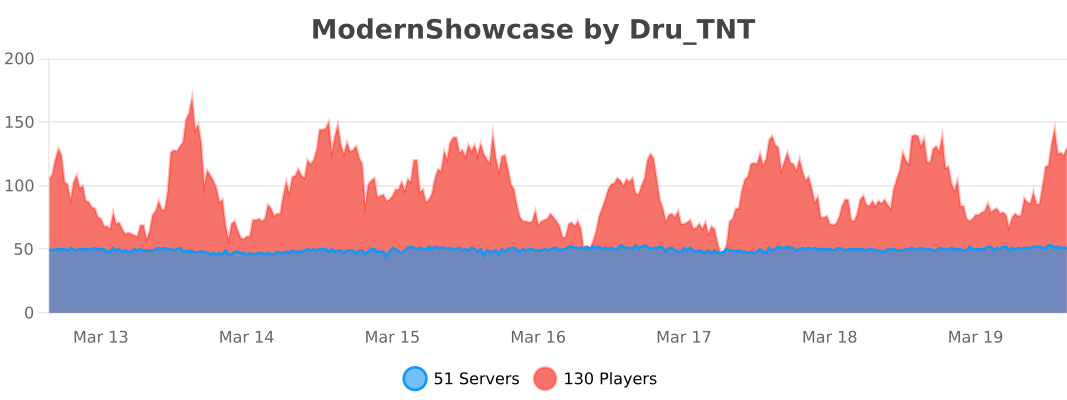
Project description from Modrinth.
Pick your setup
ModernShowcase by Minecraft version and loader
Choose the version and loader you play, then open the matching release.
Minecraft version
26.1.1
2 loader buildsMinecraft version
26.1
2 loader buildsMinecraft version
1.21.11
2 loader buildsMinecraft version
1.21.10
2 loader buildsMinecraft version
1.21.9
2 loader buildsMinecraft version
1.21.8
2 loader buildsMinecraft version
1.21.7
2 loader buildsMinecraft version
1.21.6
2 loader buildsMinecraft version
1.21.5
2 loader buildsMinecraft version
1.21.4
2 loader buildsMinecraft version
1.21.3
2 loader buildsShowing the newest 12 of 73 game versions. Older files are in the list below.
Check the dependencies, then try the file in a copied instance before changing a world you care about.
Recent files
ModernShowcase versions and loaders
1.9
ModernShowcase.jar
31 May 2026
Client Not supported Server Required Dependencies No extras listed Listed on Release listing
Check the 26.1 · bukkit setup 1.101.10.11.10.21.11 release
1.8.2.1
ModernShowcase.jar
8 Apr 2026
Client Not supported Server Required Dependencies No extras listed Listed on Release listing
Check the 26.1 · bukkit setup 1.191.19.11.19.21.19.3 release
1.8.2.1
ModernShowcase.jar
8 Apr 2026
Client Not supported Server Required Dependencies No extras listed Listed on Release listing
Check the 26.1 · folia setup 1.191.19.11.19.21.19.3 release
Looking for an older file? The official Modrinth project page is in Resources.
 mod
CurseForge + Modrinth · Minecraft
Particle Rain
replaces the default weather with particle effects
 mod
CurseForge + Modrinth · Minecraft
Modulation
A growing collection of quality-of-life tweaks, bug fixes, and cross-mod integrations for modpack creators!
 mod
CurseForge + Modrinth · Minecraft
Reliable Replacer
A lightweight utility for replacing one block with another, both during worldgen and afterward.