Minecraft version
Back to mods 
Modrinth · Minecraft mod
PVP Arena
Arena that will help you hone your skills in pvp
Choose a version Pick your version below, then grab the matching file.
Quick answer
Which PVP Arena release should I use?
Latest stable file 1.2
Game version 1.21.11, 26.1-snapshot-1, 26.1-snapshot-2
Loader Fabric, Forge, NeoForge
PVP Arena 1.2 targets 1.21.11, 26.1-snapshot-1, 26.1-snapshot-2 with Fabric, Forge, NeoForge. Installation on the client is optional. Installation on the dedicated server is optional. No extra mods listed for this file.
Where it goes
Is PVP Arena required on the client, server, or both?
Installation on the client is optional. Installation on the dedicated server is optional.
Client Optional
Dedicated server Optional
Loader for this release Fabric, Forge, NeoForge
Required install it here Optional supported, not mandatory Not supported do not install here Source doesn’t say do not assume
The source marks this as usable on both the client and server.
What else does PVP Arena 1.2 need?
1.2. Change the file and its required mods may change too.
This file does not list any required mods. Do not add a library just because a different file uses it.
This file does not list any required or optional mods.
Before you install it
Add PVP Arena without breaking your instance.
Built for PVP Arena 1.2. Pick another file and the loader, install side or required mods may change.
- 01
Stick to this file
Use 1.2. It targets 1.21.11, 26.1-snapshot-1, 26.1-snapshot-2 with Fabric, Forge, NeoForge; another release may have different loader, side or dependency requirements.
- 02
Bring the mods it needs
This file does not list any required mods. Do not add a library just because a different file uses it.
- 03
Put it on the correct side
Installation on the client is optional. Installation on the dedicated server is optional.
- 04
Pick the file you checked
Use the “Get this file” button beside 1.2. It opens that exact file at the source.
About this project
What does PVP Arena add?

Description
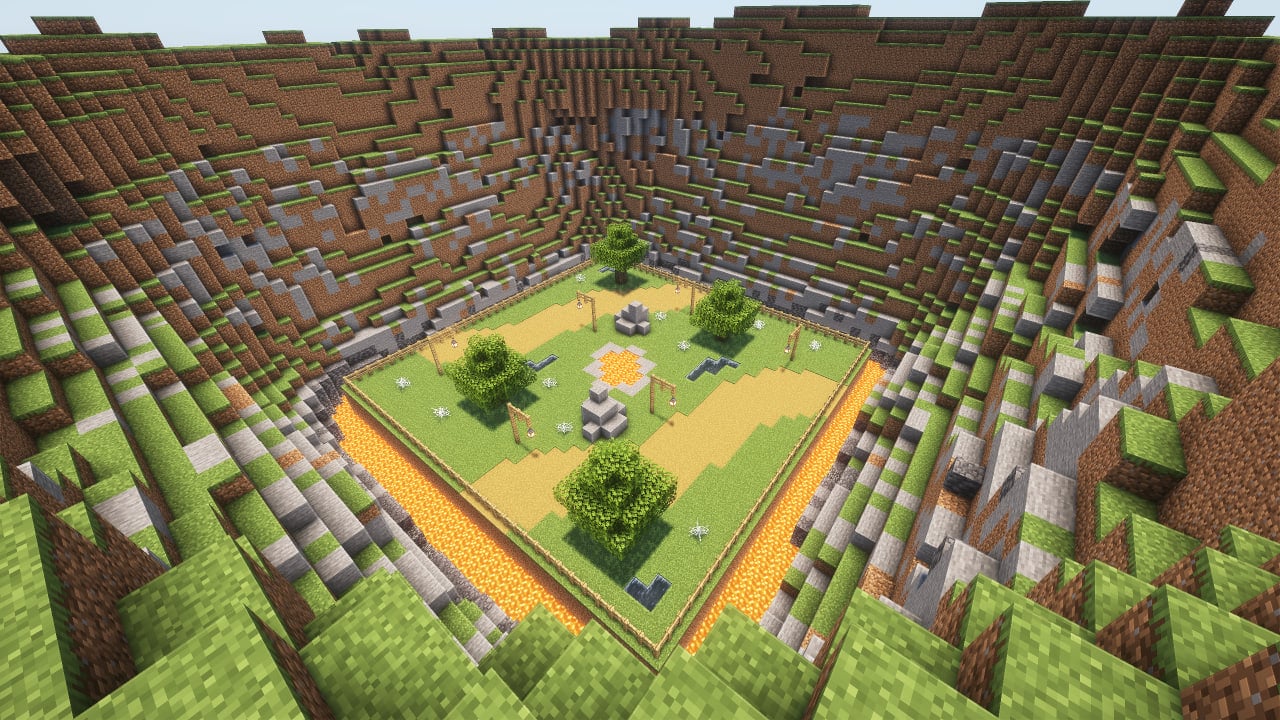
An arena that will help you hone your PvP skills with a large number of settings that will help simulate real battles. Train with friends and become better!
⚠️ WARNING: This project makes permanent, irreversible changes to your world.
Removing it will not restore anything. Back up your world or test in a new save before using.
How to use
It is advisable to create a new world first, because the arena can damage the current world. Do this at your own risk. If you are going to use the mod in an existing world, you must re-enter the world before using it.
The game is designed for 2, 3 or 4 players.
To place the arena in the world, you need to enter the command below and place the frame where you want to place the arena. After that, particles will show where the arena will be located and the settings screen. To confirm, you need to place the frame inside the frame you placed earlier.
/trigger bizcub.pvp_arena.give
On the settings screen, you can select the arena, sets of weapons, armor, food, additional equipment, potions and toggle game modes. After choosing, click the "Start" button.
After that, the players will be taken to the capsules and have a few seconds to prepare for battle. When the timer runs out, the players will be on the battlefield and will fight until the time runs out. The one who deals more damage wins.
After the game ends, the players will be teleported to the beginning and can start the game over.
Additional rules
Those who did not survive until the end of the battle will watch the game from the platform above the arena, and after the game ends, they will be teleported along with everyone else to the settings menu.
The space between the arena and the decorations deals damage if a player flies out of the arena and gets into this area.
Arenas
Each arena has its own unique feature.
- Plains: obstacles in the arena in the form of lava, water and cobwebs.
- Ice: ice and loose snow, which can easily be confused with ordinary snow.
- Fire: once a minute, fire appears from the ground for a while.
- Honey: In this arena, in addition to honey blocks that slow down the player, angry bees will appear, which will also hinder players.
- Water: water that slows down movement.
- Poison: slime blocks that slow down players, and also help to fly higher, and poison potions that are dropped on players from above.
- Skulk: the battle in the arena will take place in complete darkness, in which you need to navigate by sound.
Modes
On the settings screen you can also toggle game modes ON/OFF. Several modes can be enabled at once:
- No Health Regeneration: disables natural health regeneration during the battle.
- Fast Attack Recharge: attacks recharge almost instantly (no cooldown).
- Random Kit and Arena: randomly picks the arena and all equipment sets when the game starts.
Dependencies
- Fabric loader requires Fabric API
Project description from Modrinth.
Pick your setup
PVP Arena by Minecraft version and loader
Choose the version and loader you play, then open the matching release.
Minecraft version
26.2-snapshot-8
5 loader buildsMinecraft version
26.2-snapshot-7
5 loader buildsMinecraft version
26.2-snapshot-6
5 loader buildsMinecraft version
26.2-snapshot-5
5 loader buildsMinecraft version
26.2-snapshot-4
5 loader buildsMinecraft version
26.2-snapshot-3
5 loader buildsMinecraft version
26.2-snapshot-2
5 loader buildsMinecraft version
26.2-snapshot-1
5 loader buildsMinecraft version
26.2-rc-2
5 loader buildsMinecraft version
26.2-rc-1
5 loader buildsMinecraft version
26.2-pre-6
5 loader buildsShowing the newest 12 of 55 game versions. Older files are in the list below.
Check the dependencies, then try the file in a copied instance before changing a world you care about.
Recent files
PVP Arena versions and loaders
1.2
pvp-arena-v1.2.jar
20 Aug 2026
Client Optional Server Optional Dependencies No extras listed Listed on Release listing
Check the 26w14a · Fabric setup 1.21.1126.1-snapshot-126.1-snapshot-226.1-snapshot-3 release
1.2
PVP-Arena-1.2-DP.zip
20 Aug 2026
Client Optional Server Optional Dependencies No extras listed Listed on Release listing
Check the 26w14a · datapack setup 1.21.11-pre11.21.11-pre21.21.11-pre31.21.11-pre4 release
1.1
pvp-arena-v1.1.jar
10 Aug 2026
Client Optional Server Optional Dependencies No extras listed Listed on Release listing
Check the 26w14a · Fabric setup 1.21.1126.1-snapshot-126.1-snapshot-226.1-snapshot-3 release
1.1
PVP-Arena-1.1-DP.zip
10 Aug 2026
Client Optional Server Optional Dependencies No extras listed Listed on Release listing
Check the 26w14a · datapack setup 1.21.1126.1-snapshot-126.1-snapshot-226.1-snapshot-3 release
1.0.4
pvp-arena-v1.0.4.jar
16 Jun 2026
Client Optional Server Optional Dependencies No extras listed Listed on Release listing
Check the 26w14a · Fabric setup 1.21.1126.1-snapshot-126.1-snapshot-226.1-snapshot-3 release
1.0.4
PVP-Arena-1.0.4-DP.zip
16 Jun 2026
Client Optional Server Optional Dependencies No extras listed Listed on Release listing
Check the 26w14a · datapack setup 1.21.1126.1-snapshot-126.1-snapshot-226.1-snapshot-3 release
1.0.3
pvp-arena-v1.0.3.jar
22 Mar 2026
Client Optional Server Optional Dependencies No extras listed Listed on Release listing
Check the 26w14a · Fabric setup 1.21.1126.1-snapshot-126.1-snapshot-226.1-snapshot-3 release
1.0.3
PVP-Arena-1.0.3-DP.zip
22 Mar 2026
Client Optional Server Optional Dependencies No extras listed Listed on Release listing
Check the 26w14a · datapack setup 1.21.1126.1-snapshot-126.1-snapshot-226.1-snapshot-3 release
1.0.2
pvp-arena-v1.0.2.jar
11 Dec 2025
Client Optional Server Optional Dependencies No extras listed Listed on Release listing
Check the 26w14a · Fabric setup 1.21.51.21.61.21.71.21.8 release
1.0.2
PVP-Arena-1.0.2-DP.zip
11 Dec 2025
Client Optional Server Optional Dependencies No extras listed Listed on Release listing
Check the 26w14a · datapack setup 1.21.51.21.61.21.71.21.8 release
1.0.1
pvp-arena-v1.0.1.jar
26 Sept 2025
Client Optional Server Optional Dependencies No extras listed Listed on Release listing
Check the 1.21.10 · Fabric setup 1.21.51.21.61.21.71.21.8 release
1.0.1
Pvp-Arena-1.0.1.zip
26 Sept 2025
Client Optional Server Optional Dependencies No extras listed Listed on Release listing
Check the 1.21.10 · datapack setup 1.21.51.21.61.21.71.21.8 release
Looking for an older file? The official Modrinth project page is in Resources.
 mod
mod CurseForge + Modrinth · Minecraft
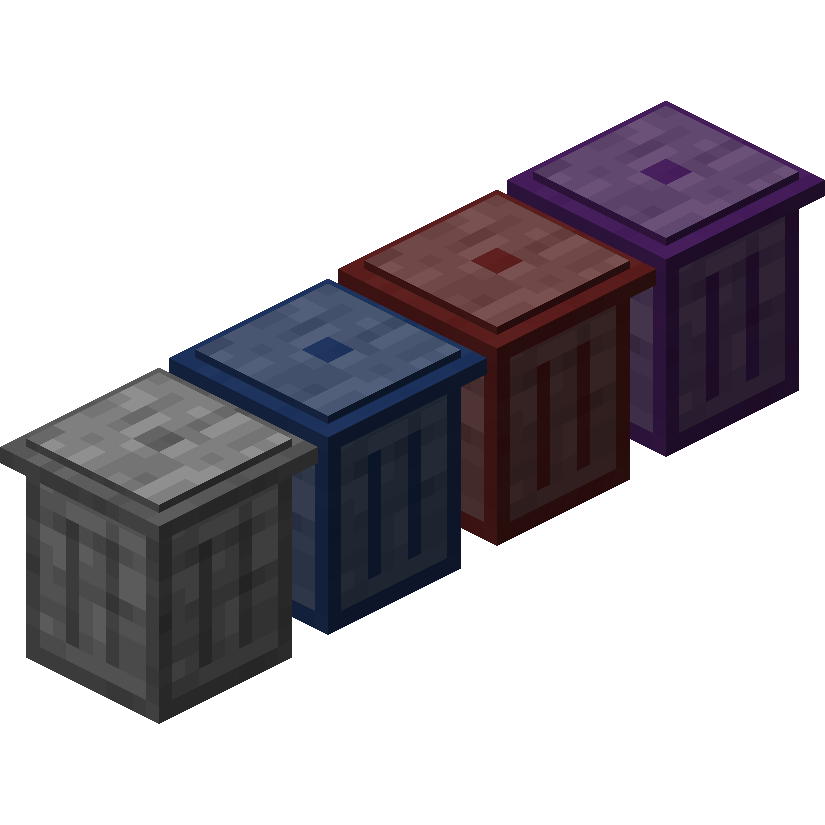
Trash Cans
Trash Cans adds trash cans which can be used to void items, liquids, and energy!
 mod
mod CurseForge + Modrinth · Minecraft
Horseman
Improved horses: faster hitching, smooth riding, QOL features and more...
 mod
mod CurseForge + Modrinth · Minecraft
More Sniffer Flowers
Minecraft mod expanding upon the sniffer, adding entire new mechanics, while keeping it somewhat vanilla friendly