Mod Menu Optional for Sound Controller 1.2.3-mc1.20.2
optionalMatching file found Matched file: 8.0.1

Modrinth · Minecraft mod
Have complete control over the volume of every sound in the game, with both global and region-based audio controls.
Quick answer
Sound Controller 1.2.3-mc1.20.2 targets 1.20.2 with Fabric, Quilt. It must be installed on the client. Do not install it on the dedicated server. All 1 required mods have matching files.
Where it goes
It must be installed on the client. Do not install it on the dedicated server.
This file is marked client-only.
1.2.3-mc1.20.2 on 1.20.2. Every mod below is checked against that same setup.
Install Fabric API first. We found matching files for this game-version and loader setup.
We only count dependency files that match this setup. A file for another loader does not fill the gap.
Before you install it
Built for Sound Controller 1.2.3-mc1.20.2 on 1.20.2. Pick another file and the loader, install side or required mods may change.
Use 1.2.3-mc1.20.2. It targets 1.20.2 with Fabric, Quilt; another release may have different loader, side or dependency requirements.
Install Fabric API first. We found matching files for this game-version and loader setup.
It must be installed on the client. Do not install it on the dedicated server.
Use the “Get this file” button beside 1.2.3-mc1.20.2. It opens that exact file at the source.
About this project


We've all dealt with that loud portal before, or those ridiculously loud mob farms. Perhaps you're even listening out for a particular mob while caving. Have you ever wanted to just fine-tune those specific sounds without being limited by the category sliders?
Sound Controller is a client-side Minecraft mod providing complete volume control over the sounds played in the game. It adds an extra set of options to your sound settings, providing you with per-sound volume sliders, custom regions, and presets!
This mod is available on GitHub and Modrinth. Support for CurseForge has been dropped, but very early Fabric versions can still be found there.
A note on configs
Global volumes and presets are shared across all servers. Regions are stored and loaded per-server
The mod injects an 'Individual Sounds' button into the default sound options screen for quick and easy access. Alternatively, it can be accessed via ModMenu or NeoForge's mods list.
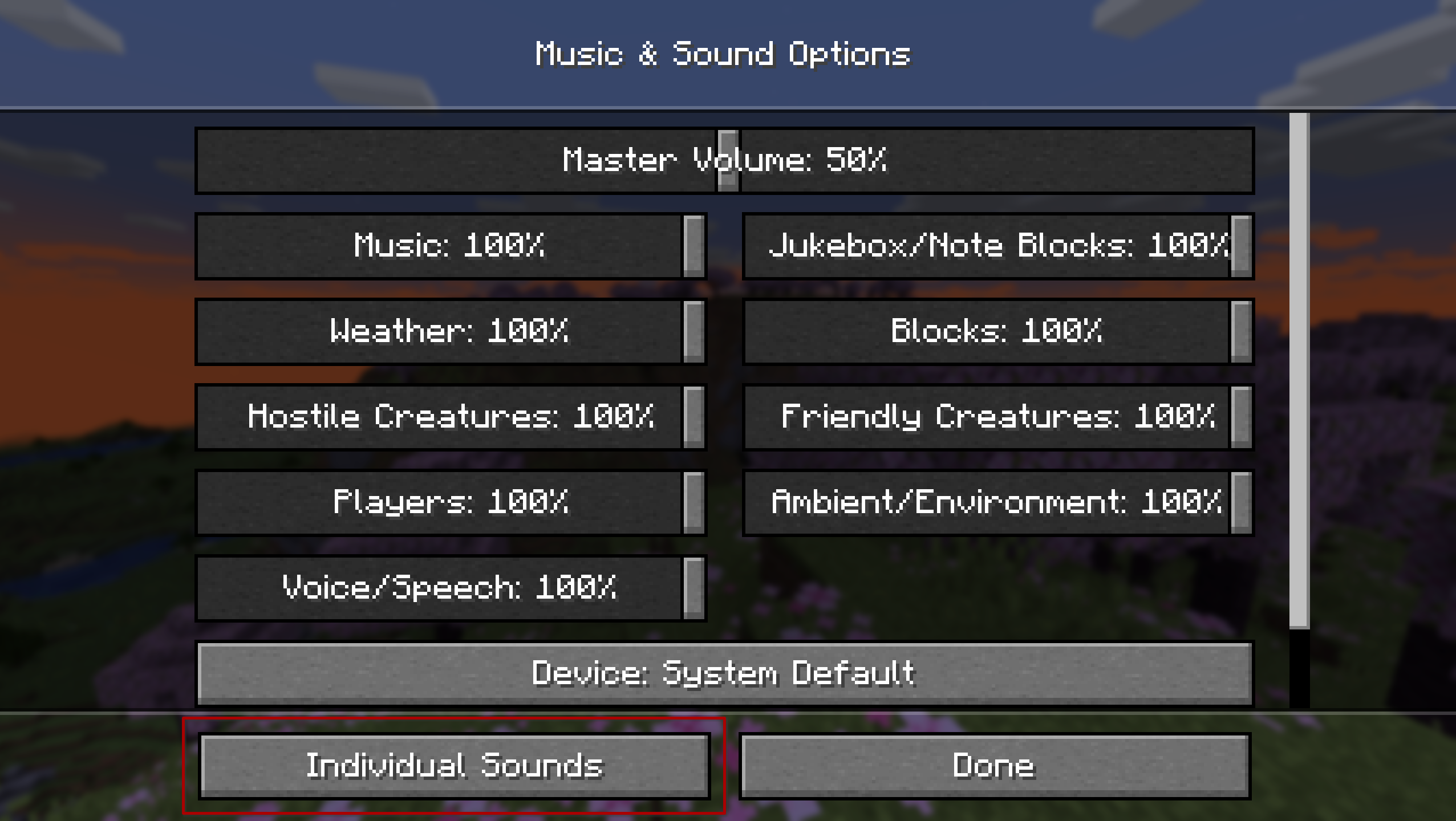
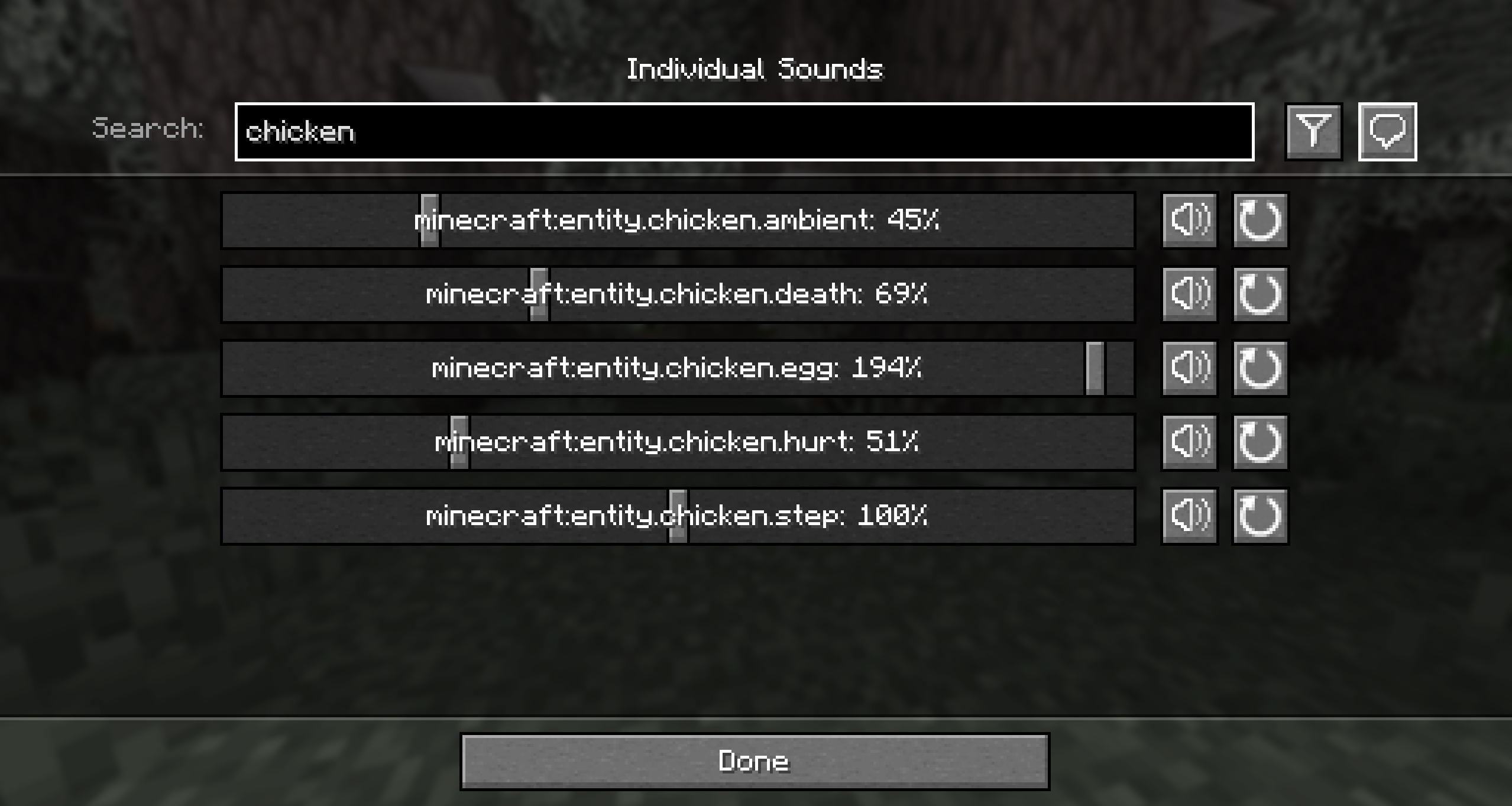
The global tab is where you can set the volumes for all sounds in the game no matter where you are or which server you are on, for a consistent playing experience.
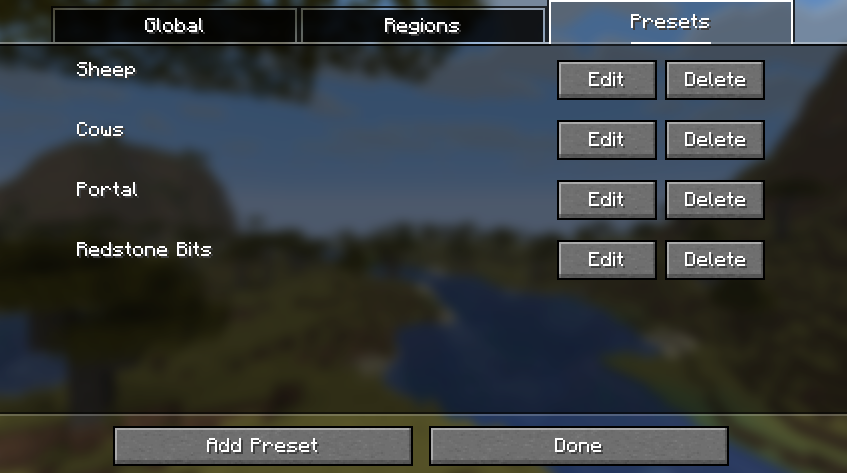
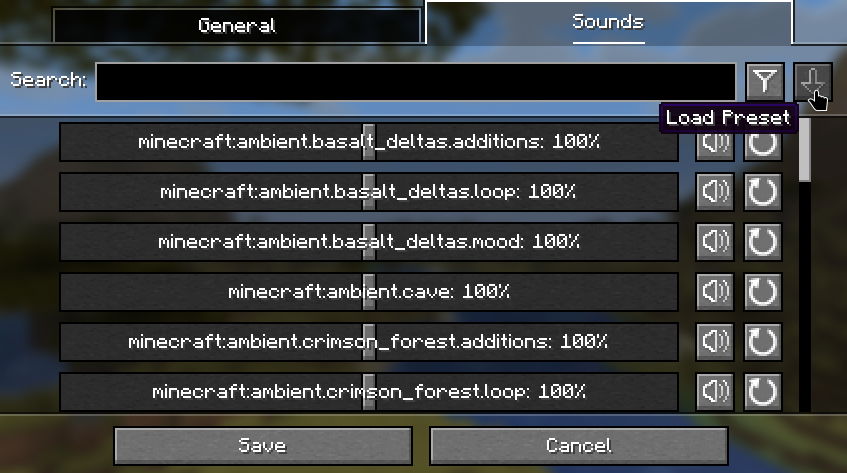
The presets tab displays all of the preset configurations that can be applied on top of your global or regional volume lists. Note that this doesn't replace the list, so you can apply multiple presets at once!
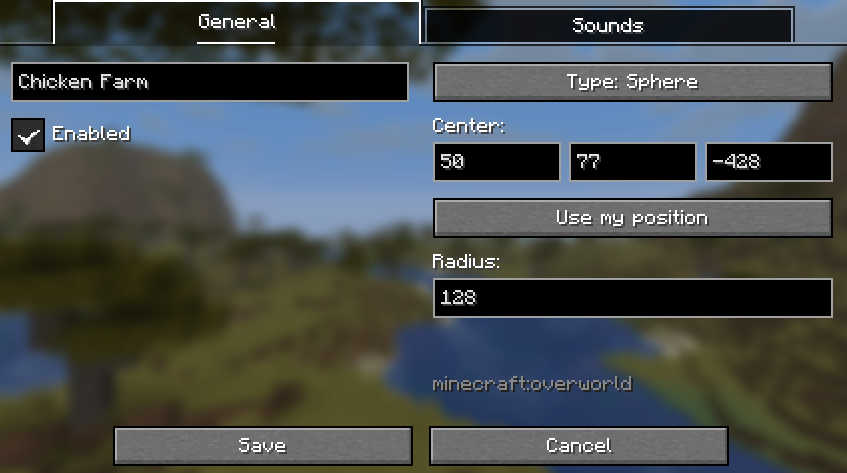
In the region screen, you can pick from two types of geometry. The box region is defined by two diagonally opposing coordinates. The spherical region is defined by a single point and a distance from that point.
Below is the button used to apply a preset to the current volume configuration.
Contributions and suggestions are always welcome! Please limit all issues to only one feature at a time - feel free to open multiple at once if you have many ideas. Similarly, please limit pull requests to a single feature at a time and try to follow the existing code style.
To further discuss or get notifications of new updates, check out my Discord. If you like what I do, consider supporting me on Ko-Fi!

Project description from Modrinth.
Pick your setup
Choose the version and loader you play, then open the matching release.
Showing the newest 12 of 27 game versions. Older files are in the list below.
Check the dependencies, then try the file in a copied instance before changing a world you care about.
Recent files
soundcontroller-1.2.3-mc1.20.2.jar
23 Jun 2025
soundcontroller-v1.2.2-mc1.20.2.jar
26 Mar 2025
soundcontroller-1.0.1-1.20.2.jar
6 Nov 2023
Looking for an older file? The official Modrinth project page is in Resources.
 mod
Event Prevention for Blocks
 mod
Never get lost again! Fading footstep markers help you retrace your path through caves, forests, and beyond.
 mod
litematica-printer, following multiple revisions by Hana