Create Needed by Create: Molten Vents Molten Vents 1.21.1-2.1.1
requiredMatching file found Matched file: 6.0.10+mc1.21.1
CurseForge · Minecraft mod
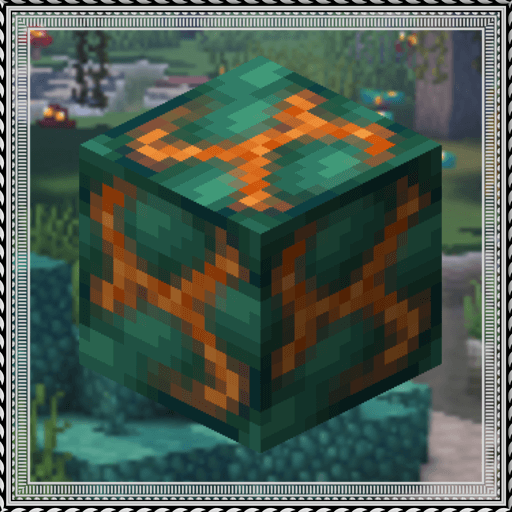
Adds a renewable source of the orestones found in the Create mod, and by extension, many resources.
Quick answer
Create: Molten Vents Molten Vents 1.21.1-2.1.1 targets 1.21.2-Snapshot, 1.21, 1.21.6-snapshot with NeoForge. The project page does not say whether it belongs on the client. The project page does not say whether it belongs on the dedicated server. All 1 required mods have matching files.
Where it goes
The project page does not say whether it belongs on the client. The project page does not say whether it belongs on the dedicated server.
The source does not explicitly classify this release as client-only or server-only.
Molten Vents 1.21.1-2.1.1. Change the file and its required mods may change too.
Install Create first. We found matching files for this game-version and loader setup.
We only count dependency files that match this setup. A file for another loader does not fill the gap.
Before you install it
Built for Create: Molten Vents Molten Vents 1.21.1-2.1.1. Pick another file and the loader, install side or required mods may change.
Use Molten Vents 1.21.1-2.1.1. It targets 1.21.2-Snapshot, 1.21, 1.21.6-snapshot with NeoForge; another release may have different loader, side or dependency requirements.
Install Create first. We found matching files for this game-version and loader setup.
The project page does not say whether it belongs on the client. The project page does not say whether it belongs on the dedicated server.
Use the “Get this file” button beside Molten Vents 1.21.1-2.1.1. It opens that exact file at the source.
About this project
Molten Vents is a mod which adds a renewable source of the orestones found in the Create mod, and by extension the many resources that can be processed from them.
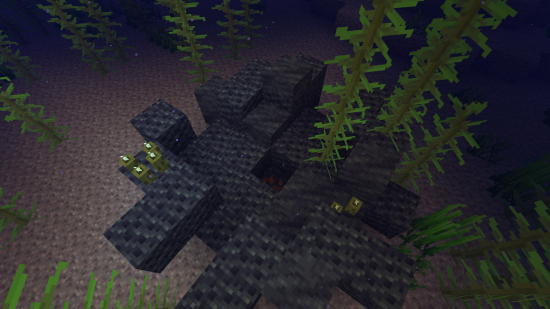
Just add the name of the block to this list (a .json file that generates in the config folder)
{"values":["asurine","veridium","crimsite","ochrum","scorchia","scoria","exampleblock"]}
And then depending on your modloader:
Then make a resourcepack that adds the name translations, blockstates, models, and textures for "molten_vents.active_molten_exampleblock" and "molten_vents.dormant_molten_exampleblock" (optional)
Just recreate your own copy of the placed and configured feature jsons available in the base mod in the respective directories within your own datapack:
data/yourdatapackname/worldgen/configured_feature/examplevent.json
data/yourdatapackname/worldgen/placed_feature/examplevent.json
Then add your placed feature to the forge biome modifiers:
data/yourdatapackname/forge/biome_modifier/add_vents.json
Examples are here:
Discord: https://discord.gg/HHqKa8vTAN
This mod may be used in any modpack.
Project description from CurseForge.
Pick your setup
Choose the version and loader you play, then open the matching release.
Showing the newest 12 of 25 game versions. Older files are in the list below.
Check the dependencies, then try the file in a copied instance before changing a world you care about.
Recent files
molten_vents-1.21.1-2.1.1.jar
23 Jul 2025
molten_vents-1.21.1-2.1.0.jar
19 May 2025
molten_vents-1.21.1-2.0.9.jar
14 Mar 2025
molten_vents-1.20.1-2.0.9.jar
10 Dec 2024
molten_vents-1.20.1-2.0.8.jar
3 Jul 2024
molten_vents-1.19.2-2.0.8.jar
3 Jul 2024
molten_vents-1.18.2-2.0.8.jar
3 Jul 2024
molten_vents-1.18.2-2.0.7.jar
20 Feb 2024
molten_vents-1.20.1-2.0.6.jar
18 Dec 2023
molten_vents-1.19.2-2.0.6.jar
18 Dec 2023
molten_vents-1.18.2-2.0.6.jar
18 Dec 2023
molten_vents-1.20.1-2.0.5.jar
16 Oct 2023
Looking for an older file? The official CurseForge project page is in Resources.
 mod
modGat entity DNA and process to recive some items
 mod
modA collection of Random Blocks and Items for Automation.
 mod
modSimply Airdrops is a lightweight and easy-to-use mod that does exactly what the name suggests — it adds dynamic airdrop events to your world.