Minecraft version
Back to mods 
CurseForge · Minecraft mod
Create: Schematic Helper
Automatically uploads schematics to CreateMod.com and makes it easier to download them!
Choose a version Pick your version below, then grab the matching file.
Quick answer
Which Create: Schematic Helper release should I use?
Latest stable file createschematichelper-neoforge-mc1.21.1-2.1.0.jar
Game version 1.21.1, 1.21.2, 1.21.3
Loader NeoForge
Create: Schematic Helper createschematichelper-neoforge-mc1.21.1-2.1.0.jar targets 1.21.1, 1.21.2, 1.21.3 with NeoForge. The project page does not say whether it belongs on the client. The project page does not say whether it belongs on the dedicated server. No extra mods listed for this file.
Where it goes
Is Create: Schematic Helper required on the client, server, or both?
The project page does not say whether it belongs on the client. The project page does not say whether it belongs on the dedicated server.
Client Source doesn’t say
Dedicated server Source doesn’t say
Loader for this release NeoForge
Required install it here Optional supported, not mandatory Not supported do not install here Source doesn’t say do not assume
The source does not explicitly classify this release as client-only or server-only.
What else does Create: Schematic Helper createschematichelper-neoforge-mc1.21.1-2.1.0.jar need?
createschematichelper-neoforge-mc1.21.1-2.1.0.jar. Change the file and its required mods may change too.
This file does not list any required mods. Do not add a library just because a different file uses it.
This file does not list any required or optional mods.
Before you install it
Add Create: Schematic Helper without breaking your instance.
Built for Create: Schematic Helper createschematichelper-neoforge-mc1.21.1-2.1.0.jar. Pick another file and the loader, install side or required mods may change.
- 01
Stick to this file
Use createschematichelper-neoforge-mc1.21.1-2.1.0.jar. It targets 1.21.1, 1.21.2, 1.21.3 with NeoForge; another release may have different loader, side or dependency requirements.
- 02
Bring the mods it needs
This file does not list any required mods. Do not add a library just because a different file uses it.
- 03
Put it on the correct side
The project page does not say whether it belongs on the client. The project page does not say whether it belongs on the dedicated server.
- 04
Pick the file you checked
Use the “Get this file” button beside createschematichelper-neoforge-mc1.21.1-2.1.0.jar. It opens that exact file at the source.
About this project
What does Create: Schematic Helper add?
A Minecraft mod that automatically uploads Create mod schematics to createmod.com for easy sharing. It also modifies the schematic table so that you can directly past createmod.com urls or short codes to download schematics faster and more easily.
Features
Upload
- Automatic upload - schematics are uploaded to createmod.com the moment you save them in-game
- 360° preview rendering (NeoForge 1.21.1+ only) - 120 isometric frames are rendered client-side and uploaded alongside the schematic for an interactive 3D rotation view on the website
- Progress bar (NeoForge 1.21.1+ only) - a live progress bar on the action bar tracks rendering, processing, and uploading stages
- One-click sharing - a clickable link appears in chat so you (or anyone) can view the schematic in a browser
- Claim flow - log in on the website to claim ownership, then publish to the community
- Optional confirmation - disable auto-upload in the config to get a confirmation screen before each upload
- No account needed in-game - uploads are anonymous; you claim them on the website when you're ready
Download
- Download from createmod.com - enter a createmod.com URL or short code directly in the Create Schematic Table to download schematics shared by other players
- Seamless integration - downloaded schematics are placed into your local schematics folder and are ready to use immediately
How It Works
- Save a schematic using the Create mod's Schematic and Quill
- The mod uploads the
.nbtfile to createmod.com - A clickable link appears in chat
- Visit the link and log in to claim the schematic as yours
- From there you can publish it to the community
Requirements
This mod requires the Create mod to function.
Client Side
This is a client-side only mod. It does not need to be installed on the server.
Credits
- Jamalam - original CreateSchematicDownload mod
- salem-5/Create-Blueprinted - isometric rendering approach
Modpacks
You are free to include this mod in any modpack that is distributed for free. Selling this mod or charging money for access to it (or any modpack containing it) is not permitted.
Github
More info can be found on Github: https://github.com/uberswe/CreateSchematicUpload
Project description from CurseForge.
Pick your setup
Create: Schematic Helper by Minecraft version and loader
Choose the version and loader you play, then open the matching release.
Minecraft version
1.21.10
1 loader buildMinecraft version
1.21.9
1 loader buildMinecraft version
1.21.8
1 loader buildMinecraft version
1.21.7
1 loader buildMinecraft version
1.21.6
1 loader buildMinecraft version
1.21.5
1 loader buildMinecraft version
1.21.4
1 loader buildMinecraft version
1.21.3
1 loader buildMinecraft version
1.21.2
1 loader buildMinecraft version
1.21.1
1 loader buildMinecraft version
1.21
1 loader buildShowing the newest 12 of 22 game versions. Older files are in the list below.
Check the dependencies, then try the file in a copied instance before changing a world you care about.
Recent files
Create: Schematic Helper versions and loaders
createschematichelper-neoforge-mc1.21.1-2.1.0.jar
3 Aug 2026
Client Source doesn’t say Server Source doesn’t say Dependencies No extras listed Listed on Release listing
Check the 1.21.11 · NeoForge setup 1.21.1NeoForge1.21.21.21.3 release
createschematichelper-neoforge-mc1.21.1-2.0.3.jar
5 Jun 2026
Client Source doesn’t say Server Source doesn’t say Dependencies 1 required · 1 unchecked Listed on Release listing
Check the 1.21.11 · NeoForge setup 1.21.1NeoForge1.21.21.21.3 release
createschematichelper-forge-mc1.20.1-2.0.3.jar
5 Jun 2026
Client Source doesn’t say Server Source doesn’t say Dependencies 1 required · 1 unchecked Listed on Release listing
Check the 1.20.6 · Forge setup 1.20.1Forge1.20.21.20.3 release
createschematichelper-forge-mc1.19.2-2.0.3.jar
5 Jun 2026
Client Source doesn’t say Server Source doesn’t say Dependencies No extras listed Listed on Release listing
Check the 1.19.4 · Forge setup Forge1.19.21.19.31.19.4 release
createschematichelper-forge-mc1.18.2-2.0.3.jar
5 Jun 2026
Client Source doesn’t say Server Source doesn’t say Dependencies 1 required · 1 unchecked Listed on Release listing
Check the 1.18.2 · Forge setup Forge1.18.2 release
createschematichelper-fabric-mc1.20.1-2.0.3.jar
5 Jun 2026
Client Source doesn’t say Server Source doesn’t say Dependencies No extras listed Listed on Release listing
Check the 1.20.6 · Fabric setup Fabric1.20.11.20.21.20.3 release
createschematichelper-fabric-mc1.19.2-2.0.3.jar
5 Jun 2026
Client Source doesn’t say Server Source doesn’t say Dependencies 1 required · 1 unchecked Listed on Release listing
Check the 1.19.4 · Fabric setup Fabric1.19.21.19.31.19.4 release
createschematichelper-fabric-mc1.18.2-2.0.3.jar
5 Jun 2026
Client Source doesn’t say Server Source doesn’t say Dependencies No extras listed Listed on Release listing
Check the 1.18.2 · Fabric setup Fabric1.18.2 release
createschematichelper-neoforge-mc1.21.1-2.0.2.jar
24 May 2026
Client Source doesn’t say Server Source doesn’t say Dependencies No extras listed Listed on Release listing
Check the 1.21.11 · NeoForge setup 1.21.1NeoForge1.21.21.21.3 release
createschematichelper-neoforge-mc1.21.1-2.0.1.jar
22 May 2026
Client Source doesn’t say Server Source doesn’t say Dependencies 1 required · 1 unchecked Listed on Release listing
Check the 1.21.11 · NeoForge setup 1.21.1NeoForge1.21.21.21.3 release
createschematichelper-neoforge-mc1.21.1-2.0.0.jar
20 May 2026
Client Source doesn’t say Server Source doesn’t say Dependencies No extras listed Listed on Release listing
Check the 1.21.11 · NeoForge setup 1.21.1NeoForge1.21.21.21.3 release
createschematichelper-forge-mc1.20.1-2.0.0.jar
20 May 2026
Client Source doesn’t say Server Source doesn’t say Dependencies 1 required · 1 unchecked Listed on Release listing
Check the 1.20.6 · Forge setup 1.20.1Forge1.20.21.20.3 release
Looking for an older file? The official CurseForge project page is in Resources.
 mod
mod CurseForge + Modrinth · Minecraft
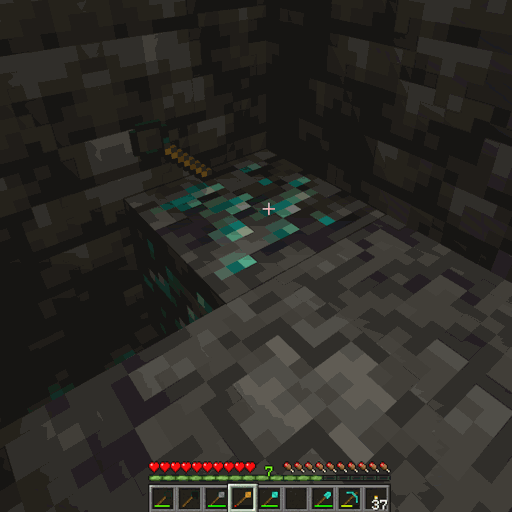
Balanced Ore Detector
Fully configurable Ore Detectors that do not break the balance of the game, and still make prospecting a challenge, without forcing you to hollow out the entire world.
 mod
mod CurseForge + Modrinth · Minecraft
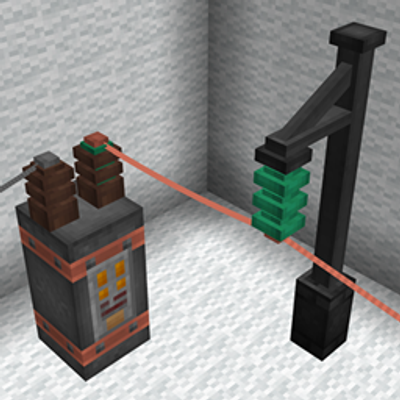
Alternating Flux NeoForge
Alternating Flux adds a long-distance, low-loss "super high voltage" power tier to Immersive Engineering, built for hauling power across large distances.
 mod
mod CurseForge + Modrinth · Minecraft
Materia-Reborn
A progression-focused Minecraft transmutation mod inspired by ProjectE, featuring Essence, upgradeable tables, rituals, storage, and smelting systems.