Minecraft version
Back to mods 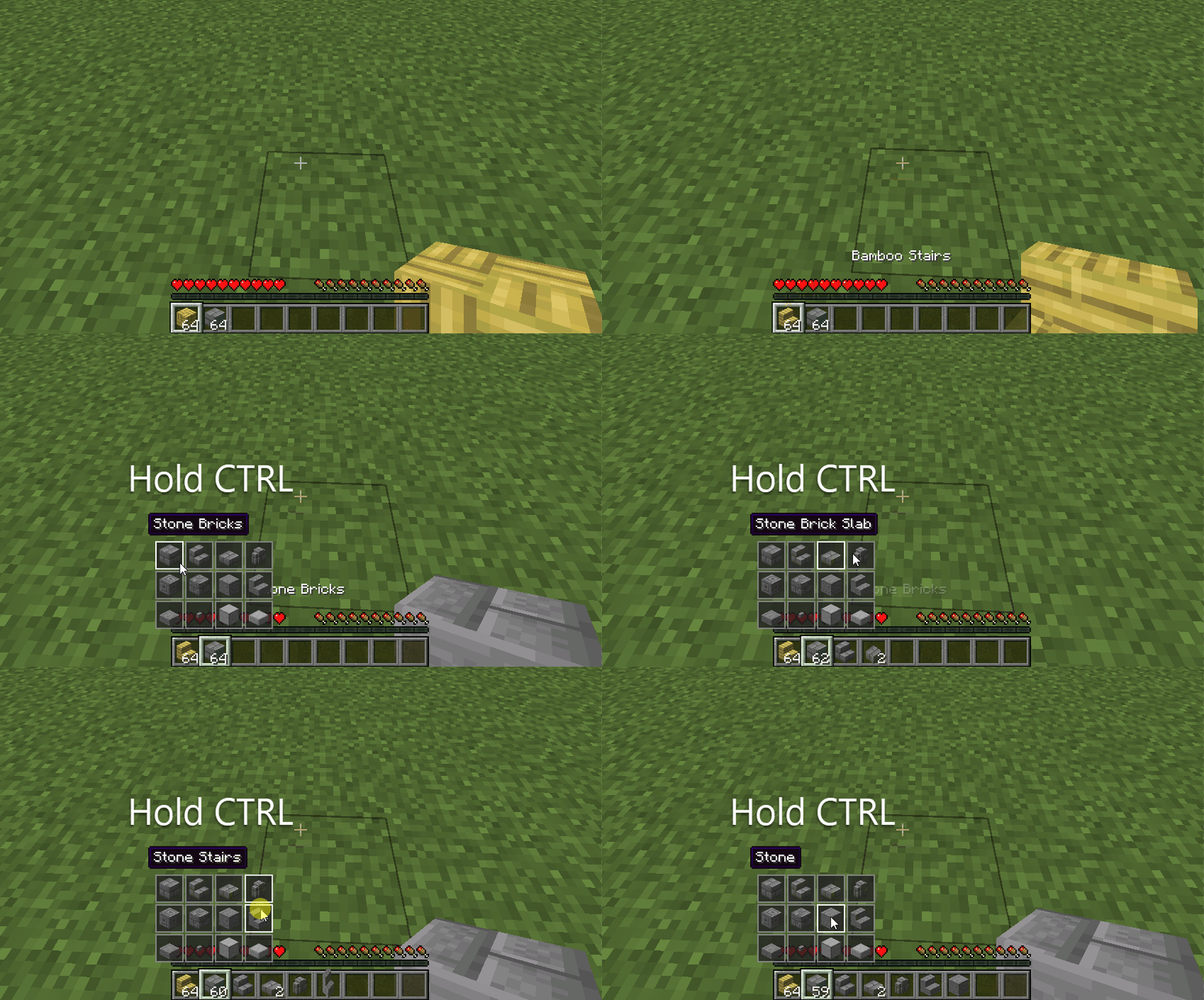
Modrinth · Minecraft mod
KSwitch
A handy tool for switching between different items in the same slot.
Choose a version Pick your version below, then grab the matching file.
Quick answer
Which KSwitch release should I use?
Latest stable file 2.0.0
Game version 26.1, 26.1.1, 26.1.2
Loader Fabric
KSwitch 2.0.0 targets 26.1, 26.1.1, 26.1.2 with Fabric. Installation on the client is optional. Installation on the dedicated server is optional. No extra mods listed for this file.
Where it goes
Is KSwitch required on the client, server, or both?
Installation on the client is optional. Installation on the dedicated server is optional.
Client Optional
Dedicated server Optional
Loader for this release Fabric
Required install it here Optional supported, not mandatory Not supported do not install here Source doesn’t say do not assume
The source marks this as usable on both the client and server.
What else does KSwitch 2.0.0 need?
2.0.0. Change the file and its required mods may change too.
This file does not list any required mods. Do not add a library just because a different file uses it.
This file does not list any required or optional mods.
Before you install it
Add KSwitch without breaking your instance.
Built for KSwitch 2.0.0. Pick another file and the loader, install side or required mods may change.
- 01
Stick to this file
Use 2.0.0. It targets 26.1, 26.1.1, 26.1.2 with Fabric; another release may have different loader, side or dependency requirements.
- 02
Bring the mods it needs
This file does not list any required mods. Do not add a library just because a different file uses it.
- 03
Put it on the correct side
Installation on the client is optional. Installation on the dedicated server is optional.
- 04
Pick the file you checked
Use the “Get this file” button beside 2.0.0. It opens that exact file at the source.
About this project
What does KSwitch add?
This is a handy tool for switching between different items in the same slot. By default, you can press the Mouse Button 4 to bring up the item-switching HUD. It works in both Hotbar and inventory. Neat for builders.
Instructions for the latest version:
- Click: Convert all items in hand
- CTRL+Click: Convert one item in hand
- Long press: Convert all convertible items in the inventory
- Scroll: Move to the previous/next item
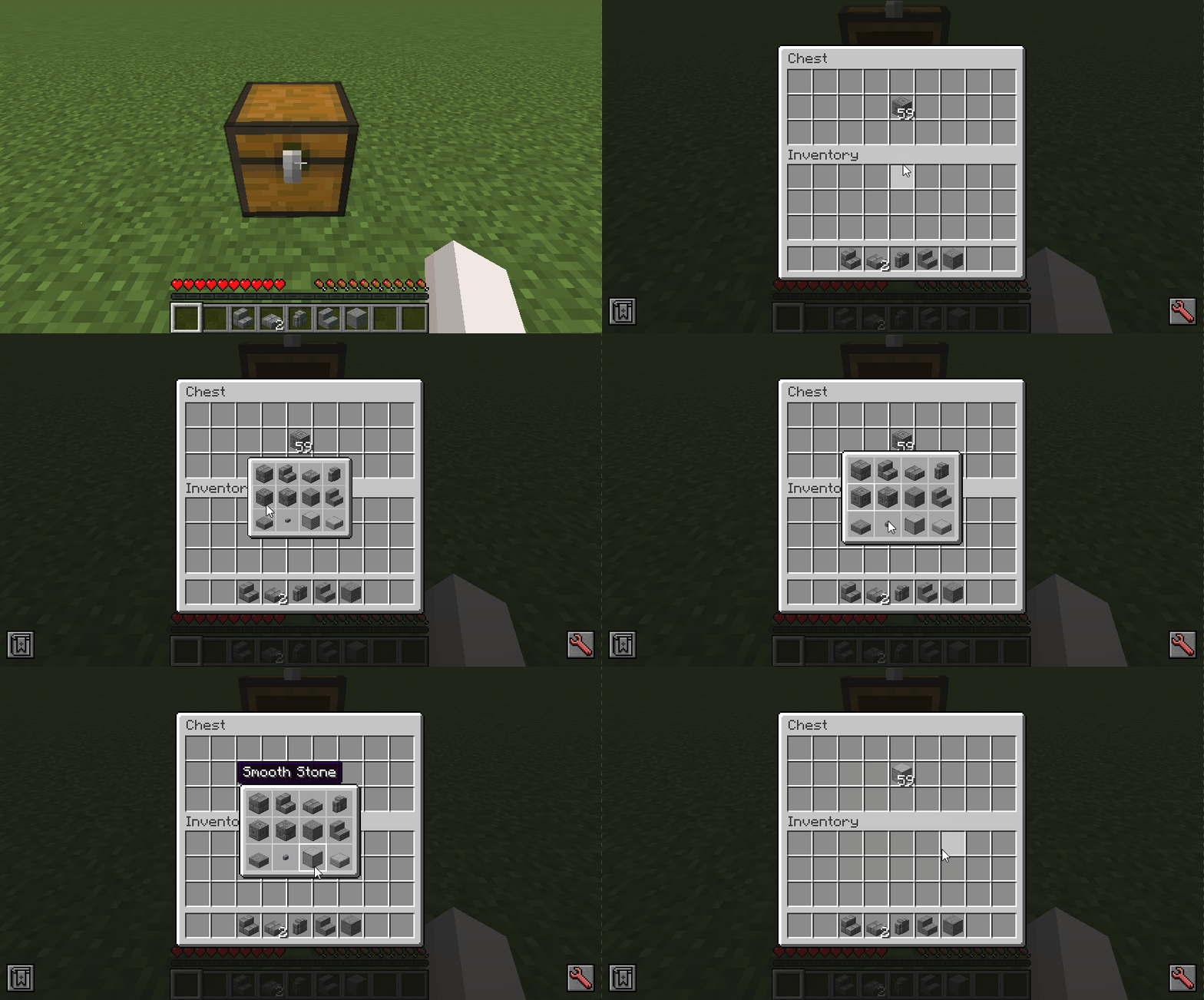
Note: Opening GUI in a container is not supported on Fabric
Project description from Modrinth.
Pick your setup
KSwitch by Minecraft version and loader
Choose the version and loader you play, then open the matching release.
Minecraft version
26.1.1
3 loader buildsMinecraft version
26.1
3 loader buildsMinecraft version
1.21.1
3 loader buildsMinecraft version
1.20.1
4 loader buildsMinecraft version
1.20
4 loader buildsCheck the dependencies, then try the file in a copied instance before changing a world you care about.
Recent files
KSwitch versions and loaders
2.0.0
KSwitch-2.0.0.jar
24 Jul 2026
Client Optional Server Optional Dependencies No extras listed Listed on Release listing
Check the 26.1.2 · Fabric setup 26.126.1.126.1.2Fabric release
1.0.1
KSwitch-1.0.1.jar
21 Aug 2025
Client Optional Server Optional Dependencies 1 required · 1 unchecked Listed on Release listing
Check the 26.1.2 · Fabric setup 1.21.126.126.1.126.1.2 release
0.0.2
KSwitch-0.0.2.jar
6 Aug 2024
Client Optional Server Optional Dependencies 2 required · 2 unchecked Listed on Release listing
Check the 1.20.1 · Fabric setup 1.201.20.1FabricForge release
0.0.1
KSwitch-0.0.1.jar
12 May 2024
Client Optional Server Optional Dependencies 1 required · 1 unchecked Listed on Release listing
Check the 1.20.1 · Forge setup 1.20.1ForgeNeoForge release
Looking for an older file? The official Modrinth project page is in Resources.
 mod
GitHub · Minecraft
modpacks-ch-github-test
Disposable public fixture for testing the Modpacks.ch GitHub catalogue flow
 mod
Modrinth · Minecraft
Wizards of Lua
Unlock the Magic of Lua Scripting in Minecraft 🌟 WoL adds the /lua command, allowing you to cast spells and interact with the game using the Lua programming language.
 mod
Modrinth · Minecraft
RGB blocks
Massive RGB building block palette for Minecraft