WalksyLib Needed by Custom Hitboxes 2.0.7-1.21.11
requiredMatching file found Matched file: 0.9.992+1.21.11

Modrinth · Minecraft mod
A complete overhaul of Minecraft's hitboxes
Quick answer
Custom Hitboxes 2.0.7-1.21.11 targets 1.21.11 with Fabric. The project page does not say whether this file belongs on the client, dedicated server, or both. All 1 required mods have matching files.
Where it goes
The project page does not say whether this file belongs on the client, dedicated server, or both.
The source does not explicitly classify this release as client-only or server-only.
2.0.7-1.21.11. Change the file and its required mods may change too.
Install WalksyLib first. We found matching files for this game-version and loader setup. 3 come through another mod in the chain.
3 extra mods were pulled in by other dependencies. Indented rows show who needs each one. We only count dependency files that match this setup. A file for another loader does not fill the gap.
Before you install it
Built for Custom Hitboxes 2.0.7-1.21.11. Pick another file and the loader, install side or required mods may change.
Use 2.0.7-1.21.11. It targets 1.21.11 with Fabric; another release may have different loader, side or dependency requirements.
Install WalksyLib first. We found matching files for this game-version and loader setup. 3 come through another mod in the chain.
The project page does not say whether this file belongs on the client, dedicated server, or both.
Use the “Get this file” button beside 2.0.7-1.21.11. It opens that exact file at the source.
About this project
This mod is a complete overhaul of minecraft's hitboxes, allowing you to customize them along with added functionalities, such as specific team colors per hitbox, or damage colors.
Config - Screenshots
Profile Config Screen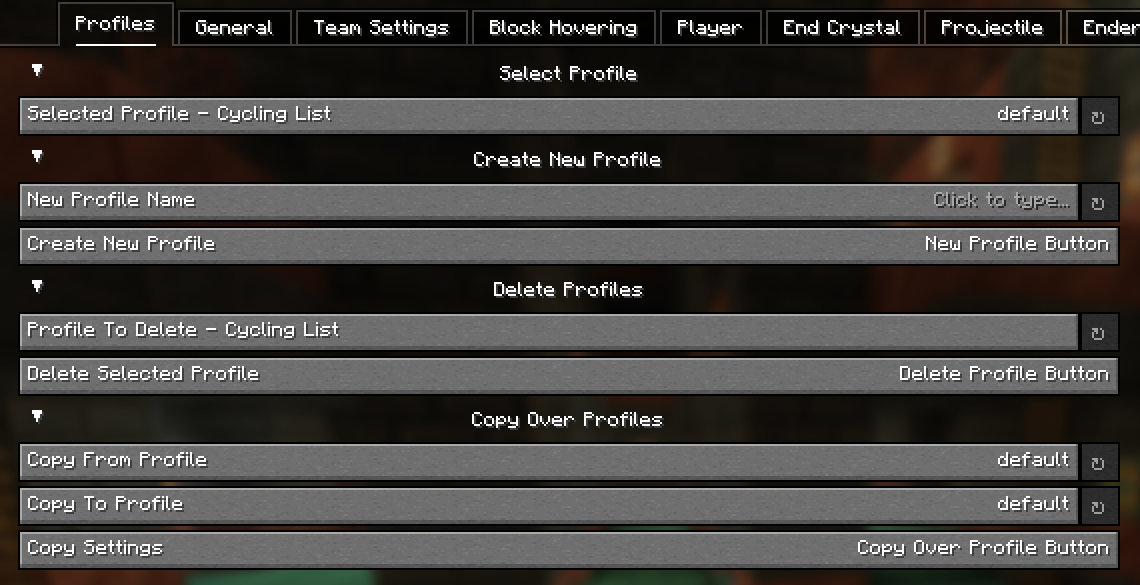
General Config Screen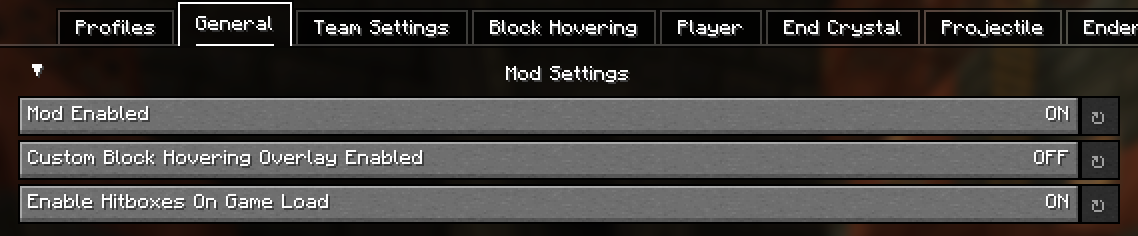
Team Config Screen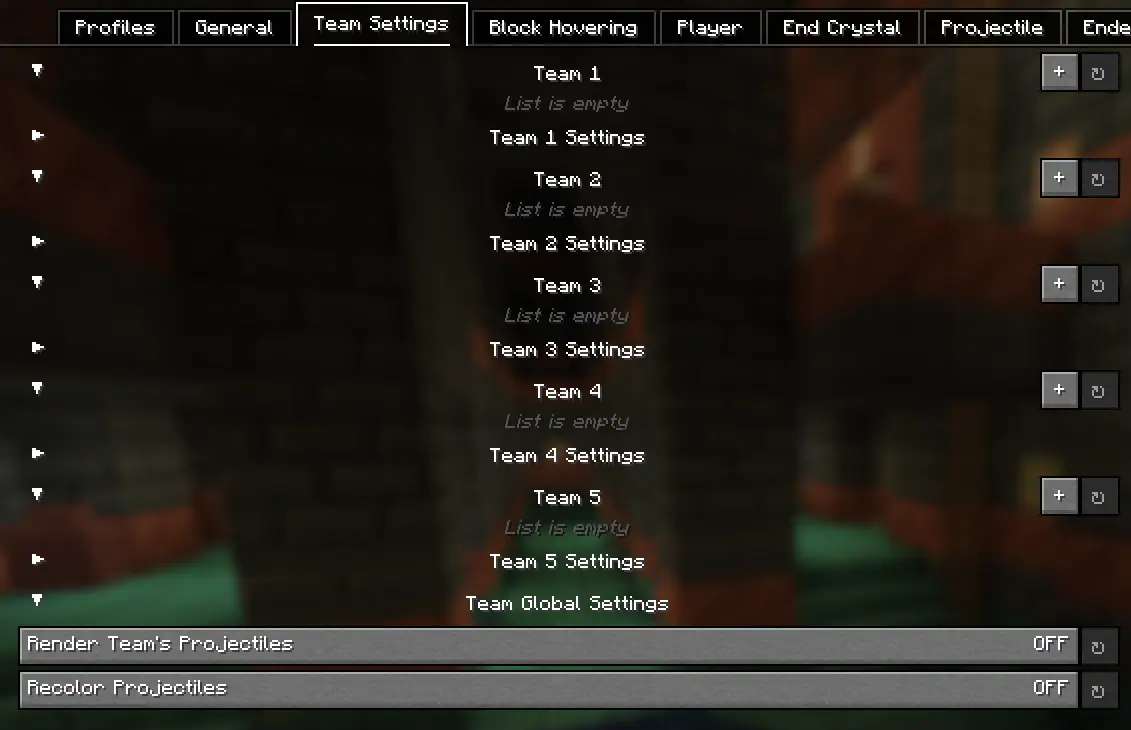
Block Hovering Config Screen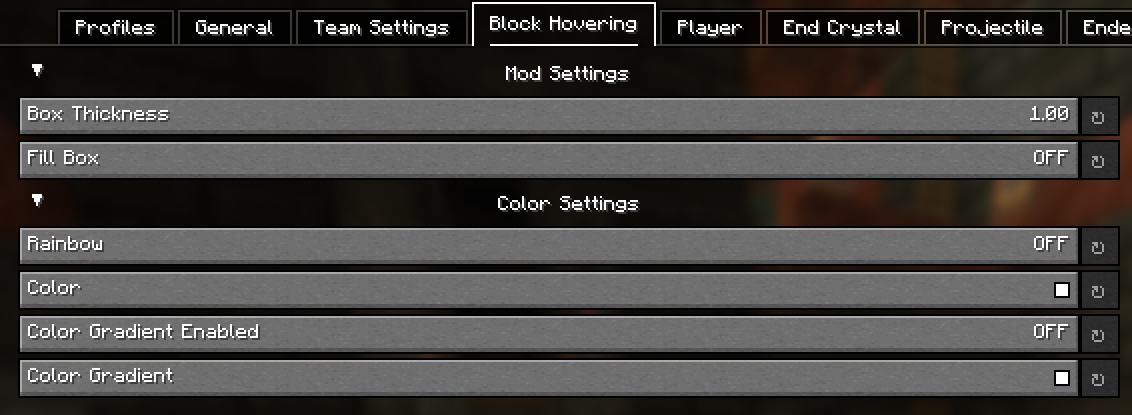
Player Config Screen
Entity Config Screens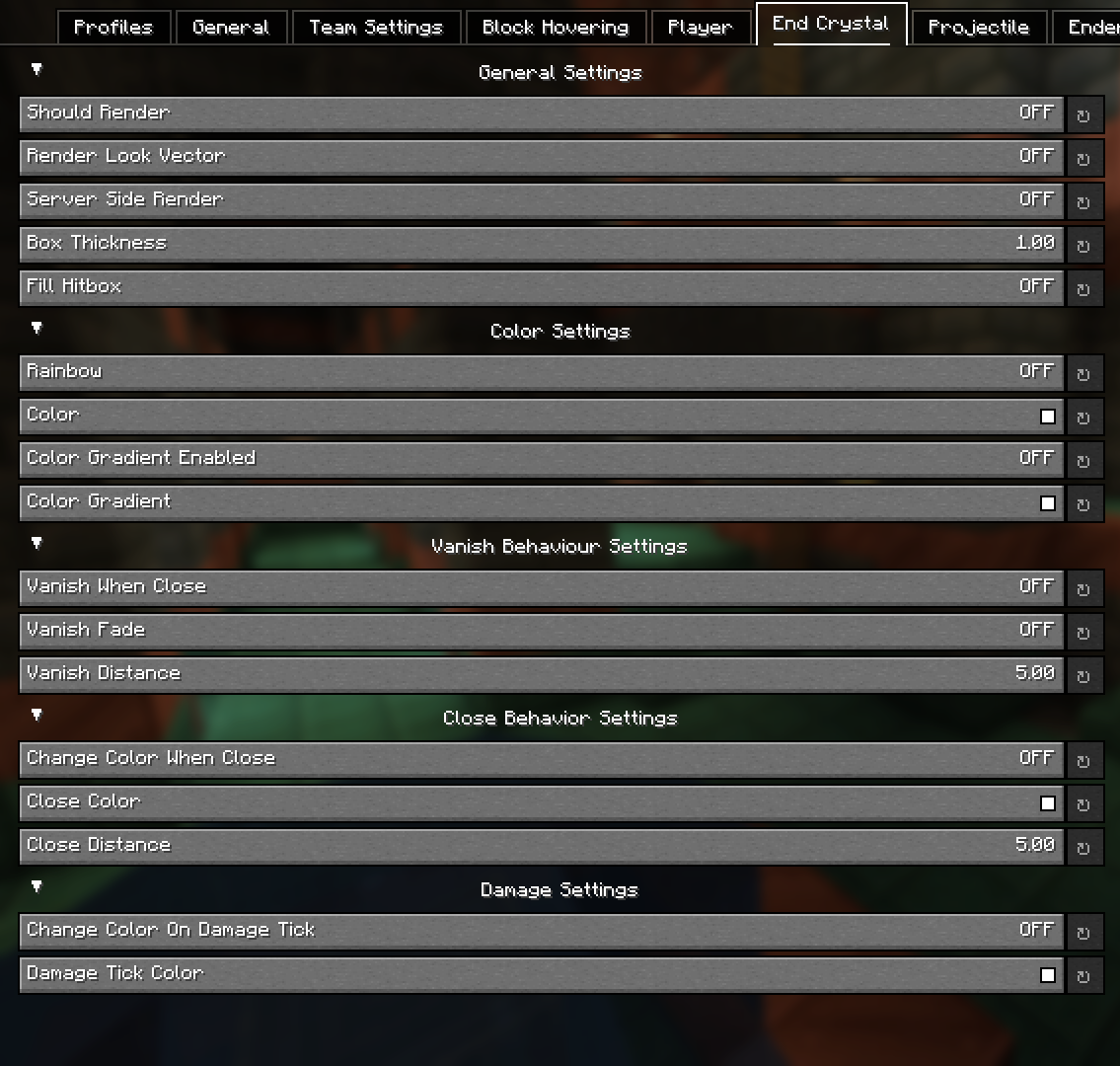
Config - Explained
Block Hovering Settings:
These settings allow you to customize the block overlay when you look at a specific block.
Team Settings:
The team settings allows you to input player usernames into a team category, which you can then customize to set colors for specific teams. This is extremely useful in teamfights for example. Player names are cap sensitive. These settings are linked to the Player settings.
Server-Side position settings:
This setting renders the hitbox where the entity is server side. This provides no advantage as entity interactions are determined by client-side calculations, so this can't be used for anything other than debugging / general curiosity.
Hitbox Vanishing (Idea from Pcrit)
This setting makes hitboxes disapear at a certain distance. This can reduce the clutter of hitboxes (such as end crystal or player hitboxes) at distances you want you pvp in. An additional setting to this is fading (vanish when close must be enabled), where the hitboxes don't simply just vanish but instead slowly fade as you get closer.
Hitbox Color Switching (Idea from NopzDaFlopper)
This setting, similar to hitbox vanishing, transitions between colors at certain distances from entities. As you get closer to a specific entity, it will change to your selected color.
Damage Colors
This setting changing the color of a hitbox if the entity is damaged (in a damage tick).
Colors
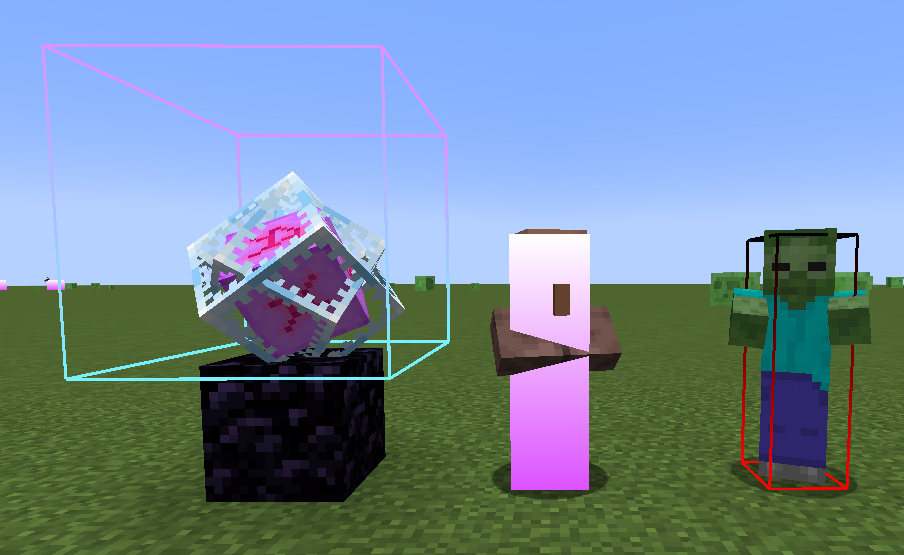
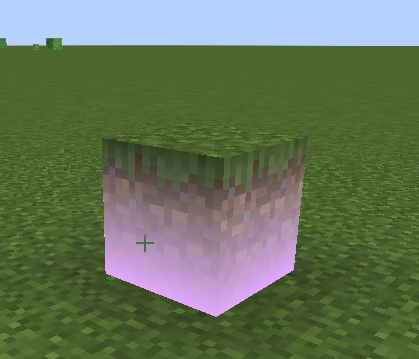
Allows you to customize the colors of the hitbox which also inculdes a gradient option and a rainbow setting. An example of gradient hitboxes are shown below:
Credits
Project description from Modrinth.
Pick your setup
Choose the version and loader you play, then open the matching release.
Check the dependencies, then try the file in a copied instance before changing a world you care about.
Recent files
CustomHitboxes-2.0.7-1.21.11.jar
27 Feb 2026
CustomHitboxes-2.0.6-1.21.11.jar
23 Feb 2026
CustomHitboxes-1.21.4.jar
1 May 2025
CustomHitboxes-1.21.3.jar
1 May 2025
CustomHitboxes-1.21.2.jar
1 May 2025
CustomHitboxes-1.21.1.jar
1 May 2025
CustomHitboxes-1.21.jar
1 May 2025
Looking for an older file? The official Modrinth project page is in Resources.
 mod
modBackporting minecraft features from 26.3 to the latest versions
 mod
modAdds a tier-quality system, item leveling, runic table for reroll attributes and more!
 mod
modSemi-realistic air raid sirens for disaster/emergency calls