Minecraft version
Back to mods 
Modrinth · Minecraft mod
BisectHosting Server Integration Menu
BisectHosting Server Ordering Menu
Choose a version Pick your version below, then grab the matching file.
Quick answer
Which BisectHosting Server Integration Menu release should I use?
Latest stable file 2.5.3
Game version 26.1, 26.1.1, 26.1.2
Loader NeoForge
BisectHosting Server Integration Menu 2.5.3 targets 26.1, 26.1.1, 26.1.2 with NeoForge. It must be installed on the client. Do not install it on the dedicated server. No extra mods listed for this file.
Where it goes
Is BisectHosting Server Integration Menu required on the client, server, or both?
It must be installed on the client. Do not install it on the dedicated server.
Client Required
Dedicated server Not supported
Loader for this release NeoForge
Required install it here Optional supported, not mandatory Not supported do not install here Source doesn’t say do not assume
This file is marked client-only.
What else does BisectHosting Server Integration Menu 2.5.3 need?
2.5.3. Change the file and its required mods may change too.
This file does not list any required mods. Do not add a library just because a different file uses it.
This file does not list any required or optional mods.
Before you install it
Add BisectHosting Server Integration Menu without breaking your instance.
Built for BisectHosting Server Integration Menu 2.5.3. Pick another file and the loader, install side or required mods may change.
- 01
Stick to this file
Use 2.5.3. It targets 26.1, 26.1.1, 26.1.2 with NeoForge; another release may have different loader, side or dependency requirements.
- 02
Bring the mods it needs
This file does not list any required mods. Do not add a library just because a different file uses it.
- 03
Put it on the correct side
It must be installed on the client. Do not install it on the dedicated server.
- 04
Pick the file you checked
Use the “Get this file” button beside 2.5.3. It opens that exact file at the source.
About this project
What does BisectHosting Server Integration Menu add?
Introducing the BisectHosting Server Integration Mod! Adding this to your modpack will allow your players to customize and purchase a server directly within the mulitplayer menu! As of V2.0 -- we have added NEW features to list your official server on our public server list!
This mod is intended for BisectHosting Official Partners.
Apply for the Partnership Program.

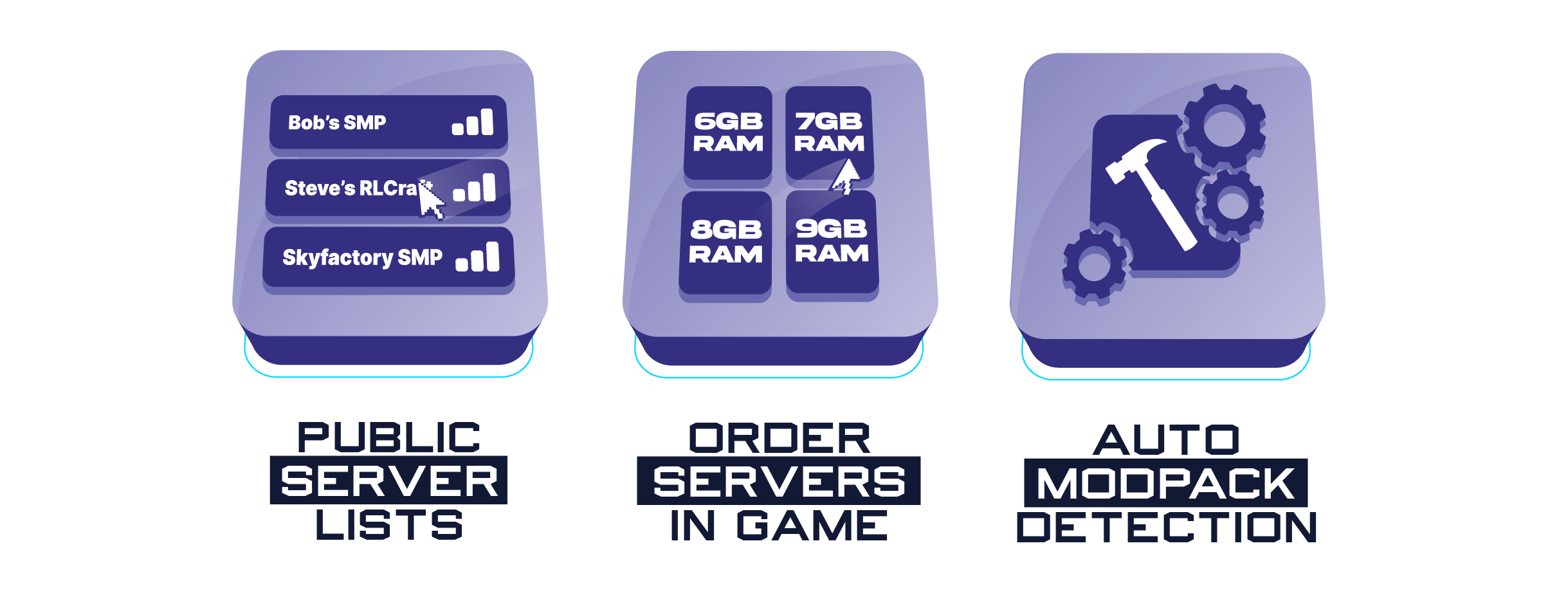
The BH Menu addon is not just a integration mod but comes with some pretty awesome features as well:
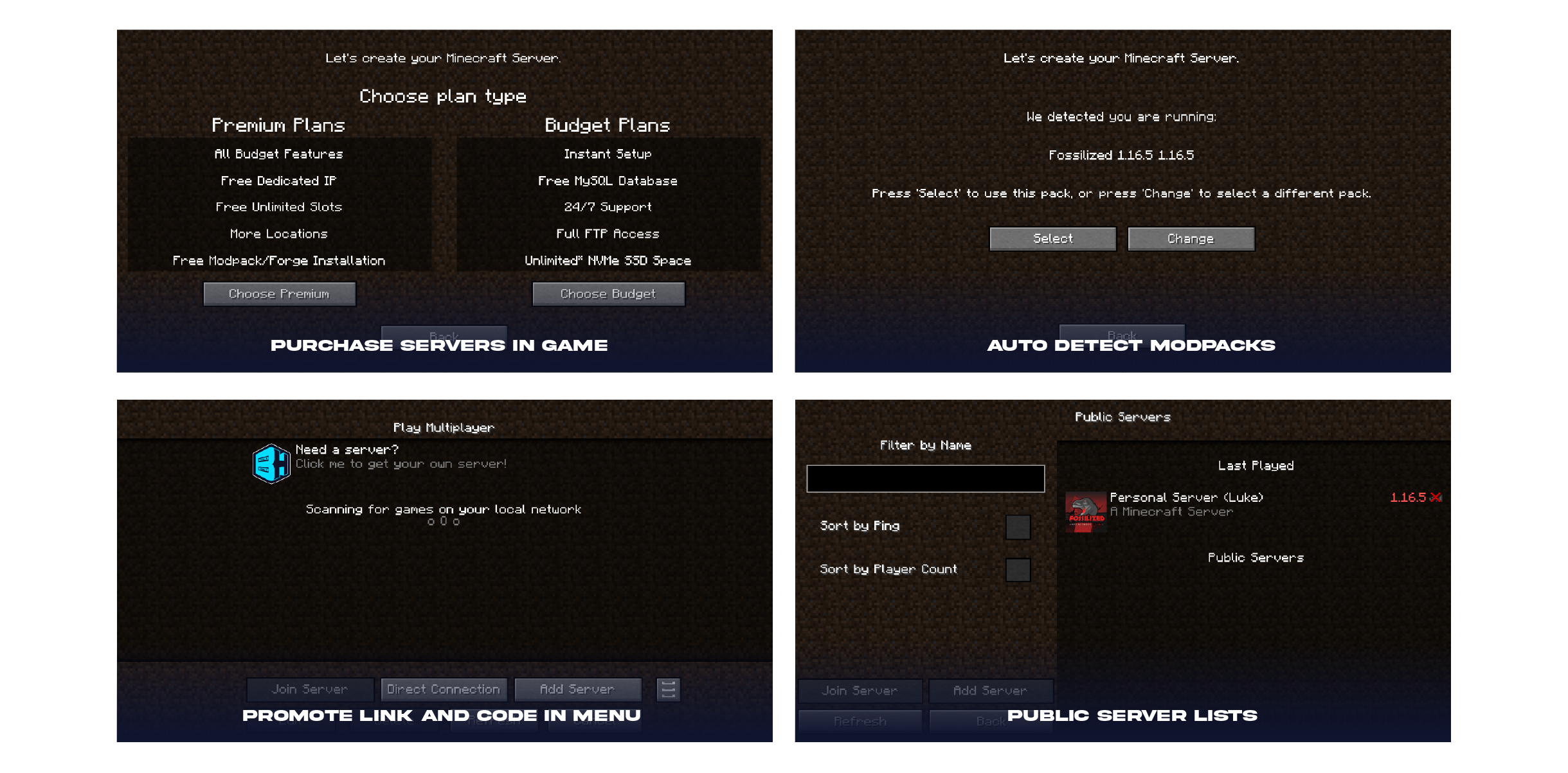
📌Public Server Lists (NEW) - When enabled, BisectHosting players can list their modpacks servers as public for anyone to join!
📌Order Servers In Game - Players can purchase servers directly inside the launcher allowing them to pick ram, player slots, and more!
📌Auto Modpack Detection - When players go to purchase a server, it will automatically detect the modpack and suggest the best fit server for their needs! As a BH Partner, you will receive commission from each purchased server!
You can find your Partner ID and Modpack ID by visiting https://bisecthosting.com/partners/console.php
(You must log in to the billing panel to authenticate webpage)

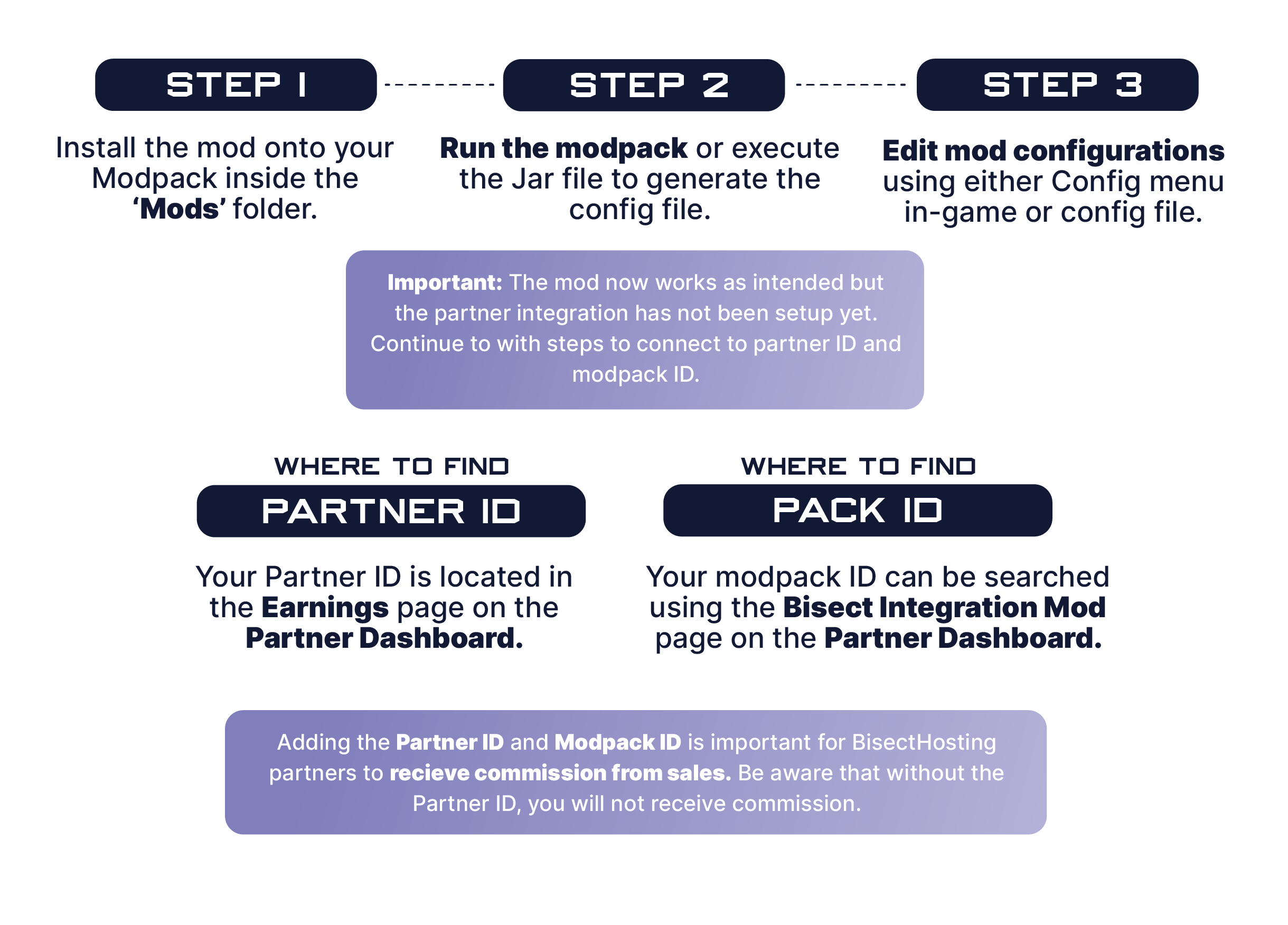
1️⃣ | Step 1. Install the mod onto your Modpack inside the 'Mods' folder.
2️⃣ | Step 2. Run the modpack or execute the Jar file to generate the config file.
3️⃣ | Step 3. Edit mod configurations using either Config menu in game or config file.
🧷 | Where to find Partner ID: Your Partner ID is located in the Earnings page on the Partner Dashboard
🧷 | Where to find Pack ID: Your modpack ID can be searched using the Bisect Integration Mod page on the Partner Dashboard.

The BisectHosting Integration mod is a combination of custom multiplayer oriented features for your players to purchase servers, list servers on our public server list, and suggest the best plan based on the modpack being played.
The mod takes your Partner ID and Pack ID (partner information) and suggests the best ram and plan for players to start a server in the matter of minutes. Once a server is purchased, the partner will receive commission based on their partnership agreement.
Questions? Contact your designated Partner Manager.

Need help?
❓How to setup the BisectHosting Server Integration Mod❓ ❓How to enable Public Server Lists for a modpack❓ ❓How to add a modpack server to the Public Server List❓
Project description from Modrinth.
Pick your setup
BisectHosting Server Integration Menu by Minecraft version and loader
Choose the version and loader you play, then open the matching release.
Minecraft version
26.1.1
3 loader buildsMinecraft version
26.1
3 loader buildsMinecraft version
1.21.11
3 loader buildsMinecraft version
1.21.10
3 loader buildsMinecraft version
1.21.9
3 loader buildsMinecraft version
1.21.8
3 loader buildsMinecraft version
1.21.7
3 loader buildsMinecraft version
1.21.6
3 loader buildsMinecraft version
1.21.5
2 loader buildsMinecraft version
1.21.4
3 loader buildsMinecraft version
1.21.3
2 loader buildsShowing the newest 12 of 41 game versions. Older files are in the list below.
Check the dependencies, then try the file in a copied instance before changing a world you care about.
Recent files
BisectHosting Server Integration Menu versions and loaders
2.5.3
BHMenu-NeoForge-26.1-2.4.4.jar
1 May 2026
Client Required Server Not supported Dependencies No extras listed Listed on Release listing
Check the 26.1.2 · NeoForge setup 26.126.1.126.1.2NeoForge release
2.5.3
BHMenu-Forge-26.1-2.5.3.jar
1 May 2026
Client Required Server Not supported Dependencies No extras listed Listed on Release listing
Check the 26.1.2 · Forge setup 26.126.1.126.1.2Forge release
2.5.3
BHMenu-Fabric-26.1-2.5.3.jar
1 May 2026
Client Required Server Not supported Dependencies No extras listed Listed on Release listing
Check the 26.1.2 · Fabric setup 26.126.1.126.1.2Fabric release
2.4.4
BHMenu-NeoForge-1.21.11-2.4.4.jar
23 Feb 2026
Client Required Server Not supported Dependencies No extras listed Listed on Release listing
Check the 1.21.11 · NeoForge setup 1.21.11NeoForge release
2.5.3
BHMenu-Forge-1.21.11-2.5.3.jar
23 Feb 2026
Client Required Server Not supported Dependencies No extras listed Listed on Release listing
Check the 1.21.11 · Forge setup 1.21.11Forge release
2.5.3
BHMenu-Fabric-1.21.11-2.5.3.jar
23 Feb 2026
Client Required Server Not supported Dependencies No extras listed Listed on Release listing
Check the 1.21.11 · Fabric setup 1.21.11Fabric release
2.4.4
BHMenu-NeoForge-1.21.9-2.4.4.jar
11 Dec 2025
Client Required Server Not supported Dependencies No extras listed Listed on Release listing
Check the 1.21.10 · NeoForge setup 1.21.91.21.10NeoForge release
2.5.4
BHMenu-Forge-1.21.9-2.5.4.jar
11 Dec 2025
Client Required Server Not supported Dependencies No extras listed Listed on Release listing
Check the 1.21.10 · Forge setup 1.21.91.21.10Forge release
2.5.3
BHMenu-Fabric-1.21.9-2.5.3.jar
11 Dec 2025
Client Required Server Not supported Dependencies No extras listed Listed on Release listing
Check the 1.21.10 · Fabric setup 1.21.91.21.10Fabric release
2.5.3
BHMenu-Forge-1.21.6-2.5.3.jar
11 Nov 2025
Client Required Server Not supported Dependencies No extras listed Listed on Release listing
Check the 1.21.8 · Forge setup 1.21.61.21.71.21.8Forge release
2.5.3
BHMenu-Forge-1.21.5-2.5.3.jar
11 Nov 2025
Client Required Server Not supported Dependencies No extras listed Listed on Release listing
Check the 1.21.5 · Forge setup 1.21.5Forge release
2.5.3
BHMenu-Forge-1.21.4-2.5.3.jar
11 Nov 2025
Client Required Server Not supported Dependencies No extras listed Listed on Release listing
Check the 1.21.4 · Forge setup 1.21.4Forge release
Looking for an older file? The official Modrinth project page is in Resources.
 mod
mod Modrinth · Minecraft
emotecraft fix animate texture
Some texture packs glitch when used with Emotecraft. This mod fixes that.
 mod
mod Modrinth · Minecraft
Client Craft MK4
Disclosure: The code for this mod was 100% AI generated. A fully client-side mod that automatically scans your inventory and displays every item you are currently able to craft.
 mod
mod Modrinth · Minecraft
Enhanced Darkness
Realistic darkness: pitch-black caves and truly dark nights, with the sky, fog and clouds darkened too, so silhouettes won't save you. Optional moonlight that follows the real moon phase. Client-side horror mod, every setting live in game.