Cloth Config API Optional for Scribble 1.6.7+mc1.21.11-neoforge
optionalMatching file found Matched file: 21.11.153+neoforge
Modrinth · Minecraft mod
Expertly edit your books with rich formatting options, page utilities and more!
Quick answer
Scribble 1.6.7+mc1.21.11-neoforge targets 1.21.11 with NeoForge. It must be installed on the client. Do not install it on the dedicated server. No extra mods listed for this file.
Where it goes
It must be installed on the client. Do not install it on the dedicated server.
This file is marked client-only.
1.6.7+mc1.21.11-neoforge on 1.21.11 NeoForge. Every mod below is checked against that same setup.
This file does not list any required mods. Do not add a library just because a different file uses it.
We only count dependency files that match this setup. A file for another loader does not fill the gap.
Before you install it
Built for Scribble 1.6.7+mc1.21.11-neoforge on 1.21.11 NeoForge. Pick another file and the loader, install side or required mods may change.
Use 1.6.7+mc1.21.11-neoforge. It targets 1.21.11 with NeoForge; another release may have different loader, side or dependency requirements.
This file does not list any required mods. Do not add a library just because a different file uses it.
It must be installed on the client. Do not install it on the dedicated server.
Use the “Get this file” button beside 1.6.7+mc1.21.11-neoforge. It opens that exact file at the source.
About this project
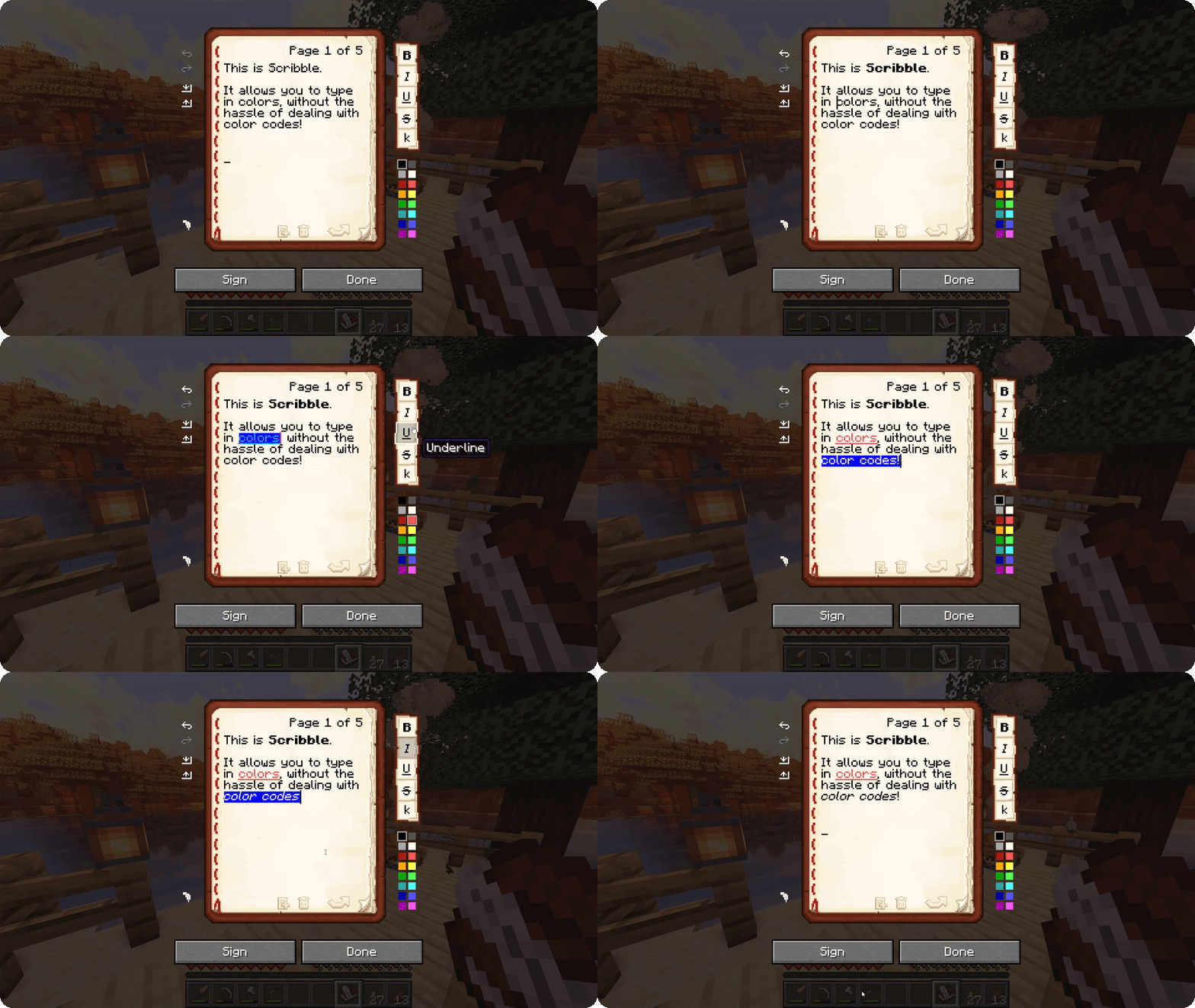
Scribble is a client-side mod to make editing books easier! It comes with a bunch of quality-of-life features,
allowing you to precisely manage pages in your book, format text using colors and various modifiers, save/load your
books to keep a backup, and much more! And the best thing is, everyone else on the server can see this, even if they
don't have the mod themselves!
By default, Scribble intentionally keeps very close to vanilla. It doesn't change any behaviour, but takes the intended
book experience, and just sprinkles some nice-to-haves on top. Every single feature is configurable, Scribble gives
you
options when you want it to, and stays out of your way when you need it to.
But there's more! Scribble comes with lots of little features here and there:
Project description from Modrinth.
Pick your setup
Choose the version and loader you play, then open the matching release.
Showing the newest 12 of 22 game versions. Older files are in the list below.
Check the dependencies, then try the file in a copied instance before changing a world you care about.
Recent files
Scribble-2.0.0-beta2+mc1.21.11-neoforge.jar
24 Jan 2026
Scribble-2.0.0-beta1+mc1.21.11-neoforge.jar
28 Dec 2025
Scribble-1.6.7+mc1.21.11-neoforge.jar
10 Dec 2025
Looking for an older file? The official Modrinth project page is in Resources.
 mod
modAn unofficially maintained continuation of the BetterX Team's utility library for Fabric and NeoForge, designed to streamline common modding tasks, especially those related to world generation
 mod
modAn unofficially maintained continuation of BCLib for Fabric and NeoForge, providing core utilities and shared functionality for BetterX mods
 mod
modThis mod is a remake of Old Mod TofuCraft made by tsuteto add soybean As a new all-purpose food!