Minecraft version
Back to mods 
Modrinth · Minecraft mod
Smootheez Config Lib
Config library mod for all of my mods
Choose a version Pick your version below, then grab the matching file.
Quick answer
Which Smootheez Config Lib release should I use?
Latest stable file 0.2.2-1.20.2
Game version 1.20.2
Loader Fabric
Smootheez Config Lib 0.2.2-1.20.2 targets 1.20.2 with Fabric. It must be installed on the client. Do not install it on the dedicated server. No extra mods listed for this file.
Where it goes
Is Smootheez Config Lib required on the client, server, or both?
It must be installed on the client. Do not install it on the dedicated server.
Client Required
Dedicated server Not supported
Loader for this release Fabric
Required install it here Optional supported, not mandatory Not supported do not install here Source doesn’t say do not assume
This file is marked client-only.
What else does Smootheez Config Lib 0.2.2-1.20.2 need?
0.2.2-1.20.2. Change the file and its required mods may change too.
This file does not list any required mods. Do not add a library just because a different file uses it.
This file does not list any required or optional mods.
Before you install it
Add Smootheez Config Lib without breaking your instance.
Built for Smootheez Config Lib 0.2.2-1.20.2. Pick another file and the loader, install side or required mods may change.
- 01
Stick to this file
Use 0.2.2-1.20.2. It targets 1.20.2 with Fabric; another release may have different loader, side or dependency requirements.
- 02
Bring the mods it needs
This file does not list any required mods. Do not add a library just because a different file uses it.
- 03
Put it on the correct side
It must be installed on the client. Do not install it on the dedicated server.
- 04
Pick the file you checked
Use the “Get this file” button beside 0.2.2-1.20.2. It opens that exact file at the source.
About this project
What does Smootheez Config Lib add?
📦 Smootheez Config Lib (SCL)
A utility mod designed to simplify configuration handling for Minecraft modding.
Primarily developed for my own mods, but freely available for public use.
❓ What is SCL?
Smootheez Config Lib (SCL) provides an easier and cleaner way to manage configurations for Minecraft mods.
It removes boilerplate and offers a simple interface for:
- ✅ Config file management
- 🛠️ Automatic config screen generation
- ⚙️ Automatic config file generation
🖼️ In-Game Previews
🔧 Standard Config Screen
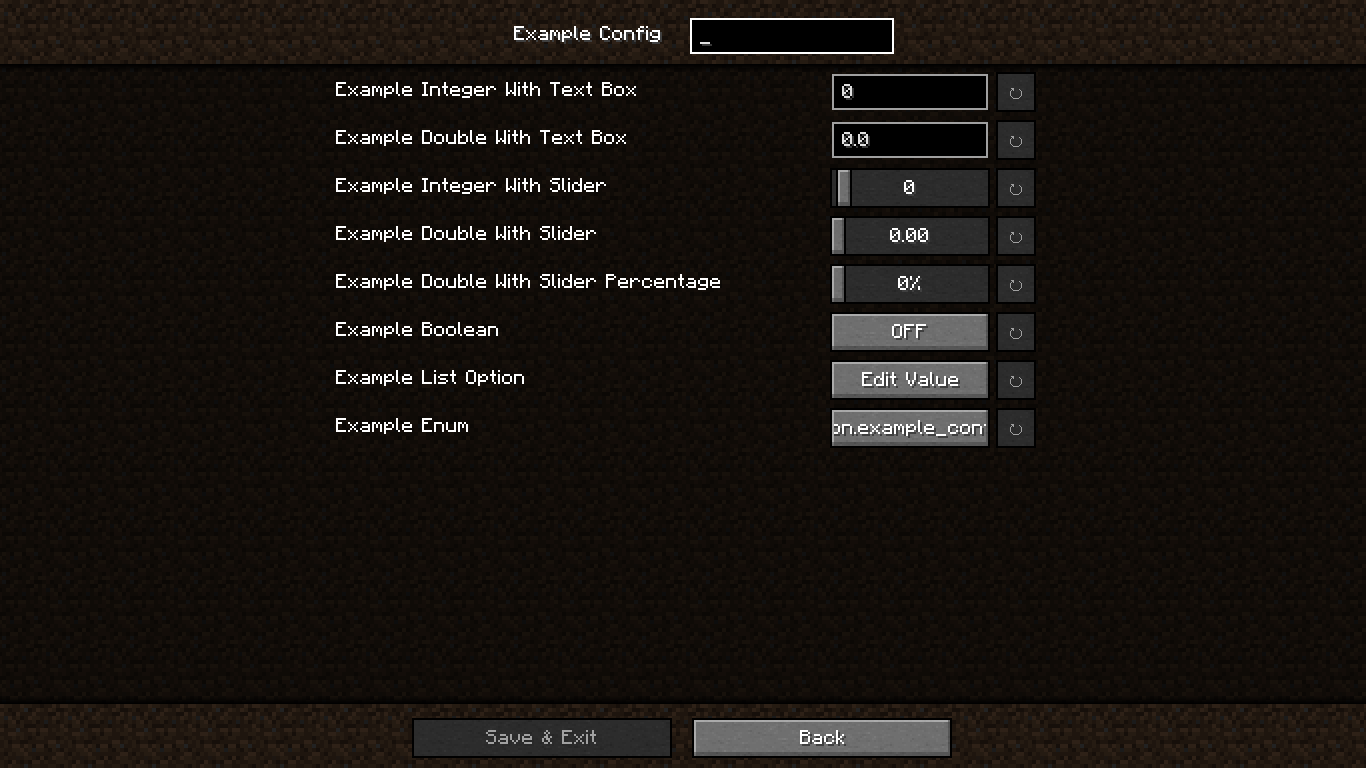
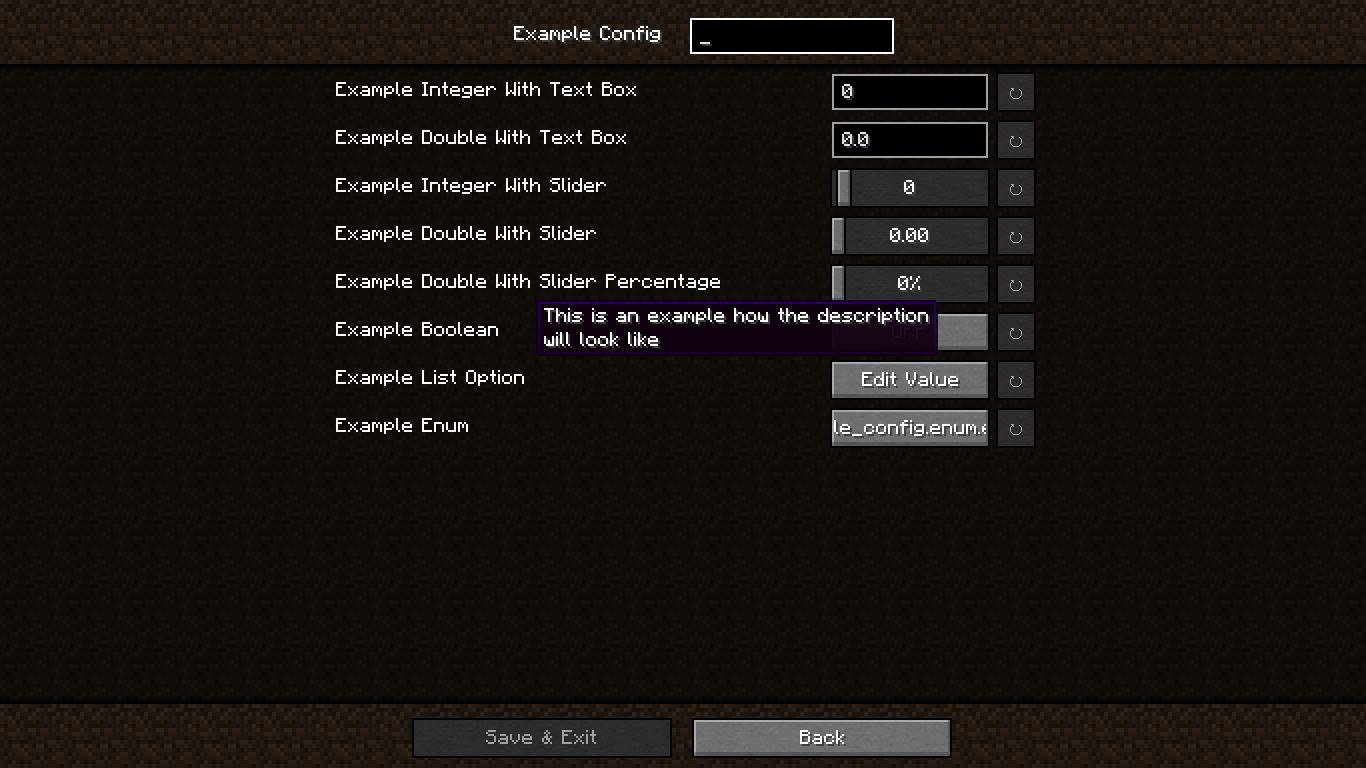
📝 Config Screen with Descriptions
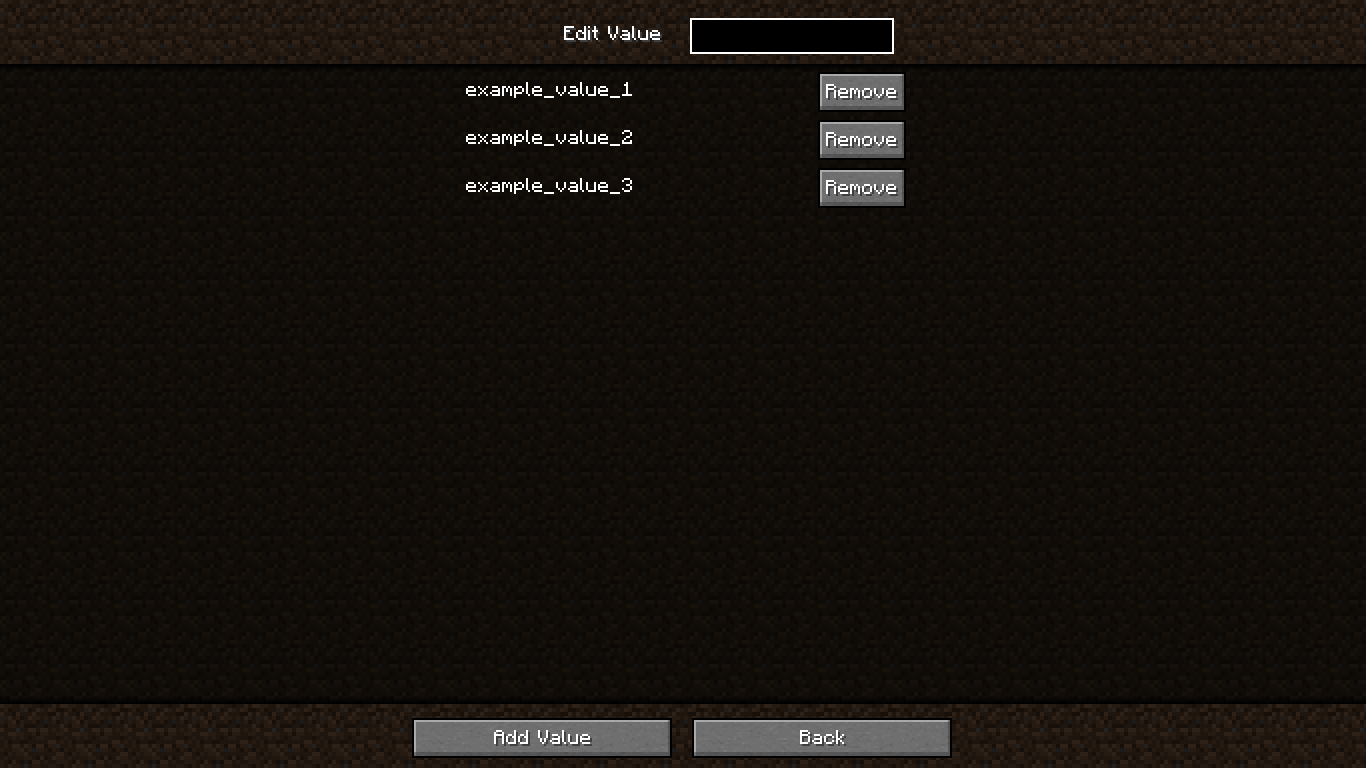
🗂️ Edit Value in OptionList
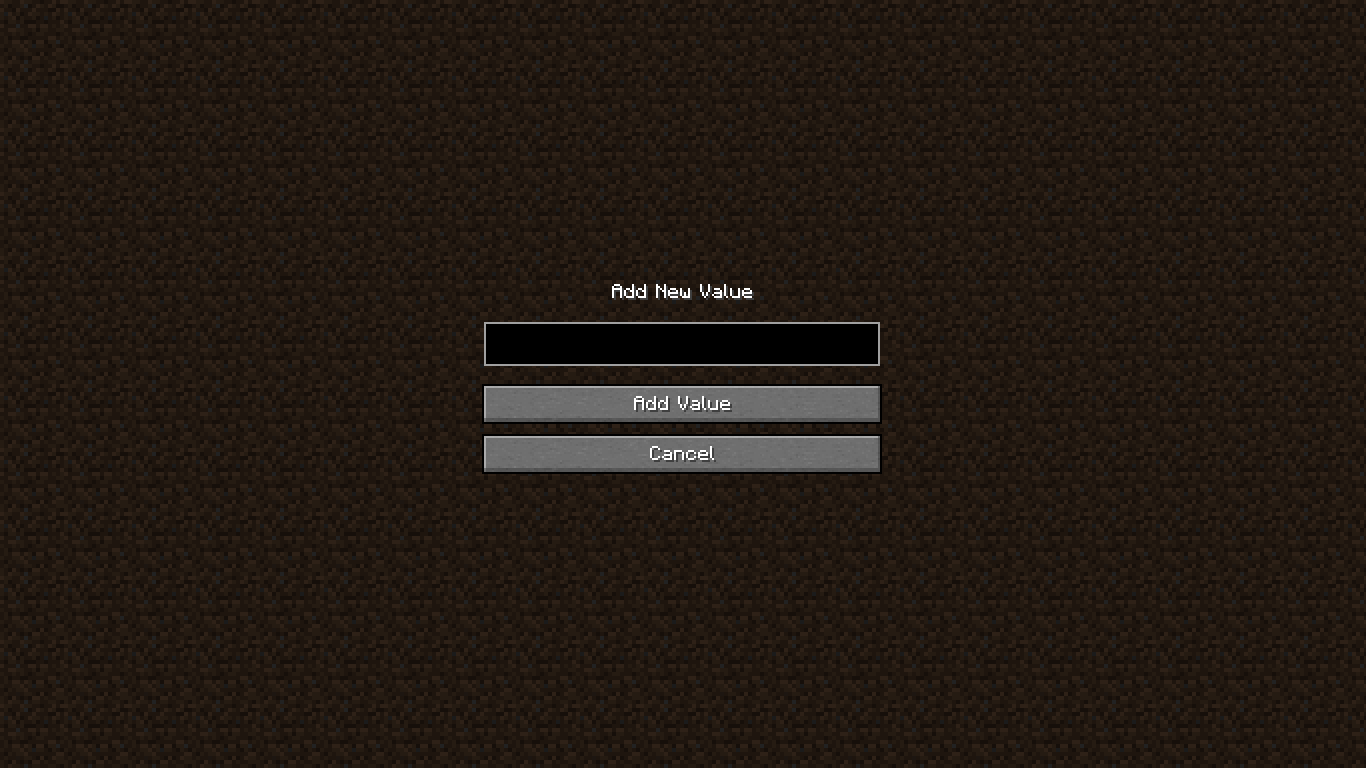
➕ Add Value to OptionList
❗ Confirmation Screen
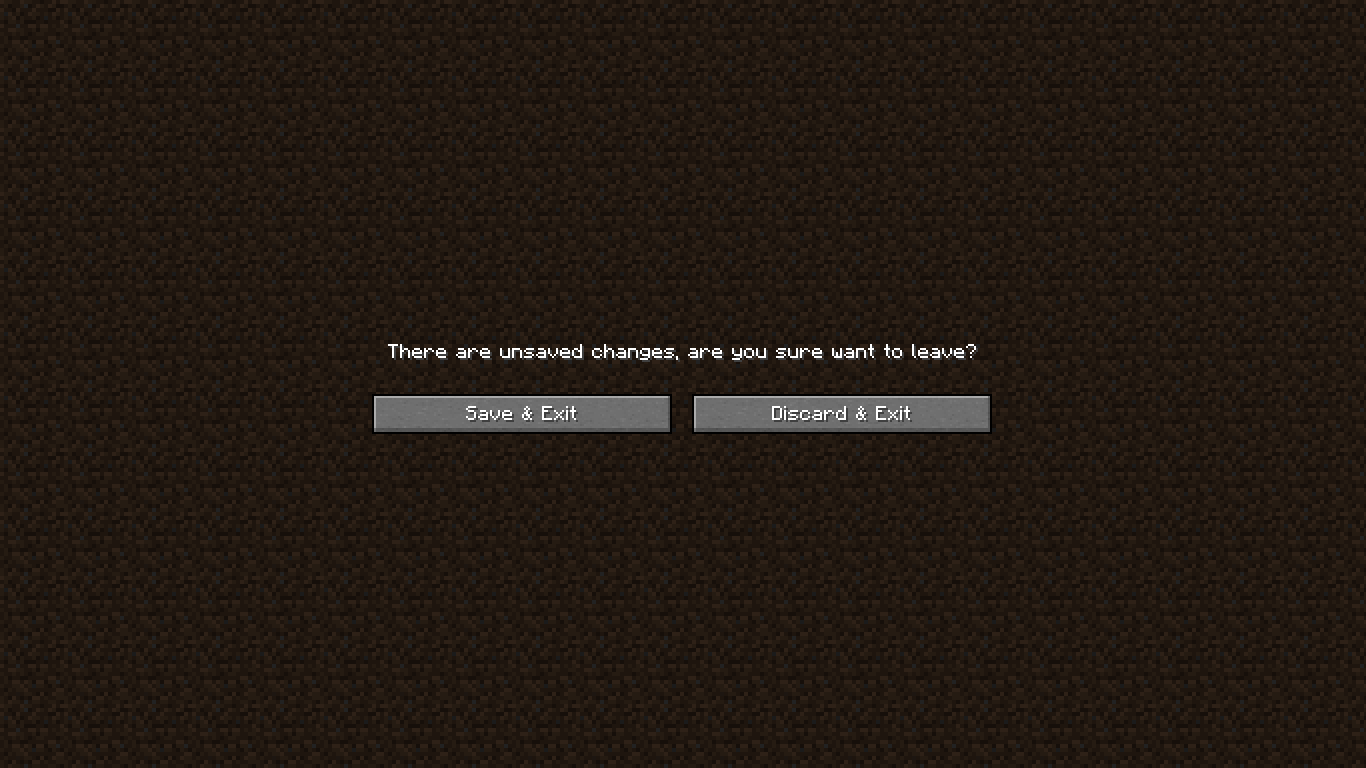
🚀 Getting Started
🏗️ Step 1 – Add Repository
In your build.gradle:
repositories {
    maven {
        url "https://jitpack.io"
    }
}
📦 Step 2 – Add Dependency
Using version from gradle.properties:
dependencies {
    modImplementation "com.github.smootheez:scl:${project.scl_version}"
}
Or use the version directly:
dependencies {
    modImplementation "com.github.smootheez:scl:[version]"
}
💡 Example Usage
🧱 Step 1 – Create a Config Class
@Config(name = "example_config", gui = true)
public class ExampleConfig {
    public static final ConfigOption<Integer> INT_TEXT = ConfigOption.create("intText", 0, -5, 100);
    public static final ConfigOption<Double> DOUBLE_TEXT = ConfigOption.create("doubleText", 0.0, 0.0, 2.0);
    public static final ConfigOption<Integer> INT_SLIDER = ConfigOption.create("intSlider", 0, -5, 100).asSlider();
    public static final ConfigOption<Double> DOUBLE_SLIDER = ConfigOption.create("doubleSlider", 0.0, 0.0, 2.0).asSlider();
    public static final ConfigOption<Double> DOUBLE_SLIDER_PERCENTAGE = ConfigOption.create("doubleSliderPercentage", 0.0, 0.0, 2.0).asSliderPercentage();
    public static final ConfigOption<Boolean> BOOLEAN = ConfigOption.create("boolean", false);
    public static final ConfigOption<OptionList> LIST = ConfigOption.create("list", "example_value_1", "example_value_2", "example_value_3");
    public static final ConfigOption<ExampleEnum> ENUM = ConfigOption.create("enum", ExampleEnum.EXAMPLE_VALUE_1);
}
🧩 Step 2 – Register the Config
In your fabric.mod.json:
"entrypoints": {
    // ...existing entrypoints
    "scl": [
        "dev.smootheez.scl.example.ExampleConfig"
    ]
}
✅ That's it!
SCL will automatically generate:
- The config file
- The config screen (requires
ModMenu)
📌 Note:
The config screen will only be generated if:
gui = trueis set- The config
namematches your mod ID
📥 Download

🐞 Issue Tracker
Found a bug or have a feature suggestion?
Submit an issue here: GitHub Issues
⚠️ Important Notes
- ✅ Compatible with Minecraft 1.20.1+
- 📜 Licensed under the MIT License
☕ Support Me
If you find this project helpful and want to support my work, consider donating:


Project description from Modrinth.
Pick your setup
Smootheez Config Lib by Minecraft version and loader
Choose the version and loader you play, then open the matching release.
Minecraft version
1.21.7
1 loader buildMinecraft version
1.21.6
1 loader buildMinecraft version
1.21.5
1 loader buildMinecraft version
1.21.4
1 loader buildMinecraft version
1.21.3
1 loader buildMinecraft version
1.21.2
1 loader buildMinecraft version
1.21.1
1 loader buildMinecraft version
1.21
1 loader buildMinecraft version
1.20.6
1 loader buildMinecraft version
1.20.5
1 loader buildMinecraft version
1.20.4
1 loader buildShowing the newest 12 of 15 game versions. Older files are in the list below.
Check the dependencies, then try the file in a copied instance before changing a world you care about.
Recent files
Smootheez Config Lib versions and loaders
0.2.2-1.20.2
scl-0.2.2-1.20.2.jar
30 Jul 2025
Client Required Server Not supported Dependencies No extras listed Listed on Release listing
Check the 1.20.2 · Fabric setup 1.20.2Fabric release
0.2.1-1.21.6
scl-0.2.1-1.21.6.jar
15 Jul 2025
Client Required Server Not supported Dependencies No extras listed Listed on Release listing
Check the 1.21.8 · Fabric setup 1.21.61.21.71.21.8Fabric release
0.2.0-1.21.6
scl-0.2.0-1.21.6.jar
15 Jul 2025
Client Required Server Not supported Dependencies No extras listed Listed on Release listing
Check the 1.21.8 · Fabric setup 1.21.61.21.71.21.8Fabric release
0.1.9-1.20.5
scl-0.1.9-1.20.5.jar
13 Jul 2025
Client Required Server Not supported Dependencies No extras listed Listed on Release listing
Check the 1.21.5 · Fabric setup 1.20.51.20.61.211.21.1 release
0.1.8-1.20.3
scl-0.1.8-1.20.3.jar
13 Jul 2025
Client Required Server Not supported Dependencies No extras listed Listed on Release listing
Check the 1.20.4 · Fabric setup 1.20.31.20.4Fabric release
0.1.7-1.20.2
scl-0.1.7-1.20.2.jar
13 Jul 2025
Client Required Server Not supported Dependencies No extras listed Listed on Release listing
Check the 1.20.2 · Fabric setup 1.20.2Fabric release
0.1.6-1.20.1
scl-0.1.6-1.20.1.jar
8 Jul 2025
Client Required Server Not supported Dependencies No extras listed Listed on Release listing
Check the 1.20.1 · Fabric setup 1.20.1Fabric release
0.1.5-1.20.5
scl-0.1.5-1.20.5.jar
12 Apr 2025
Client Required Server Not supported Dependencies No extras listed Listed on Release listing
Check the 1.21.5 · Fabric setup 1.20.51.20.61.211.21.1 release
0.1.4-1.20.3
scl-0.1.4-1.20.3.jar
11 Apr 2025
Client Required Server Not supported Dependencies No extras listed Listed on Release listing
Check the 1.20.4 · Fabric setup 1.20.31.20.4Fabric release
0.1.3-1.20.2
scl-0.1.3-1.20.2.jar
8 Apr 2025
Client Required Server Not supported Dependencies No extras listed Listed on Release listing
Check the 1.20.2 · Fabric setup 1.20.2Fabric release
0.1.2-1.20.2
scl-0.1.2-1.20.2.jar
6 Apr 2025
Client Required Server Not supported Dependencies No extras listed Listed on Release listing
Check the 1.20.2 · Fabric setup 1.20.2Fabric release
0.1.1-1.20.1
scl-0.1.1-1.20.1.jar
7 Mar 2025
Client Required Server Not supported Dependencies No extras listed Listed on Release listing
Check the 1.20.2 · Fabric setup 1.20.11.20.2Fabric release
Looking for an older file? The official Modrinth project page is in Resources.
 mod
mod CurseForge + Modrinth · Minecraft
Enhanced Anvils
Allows you to use colors / fonts and set lore when renaming items in an anvil.
 mod
mod CurseForge · Minecraft
SandStorm
A planetary survival, industrial automation, and atmospheric terraforming tech mod set in a hostile desert world populated by colossal sandworms.
 mod
mod CurseForge · Minecraft
Biome Palette!
Paint your world!