Vintage Story version
Back to mods 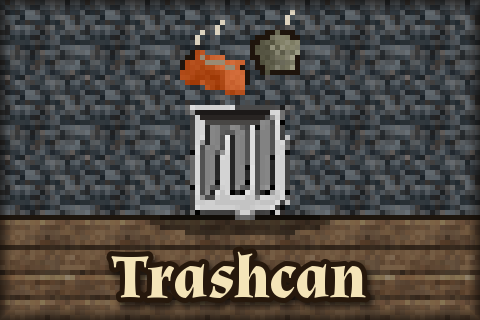
Vintage Story Mod DB · Vintage Story mod
VsTrashcan
A client and server mod which adds a trash window next to your inventory. Install it on the server and on every client. When upgrading from 1.0.x, delete the old zip first. Trash slot Drop items on it to trash them. Left click trashes the held stack, right cl
Choose a version Pick your version below, then grab the matching file.
Quick answer
Which VsTrashcan release should I use?
Latest stable file 1.1.0
Game version 1.22.7
Loader Built-in Vintage Story mod system
VsTrashcan 1.1.0 targets 1.22.7. It must be installed on the client. Installation on the dedicated server is optional. No extra mods listed for this file.
Where it goes
Is VsTrashcan required on the client, server, or both?
It must be installed on the client. Installation on the dedicated server is optional.
Client Required
Dedicated server Optional
Loader for this release Built-in Vintage Story mod system
Required install it here Optional supported, not mandatory Not supported do not install here Source doesn’t say do not assume
This release supports both sides, but the source does not require it on the server.
What else does VsTrashcan 1.1.0 need?
1.1.0. Change the file and its required mods may change too.
This file does not list any required mods. Do not add a library just because a different file uses it.
This file does not list any required or optional mods.
Before you install it
Add VsTrashcan without breaking your instance.
Built for VsTrashcan 1.1.0. Pick another file and the loader, install side or required mods may change.
- 01
Stick to this file
Use 1.1.0. It targets 1.22.7; another release may have different loader, side or dependency requirements.
- 02
Bring the mods it needs
This file does not list any required mods. Do not add a library just because a different file uses it.
- 03
Put it on the correct side
It must be installed on the client. Installation on the dedicated server is optional.
- 04
Pick the file you checked
Use the “Get this file” button beside 1.1.0. It opens that exact file at the source.
About this project
What does VsTrashcan add?
A client and server mod which adds a trash window next to your inventory. Install it on the server and on every client. When upgrading from 1.0.x, delete the old zip first.
Trash slot
Drop items on it to trash them. Left click trashes the held stack, right click trashes one item.
Recently trashed
The last 10 things you trashed. Take them back until you close your inventory; closing it destroys them for good.
Auto-trash filters (the tinted slots)
Click a filter slot while holding an item to make a filter; click with an empty hand to clear it. The slot holds a copy, not the item.
- Setting a filter moves the held stack and any matching stacks in your backpack and hotbar into Recently trashed, so you can still take them back.
- After that, matching items you pick up are destroyed instead of picked up. Nothing in your inventory is swept in the background.
- "Matching" means it would stack with the filter: a copper ingot filter never takes tin ingots, a filled crock never matches an empty one, and items never match blocks. Equipped bags are never touched.
Commands
.trashcan - Hides or shows the trash window. Your filters keep working while it's hidden.
Works with immersive mouse mode. Source, tests and full changelog: https://github.com/jsmrcina/VsTrashcan
Project description from Vintage Story Mod DB.
Pick your setup
VsTrashcan releases for each Vintage Story version.
Choose the version and loader you play, then open the matching release.
Vintage Story version
1.18.10
1 loader buildVintage Story version
1.18.8
1 loader buildVintage Story version
1.17.10
1 loader buildCheck the dependencies, then try the file in a copied instance before changing a world you care about.
Recent files
VsTrashcan versions and loaders
1.1.0
VsTrashcan.zip
9 Oct 2026
Client Required Server Optional Dependencies No extras listed Listed on Release listing
Check the 1.22.7 setup 1.22.7 release
1.0.5
VsTrashcan.zip
11 Sept 2023
Client Required Server Optional Dependencies No extras listed Listed on Release listing
Check the 1.18.10 setup 1.18.10 release
1.0.4
VsTrashcan.zip
27 Aug 2023
Client Required Server Optional Dependencies No extras listed Listed on Release listing
Check the 1.18.8 setup 1.18.8 release
1.0.3
VsTrashcan.zip
27 Aug 2023
Client Required Server Optional Dependencies No extras listed Listed on Release listing
Check the 1.18.8 setup 1.18.8 release
1.0.2
VsTrashcan.zip
27 Aug 2023
Client Required Server Optional Dependencies No extras listed Listed on Release listing
Check the 1.18.8 setup 1.18.8 release
1.0.1
VsTrashcan-v1.0.1.zip
11 Feb 2023
Client Required Server Optional Dependencies No extras listed Listed on Release listing
Check the 1.17.10 setup 1.17.10 release
1.0.0
VsTrashcan-v1.0.0.zip
10 Feb 2023
Client Required Server Optional Dependencies No extras listed Listed on Release listing
Check the 1.17.10 setup 1.17.10 release
Looking for an older file? The official Vintage Story Mod DB project page is in Resources.
 mod
mod Vintage Story
Eques Classes
An expansion of AllClasses. Expect more new classes and rebalancing of the old ones.
 mod
mod Vintage Story
Simple Voice Chat
General voice chat mod with proximity voice, custom channels, audio processing, and permissions.
 mod
mod Vintage Story
eViSTool — Linux
Mod manager and dedicated server tool: updates, rollback, ModDB catalog, backups, remote control