Vintage Story version
Back to mods 
Vintage Story Mod DB · Vintage Story mod
eViSTool — Linux
This is the Linux version. The Windows version, with the full feature list, is on eViSTool — Windows. Это версия для Linux. Версия для Windows и полное описание — на странице eViSTool — Windows. eViSTool on Linux is the same program as on Wi
Choose a version Pick your version below, then grab the matching file.
Quick answer
Which eViSTool — Linux release should I use?
Latest stable file 0.11.6
Game version 0.0.0
Loader Built-in Vintage Story mod system
eViSTool — Linux 0.11.6 targets 0.0.0. The project page does not say whether this file belongs on the client, dedicated server, or both. No extra mods listed for this file.
Where it goes
Is eViSTool — Linux required on the client, server, or both?
The project page does not say whether this file belongs on the client, dedicated server, or both.
Client Source doesn’t say
Dedicated server Source doesn’t say
Loader for this release Built-in Vintage Story mod system
Required install it here Optional supported, not mandatory Not supported do not install here Source doesn’t say do not assume
No client/server declaration is available from this source.
What else does eViSTool — Linux 0.11.6 need?
0.11.6. Change the file and its required mods may change too.
This file does not list any required mods. Do not add a library just because a different file uses it.
This file does not list any required or optional mods.
Before you install it
Add eViSTool — Linux without breaking your instance.
Built for eViSTool — Linux 0.11.6. Pick another file and the loader, install side or required mods may change.
- 01
Stick to this file
Use 0.11.6. It targets 0.0.0; another release may have different loader, side or dependency requirements.
- 02
Bring the mods it needs
This file does not list any required mods. Do not add a library just because a different file uses it.
- 03
Put it on the correct side
The project page does not say whether this file belongs on the client, dedicated server, or both.
- 04
Pick the file you checked
Use the “Get this file” button beside 0.11.6. It opens that exact file at the source.
About this project
What does eViSTool — Linux add?
This is the Linux version. The Windows version, with the full feature list, is on eViSTool — Windows.
Это версия для Linux. Версия для Windows и полное описание — на странице eViSTool — Windows.
eViSTool on Linux is the same program as on Windows. On a desktop it's a window for your mods and servers. On a server without a desktop it's an agent that looks after the game server around the clock as a systemd service. Both are in one archive: take what you need.
For players: the window
- Finds the game by itself, whether it's from the archive (installed with
install.sh) or from Flatpak. If you have both, each gets its own profile with its own mods. - Mod updates in one click, the ModDB catalog with search and filters, modpacks, mod settings as a form, copies of your worlds before mod changes.
- Share your mods with a code: one line like
EV1-…gives your friend the same mods in the same versions from the ModDB, on Linux or Windows. - Launches the game, for Flatpak too, and won't touch the mods while the game is running.
- Manages your servers, local or on another machine, with a connection code.
Unpack the zip anywhere in your home folder and run ./eViSTool. On the first start it adds itself to the applications menu. Nothing else to install: the window ships with its own runtime. Tested on Ubuntu 24.04 with GNOME.
For servers: the agent
- Starts the server with the machine and brings it back after a crash, telling you which mod is most likely to blame.
- Scheduled world backups with rotation, into any folder, a mounted network share included. Restore with one click.
- Scheduled restarts: warns players in chat, takes a fresh backup and can install mod updates while the server is down.
- Notifications to Telegram, Discord, ntfy or any webhook: the server crashed, a backup failed, mod updates are out, the disk is running low, someone joined. The game chat can go to a Discord channel.
- Chat announcements on a schedule and statistics: who was online, memory and CPU, time played.
- A journal of who did what with the server: starts, commands, mods, config, backups, and failed connection attempts.
You control it from the eViSTool window on your computer, Windows or Linux, with a connection code: the live console with command hints, the config editor, players and whitelist, mods, mod settings and Update on the server, which updates the agent to your version in one click.
If your server is installed the official way, with server.sh, unpack the zip into its own folder (not into the game folder: the game is updated with rm -rf *) and run:
sudo apt install unzip
sudo mkdir -p /home/vintagestory/evistool
sudo unzip eViSTool-<version>-linux-x64.zip -d /home/vintagestory/evistool
sudo chown -R vintagestory:vintagestory /home/vintagestory/evistool
cd /home/vintagestory/evistool
sudo -u vintagestory ./eViSTool.Agent setup
sudo -u vintagestory ./eViSTool.Agent remote enable --host <address of this machine>
sudo -u vintagestory ./eViSTool.Agent remote code
sudo ./eViSTool.Agent service install
Then paste the code into the window: Settings → + Server → Server on another computer? → Connect by code… The window file in that folder isn't needed on a server, it just lies there.
The same files are on GitHub as a tar.gz. You'll need Linux x64 with systemd (tested on Ubuntu Server 24.04) and .NET 10 for the game server itself; the agent ships with its own runtime. The step-by-step guide, with ports, day-to-day commands, logs and uninstalling, is on GitHub.
Links
- Linux server guide: docs/linux.md, configuration files: docs/config.md
- Found a bug or have an idea? Tell me on GitHub
- Code signing and privacy policy: on GitHub
- If it saves you time and you'd like to say thanks: Ko-fi
eViSTool is free and open source, licensed under GPL-3.0.
По-русски
eViSTool на Linux — та же программа, что и на Windows. На компьютере с рабочим столом это окно для модов и серверов. На сервере без рабочего стола это агент, который круглые сутки присматривает за сервером игры как служба systemd. Оба лежат в одном архиве, бери что нужно.
Для игроков: окно
- Само находит игру — из архива (через
install.sh) или из Flatpak. Если стоят обе, у каждой будет свой профиль со своими модами. - Обновление модов одной кнопкой, каталог модбазы с поиском и фильтрами, модпаки, настройки модов формой, копии миров перед изменением модов.
- Моды можно передать кодом: одна строка вида
EV1-…даст другу те же моды в тех же версиях с модбазы, на Linux или Windows. - Запускает игру, в том числе из Flatpak, и не трогает моды, пока игра запущена.
- Управляет твоими серверами, своими и на другой машине, по коду подключения.
Распакуй zip куда угодно в домашней папке и запусти ./eViSTool. При первом запуске он сам появится в меню приложений. Больше ничего ставить не нужно: окно собрано вместе со своей средой. Проверено на Ubuntu 24.04 с GNOME.
Для серверов: агент
- Запускает сервер вместе с машиной и поднимает после падения, а в оповещении пишет, какой мод скорее всего виноват.
- Копии мира по расписанию с удалением старых, в любую папку, в том числе подключённую сетевую. Восстановление одной кнопкой.
- Перезапуски по расписанию: предупреждение игрокам в чате, свежая копия и обновление модов, пока сервер стоит.
- Оповещения в Telegram, Discord, ntfy или вебхук: упал, копия не получилась, вышли обновления модов, мало места, кто зашёл. Чат игры можно пересылать в Discord.
- Объявления в чат по расписанию и статистика: онлайн, память и процессор, кто сколько наиграл.
- Журнал: кто и что делал с сервером — запуски, команды, моды, конфиг, копии и неудачные попытки подключиться.
Управляешь им из окна eViSTool на своём компьютере, с Windows или Linux, по коду подключения: консоль с подсказками, редактор конфига, игроки и белый список, моды, настройки модов и кнопка «Обновить на сервере», которая обновит агента до твоей версии.
Установка — командами выше, если сервер поставлен через server.sh. Файл окна в этой папке серверу не нужен, пусть просто лежит. Те же файлы в tar.gz лежат на GitHub. Подробная инструкция — на GitHub по-русски.
Project description from Vintage Story Mod DB.
Pick your setup
eViSTool — Linux releases for each Vintage Story version.
Choose the version and loader you play, then open the matching release.
Check the dependencies, then try the file in a copied instance before changing a world you care about.
Recent files
eViSTool — Linux versions and loaders
0.11.6
eViSTool-0.11.6-linux-x64.zip
16 Oct 2026
Client Source doesn’t say Server Source doesn’t say Dependencies No extras listed Listed on Release listing
Check the 0.0.0 setup 0.0.0 release
0.11.5
eViSTool-0.11.5-linux-x64.zip
16 Oct 2026
Client Source doesn’t say Server Source doesn’t say Dependencies No extras listed Listed on Release listing
Check the 0.0.0 setup 0.0.0 release
0.11.4
eViSTool-0.11.4-linux-x64.zip
12 Oct 2026
Client Source doesn’t say Server Source doesn’t say Dependencies No extras listed Listed on Release listing
Check the 0.0.0 setup 0.0.0 release
0.11.3
eViSTool-0.11.3-linux-x64.zip
12 Oct 2026
Client Source doesn’t say Server Source doesn’t say Dependencies No extras listed Listed on Release listing
Check the 0.0.0 setup 0.0.0 release
0.11.2
eViSTool-0.11.2-linux-x64.zip
12 Oct 2026
Client Source doesn’t say Server Source doesn’t say Dependencies No extras listed Listed on Release listing
Check the 0.0.0 setup 0.0.0 release
0.11.1
eViSTool-0.11.1-linux-x64.zip
12 Oct 2026
Client Source doesn’t say Server Source doesn’t say Dependencies No extras listed Listed on Release listing
Check the 0.0.0 setup 0.0.0 release
0.10.7
eViSTool-0.10.7-linux-x64.zip
12 Oct 2026
Client Source doesn’t say Server Source doesn’t say Dependencies No extras listed Listed on Release listing
Check the 0.0.0 setup 0.0.0 release
0.10.6
eViSTool-0.10.6-linux-x64.zip
12 Oct 2026
Client Source doesn’t say Server Source doesn’t say Dependencies No extras listed Listed on Release listing
Check the 0.0.0 setup 0.0.0 release
0.10.5
eViSTool-0.10.5-linux-x64.zip
11 Oct 2026
Client Source doesn’t say Server Source doesn’t say Dependencies No extras listed Listed on Release listing
Check the 0.0.0 setup 0.0.0 release
0.10.4
eViSTool-0.10.4-linux-x64.zip
11 Oct 2026
Client Source doesn’t say Server Source doesn’t say Dependencies No extras listed Listed on Release listing
Check the 0.0.0 setup 0.0.0 release
0.10.3
eViSTool-0.10.3-linux-x64.zip
11 Oct 2026
Client Source doesn’t say Server Source doesn’t say Dependencies No extras listed Listed on Release listing
Check the 0.0.0 setup 0.0.0 release
0.10.2
eViSTool-0.10.2-linux-x64.zip
10 Oct 2026
Client Source doesn’t say Server Source doesn’t say Dependencies No extras listed Listed on Release listing
Check the 0.0.0 setup 0.0.0 release
Looking for an older file? The official Vintage Story Mod DB project page is in Resources.
 mod
mod Vintage Story
ChunkMap Pregenerator
Generates colored PNG land/sea maps with configurable scale.
mod
Vintage Story
Random things
The mod adds small QoL improvements that came to my mind completely randomly
 mod
mod Vintage Story
Reinforced Tool Belt
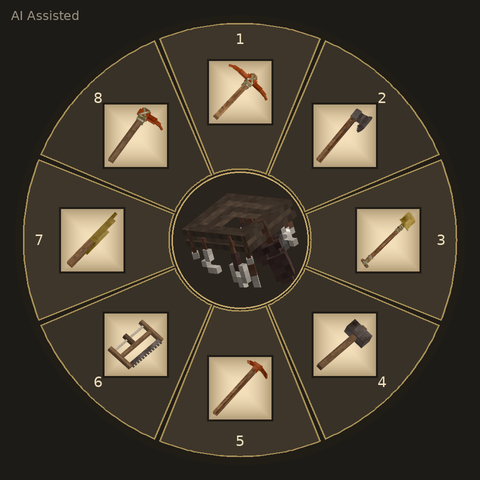
Store up to 8 tools in your Reinforced Tool Belt and switch quickly with a hotkey wheel!