Vintage Story version
Back to mods 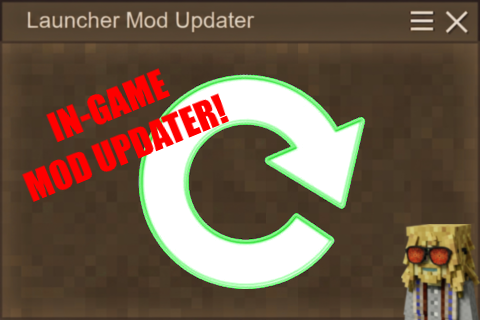
Vintage Story Mod DB · Vintage Story mod
Launcher Mod Updater
No need to check the ModDB regularly or use an external tool to update your mods anymore! Thanks to the new in-game updater "Launcher Mod Updater"! ⚙ When loading a world, Launcher Mod Updater checks for mod updates, lets you choose whether or not to update
Choose a version Pick your version below, then grab the matching file.
Quick answer
Which Launcher Mod Updater release matches 1.21.7?
Best match for your filters 1.1.6
Game version 1.21.0, 1.21.1-rc.1, 1.21.1-rc.2
Loader Built-in Vintage Story mod system
Launcher Mod Updater 1.1.6 targets 1.21.0, 1.21.1-rc.1, 1.21.1-rc.2. It must be installed on the client. Do not install it on the dedicated server. No extra mods listed for this file.
Where it goes
Is Launcher Mod Updater required on the client, server, or both?
It must be installed on the client. Do not install it on the dedicated server.
Client Required
Dedicated server Not supported
Loader for this release Built-in Vintage Story mod system
Required install it here Optional supported, not mandatory Not supported do not install here Source doesn’t say do not assume
This Vintage Story file is marked client-only.
What else does Launcher Mod Updater 1.1.6 need?
1.1.6 on 1.21.7. Every mod below is checked against that same setup.
This file does not list any required mods. Do not add a library just because a different file uses it.
This file does not list any required or optional mods.
Before you install it
Add Launcher Mod Updater without breaking your instance.
Built for Launcher Mod Updater 1.1.6 on 1.21.7. Pick another file and the loader, install side or required mods may change.
- 01
Stick to this file
Use 1.1.6. It targets 1.21.0, 1.21.1-rc.1, 1.21.1-rc.2; another release may have different loader, side or dependency requirements.
- 02
Bring the mods it needs
This file does not list any required mods. Do not add a library just because a different file uses it.
- 03
Put it on the correct side
It must be installed on the client. Do not install it on the dedicated server.
- 04
Pick the file you checked
Use the “Get this file” button beside 1.1.6. It opens that exact file at the source.
About this project
What does Launcher Mod Updater add?
No need to check the ModDB regularly or use an external tool to update your mods anymore!
Thanks to the new in-game updater "Launcher Mod Updater"!
⚙ When loading a world, Launcher Mod Updater checks for mod updates, lets you choose whether or not to update each enabled mod, and whether or not to keep the old versions (stored in “ModConfig”).
When updating a mod, any missing dependencies (other required mods) are downloaded too.
🔹 To prevent Launcher Mod Updater from checking updates for specific enabled mods, click on "Mods to watch" on the Handbook page.
🔹 To choose whether or not to keep older versions of mods by default, use the button on the Handbook page.
Launcher Mod Updater is inactive when joining a server, and adding it to a server doesn't do anything.
If you want to use LMU to update your server's mods more quickly:
1: Copy your VintagestoryData folder (the one used by the game installed on your computer), and place the copy wherever you want, giving it a different name so you remember it's for your server - for example, "VintagestoryServerData".
2: In "VintagestoryServerData", empty the Mods folder, keeping only "Creative Mode", "Essentials", and "Survival Mode" by Tyron (you can empty the Saves folder too if you need space on your drive).
3: In the Mods folder, put a copy of all your server mods.
4: Create a new shortcut from the original Vintagestory.exe file (located in C:\Users\%USERNAME%\AppData\Roaming\Vintagestory), and name it something like "VS server mods check".
5: Right-click on it, and select Properties.
6: In the "Target" field, don't delete anything - instead, go to the very end, press spacebar once, and then write "--dataPath your:\path\here --addModPath your:\path\here". The first "your:\path\here" will be the absolute path of your server data folder ("VintagestoryServerData" here), and the second will be the absolute path of the Mods folder in it. (Pay attention to quotation marks inside that target field. If the absolute path to your game's install directory contained spaces, the contents of the target field will likely already be enclosed in quotation marks, so the operating system understands it.)
7: Launch the game from this shortcut, and create a creative blank world (fastest to load).
[If the game keeps loading the mods you usually use, open the server data folder ("VintagestoryServerData" here), then the "clientsettings.json" file, scroll all the way to the bottom of the file, and below "modPaths", change to the path of the Mods folder located in the server data folder.]
🔄 Now when you want to check for updates, you'll just have to launch the game from the "VS server mods check" shortcut, load the creative world, and quit. If Launcher Mod Updater did download new mod updates, just copy the contents of the Mods folder located in "VintagestoryServerData" (our example) to your actual server's mods folder. (You may need to remove the 3 mods by Tyron.)
The game versions of your "VintagestoryServerData" and on your server must be the same for this method to work.
2: In "VintagestoryServerData", empty the Mods folder, keeping only "Creative Mode", "Essentials", and "Survival Mode" by Tyron (you can empty the Saves folder too if you need space on your drive).
3: In the Mods folder, put a copy of all your server mods.
4: Create a new shortcut from the original Vintagestory.exe file (located in C:\Users\%USERNAME%\AppData\Roaming\Vintagestory), and name it something like "VS server mods check".
5: Right-click on it, and select Properties.
6: In the "Target" field, don't delete anything - instead, go to the very end, press spacebar once, and then write "--dataPath your:\path\here --addModPath your:\path\here". The first "your:\path\here" will be the absolute path of your server data folder ("VintagestoryServerData" here), and the second will be the absolute path of the Mods folder in it. (Pay attention to quotation marks inside that target field. If the absolute path to your game's install directory contained spaces, the contents of the target field will likely already be enclosed in quotation marks, so the operating system understands it.)
7: Launch the game from this shortcut, and create a creative blank world (fastest to load).
[If the game keeps loading the mods you usually use, open the server data folder ("VintagestoryServerData" here), then the "clientsettings.json" file, scroll all the way to the bottom of the file, and below "modPaths", change to the path of the Mods folder located in the server data folder.]
🔄 Now when you want to check for updates, you'll just have to launch the game from the "VS server mods check" shortcut, load the creative world, and quit. If Launcher Mod Updater did download new mod updates, just copy the contents of the Mods folder located in "VintagestoryServerData" (our example) to your actual server's mods folder. (You may need to remove the 3 mods by Tyron.)
The game versions of your "VintagestoryServerData" and on your server must be the same for this method to work.
(You still need to relaunch the game for the updates to take effect, and reloading the world is not enough.)
Click on the "Files" tab at the top of the page for game version 1.21.
_____________________________________
Leave a “Thx” to support this mod if you like it!
Project description from Vintage Story Mod DB.
Pick your setup
Launcher Mod Updater releases for each Vintage Story version.
Choose the version and loader you play, then open the matching release.
Vintage Story version
1.22.4
1 loader buildVintage Story version
1.22.3
1 loader buildVintage Story version
1.22.2
1 loader buildVintage Story version
1.22.1
1 loader buildVintage Story version
1.22.0
1 loader buildVintage Story version
1.21.7
1 loader buildVintage Story version
1.21.6-rc.1
1 loader buildVintage Story version
1.21.6
1 loader buildVintage Story version
1.21.5
1 loader buildVintage Story version
1.21.4
1 loader buildVintage Story version
1.21.3
1 loader buildShowing the newest 12 of 20 game versions. Older files are in the list below.
Check the dependencies, then try the file in a copied instance before changing a world you care about.
Recent files
Launcher Mod Updater versions and loaders
1.1.6
LauncherModUpdater-1.21_1.1.6.zip
27 Jul 2026
Client Required Server Not supported Dependencies No extras listed Listed on Release listing
Check the 1.21.7 setup 1.21.01.21.1-rc.11.21.1-rc.21.21.1 release
1.1.4
LauncherModUpdater-1.21_1.1.4.zip
24 Jul 2026
Client Source doesn’t say Server Source doesn’t say Dependencies No extras listed Listed on Release listing
Check the 1.21.7 setup 1.21.01.21.1-rc.11.21.1-rc.21.21.1 release
1.1.2
LauncherModUpdater-1.21_1.1.2.zip
21 Jul 2026
Client Source doesn’t say Server Source doesn’t say Dependencies No extras listed Listed on Release listing
Check the 1.21.7 setup 1.21.01.21.1-rc.11.21.1-rc.21.21.1 release
1.1.0
LauncherModUpdater-1.21_1.1.0.zip
21 Jul 2026
Client Source doesn’t say Server Source doesn’t say Dependencies No extras listed Listed on Release listing
Check the 1.21.7 setup 1.21.01.21.1-rc.11.21.1-rc.21.21.1 release
1.0.8
LauncherModUpdater-1.21_1.0.8.zip
20 Jul 2026
Client Source doesn’t say Server Source doesn’t say Dependencies No extras listed Listed on Release listing
Check the 1.21.7 setup 1.21.01.21.1-rc.11.21.1-rc.21.21.1 release
1.0.6
LauncherModUpdater-1.21_1.0.6.zip
19 Jul 2026
Client Source doesn’t say Server Source doesn’t say Dependencies No extras listed Listed on Release listing
Check the 1.21.7 setup 1.21.01.21.1-rc.11.21.1-rc.21.21.1 release
Looking for an older file? The official Vintage Story Mod DB project page is in Resources.