Vintage Story version
Back to mods 
Vintage Story Mod DB · Vintage Story mod
TTS Vintage Story
TTS Vintage Story adds a “▶ Listen” button to lore books. Click it and the book is read aloud. This is the code mod — it ships no audio by itself. Install it together with one or more language audio packs (see the required-by list); the mod
Choose a version Pick your version below, then grab the matching file.
Quick answer
Which TTS Vintage Story release matches 1.22.5?
Best match for your filters 0.1.0
Game version 1.22.5
Loader Built-in Vintage Story mod system
TTS Vintage Story 0.1.0 targets 1.22.5. It must be installed on the client. Do not install it on the dedicated server. No extra mods listed for this file.
Where it goes
Is TTS Vintage Story required on the client, server, or both?
It must be installed on the client. Do not install it on the dedicated server.
Client Required
Dedicated server Not supported
Loader for this release Built-in Vintage Story mod system
Required install it here Optional supported, not mandatory Not supported do not install here Source doesn’t say do not assume
This Vintage Story file is marked client-only.
What else does TTS Vintage Story 0.1.0 need?
0.1.0 on 1.22.5. Every mod below is checked against that same setup.
This file does not list any required mods. Do not add a library just because a different file uses it.
This file does not list any required or optional mods.
Before you install it
Add TTS Vintage Story without breaking your instance.
Built for TTS Vintage Story 0.1.0 on 1.22.5. Pick another file and the loader, install side or required mods may change.
- 01
Stick to this file
Use 0.1.0. It targets 1.22.5; another release may have different loader, side or dependency requirements.
- 02
Bring the mods it needs
This file does not list any required mods. Do not add a library just because a different file uses it.
- 03
Put it on the correct side
It must be installed on the client. Do not install it on the dedicated server.
- 04
Pick the file you checked
Use the “Get this file” button beside 0.1.0. It opens that exact file at the source.
About this project
What does TTS Vintage Story add?
TTS Vintage Story adds a “▶ Listen” button to lore books. Click it and the book is read aloud.
This is the code mod — it ships no audio by itself. Install it together with one or more language audio packs (see the required-by list); the mod automatically plays the pack matching your game language.
Available language packs
Arabic, Chinese (Simplified), Czech, Dutch, English, French, German, Hungarian, Italian, Japanese, Korean, Polish, Portuguese (Brazil & Portugal), Russian, Spanish (Spain & Latin America), Turkish.
How it works
- Narration is generated offline with XTTS-v2, no AI or text-to-speech ever runs in your game. Only pre-baked OGG files play.
- Scope is static lore and book content. Player-written books get no button.
- Volume follows the game’s Sound Effects slider; a config file (
ModConfig/ttsvintagestory.json) adds per-mod volume and autoplay-on-open, else consider ingame slider.
Install
Drop this zip plus your language pack(s) into your Mods folder.
Author: GimliCZ. Audio is licensed CC BY-NC-ND and carries an inaudible provenance watermark.
Project description from Vintage Story Mod DB.
Pick your setup
TTS Vintage Story releases for each Vintage Story version.
Choose the version and loader you play, then open the matching release.
Check the dependencies, then try the file in a copied instance before changing a world you care about.
Recent files
TTS Vintage Story versions and loaders
0.1.0
gimliczttsvintagestory-v0.1.0_v1.22.5.zip
28 Jul 2026
Client Required Server Not supported Dependencies No extras listed Listed on Release listing
Check the 1.22.5 setup 1.22.5 release
Looking for an older file? The official Vintage Story Mod DB project page is in Resources.
 mod
mod Vintage Story
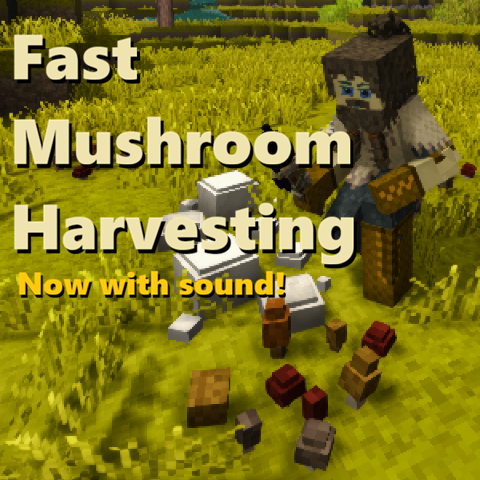
Fast Mushroom Harvesting
You don't need tools to pick mushrooms, it's easy and quick to pick them by hand - now with sound!
mod
Vintage Story
Custom Server Patch
A collection of tweaks for our private server.
 mod
mod Vintage Story
Auto Walk Extended
Toggle walking/sprinting. Options to toggle sneaking and automatic climbing.