Vintage Story version
Back to mods 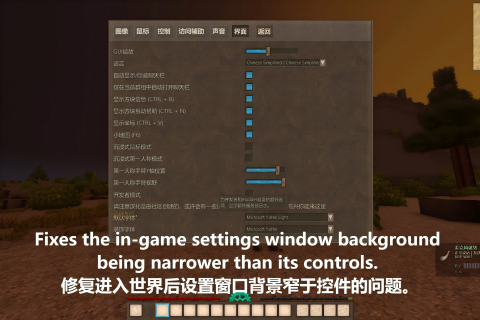
Vintage Story Mod DB · Vintage Story mod
Wider Settings UI
UI Width Fix Fixes the in-game settings window background being narrower than its controls. 修复进入世界后设置窗口背景窄于控件的问题。 Issue The in-game settings window and the main menu settings window used different methods for calculating the background width. The in-game v
Choose a version Pick your version below, then grab the matching file.
Quick answer
Which Wider Settings UI release matches 1.22.3?
Best match for your filters 1.0.0
Game version 1.22.3, 1.22.4, 1.22.5
Loader Built-in Vintage Story mod system
Wider Settings UI 1.0.0 targets 1.22.3, 1.22.4, 1.22.5. It must be installed on the client. Do not install it on the dedicated server. No extra mods listed for this file.
Where it goes
Is Wider Settings UI required on the client, server, or both?
It must be installed on the client. Do not install it on the dedicated server.
Client Required
Dedicated server Not supported
Loader for this release Built-in Vintage Story mod system
Required install it here Optional supported, not mandatory Not supported do not install here Source doesn’t say do not assume
This Vintage Story file is marked client-only.
What else does Wider Settings UI 1.0.0 need?
1.0.0 on 1.22.3. Every mod below is checked against that same setup.
This file does not list any required mods. Do not add a library just because a different file uses it.
This file does not list any required or optional mods.
Before you install it
Add Wider Settings UI without breaking your instance.
Built for Wider Settings UI 1.0.0 on 1.22.3. Pick another file and the loader, install side or required mods may change.
- 01
Stick to this file
Use 1.0.0. It targets 1.22.3, 1.22.4, 1.22.5; another release may have different loader, side or dependency requirements.
- 02
Bring the mods it needs
This file does not list any required mods. Do not add a library just because a different file uses it.
- 03
Put it on the correct side
It must be installed on the client. Do not install it on the dedicated server.
- 04
Pick the file you checked
Use the “Get this file” button beside 1.0.0. It opens that exact file at the source.
About this project
What does Wider Settings UI add?
UI Width Fix
Fixes the in-game settings window background being narrower than its controls.
修复进入世界后设置窗口背景窄于控件的问题。
Issue
The in-game settings window and the main menu settings window used different methods for calculating the background width. The in-game version only calculated the width based on the top tabs and the back button, while the settings controls still used a content layout of approximately 950 pixels wide, causing some controls to extend beyond the background in certain language environments.
游戏内设置窗口与主菜单设置窗口使用了不同的背景宽度计算方式。游戏内版本只按顶部标签和返回按钮计算背景宽度,但设置控件仍使用约 950 像素宽的内容布局,导致部分语言环境下控件超出背景。
Solution
This mod ensures that the in-game settings window always maintains at least 950 pixels of usable content width, while still expanding to a larger actual width when the top tabs require more space. The main menu settings interface and all settings item logic remain unaffected.
本模组让游戏内设置窗口保留至少 950 像素的可用内容宽度,同时在顶部标签需要更宽空间时继续采用更大的实际宽度。主菜单设置界面和所有设置项逻辑均不受影响。
I have a bit of OCD when it comes to UI, and I couldn't tolerate this cramped interface anymore.
我对用户界面有点强迫症,我再也无法忍受这种拥挤的界面了。
Project description from Vintage Story Mod DB.
Pick your setup
Wider Settings UI releases for each Vintage Story version.
Choose the version and loader you play, then open the matching release.
Vintage Story version
1.22.4
1 loader buildVintage Story version
1.22.3
1 loader buildCheck the dependencies, then try the file in a copied instance before changing a world you care about.
Recent files
Wider Settings UI versions and loaders
1.0.0
WiderSettingsUI_1.0.0.zip
29 Jul 2026
Client Required Server Not supported Dependencies No extras listed Listed on Release listing
Check the 1.22.3 setup 1.22.31.22.41.22.5 release
Looking for an older file? The official Vintage Story Mod DB project page is in Resources.
 mod
mod Vintage Story
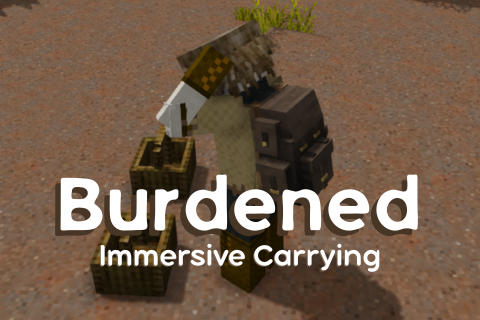
Burdened: Immersive Carrying
A weightier carrying experience: immersive slots, improved bag interactions, customizable, and more.
 mod
mod Vintage Story
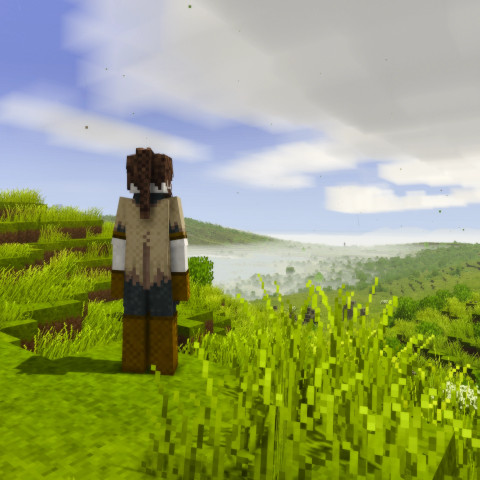
Auto Walk Extended
Toggle walking/sprinting. Options to toggle sneaking and automatic climbing.
 mod
mod Vintage Story
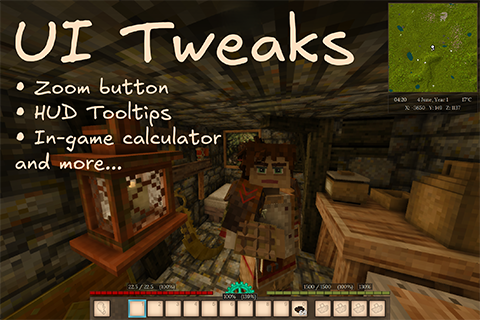
UI-Tweaks
Zoom Button, configurable HUD, in-game calculator, and more...