ChemistryLib Needed by Kingdom of Science: Photographic Memories 1.4.4-rc.1
requiredNo matching file Version asked for: 1.1.0
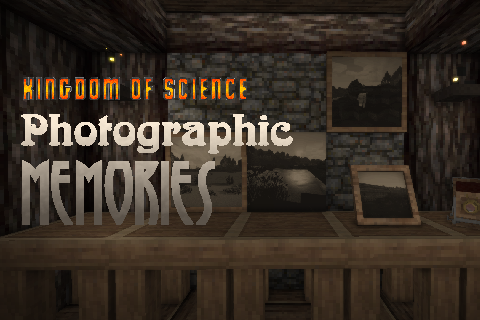
Vintage Story Mod DB · Vintage Story mod
This mod requires ChemistryLib (1.1.0 or higher). PLEASE NOTE: 1.4.4-rc.1 is a VERY CRUDE update. There are MANY issues with the mod, it just technically works. Here are the known issues: - 1-2 seconds freeze when taking a picture or placing a picture in a f
Quick answer
Kingdom of Science: Photographic Memories 1.4.4-rc.1 targets 1.21.0-pre.1, 1.21.0-pre.2, 1.21.0-pre.3. It must be installed on the client. Installation on the dedicated server is optional. 1 required mod needs a matching file.
Where it goes
It must be installed on the client. Installation on the dedicated server is optional.
This release supports both sides, but the source does not require it on the server.
1.4.4-rc.1 on 1.21.5. Every mod below is checked against that same setup.
Install ChemistryLib first, but 1 required mod has no matching file for this setup. Do not mix loader builds to force a match.
We only count dependency files that match this setup. A file for another loader does not fill the gap.
Before you install it
Built for Kingdom of Science: Photographic Memories 1.4.4-rc.1 on 1.21.5. Pick another file and the loader, install side or required mods may change.
Use 1.4.4-rc.1. It targets 1.21.0-pre.1, 1.21.0-pre.2, 1.21.0-pre.3; another release may have different loader, side or dependency requirements.
Install ChemistryLib first, but 1 required mod has no matching file for this setup. Do not mix loader builds to force a match.
It must be installed on the client. Installation on the dedicated server is optional.
Use the “Get this file” button beside 1.4.4-rc.1. It opens that exact file at the source.
About this project
This mod requires ChemistryLib (1.1.0 or higher).
PLEASE NOTE: 1.4.4-rc.1 is a VERY CRUDE update. There are MANY issues with the mod, it just technically works.
Here are the known issues:
- 1-2 seconds freeze when taking a picture or placing a picture in a frame
- Pictures not taken reliably, might have to try 2+ times
- Interactions with blocks (chests, doors...) might block photographs. Same with entities (untested)
- Offhand stack (photo paper) amount not updating properly. Take out and put back in to see the proper amount
- Probably more stuff I'm forgetting
This mod was like my third mod ever, and hasn't received any major tech update since its release. It's long overdue, vintage story engine code changed like two times since, it's a mess. But now, people who want to have in-game galleries can have them again.
The new camera model was made by Ruddi
If you find a bug, have a suggestion or want to talk, feel free to join my Discord server!
Kingdom of Science: Photographic Memories is the second mod of the Kingdom of Science series, a series that aims to add modern-ish technologies in a vanilla-friendly, primitive way.
(also this mod is my magnum opus, don't expect me to make things as great as this too much xD)
It adds photography to the game, in a vanilla-friendly way.
In this mod, you'll find a few new items:
The Camera, the item you'll need to use if you want to take a picture. To take a picture, hold a camera (you can hide your GUIs with f4 to remove the crosshair as well), aim and right-click. The picture will work like a screenshot: you can take selfies using the third-person camera, for instance.
You'll need to hold photographic paper in your off-hand to take a picture.
Photographic paper, you'll need to hold it in your off-hand if you want to take a picture. It's made in the crafting grid with a container containing silver nitrate and a salted paper.
Photograph, an exposed photographic paper. This is the item that you'll get after taking a picture. You can put it (using right-click) in any of the photograph frames, and you can rename it using the /photoname [PhotographNameWithoutSpaces] command.
You can also duplicate a photograph by right-clicking with it in the air while having photographic paper in the off-hand. (note: names aren't duplicated)
Salted paper and Silver nitrate are the ingredients that you'll need to make photographic paper. Their recipes are in the handbook.
Photograph frames are the blocks used to display photographs. Three variants exist: framed (on the wall, like a painting), borderless (similar to frame, but fills the entire block without any border) and a smaller frame (nightstand frame-style), that can be placed on top of any solid block.
Currently there is one configuration option: photograph resolution. You can set it as any power of two.
The default resolution is 128x, which means that a 4k texture atlas should support over 500 pictures loaded at the same time on client side. 256x would support around 144 concurrent pictures on an otherwise unmodded game.
Note that starting in 1.19.0, the texture atlas is now infinite, so it's not really a problem.
- Color photography. Would be pretty expensive, probably based on the Lumière Autochrome?
- Better feedback when taking a picture (like flashing the screen), disable the GUI automatically... Make the thing more user-friendly
- A way to export pictures after they're taken (get them as a png or a bmp)
- A way to load custom pictures (ones that weren't taken in-game). Maybe this could work with the way to duplicate pictures? export + load?
- Maybe add actual developing, so pictures will be more labor-intensive? Probably some recipe balancing, photography might not be expensive enough
- Sometimes the game crashes when handling photographs in your inventory (mostly when shift+clicking). This is probably due to the fact that photographs hold 65 kilobytes of data each and the inventory system isn't that fond of moving such a large amount of data instantly.
- When not crashing, it's common to experience lag spikes when handling photographs. Again, this is probably due to the large amount of data that they hold.
- Unpredictable behavior that could involve crashes when changing the painting LOD in the settings while having already taken pictures in a world
- The pictures look dark. I already multiplied their brightness by three, I don't really know what to do without risking severe overexposure and artifacts but I'll look into that. Mostly fixed by adding automatic exposure
Translation:
English and French by myself
Ukrainian by Omi
Project description from Vintage Story Mod DB.
Pick your setup
Choose the version and loader you play, then open the matching release.
Showing the newest 12 of 47 game versions. Older files are in the list below.
Check the dependencies, then try the file in a copied instance before changing a world you care about.
Recent files
kosphotography_1.4.4-rc.1.zip
3 Feb 2026
Looking for an older file? The official Vintage Story Mod DB project page is in Resources.
 mod
modA redo of the background for the UI and sliders dots etc for in game this is an earthy rusty tone.
 mod
modBoric Alchemy adds chemical routes to create and refine resources, and create alchemical marvels!
A mod for proximity VoIP. Shout at your friends!