ImGui Optional for Particles Plus 2.7.0
optionalNo matching file
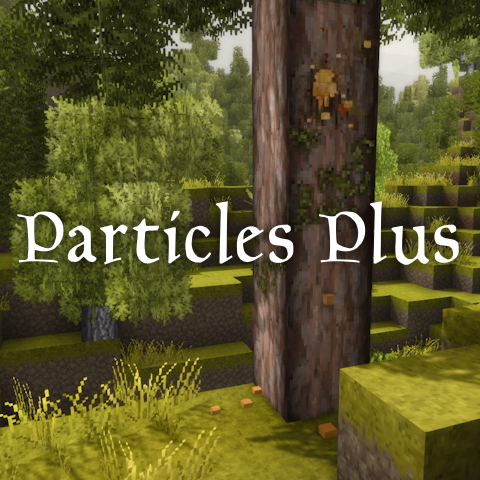
Vintage Story Mod DB · Vintage Story mod
Note: 1.22+ version requires ImGui 1.2.0 or higher if you want to use GUI otherwise your best bet is editing config. Demo Video Features: • Presets for: • Terra Preta (enabled by default) • High Fertility Soil (enabled by default) • Peat (disabled by def
Quick answer
Particles Plus 2.7.0 targets 1.22.7. It must be installed on the client. Do not install it on the dedicated server. No extra mods listed for this file.
Where it goes
It must be installed on the client. Do not install it on the dedicated server.
This Vintage Story file is marked client-only.
2.7.0. Change the file and its required mods may change too.
This file does not list any required mods. Do not add a library just because a different file uses it.
We only count dependency files that match this setup. A file for another loader does not fill the gap.
Before you install it
Built for Particles Plus 2.7.0. Pick another file and the loader, install side or required mods may change.
Use 2.7.0. It targets 1.22.7; another release may have different loader, side or dependency requirements.
This file does not list any required mods. Do not add a library just because a different file uses it.
It must be installed on the client. Do not install it on the dedicated server.
Use the “Get this file” button beside 2.7.0. It opens that exact file at the source.
About this project
Note: 1.22+ version requires ImGui 1.2.0 or higher if you want to use GUI otherwise your best bet is editing config.
Demo Video
Features:
Adding custom particles:
If you want to add custom particles you can do it in the mod's config. You should be familiar with:
Just follow default config format. I highly recommend to use Modding Tools by Maltiez for creating / exporting particles code.
edit: Modding Tools are very outdated
Planned:
Q and A:
Q: Mod doesn't work on the server but works on SP
A: Some servers only allow whitelisted mods, others have a blacklist for certain mods. This mod is probably not allowed on that server.
Q: Can the render distance of the particles be changed?
A: No, it uses vanilla particle system and it renders exactly the same way as any particle in the game.
Q: "P" / "CTRL + P" does something else
A: Go to Settings > Controls and rebind Particles Plus hotkeys to something else.
If you need any help you can ask on Discord
Project description from Vintage Story Mod DB.
Pick your setup
Choose the version and loader you play, then open the matching release.
Showing the newest 12 of 34 game versions. Older files are in the list below.
Check the dependencies, then try the file in a copied instance before changing a world you care about.
Recent files
particlesplus-2.7.0.zip
2 Oct 2026
particlesplus-2.5.8.zip
24 Apr 2026
particlesplus-2.5.7.zip
24 Apr 2026
particlesplus-2.5.6.zip
24 Apr 2026
particlesplus-2.5.2.zip
15 Apr 2026
particlesplus-2.3.3.zip
15 Apr 2026
ParticlesPlus-2.5.0.zip
14 Apr 2026
particlesplus_2.4.1.zip
14 Apr 2026
particlesplus-2.3.2.zip
2 Apr 2026
particlesplus_2.4.0.zip
12 Mar 2026
particlesplus-2.3.1.zip
1 Aug 2025
particlesplus-2.3.0.zip
1 Aug 2025
Looking for an older file? The official Vintage Story Mod DB project page is in Resources.
 mod
modClassic RPG-style skill system with abilities, perks, and progression now with old classic menu.
 mod
modRPG-style skill system with abilities, perks, and progression.
 mod
modHit an enemy in front of you even if you miss