Vintage Story version
Back to mods 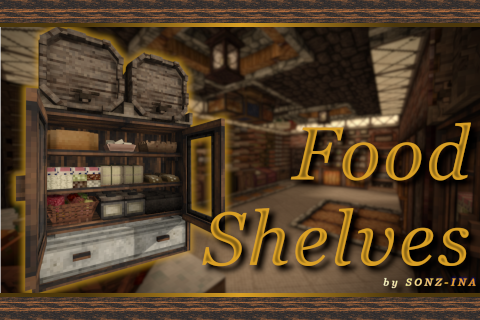
Vintage Story Mod DB · Vintage Story mod
Food Shelves
⚠️ 3.0.0 is incompatible with previous versions! Wipe all mod content from your current world before updating, or create a new one! Were you disappointed when you realized you can't put pies on shelves? Do you wish you could pack bread more tightly on a shelf
Choose a version Pick your version below, then grab the matching file.
Quick answer
Which Food Shelves release matches 1.20.11?
Best match for your filters 2.2.1
Game version 1.20.11
Loader Built-in Vintage Story mod system
Food Shelves 2.2.1 targets 1.20.11. It must be installed on the client. Installation on the dedicated server is optional. No extra mods listed for this file.
Where it goes
Is Food Shelves required on the client, server, or both?
It must be installed on the client. Installation on the dedicated server is optional.
Client Required
Dedicated server Optional
Loader for this release Built-in Vintage Story mod system
Required install it here Optional supported, not mandatory Not supported do not install here Source doesn’t say do not assume
This release supports both sides, but the source does not require it on the server.
What else does Food Shelves 2.2.1 need?
2.2.1 on 1.20.11. Every mod below is checked against that same setup.
This file does not list any required mods. Do not add a library just because a different file uses it.
This file does not list any required or optional mods.
Before you install it
Add Food Shelves without breaking your instance.
Built for Food Shelves 2.2.1 on 1.20.11. Pick another file and the loader, install side or required mods may change.
- 01
Stick to this file
Use 2.2.1. It targets 1.20.11; another release may have different loader, side or dependency requirements.
- 02
Bring the mods it needs
This file does not list any required mods. Do not add a library just because a different file uses it.
- 03
Put it on the correct side
It must be installed on the client. Installation on the dedicated server is optional.
- 04
Pick the file you checked
Use the “Get this file” button beside 2.2.1. It opens that exact file at the source.
About this project
What does Food Shelves add?
⚠️ 3.0.0 is incompatible with previous versions! Wipe all mod content from your current world before updating, or create a new one!
Were you disappointed when you realized you can't put pies on shelves?
Do you wish you could pack bread more tightly on a shelf since there's clearly more room?
Well, this mod fixes it.
Features
- Various shelves similar to the vanilla shelf, with specialized storage for bread, eggs, pies, cheese, etc.
- Specialized blocks that have bonuses for drying/curing (like the Jars or Barrel Racks).
- A "food cooling" mechanic: blocks like the Cooling Cabinet or Meat Freezer which you can additionally cool down with ice to preserve your food for longer.
- Specialized containers that keep specific food fresh for longer.
- Decorative blocks and baskets (like the Fruit Basket) on which you can store fruit and also place them in the Cooling Cabinet for a freshness bonus!
The Handbook contains more info on what you can put in containers.
Hover over the blocks with your cursor to check if it has a buff, and how strong it is!
Blocks that have extended perish times or additional bonuses are configurable!
Hover over the blocks with your cursor to check if it has a buff, and how strong it is!
Blocks that have extended perish times or additional bonuses are configurable!
⚠️ Backup your world before updating ANY mod!
Unintentional things can happen and you might lose your stuff.
Unintentional things can happen and you might lose your stuff.
Compatibility & Extras
Compatible with: Expanded Foods & Wildcraft: Fruits and Nuts (+ a lot of other mods).
Built-in: Texture variations of my shelves (wood & rock variants).
Configuration
GlobalBlockBuffs: Enabled by default - Controls whether the special effects and bonuses of the various storage blocks are enabled. Turning this off makes most blocks act as simple visual storage containers - for example, Barrel Racks lose their freshness bonus, Jars and Large Jars lose their drying/perish effects, etc. Basically everything becomes visual storage with normal vanilla perish rates. Turn this off if you want more of a vanilla+ experience.
LakeIceToCutIce: Disabled by default - Enables the Lake Ice to Cut Ice recipe. Useful if you're using mods that add ways to gather Lake Ice and want it to work with this mod.
GlobalPerishMultiplier: Changes the freshness bonus all Food Shelves containers get. Increase it if you want food to last longer in containers, or lower it if you want the bonuses to be weaker.
CooledBuff: Controls the perish rate multiplier when a container is cooled with ice. This is separate from GlobalPerishMultiplier, so you can keep normal container values and only tweak the cooling bonus. You can make cooling slightly stronger, weaker, or go all the way and basically stop food from rotting. Currently this only affects the Cooling Cabinet, Meat Freezer, and Fruit Cooler.
IceMeltRate: Changes how quickly Cut Ice melts. Lower it if you want ice to last longer, raise it if you want it to melt faster. Set it however you prefer.
ShowBarrelLabel: Enabled by default - Shows the Label of the liquid that's within the Barrel Racks / Tun Racks.
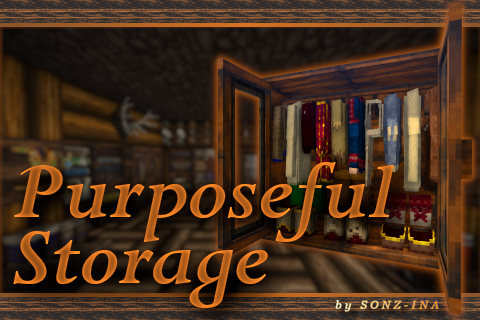
If you like this mod, check out Purposeful Storage:
FOR MODDERS: How to add compatibility (make your stuff placeable)
I've made adding compatibility an extremely easy process - it's just a JSON patch, that even ChatGPT can write if you give it an example.
There are 2 "folders" of interest if you want to add compatibility for your mod: foodshelves/config/restrictions and foodshelves/config/transformations.
Whitelisting
Whitelisting is allowing your item (presumably, food or some type of crock) to be placeable in my containers. You'll need a JSON patch to add your itemcodes to the appropriate JSON file.
The restrictions file has 3 "options" - most of the time only 2 are visible: "CollectibleTypes", "CollectibleCodes", and "GroupingCodes" (the last one is ONLY for the Vegetable Basket).
- CollectibleTypes: These are the Block Class Names that the item has. (e.g.,
"game:BlockBarrel"will whitelist all vanilla and modded barrels). This option is generally discouraged. - CollectibleCodes: These are the itemcodes of the items themselves. This is usually what you'll be patching.
- GroupingCodes: Itemcodes grouped into separate segments, used only by the Vegetable Basket for positioning and stack sizes. DO NOTE that if you notice a whitelist for a block uses these GroupingCodes, the patch MUST be on both server and client. So if you have "side": "server" in your patch, delete it!
Example patch:
[
  {
    "file": "foodshelves:config/restrictions/glassware/meatfreezer.json", // target this file
    "op": "addmerge", "path": "/CollectibleCodes", "side": "server", // append value server-side
    "value": [ // values that will be added
      "primitivesurvival:crabmeat-raw",
      "primitivesurvival:snakemeat-raw",
      "primitivesurvival:fishfillet-raw"
    ],
    "dependsOn": [ { "modid": "primitivesurvival" } ] // mod that activates the patch
  }
]
This example adds raw meat from Primitive Survival to the Meat Freezer whitelist. You can find more examples in the foodshelves/patches folder.
Modifying the position of the items
Your item might be misaligned, too small or too big. In the foodshelves/config/transformations folder, there are files that add specific transformations for placed items.
For example, to rotate all Cheese blocks by 45 degrees without affecting other items:
{
  "*cheese-*": { "origin": { "x": 0.5, "y": 0, "z": 0.5 }, "rotation": { "x": 0, "y": 45, "z": 0 } }
}
Hopefully this helped! Feel free to reach out for further assistance.
How to easily whitelist more items into my containers? (Disappears with updates)
You can directly edit the whitelist files inside the mod to add your own items. Keep in mind that these changes will be overwritten whenever the mod updates.
Open the zipped file: foodshelves/config/restrictions
Note: Editing files inside a ZIP is sometimes not possible. Extract the file first, edit it, then put it back in the ZIP.
Each JSON file represents a container. Find the container you want to modify and add your itemcodes to the "CollectibleCodes" section.
Example:
[
  {
    "CollectibleCodes": [
      "yourmod:exampleitem",
      "yourmod:anotheritem"
    ]
  }
]
Save the file and restart the game.
Finding Itemcodes: Go to Settings > Interface > Enable Dev Mode. Click the new "Dev" tab > enable Extended Item Debug Info. In your world, hover over the item to see its code.
Enjoying my Vintage Story mods? Consider supporting me!


Project description from Vintage Story Mod DB.
Pick your setup
Food Shelves releases for each Vintage Story version.
Choose the version and loader you play, then open the matching release.
Vintage Story version
1.22.4
1 loader buildVintage Story version
1.22.3
1 loader buildVintage Story version
1.22.2
1 loader buildVintage Story version
1.22.1
1 loader buildVintage Story version
1.22.0
1 loader buildVintage Story version
1.21.7
1 loader buildVintage Story version
1.21.6-rc.1
1 loader buildVintage Story version
1.21.6
1 loader buildVintage Story version
1.21.5
1 loader buildVintage Story version
1.21.4
1 loader buildVintage Story version
1.21.3
1 loader buildShowing the newest 12 of 28 game versions. Older files are in the list below.
Check the dependencies, then try the file in a copied instance before changing a world you care about.
Recent files
Food Shelves versions and loaders
2.2.1
foodshelves_2.2.1.zip
3 Jun 2025
Client Required Server Optional Dependencies No extras listed Listed on Release listing
Check the 1.20.11 setup 1.20.11 release
2.2.0
foodshelves_2.2.0.zip
3 Jun 2025
Client Source doesn’t say Server Source doesn’t say Dependencies No extras listed Listed on Release listing
Check the 1.20.11 setup 1.20.11 release
2.1.3
foodshelves_2.1.3.zip
31 May 2025
Client Source doesn’t say Server Source doesn’t say Dependencies No extras listed Listed on Release listing
Check the 1.20.11 setup 1.20.11 release
Looking for an older file? The official Vintage Story Mod DB project page is in Resources.
 mod
mod Vintage Story
Eternal Seraph: Patch
Патч для серверу Вічний Серафим. Patch for the server Eternal Seraph.
 mod
mod Vintage Story
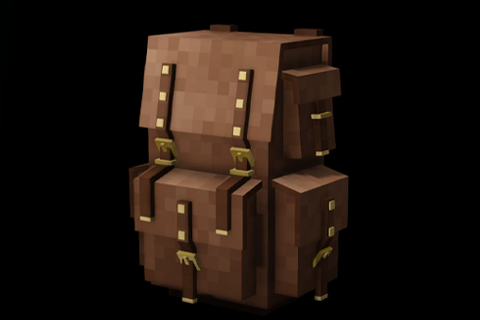
Eternal Seraph: Backpacks
Yes. New backpacks again.
 mod
mod Vintage Story
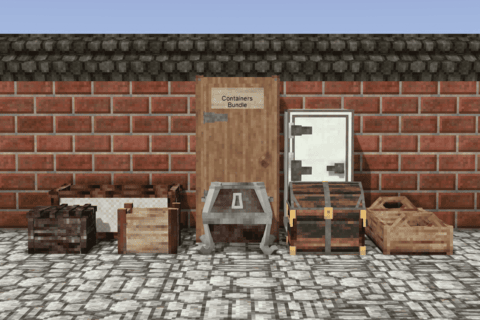
Containers Bundle
Adds 11 new containers to enrich game's container progression! With visual display of fullness!