Vintage Story version
Back to mods 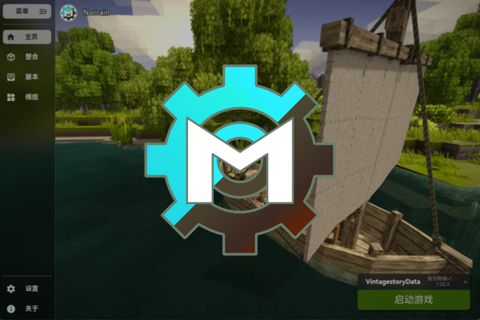
Vintage Story Mod DB · Vintage Story mod
MVL
神麤詭末的复古物语启动器(MVL) 跨平台复古物语启动器 神麤詭末的复古物语启动器(MVL)是一个免费、开源、由社区驱动的复古物语启动器,支持Windows与Linux系统 项目使用Godot4与C#,围绕多版本管理 + 整合包管理 + 模组浏览下载 + 启动封装提供一体化桌面体验 项目简介 MVL面向两类主要用户: • 玩家:快速导入或下载游戏版本、创建整合包、管理账号并启动游戏 • 开发者:可在本地构建完整工程,或按 CI 工作流进行可复现打包 快速开始 • 在版本页面导入已有游戏目录,或在线
Choose a version Pick your version below, then grab the matching file.
Quick answer
Which MVL release should I use?
Latest stable file 1.0.1
Game version 0.0.0
Loader Built-in Vintage Story mod system
MVL 1.0.1 targets 0.0.0. The project page does not say whether this file belongs on the client, dedicated server, or both. No extra mods listed for this file.
Where it goes
Is MVL required on the client, server, or both?
The project page does not say whether this file belongs on the client, dedicated server, or both.
Client Source doesn’t say
Dedicated server Source doesn’t say
Loader for this release Built-in Vintage Story mod system
Required install it here Optional supported, not mandatory Not supported do not install here Source doesn’t say do not assume
No client/server declaration is available from this source.
What else does MVL 1.0.1 need?
1.0.1. Change the file and its required mods may change too.
This file does not list any required mods. Do not add a library just because a different file uses it.
This file does not list any required or optional mods.
Before you install it
Add MVL without breaking your instance.
Built for MVL 1.0.1. Pick another file and the loader, install side or required mods may change.
- 01
Stick to this file
Use 1.0.1. It targets 0.0.0; another release may have different loader, side or dependency requirements.
- 02
Bring the mods it needs
This file does not list any required mods. Do not add a library just because a different file uses it.
- 03
Put it on the correct side
The project page does not say whether this file belongs on the client, dedicated server, or both.
- 04
Pick the file you checked
Use the “Get this file” button beside 1.0.1. It opens that exact file at the source.
About this project
What does MVL add?


神麤詭末的复古物语启动器(MVL)是一个免费、开源、由社区驱动的复古物语启动器,支持Windows与Linux系统
项目使用Godot4与C#,围绕多版本管理 + 整合包管理 + 模组浏览下载 + 启动封装提供一体化桌面体验
MVL面向两类主要用户:
- 玩家:快速导入或下载游戏版本、创建整合包、管理账号并启动游戏
- 开发者:可在本地构建完整工程,或按 CI 工作流进行可复现打包
- 在
版本页面导入已有游戏目录,或在线下载并安装游戏版本 - 在
整合页面创建整合包,并为整合包选择目标游戏版本 - 在
主页确认当前整合包与对应版本信息 - 点击右上角账号入口,选择在线登录或离线账号
- 回到
主页点击启动游戏。需要结束时可再次点击停止 - 需要管理模组时,可在
浏览页面搜索下载,或在整合包模组管理窗口执行更新与依赖处理
| 模块 | 主要功能 |
|---|---|
| 主页 | 选择当前整合包,启动/停止游戏,显示当前整合包绑定的版本信息 |
| 版本 | 导入本地已安装游戏;从版本列表下载并解压游戏;维护本地版本列表 |
| 整合 | 创建整合包、绑定游戏版本、调整启动命令与主程序集、管理图标与本地化字段 |
| 模组管理 | 扫描Mods目录(zip/dll/目录),比对ModDB版本,批量更新并处理依赖提示 |
| 浏览 | 对接ModDB API,按作者/标签/版本/安装状态筛选,查看并下载模组发布版本 |
| 账号 | 官方账号登录(含 TOTP 流程)与离线账号模式,切换当前启动账号 |
| 设置 | 语言、缩放、渲染驱动、代理、下载线程、最新版本、第三方游戏源等 |
| 关于 | 展示版本号、贡献者、赞助者、第三方许可证与项目外链 |
| 启动封装 | 使用VSRun传递运行参数、注入账号信息、处理离线补丁与模组路径修正 |
MVL 使用 Godot 用户目录(OS.GetUserDataDir()),并开启了use_custom_user_dir,目录名为MVL
常见路径示例:Windows通常在%APPDATA%\MVL,Linux通常在~/.local/share/MVL
| 路径 | 类型 | 用途 |
|---|---|---|
data.json |
文件 | 启动器主配置(语言、缩放、代理、账号、版本与整合包索引等) |
Modpack/ |
目录 | 默认整合包目录 |
Release/ |
目录 | 默认游戏版本目录 |
logs/ |
目录 | 日志目录,MVL.log自动轮转保留最近文件 |
.Cache/ |
目录 | 图标等缓存内容 |
Translation/ |
目录 | 本地翻译目录,可放置自定义.po并在设置中重载 |
override.cfg |
文件 | 渲染驱动等覆盖配置 |
- 克隆仓库:
git clone https://github.com/scgm0/MVL.git - 安装依赖(
Python/SCons、平台工具链、.NET 8+.NET 10) - 准备
VINTAGE_STORY目录(工作流中会下载并解压客户端后写入环境变量) - 克隆自定义
Godot分支:https://github.com/scgm0/godot.git的MVL分支 - 用
SCons构建Godot C#编辑器(参考官方文档),构建template_release时可选应用MVL/GodotBuildProfile/custom.py与custom.build - 将
mvl-repo/MVL/project.godot导入自构建的编辑器中
CI 参考文件:windows.yml、linux.yml
| 服务 | 用途 | 触发场景 | 可配置性 |
|---|---|---|---|
auth3.vintagestory.at |
账号登录、会话校验 | 在线账号登录与启动前校验 | 否 |
api.vintagestory.at |
获取游戏版本信息(如版本列表/最新信息) | 版本下载与登录流程 | 版本列表可改为第三方地址 |
mods.vintagestory.at |
模组列表、详情、发布版本下载 | 浏览与更新模组 | 否 |
api.github.com(scgm0/MVL) |
检查启动器最新发布版本 | 设置页版本检查与下载窗口 | 可选 GitHub 代理 |
gh-proxy.* |
GitHub API/下载代理 | 启用 GitHub 代理时 | 可在设置中切换 |
| 项目 | 链接 |
|---|---|
| 项目许可证 | MIT License |
| 贡献者名单 | AUTHORS.md |
| 赞助者名单 | DONORS.md |
项目内第三方组件许可证文件位于MVL/License/,并在应用关于页内动态展示。
| 名称 | 介绍 |
|---|---|
| VS Launcher | 另一个开源复古物语启动器 |
| 复古物语中文社区 | 非官方的复古物语中文论坛 |
| 名称 | 地址 |
|---|---|
| GitHub(上游) | https://github.com/scgm0/MVL |
| ModDB | https://mods.vintagestory.at/mvl |
| Weblate | https://hosted.weblate.org/engage/mvl |
| 复古物语 | https://www.vintagestory.at/ |
| QQ频道 | https://pd.qq.com/s/cgzpnm0lh |
| 赞助 | https://afdian.com/a/MystiVaid |
MystiVaid's VintageStory Launcher (MVL) is a free, open-source, community-driven launcher for Vintage Story, supports both Windows and Linux systems.
The project utilizes Godot4 and C# to deliver an integrated desktop experience centered around multi-version management, modpack management, mod browsing and downloading, and launch encapsulation
MVL serves both players and contributors:
- Players can import/download game releases, manage modpacks and accounts, then launch quickly
- Contributors can build locally or follow CI-aligned reproducible packaging steps
- Open
Releasesand import an existing game directory, or download one online - Open
Modpacksand create a modpack - Bind the modpack to a game release version
- Pick an account (online or offline) from the top-right account menu
- Return to
Homeand click launch - Use
Browseor mod management windows to install/update mods
| Area | What it does |
|---|---|
| Home | Select current modpack, launch/stop game, view bound release info |
| Releases | Import local installs, download and extract official releases |
| Modpacks | Create/manage modpacks, set startup command and main assembly |
| Mod Management | Scan the Mods directory (zip/dll/directories), compare versions with ModDB, batch update, and handle dependency prompts |
| Browser | Query ModDB API with filters, inspect releases, download mods |
| Account | Online login (with TOTP flow) and offline mode |
| Settings | Language, scale, renderer, proxy, download threads, latest version, custom game source |
| Info | Build info, contributors, donors, third-party license entries |
| Launch Runtime | VSRun wrapper injects run config, account/session data, and Harmony patches |
MVL uses the Godot user directory (OS.GetUserDataDir()) with use_custom_user_dir enabled, and the directory is named MVL
Common path examples: On Windows, it is typically located at %APPDATA%\MVL, and on Linux, it is usually at ~/.local/share/MVL
| Path | Type | Purpose |
|---|---|---|
data.json |
File | Launcher main configuration (language, scaling, proxy, accounts, version and modpack indexes, etc.) |
Modpack/ |
Directory | Default modpack directory |
Release/ |
Directory | Default game version directory |
logs/ |
Directory | Log directory, MVL.log automatically rotates to retain recent files |
.Cache/ |
Directory | Cache content such as icons |
Translation/ |
Directory | Local translation directory, where custom .po files can be placed and reloaded in settings |
override.cfg |
File | Override configurations such as rendering drivers |
- Clone the repository:
git clone https://github.com/scgm0/MVL.git - Install dependencies (
Python/SCons, platform toolchain,.NET 8+.NET 10) - Prepare the
VINTAGE_STORYdirectory (the workflow will download and extract the client, then write it to environment variables) - Clone the custom
Godotbranch: theMVLbranch ofhttps://github.com/scgm0/godot.git - Build the
Godot C# EditorusingSCons(refer to the official documentation). When buildingtemplate_release, optionally applyMVL/GodotBuildProfile/custom.pyandcustom.build - Import
mvl-repo/MVL/project.godotinto the self-built editor
CI reference files: windows.yml, linux.yml
| Service | Purpose |
|---|---|
auth3.vintagestory.at |
Login and session validation |
api.vintagestory.at |
Release/version metadata used by launcher flows |
mods.vintagestory.at |
Mod listing, mod metadata, and mod file downloads |
api.github.com/repos/scgm0/MVL/releases/latest |
Launcher update checks |
gh-proxy.* (optional) |
GitHub proxy endpoints |
| Item | Link |
|---|---|
| License | MIT |
| Contributors | AUTHORS.md |
| Donors | DONORS.md |
Third-party component license files within the project are located in MVL/License/ and are dynamically displayed on the app's Info page.
| Name | Introduction |
|---|---|
| VS Launcher | Another open-source Vintage Story launcher |
| Vintage Story Chinese Community | Unofficial Chinese forum for Vintage Story |
| Name | URL |
|---|---|
| GitHub (upstream) | https://github.com/scgm0/MVL |
| ModDB page | https://mods.vintagestory.at/mvl |
| Weblate | https://hosted.weblate.org/engage/mvl |
| Vintage Story | https://www.vintagestory.at/ |
| QQ Channel | https://pd.qq.com/s/cgzpnm0lh |
| Sponsorship | https://afdian.com/a/MystiVaid |
Project description from Vintage Story Mod DB.
Pick your setup
MVL releases for each Vintage Story version.
Choose the version and loader you play, then open the matching release.
Check the dependencies, then try the file in a copied instance before changing a world you care about.
Recent files
MVL versions and loaders
1.0.1
MVL-1.0.1-win.zip
20 May 2026
Client Source doesn’t say Server Source doesn’t say Dependencies No extras listed Listed on Release listing
Check the 0.0.0 setup 0.0.0 release
1.0.0
MVL-1.0.0-win.zip
4 Apr 2026
Client Source doesn’t say Server Source doesn’t say Dependencies No extras listed Listed on Release listing
Check the 0.0.0 setup 0.0.0 release
0.5.3
MVL-0.5.3-win.zip
7 Sept 2025
Client Source doesn’t say Server Source doesn’t say Dependencies No extras listed Listed on Release listing
Check the 0.0.0 setup 0.0.0 release
0.5.2
MVL-0.5.2-win.zip
3 Aug 2025
Client Source doesn’t say Server Source doesn’t say Dependencies No extras listed Listed on Release listing
Check the 0.0.0 setup 0.0.0 release
0.5.1
MVL-0.5.1-win.zip
31 Jul 2025
Client Source doesn’t say Server Source doesn’t say Dependencies No extras listed Listed on Release listing
Check the 0.0.0 setup 0.0.0 release
0.5.0
MVL-0.5.0.zip
16 May 2025
Client Source doesn’t say Server Source doesn’t say Dependencies No extras listed Listed on Release listing
Check the 0.0.0 setup 0.0.0 release
0.4.5
MVL-0.4.5-win.zip
27 Apr 2025
Client Source doesn’t say Server Source doesn’t say Dependencies No extras listed Listed on Release listing
Check the 0.0.0 setup 0.0.0 release
0.4.4
MVL-0.4.4-win.zip
26 Apr 2025
Client Source doesn’t say Server Source doesn’t say Dependencies No extras listed Listed on Release listing
Check the 0.0.0 setup 0.0.0 release
0.4.3
MVL-0.4.3-win.zip
24 Apr 2025
Client Source doesn’t say Server Source doesn’t say Dependencies No extras listed Listed on Release listing
Check the 0.0.0 setup 0.0.0 release
0.4.2
MVL-0.4.2-win.zip
15 Apr 2025
Client Source doesn’t say Server Source doesn’t say Dependencies No extras listed Listed on Release listing
Check the 0.0.0 setup 0.0.0 release
0.4.1
MVL-0.4.1-win.zip
3 Apr 2025
Client Source doesn’t say Server Source doesn’t say Dependencies No extras listed Listed on Release listing
Check the 0.0.0 setup 0.0.0 release
0.4.0
MVL-0.4.0-win.zip
20 Mar 2025
Client Source doesn’t say Server Source doesn’t say Dependencies No extras listed Listed on Release listing
Check the 0.0.0 setup 0.0.0 release
Looking for an older file? The official Vintage Story Mod DB project page is in Resources.