JSON Patches lib Needed by Player Model lib 1.23.8
requiredMatching file found Matched file: 1.5.2
Vintage Story Mod DB · Vintage Story mod
You can support me on Patreon: Requires: JSON Patches lib, Overhaul lib Library implements off thread shape tessellation to eliminate freezes related to it. This can cause issues with mods that add their own code for attaching items to player shape. Please r
Quick answer
Player Model lib 1.23.8 targets 1.22.0-pre.1, 1.22.0-pre.2, 1.22.0-pre.3. It must be installed on the client. Installation on the dedicated server is optional. All 2 required mods have matching files.
Where it goes
It must be installed on the client. Installation on the dedicated server is optional.
This release supports both sides, but the source does not require it on the server.
1.23.8 on 1.22.0-rc.10. Every mod below is checked against that same setup.
Install JSON Patches lib, Overhaul lib first. We found matching files for this game-version and loader setup.
We only count dependency files that match this setup. A file for another loader does not fill the gap.
Before you install it
Built for Player Model lib 1.23.8 on 1.22.0-rc.10. Pick another file and the loader, install side or required mods may change.
Use 1.23.8. It targets 1.22.0-pre.1, 1.22.0-pre.2, 1.22.0-pre.3; another release may have different loader, side or dependency requirements.
Install JSON Patches lib, Overhaul lib first. We found matching files for this game-version and loader setup.
It must be installed on the client. Installation on the dedicated server is optional.
Use the “Get this file” button beside 1.23.8. It opens that exact file at the source.
About this project

Requires: JSON Patches lib, Overhaul lib
Library implements off thread shape tessellation to eliminate freezes related to it. This can cause issues with mods that add their own code for attaching items to player shape. Please report those issues, they can be solved.
About virus alerts: learn.microsoft.com
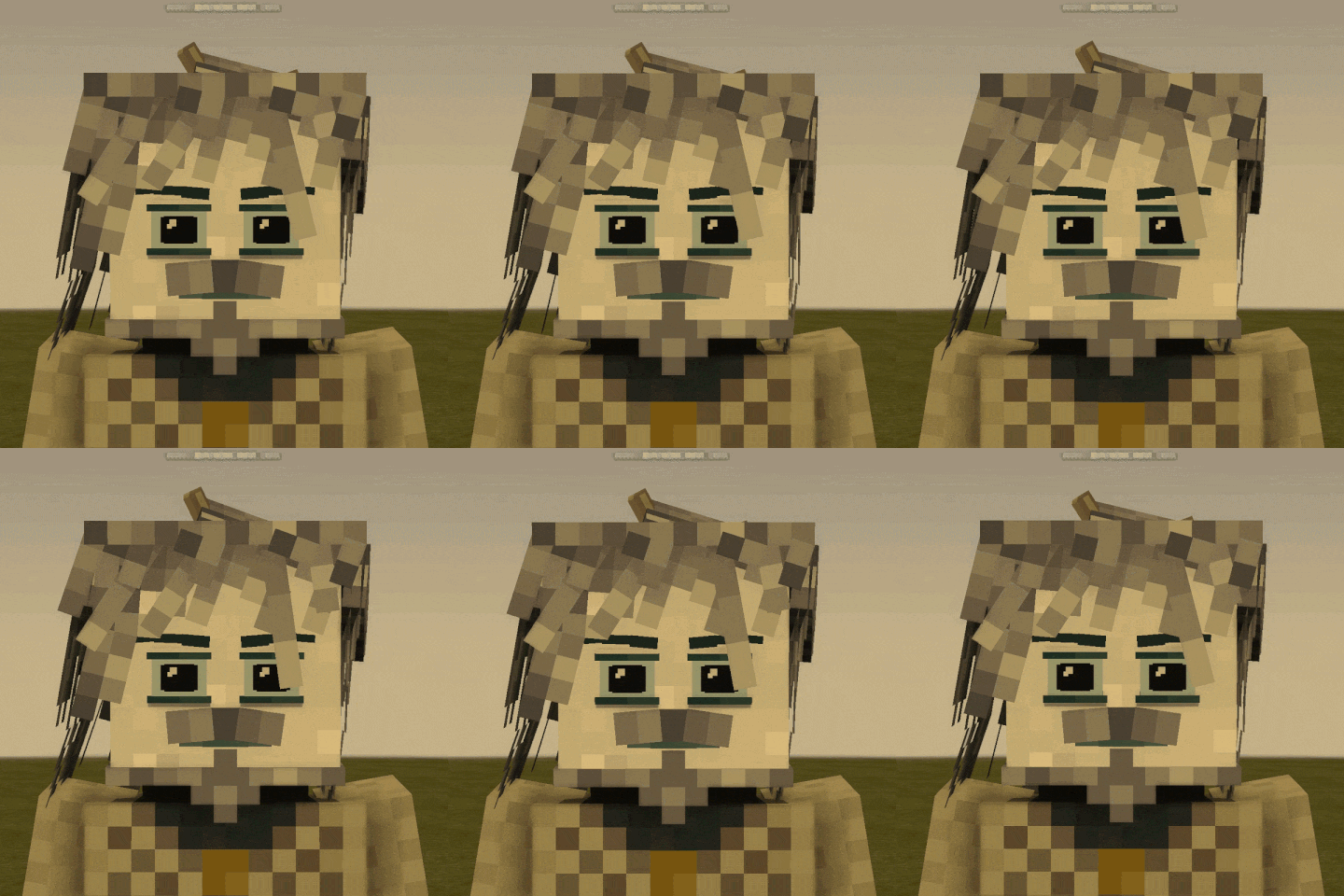
This is a library for adding new player models. It does not add new model on its own. Players can choose a model they want in the character-creation window. All players will see the model they choose. This mod is required both on client and server.
On its own, allows players to choose their model size.
Use Config lib to change default model parameters.
You can turn off custom classes and traits for all models globaly in config. This will turn them purely cosmetic and allow to use all classes added by other mods.
Skin presets are exported to and imported from: VintagestoryData\ModConfig\player-model-skins.
The "Export to CPM Model" button will save a copy of your current skin to VintagestoryData\ModConfig\custom-player-models\<model-name>. This is for making edits with the Custom Player Model mod.
Barber in the lore location does not work, and can lead to crashes, and as of rn there are no plans to fix it, so just dont use it.
Please report bugs via official VS discord server. Comments on moddb have high chance to be ignored.
Replaces character selection dialog. Adds scroll areas to skin parts and class selection tabs.
Replaces armor textures with ones that dont hide face inside helmets.
Adds two commands, that allow for specified players to be able to select specified player model even if it is disabled.
/player <player_name> enablePlayerModel <domain:code>
/player <player_name> disablePlayerModel <domain:code>
Mods that change default seraph model skin parts might be incompatible with this library (but some of them will still work).
Mods that change the default seraph model itself will most probably be incompatible.
Some mods that use this library:
A more complete list can be found here, maintained by Dracomancerwill
Known issues:
Thanks to Kathanon for scroll functionality for skin parts, it is integrated into the lib, no need in Scroll in Character Creation mod if you have this library installed.
To add your own model to be used with this library, make a content mod that depends on this library. Make the model, skin parts, textures. Then create 'config' folder inside your domain folder, and in it create 'customplayermodels' folder. Add JSON file with configuration of your model to this folder.
This library contains vanilla facial expressions adjusted to support new way of defining eye color. If you need vanilla facial expressions, use ones provided by library. Example is in API documentation.
You can add a list of classes that a specific model can choose, so it is possible to make a races mod with different classes for each model. If you specify no classes, all classes will be available for this model.
You can add a list of classes that won't be available for your model.
You can add a list of additional traits that player will have on top of class traits.
You can specify new clothing/armor models to be used with your model, but these models should use the same textures as the original models.
The library will automatically add all missing animation from seraph model (include modded), so you only need to make animations you want to replace. But if your model is too different from seraph model you might want to rework all animations.
Also, automatically add missing attachment points from vanilla seraph model. But for that to work, you should have same names for shape elements in your custom model as in the vanilla one.
If CollisionBox is specified, player collision box will be changed to specified values. Default vanilla values are [0.6,1.85].
If EyeHeight is specified, it will be used instead of the vanilla value of 1.7.
SizeRange defines limits to model size slider, by default it is from 80% to 120%.
Shape paths in wearable shape replacements support '{variant}' construction, it will be replaced with corresponding item variant value.
Use "overlayTexture": true for texture skin parts that modify model main shape textures!
Support for new format for character attributes lang entries (uses string.Format under hood):
"game:charattribute-damageReceivedFactor": "{0:P0} all damage received",
Texture skin parts always have to specify textureTarget, and specify targetSkinParts if they need to replace textures in shape skin parts (otherwise it will try to replace textures in player model). To add texture on top of existing one (like seraph underwear) you need to specify overlayTexture: true. Because of these changes, vanilla approach to change eyes color does not work anymore, you either need to use models and textures for facial expressions provided by library, or make your own overlay textures for vanilla eye colors.
New player stats:
Vanilla player stats:
{
    "kobold": {
        "ShapePath": "kobold:entity/humanoid/seraph-faceless",
        "AvailableClasses": ["commoner", "hunter"],
        "SkipClasses": ["commoner"],
        "ExtraTraits": ["precise"],
        "CollisionBox": [ 0.6, 1.85 ],
        "EyeHeight": 1.7,
        "SizeRange": [ 0.8, 1.2 ],
        "WearableModelReplacers": {
            "game:armor-legs-plate-*": "kobold:entity/humanoid/seraph/armor/plate/legs"
        },
        "WearableModelReplacersByShape": {
            "game:entity/humanoid/seraph/armor/plate/legs": "kobold:entity/humanoid/seraph/armor/plate/legs"
        },
        "SkinnableParts": [
            {
                "code": "baseskin",
                "type": "texture",
                "textureTarget": "seraph",
                "overlayMode": "Normal",
                "variants": [
                    { "code": "skin1", "texture": "kobold:entity/humanoid/seraphskinparts/body/skin1" },
                    { "code": "skin2", "texture": "kobold:entity/humanoid/seraphskinparts/body/skin2" },
                    { "code": "skin3", "texture": "kobold:entity/humanoid/seraphskinparts/body/skin3" },
                    { "code": "skin4", "texture": "kobold:entity/humanoid/seraphskinparts/body/skin4" },
                    { "code": "skin5", "texture": "kobold:entity/humanoid/seraphskinparts/body/skin5" }
                ]
            }
        ]
    }
}{
"serpah": {
"ShapePath": "yourdomain:entity/humanoid/seraph-faceless", // Path to shape file of your custom model
"BaseShapeCode": "playermodellib:seraph", // Will use this base shape to auto adjust clothes and armor shapes, though you need to use same shape structure as base shape (you find those in the lib assets folder), currently available: "seraph" and "digitigrade" (WIP)
"Group": "temporal", // model will be put into this group. If not specified, model will have its own group. Domain is not appended to the group, so you can specify groups existing in other mods
"Icon": "mydomain:icons/seraph", // path to icon in textures, should be square, ideally 32x32 pixels
"GroupIcon": "domain:icons/temporal", // path to group icon, expected resolution is 32x44. You only need to specify once, but you can do it multiple times, what icon will be used depends on mod load order and not defined
"SkinnableParts": [ // Skin parts, works in simmilar way to vanilla, except for textures
{
"code": "baseskin", // Unique code of a skin part
"enabled": true, // 'true' by default, use to dissable skinpart
"type": "texture", // Skin part type, possible values: Shape, Texture, Voice
"hideFromGui": false, // If set to true, skin part will not be in skin selection dialog, but will still be applied
"textureTarget": "girlbase", // Texture code inside shape that should be overriden/overlayed
"overlayMode": "Normal", // Overlay mode, possible values: Replace, Normal, AlphaMask, AlphaMaskBlackAndWhite
// Replace - replaces pixels
// Normal (default) - blends with respect to alpha channel
// NormalPreserveAlpha
// AlphaMask
// AlphaMaskBlackAndWhite
// AlphaMaskBlackAndWhiteInverted
// Darken
// Lighten
// Multiply
// MultiplyPreserveAlpha
// Screen
// ColorDodge
// ColorBurn
// Overlay
// OverlayCutout
// HueBlend
// SaturationBlend
// LuminosityBlend
// HueSaturationBlend
"colbreak": true // When present and set to true, will place items on the right half of the interface.
"tabCode": "textures" // When present on one or more skinnable parts, and set to something other than "default", the interface will switch to have multiple 'tabs' for different parts, which can each be split into two halves like the base interface can. The string given acts as the "ID" and skinparts with the same ID will be in the same tab (ex: "eyes", "bodytextures", "colors" etc). The name on the tab can be set in language files with "playermodellib:skinpart-tab-tabcodegoeshere"
"variants": [ // List of options for this skin part
{ "code": "chocolate", "texture": "yourdomain:bodies/boy/chocolate" },
{ "code": "caramel", "texture": "yourdomain:bodies/boy/caramel" }
]
},
{
"code": "breasts",
"type": "shape",
"shapeTemplate": { "base": "breasts/breasts-{code}" },
"disableElementsByVariantCode": { // Disables shape elements of base shape, skin parts and / or wearable items when corresponding skin part variant is selected. Useful for hiding armor parts that should only show up when the player has a tail, or clothing cuboids to cover breasts.
"none": ["Breasts", "*Breasts-armor"] // '*' at the beginning of element name will bypass clothes and armor prefixes (ex: certain armor items' cuboids show up as "armor-body-cube1" instead of just "cube1" etc as many clothes do.)
},
"variants": [
{ "code": "none"},
{ "code": "s" },
{ "code": "m" },
{ "code": "l" }
]
},
{
"code": "facialexpression",
"type": "shape",
"variants": [
{ "code": "angry", "shape": { "base": "playermodellib:seraphfaces/angry" } },
{ "code": "grin", "shape": { "base": "playermodellib:seraphfaces/grin" } }
]
},
{
"code": "eyecolor",
"type": "texture",
"textureTarget": "playermodellib-iris",
"targetSkinParts": ["facialexpression"], // If not specified or left empty this skin part will target textures inside main model. Otherwise it will target only textures inside models of skin parts specified here. Add "base" to this list to also target main model.
"variants": [
{ "code": "acid-green", "texture": "playermodellib:eyes/acid-green", "color": 000255000 }, // Color field will override auto generated color. Set it in format 'RRRGGGBBB' where 'RRR' is red channel value from 0 to 255, same for 'GGG' and 'BBB'.
{ "code": "aquamarine", "texture": "playermodellib:eyes/aquamarine" },
]
},
{
"code": "eyecolor2",
"type": "texture",
"textureTarget": "seraph",
"targetSkinParts": ["base"],
"solidColor": true, // instead of using texture from file, one will be generated with given color, player will be able to select it via color picker
"size": [8, 8], // size of overlay texture, does not need to be the same as of texture it is overlayed onto
"FixedAlpha": 1.0, // Locks the alpha (opacity) value for this element at a given number between 0.0 and 1.0, and hides the slider.
"FixedHue": 0.25 // Same as above, but for hue. Follows ROYGBIV, starting at 0 with red and ending at 1 with violet.
"FixedSaturation": 0.5 // Same as above, but for saturation.
"FixedLuminosity": 0.3 // Same as above, but for luminosity (brightness).
"variants": [
{ "code": "#ffaabbcc" }, // colors in hex ARGB format, those will be used for random generation
{ "code": "#ccbbaaff" }
],
"overlayOffset": [11, 9] // Offsets overlayed texture realtive to target texture: [horizontal, vertical]
},
{
"code": "eyecolor",
"type": "texture",
"canvas": true, // When set to true, will allow players to draw on a canvas with a size set in the "size" option below
"textureTarget": "playermodellib-iris",
"targetSkinParts": ["facialexpression"],
"size": [16, 16], // In the case of canvas elements, this is the size of the drawable texture
"colorsNumber": 1, // The number of different colors players can use to draw with
"variants":[
{"code": "AAAAEAAAABAAAAACAAABAAAAAAD/Iz/xA/AN0A/4H9gf9C2QGVRf7H/0P7A/8H/gB9gN4AA+AAA="} // When present, the default value for the texture will use the first variant available. Variants are not currently selectable for canvases; anything after the first will be ignored. This value can be acquired from the "playermodellib-previous-selections.json" file under "VintageStoryData/ModConfig"
]
},
{
"code": "eyecolor3",
"type": "texture",
"textureTarget": "playermodellib-iris",
"targetSkinParts": ["facialexpression"],
"canvas": true, // texture will be generate from canvas that player can draw on
"size": [8, 8], // canvas size: width / height
"colorsNumber": 1 // available number of different colors that can be used at the same time, each next power of 2 doubles size of texture in memory
},
{
"code": "subspecies",
"type": "shape",
"useDropDown": true,
"targetSkinParts": ["furcolor"], // if specified in shape skin part, texture skin parts from this list will also target this shape skin part
"shapeTemplate": { "base": "beastsofmen:animalextras/canine/{code}" },
"variants": [
{ "code": "canineearsbeta" },
{ "code": "foxinearsbeta" }
]
},
{
"code": "furcolor",
"type": "texture",
"useDropDown": true,
"textureTarget": "baseears",
"textureTemplate": "beastsofmen:racials/canine/{code}",
"variants": [
{ "code": "arctic" },
{ "code": "forest fire" }
]
}
],
"WearableModelReplacers": { // Will replace shapes of wearable items when this model is in use. Specify item code (supports wildacrds) and path to shape.
"game:armor-body-plate-*": "yourdomain:clothes/armor/plate/body",
"game:armor-body-scale-*": "yourdomain:clothes/armor/scale/body"
},
"WearableCompositeModelReplacers": { // Will replace shapes of wearable items when this model is in use. Specify item code (supports wildacrds) and shape in shape CompositeSHape format.
"game:armor-body-*-*": { "base": "yourdomain:clothes/armor/{construction}/body", "overlays": [ { "base": "game:entity/humanoid/seraph/clothing/shoulder/collar-cape-hood-fancy" }] },
},
"WearableModelReplacersByShape": { // Will replace shapes of wearable items (and shape overlays) when this model is in use. Specify path to origin shape and to new shape.
"game:entity/humanoid/seraph/clothing/upperbody/shortsleeve": "yourdomain:clothes/clothing/upperbody/shortsleeve",
"game:entity/humanoid/seraph/clothing/upperbody/longsleeve": "yourdomain:clothes/clothing/upperbody/longsleeve",
},
"AvailableClasses": ["commoner", "hunter"], // Only these classes will be available for this model. If not specified all classes are available (except for classes from SkipClasses).
"SkipClasses": ["malefactor"], // These character classes will not be avaialbe for this model.
"ExtraTraits": ["fleetfooted"], // Extra traits on top of classes that player will have when using this model
"ExclusiveClasses": ["smith"], // Classes specified here will be available only to this model and other model that add them to this list
"CollisionBox": [ 0.6, 1.85 ], // If specified will override collision and selection boxes
"EyeHeight": 1.7, // If specified will override eye height.
"SizeRange": [ 0.8, 1.2 ], // Will limit how far player can change model size using slider in character creation window.
"ScaleColliderWithSizeHorizontally": true, // If set to true player collision box width will be scaled with model size.
"ScaleColliderWithSizeVertically": true, // If set to true player collision box height will be scaled with model size.
"MaxCollisionBox": [ 1.0, 1.99 ], // Will prevent collision box to extend past this size when scaled with model size.
"MinCollisionBox": [ 0.1, 0.1 ], // Will prevent collision box to shrink past this size when scaled with model size,
"MaxEyeHeight": 1.95, // Upper limit to eye height when scaled with model size
"MinEyeHeight": 1.0, // Lower limit to eye height when scaled with model size
"AddTags": ["animal"], // Additional entity tags, dont add dynamic tags (like "state-onground")
"RemoveTags": ["seraph"], // Tags that will be removed from entity, dont remove dynamic tags (like "state-onground")
"ModelSizeFactor": 0.9, // Additional scaling factor for model,
"HeadBobbingScale": 1.0, // Scales head bobbing amplitude, use it to reduce head bobbing for small models
"GuiModelScale": 1.0, // Resizes model when displayed in GUI,
"Enabled": true, // If set to 'false', this model will not appear in list of models in character creation dialog,
"WalkEyeHeightMultiplier": 0.9, // Eye and collier height modifier when walking forwards or sideways
"SprintEyeHeightMultiplier": 0.8, // Eye and collier height modifier when sprinting forwards or sideways
"SneakEyeHeightMultiplier": 0.6, // Replaces vanilla sneak eye and collier height modifier
"StepHeight": 1.2, // Default step height. It rescales step height for player, instead of replacing (you still need to specify desired step height, not scaling factor), so if other mods change step height correctly, such change will be taken into account.
"CreateCuboidsForAttachmentPoints": true // When trying to add missing attachment points, will try to create cuboids these points are in if they are missing
},
"DisabledElementsByShape": { // Disables shape elements of base shape, skin parts and / or wearable items when items are equipped / worn by the player. Mimics the "disableElements" itemtype attribute found in vanilla. Useful for hiding elements like hair or ears when players equip hats or helmets.
"game:entity/humanoid/seraph/clothing/lowerbody/pants7": ["*cube1","cube2"] // '*' at the beginning of element name will bypass clothes and armor prefixes (ex: certain armor items' cuboids show up as "armor-body-cube1" instead of just "cube1" etc as many clothes do.)
},
"EnabledElementsByShape": { // Same as above, but enables rather than disables cuboids.
"game:entity/humanoid/seraph/clothing/lowerbody/pants7": ["cube1","*cube2"] // '*' at the beginning of element name will bypass clothes and armor prefixes (ex: certain armor items' cuboids show up as "armor-body-cube1" instead of just "cube1" etc as many clothes do.)
},
"AnimationsMetaData": [ // Adds animation metadata per-model as defined in vanilla in entities/humanoid/player.json. See https://apidocs.vintagestory.at/api/Vintagestory.API.Common.AnimationMetaData.html
{
"code": "helditemready-fp", // Unique identifier for behavior
"animation": "helditemready-fp", // Animation name in model
"clientSide": true, // If true, the exact animation frame will not be synchronized between client and server. It will still play when set to "true," just with the possibility of desync. This is to save bandwidth.
"weightCapFactor": 0.85, // Caps animation weight when blending animations together to prevent issues with blending being too fast
"easeInSpeed": 5, // Multiplies speed of easeIn animations
"easeOutSpeed": 5, // Multiplies speed of easeOut animations
"weight": 0, // 0-100, how strongly to move affected cuboids based on animation as defined in model.
"blendMode": "AddAverage",
"supressDefaultAnimation": false, // Should this animation stop default animations from playing?
"mulWithWalkSpeed": false, // Should this animation speed be multiplied by the movement speed of the entity?
"holdEyePosAfterEasein": 0, //0-100, lower values will move player FP camera with animation.
"triggeredBy": { // Triggers the behavior when player enters one or more given states. Not all states are actually used in-game.
"onControls: [ "Move", "SprintMode", "SneakMode", "Idle", "Swim", "Fly", "Glide", "Fall", "Dead", "Jump", "Climb", "FloorSitting"],
"matchExact": true, // When true, all OnControls elements need to be happening at once for the behavior to trigger, as opposed to only one.
"defaultAnim": true // Whether this is the default animation for the entity. Only useful to set idle animation.
},
"elementWeight": { // Per-cuboid weight. 0-100. Global weight setting above should be set to 0 for best results.
"UpperArmR": 80,
"LowerArmR": 80,
"ItemAnchor": 80
},
"attributes": { // When present, allows changing certain timings for behavior of animations.
"soundAtFrame": 21,
"damageAtFrame": 22,
"authorative": true
},
"elementBlendMode": { // Per-cuboid blend mode. Same as blend mode above.
"UpperArmR": "AddAverage",
"LowerArmR": "AddAverage",
"ItemAnchor": "AddAverage"
}
}
]
}
Certain attributes can be implemented as their own files rather than config elements:
You can create JSON files in the /config directory for your mod if you prefer to separate them from the main model config due to their size. They are as follows:
WearableModelReplacers -> model-replacements-bycode.json
WearableCompositeModelReplacers -> composite-model-replacements-bycode.json
WearableModelReplacersByShape -> model-replacements-byshape.json
DisabledElementsByShape -> disabled-elements-byshape.json
EnabledElementsByShape -> enabled-elements-byshape.json
If you want to make your models be compatible with vanilla and modded animations there are two ways you can choose:
1) You can make your model key body parts to be exactly the same size and position (also names) as seraph model.
For standard animation you want torso and arms to be the same for the majority of animations to be more compatible in first person
Also for standard animations you want also legs and neck to be the same for third person animations
For Combat Overhaul animations torso and arms is sufficient both for fp and tp
2) You can replace animations with your own.
For standard animation you just add them to your model shape file with same codes as ones you want to replace. All missing animations will be added from seraph shape
For Combat Overhaul you want to add your own animations with your model code at the end of animation name. Ask me in discord for more details. See other models for examples (ex: Kobold, under config/animations)
Creating Overhaul Lib animations requires the dev version of Overhaul Lib, linked in the description on the ModDB page.
You can create presets for your model that players can select:
Create a folder inside your mod's config directory, named customplayermodels-presets. Inside this directory, place .json files with any name, and fill them with the structure below:
{
  "modDomain:modelCode": {
    "presetCode": <preset exported via Export button>
  }
}
The language file entry for presets is playermodellib:preset-modDomain-modelCode-presetCode.
When updating your mod, if any models' names are changed, you can prevent players needing to use .charsel to recreate their avatars by pointing the old asset name to the new one:
You can do this by creating a file in your mod at "config/player-model-remaps.json", then filling it as such:
{
  "OldCodeToNewCode": {
    "moddomain:your-old-code": "moddomain:your-new-code"
  }
}
When using the base shape feature, you can export adjusted clothes and armor shapes:
The base shape feature is meant to automatically scale clothing / armor to match newly created models with similar structures to existing "templates."
The primary purpose of the export feature is streamlining adjustments for new models, so you can benefit from the baseshape system while also making fine adjustments to your model, as the base shapes function is usually close but not exactly precise or correct.
Before anything else, you need to specify your model's closest BaseShapeCode inside your config/customplayermodels/[yourmodelname].json file. See the above JSON API documentation for currently available options. These files are stored in shapes/baseshapes within PMLib's mod folder if you'd like to preview them.
Utilizing the baseshape functionality requires the voxels on your model to have matching names with the components of the baseshape you'd like to mirror, i.e. your model's left foot should have the same name as the chosen baseshape's left foot. You are able to have as many extra voxels on your model as you'd like, but you will need to manually adjust clothing to cover these voxels, as voxel names cannot be duplicated without causing issues.
The export feature requires Config Lib to activate, under the "Player Model Lib" option, within the "Mod Settings" menu (available from the esc/pause menu once installed). To utilize the export function, click the checkbox labelled "(DEBUG) Export clothes/armor shapes," save your mod config, then exit and enter the world. Equipping or unequipping any armor once this option is enabled and the world is reloaded will save the model file(s) to VintagestoryData/ModConfig/clothes-shapes, for further editing with the VS Model Creator.
If you want to add new clothes/armor models outside of model mod you dont need to patch anything, just put a file named 'model-replacements-bycode.json' in config folder in your assets and specify in it the models like that. First specfiy model code with its domain, then items and models to replace with.
{
  "kobold:kobold": {
    "game:armor-legs-plate-*": "kobold:entity/humanoid/seraph/armor/plate/legs"
  }
}
You can also do it with whole compositeShapes, file is 'composite-model-replacements-bycode.json'
{
  "kobold:kobold": {
    "game:armor-legs-plate-*": { "base":  "kobold:entity/humanoid/seraph/armor/plate/legs" }
  }
}
You can also specify wearable shape to replace, instead of wearable item code in 'model-replacements-byshape.json' file
{
  "kobold:kobold": {
    "game:entity/humanoid/seraph/armor/plate/legs": "kobold:entity/humanoid/seraph/armor/plate/legs"
  }
}
Project description from Vintage Story Mod DB.
Pick your setup
Choose the version and loader you play, then open the matching release.
Showing the newest 12 of 47 game versions. Older files are in the list below.
Check the dependencies, then try the file in a copied instance before changing a world you care about.
Recent files
playermodellib_1.23.8.zip
30 Jul 2026
playermodellib_1.23.7.zip
15 Jul 2026
playermodellib_1.23.6.zip
13 Jul 2026
playermodellib_1.23.5.zip
10 Jul 2026
playermodellib_1.23.4.zip
10 Jul 2026
playermodellib_1.23.2.zip
7 Jul 2026
playermodellib_1.23.1.zip
6 Jul 2026
playermodellib_1.23.0.zip
5 Jul 2026
playermodellib_1.22.9.zip
4 Jul 2026
playermodellib_1.22.8.zip
3 Jul 2026
playermodellib_1.22.7.zip
2 Jul 2026
playermodellib_1.22.6.zip
1 Jul 2026
Looking for an older file? The official Vintage Story Mod DB project page is in Resources.