Vintage Story version
Back to mods 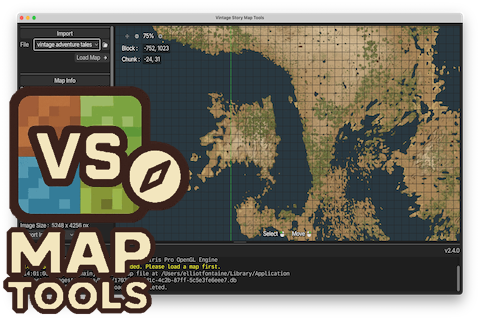
Vintage Story Mod DB · Vintage Story mod
VS Map Tools
🗺️ VS Map Tools ! Warning – If you're a MacOS or Linux user, download the latest release on GitHub, as ModDB only accepts a single file per release ! VS Map Tools is a cross-platform GUI application that reads your Vintage Story client-side minimap an
Choose a version Pick your version below, then grab the matching file.
Quick answer
Which VS Map Tools release should I use?
Latest stable file 2.4.0
Game version 0.0.0
Loader Built-in Vintage Story mod system
VS Map Tools 2.4.0 targets 0.0.0. The project page does not say whether it belongs on the client. The project page does not say whether it belongs on the dedicated server. No extra mods listed for this file.
Where it goes
Is VS Map Tools required on the client, server, or both?
The project page does not say whether it belongs on the client. The project page does not say whether it belongs on the dedicated server.
Client Source doesn’t say
Dedicated server Source doesn’t say
Loader for this release Built-in Vintage Story mod system
Required install it here Optional supported, not mandatory Not supported do not install here Source doesn’t say do not assume
No client/server declaration is available from this source.
What else does VS Map Tools 2.4.0 need?
2.4.0. Change the file and its required mods may change too.
This file does not list any required mods. Do not add a library just because a different file uses it.
This file does not list any required or optional mods.
Before you install it
Add VS Map Tools without breaking your instance.
Built for VS Map Tools 2.4.0. Pick another file and the loader, install side or required mods may change.
- 01
Stick to this file
Use 2.4.0. It targets 0.0.0; another release may have different loader, side or dependency requirements.
- 02
Bring the mods it needs
This file does not list any required mods. Do not add a library just because a different file uses it.
- 03
Put it on the correct side
The project page does not say whether it belongs on the client. The project page does not say whether it belongs on the dedicated server.
- 04
Pick the file you checked
Use the “Get this file” button beside 2.4.0. It opens that exact file at the source.
About this project
What does VS Map Tools add?
🗺️ VS Map Tools
! Warning – If you're a MacOS or Linux user, download the latest release on GitHub, as ModDB only accepts a single file per release !
VS Map Tools is a cross-platform GUI application that reads your Vintage Story client-side minimap and exports it as a high-resolution PNG image.
Key Features
- 💻 Cross-platform — runs on Linux, macOS, and Windows
- 📏 Very high export size limits when using downscaling
- 🌍 Automatic world size and explored-area detection
- 🧭 Supports relative coordinates — the ones players see in-game
- ⚡ Optimized for large maps
VS Map Tools can export either a specific region using coordinate bounds, or the entire explored world automatically, without manually defining limits.
Exports are pixel-perfect by default: each in-game block maps to exactly one pixel in the output image. For very large worlds, VS Map Tools supports downscaled exports, from 1:1 up to 1:32 blocks per pixel, allowing maps as large as 512,000 × 512,000 blocks.
Preview
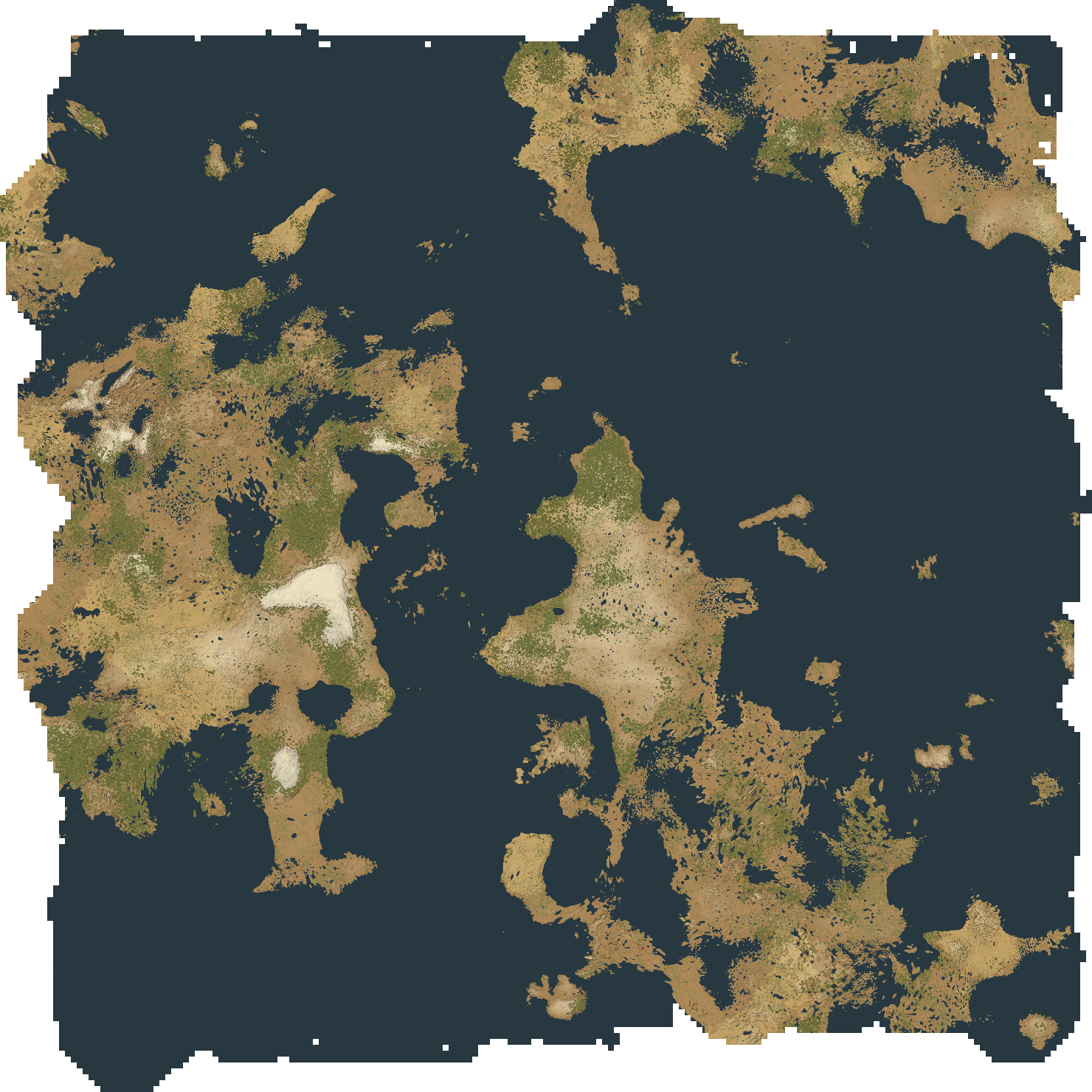
6,000 × 6,000 blocks
Map colors are from the Medieval Map mod.
Installation
- From the Releases page, download the latest version corresponding to your operating system.
- Extract the zip and run the application.
No Vintage Story mods are required, the app reads the local minimap database directly.
Roadmap
Planned/potential features for future versions:
-
👥 Collaborative map export
Merge multiple players’ minimap databases into a single world map -
📍 Waypoint rendering
Display in-game waypoints directly on the exported map -
⚡ Further performance improvements
Faster processing for very large maps
Featured Projects
You may also like:
- ChunkMapPregenerator by Chilimunyaka
- Vintage Story Map Exporter by SiiMeR
- Marximus Medieval Map by MarximusMaximus, based on a mod by Rangelost
- Web Cartographer by Th3Dilli
License
This project is licensed under the MIT License. See the LICENSE file for more details.
Project description from Vintage Story Mod DB.
Pick your setup
VS Map Tools releases for each Vintage Story version.
Choose the version and loader you play, then open the matching release.
Check the dependencies, then try the file in a copied instance before changing a world you care about.
Recent files
VS Map Tools versions and loaders
2.4.0
vsmaptools_2.4.0_windows.zip
15 Jan 2026
Client Source doesn’t say Server Source doesn’t say Dependencies No extras listed Listed on Release listing
Check the 0.0.0 setup 0.0.0 release
2.3.0
vsmaptools_2.3.0_windows.zip
5 Jan 2026
Client Source doesn’t say Server Source doesn’t say Dependencies No extras listed Listed on Release listing
Check the 0.0.0 setup 0.0.0 release
2.2.0
vsmaptools_2.2.0_windows.zip
13 Dec 2025
Client Source doesn’t say Server Source doesn’t say Dependencies No extras listed Listed on Release listing
Check the 0.0.0 setup 0.0.0 release
2.1.0
vsmaptools_2.1.0_windows.zip
24 Oct 2025
Client Source doesn’t say Server Source doesn’t say Dependencies No extras listed Listed on Release listing
Check the 0.0.0 setup 0.0.0 release
2.0.0
vsmaptools_2.0.0_linux.zip
23 Oct 2025
Client Source doesn’t say Server Source doesn’t say Dependencies No extras listed Listed on Release listing
Check the 0.0.0 setup 0.0.0 release
Looking for an older file? The official Vintage Story Mod DB project page is in Resources.